Load all asset sources from IMG.LY’s CDN to populate your CE.SDK editor with shapes, stickers, filters, effects, fonts, images, and other media using the Asset API.
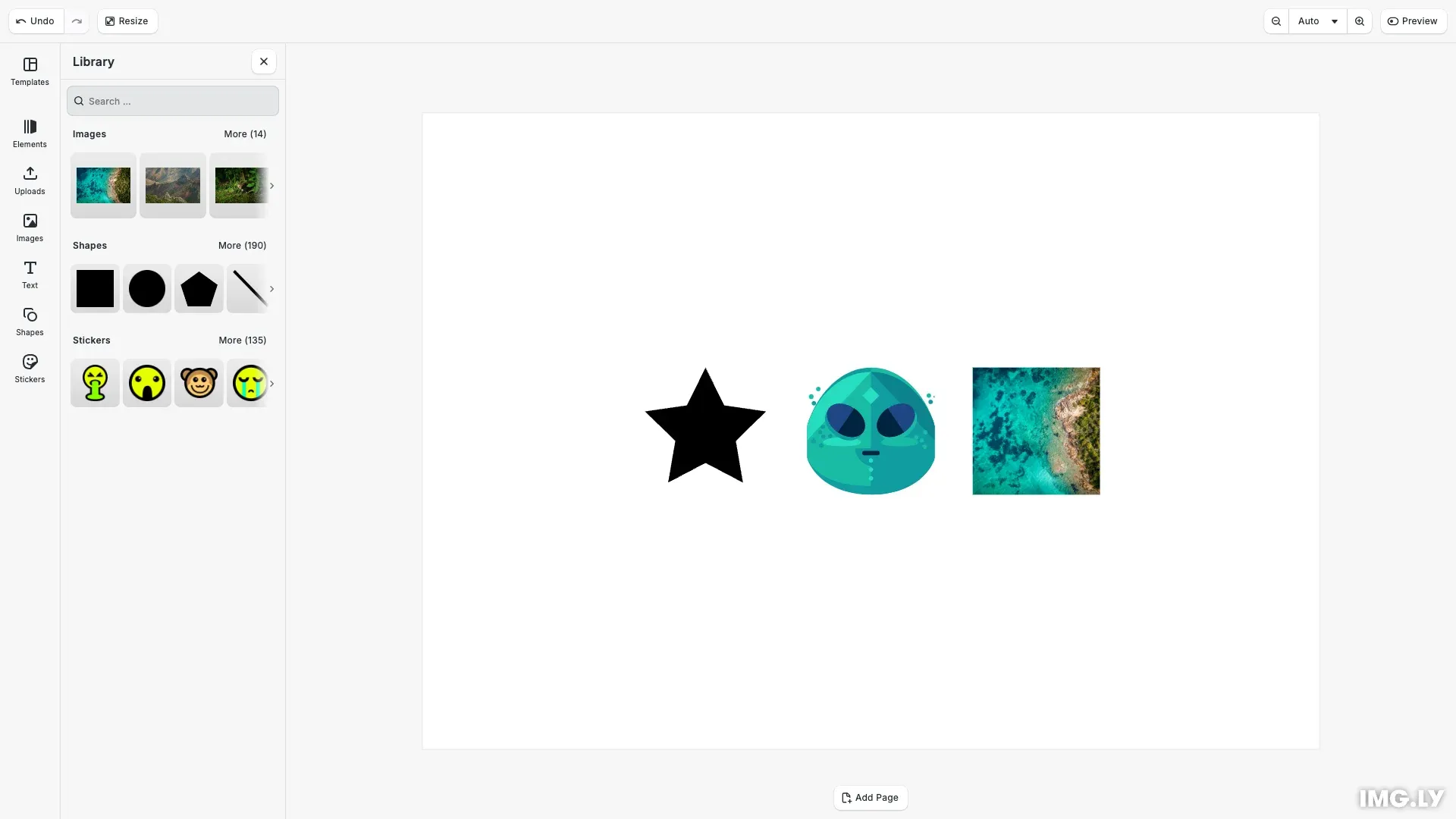
CE.SDK provides built-in asset sources for shapes, stickers, filters, effects, fonts, and sample media. This guide demonstrates loading all available asset sources from IMG.LY’s CDN and applying them to create a scene with a star shape, a sticker, and an image.
What Are Default and Demo Assets?#
IMG.LY provides two categories of asset sources hosted on the IMG.LY CDN for development and prototyping:
Default Assets are core editor components:
| Source ID | Description |
|---|---|
ly.img.sticker |
Emojis, emoticons, decorations |
ly.img.vector.shape |
Shapes: stars, arrows, polygons |
ly.img.color.palette |
Default color palette |
ly.img.filter |
Color filters (LUT and duotone) |
ly.img.effect |
Visual effects |
ly.img.blur |
Blur effects |
ly.img.typeface |
Font families |
ly.img.crop.presets |
Crop presets |
ly.img.page.presets |
Page size presets |
Demo Assets are sample content for development:
| Source ID | Description |
|---|---|
ly.img.image |
Sample images |
ly.img.video |
Sample videos |
ly.img.audio |
Sample audio tracks |
ly.img.templates |
Design and video templates |
ly.img.text.components |
Text component presets |
Loading Assets from URL#
Use addLocalAssetSourceFromJSONURI() to load an asset source directly from a JSON URL:
const baseURL = `https://cdn.img.ly/packages/imgly/cesdk-js/${cesdk.version}/assets/`;await engine.asset.addLocalAssetSourceFromJSONURI( `${baseURL}ly.img.vector.shape/content.json`);Versioned CDN URLs#
Use the SDK version to construct versioned CDN URLs. This ensures assets are compatible with your SDK version. For production deployments, see the Serve Assets guide to self-host assets.
// Versioned CDN URLs using the SDK package (recommended)// For production, self-host these assets - see the Serve Assets guideconst PACKAGE_BASE = `https://cdn.img.ly/packages/imgly/cesdk-js/${cesdk.version}/assets`;const DEFAULT_ASSETS_URL = `${PACKAGE_BASE}/`;const DEMO_ASSETS_URL = `${PACKAGE_BASE}/`;Loading Default Asset Sources#
Load a default asset source from the CDN. Repeat this pattern for each source you need:
// Load default asset sources (core editor components)await engine.asset.addLocalAssetSourceFromJSONURI( `${DEFAULT_ASSETS_URL}ly.img.sticker/content.json`);Loading Demo Asset Sources#
Load a demo asset source from the CDN. Repeat this pattern for each source you need:
// Load demo asset sources (sample content for testing)await engine.asset.addLocalAssetSourceFromJSONURI( `${DEMO_ASSETS_URL}ly.img.image/content.json`);Updating the Asset Library#
After loading asset sources, update the asset library entries to display them in the UI. Repeat this pattern for each source:
// Update asset library entries to show the loaded sources in the UIcesdk.ui.updateAssetLibraryEntry('ly.img.sticker', { sourceIds: ({ currentIds }) => [ ...new Set([...currentIds, 'ly.img.sticker']) ]});Filtering Assets with Matcher#
Use the matcher option to load only specific assets from a source:
const baseURL = `https://cdn.img.ly/packages/imgly/cesdk-js/${cesdk.version}/assets/`;
// Load only star and arrow shapesawait engine.asset.addLocalAssetSourceFromJSONURI(  `${baseURL}ly.img.vector.shape/content.json`,  { matcher: ['*star*', '*arrow*'] });
// Load only emoji stickersawait engine.asset.addLocalAssetSourceFromJSONURI(  `${baseURL}ly.img.sticker/content.json`,  { matcher: ['*emoji*'] });
An asset is included if it matches ANY pattern in the array. Patterns support * wildcards.
API Reference#
| Method | Description |
|---|---|
engine.asset.addLocalAssetSourceFromJSONURI(contentURI, options?) |
Load an asset source from a JSON URL |
Parameters for addLocalAssetSourceFromJSONURI:
| Parameter | Type | Description |
|---|---|---|
contentURI |
string |
Full URL to the content.json file |
options.matcher |
string[] |
Optional wildcard patterns to filter assets |
Returns: Promise<string> — The asset source ID from the JSON
Next Steps#
- Serve Assets — Self-host assets for production deployments
- Customize Asset Library — Configure the asset library UI and entries
- Asset Library Basics — Understand asset library structure and concepts
- Import From Remote Source — Load assets from external URLs