Apply blur effects to design elements using CE.SDK’s dedicated blur system for creating depth, focus, and atmospheric effects.
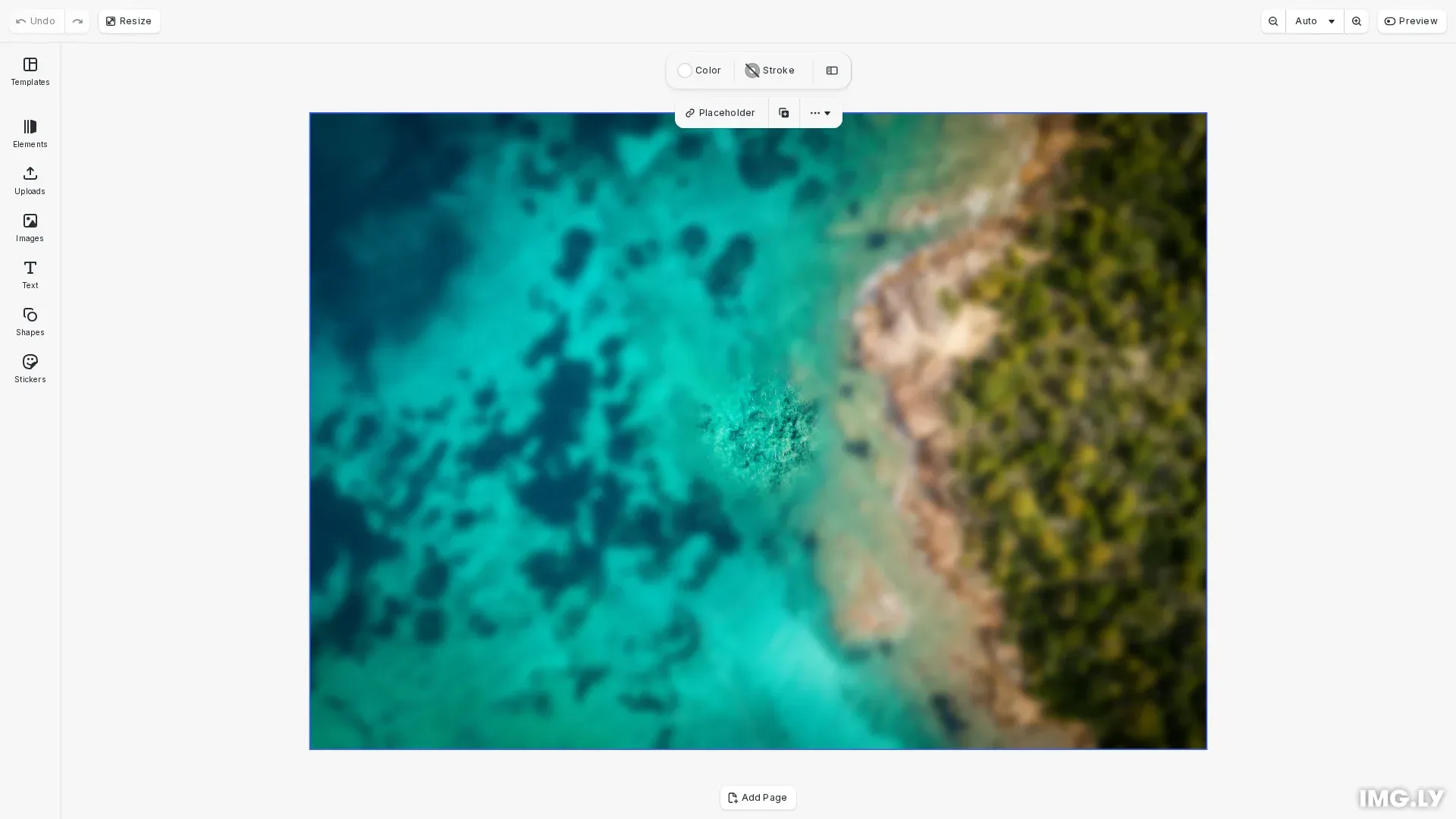
Unlike general effects that stack on elements, blur is a dedicated feature with its own API methods. Each block supports exactly one blur at a time, though the same blur instance can be shared across multiple blocks. CE.SDK provides four blur types: uniform for consistent softening, linear and mirrored for gradient-based effects along axes, and radial for circular focal points.
This guide covers how to apply blur effects programmatically using the block API.
Programmatic Blur Application#
Check Blur Support#
Before applying blur to a block, verify it supports blur effects. Graphic blocks with shapes and pages support blur.
if (!engine.block.supportsBlur(page)) { console.log('Block does not support blur'); return;}Always check support before creating and applying blur to avoid errors.
Create and Apply Blur#
Create a blur instance using createBlur() with a blur type, then attach it to a block using setBlur(). Enable the blur with setBlurEnabled().
const blur = engine.block.createBlur('//ly.img.ubq/blur/radial');CE.SDK provides four blur types:
//ly.img.ubq/blur/uniform- Even softening across the entire element//ly.img.ubq/blur/linear- Gradient blur along a line defined by two control points//ly.img.ubq/blur/mirrored- Band of focus with blur on both sides (tilt-shift style)//ly.img.ubq/blur/radial- Circular blur pattern from a center point
Configure Blur Parameters#
Each blur type has specific parameters to control its appearance. Configure them using setFloat().
engine.block.setFloat(blur, 'blur/radial/blurRadius', 40);engine.block.setFloat(blur, 'blur/radial/radius', 100);engine.block.setFloat(blur, 'blur/radial/gradientRadius', 80);engine.block.setFloat(blur, 'blur/radial/x', 0.5);engine.block.setFloat(blur, 'blur/radial/y', 0.5);Radial blur parameters:
blur/radial/blurRadius- Blur intensity (default: 30)blur/radial/radius- Size of the non-blurred center area (default: 75)blur/radial/gradientRadius- Size of the blur transition zone (default: 50)blur/radial/x- Center point x-value, 0.0 to 1.0 (default: 0.5)blur/radial/y- Center point y-value, 0.0 to 1.0 (default: 0.5)
Uniform blur parameters:
blur/uniform/intensity- Blur strength, 0.0 to 1.0 (default: 0.5)
Linear blur parameters:
blur/linear/blurRadius- Blur intensity (default: 30)blur/linear/x1,blur/linear/y1- Control point 1 (default: 0, 0.5)blur/linear/x2,blur/linear/y2- Control point 2 (default: 1, 0.5)
Mirrored blur parameters:
blur/mirrored/blurRadius- Blur intensity (default: 30)blur/mirrored/gradientSize- Hardness of gradient transition (default: 50)blur/mirrored/size- Size of the blurred area (default: 75)blur/mirrored/x1,blur/mirrored/y1- Control point 1 (default: 0, 0.5)blur/mirrored/x2,blur/mirrored/y2- Control point 2 (default: 1, 0.5)
Apply Blur to Block#
After configuring the blur, apply it to the target block and enable it.
engine.block.setBlur(imageBlock, blur);engine.block.setBlurEnabled(imageBlock, true);The blur takes effect immediately once enabled. You can modify parameters at any time and changes apply in real-time.
Managing Blur#
Access Existing Blur#
Retrieve the blur applied to a block using getBlur(). You can then read or modify its properties.
const appliedBlur = engine.block.getBlur(imageBlock);const isEnabled = engine.block.isBlurEnabled(imageBlock);const blurType = engine.block.getType(appliedBlur);console.log('Blur type:', blurType, 'Enabled:', isEnabled);Enable/Disable Blur#
Toggle blur on and off without removing it using setBlurEnabled(). This preserves all blur parameters for quick before/after comparisons.
engine.block.setBlurEnabled(imageBlock, false);const nowEnabled = engine.block.isBlurEnabled(imageBlock);console.log('Blur now enabled:', nowEnabled);engine.block.setBlurEnabled(imageBlock, true);When disabled, the blur remains attached to the block but doesn’t render until re-enabled.
Share Blur Across Blocks#
A single blur instance can be applied to multiple blocks. Create the blur once, then assign it to each block with setBlur().
const sharedBlur = engine.block.createBlur('//ly.img.ubq/blur/uniform');engine.block.setFloat(sharedBlur, 'blur/uniform/intensity', 0.4);
engine.block.setBlur(block1, sharedBlur);engine.block.setBlur(block2, sharedBlur);engine.block.setBlurEnabled(block1, true);engine.block.setBlurEnabled(block2, true);
Changes to the shared blur affect all blocks using it.
Replace Blur#
To change the blur type on a block, create a new blur and assign it with setBlur(). The previous blur association is automatically removed.
const newBlur = engine.block.createBlur('//ly.img.ubq/blur/linear');engine.block.setBlur(block, newBlur);engine.block.setBlurEnabled(block, true);If the old blur isn’t used elsewhere, destroy it with engine.block.destroy(oldBlur).
Troubleshooting#
Blur Not Visible#
If blur doesn’t appear after applying:
- Check the block supports blur with
supportsBlur() - Verify blur is enabled with
isBlurEnabled() - Ensure the blur instance is valid
Blur Appears on Wrong Area#
For radial, linear, and mirrored blurs:
- Verify control point coordinates are within 0.0 to 1.0 range
- Check that x/y values match your intended focus area
Blur Too Subtle or Too Strong#
- Increase or decrease
blurRadiusorintensityvalues - For radial blur, adjust
gradientRadiusto control the transition softness
API Reference#
| Method | Description |
|---|---|
block.createBlur(type) | Create new blur instance |
block.supportsBlur(block) | Check if block supports blur |
block.setBlur(block, blur) | Apply blur to block |
block.getBlur(block) | Get blur from block |
block.setBlurEnabled(block, enabled) | Enable or disable blur |
block.isBlurEnabled(block) | Check if blur is enabled |
block.setFloat(blur, property, value) | Set blur float property |
block.getFloat(blur, property) | Get blur float property |
block.getType(blur) | Get blur type identifier |
block.destroy(blur) | Destroy unused blur instance |
Linear Type#
A blur effect applied along a linear gradient.
This section describes the properties available for the Linear Type (//ly.img.ubq/blur/linear) block type.
| Property | Type | Default | Description |
|---|---|---|---|
blur/linear/blurRadius | Float | 30 | Blur intensity. |
blur/linear/x1 | Float | 0 | Control point 1 x-value. |
blur/linear/x2 | Float | 1 | Control point 2 x-value. |
blur/linear/y1 | Float | 0.5 | Control point 1 y-value. |
blur/linear/y2 | Float | 0.5 | Control point 2 y-value. |
Mirrored Type#
A blur effect applied in a mirrored linear fashion.
This section describes the properties available for the Mirrored Type (//ly.img.ubq/blur/mirrored) block type.
| Property | Type | Default | Description |
|---|---|---|---|
blur/mirrored/blurRadius | Float | 30 | Blur intensity. |
blur/mirrored/gradientSize | Float | 50 | Hardness of gradients. |
blur/mirrored/size | Float | 75 | Size of blurred area. |
blur/mirrored/x1 | Float | 0 | Control point 1 x-value. |
blur/mirrored/x2 | Float | 1 | Control point 2 x-value. |
blur/mirrored/y1 | Float | 0.5 | Control point 1 y-value. |
blur/mirrored/y2 | Float | 0.5 | Control point 2 y-value. |
Radial Type#
A blur effect applied radially from a center point.
This section describes the properties available for the Radial Type (//ly.img.ubq/blur/radial) block type.
| Property | Type | Default | Description |
|---|---|---|---|
blur/radial/blurRadius | Float | 30 | Blur intensity. |
blur/radial/gradientRadius | Float | 50 | Size of blurred area. |
blur/radial/radius | Float | 75 | Size of non-blurred area. |
blur/radial/x | Float | 0.5 | Center point x-value. |
blur/radial/y | Float | 0.5 | Center point y-value. |
Uniform Type#
A blur effect with uniform intensity.
This section describes the properties available for the Uniform Type (//ly.img.ubq/blur/uniform) block type.
| Property | Type | Default | Description |
|---|---|---|---|
blur/uniform/intensity | Float | 0.5 | The blur intensity. |