Scale images proportionally with engine.block.scale() using configurable anchor points, or stretch individual axes with direct width/height manipulation.
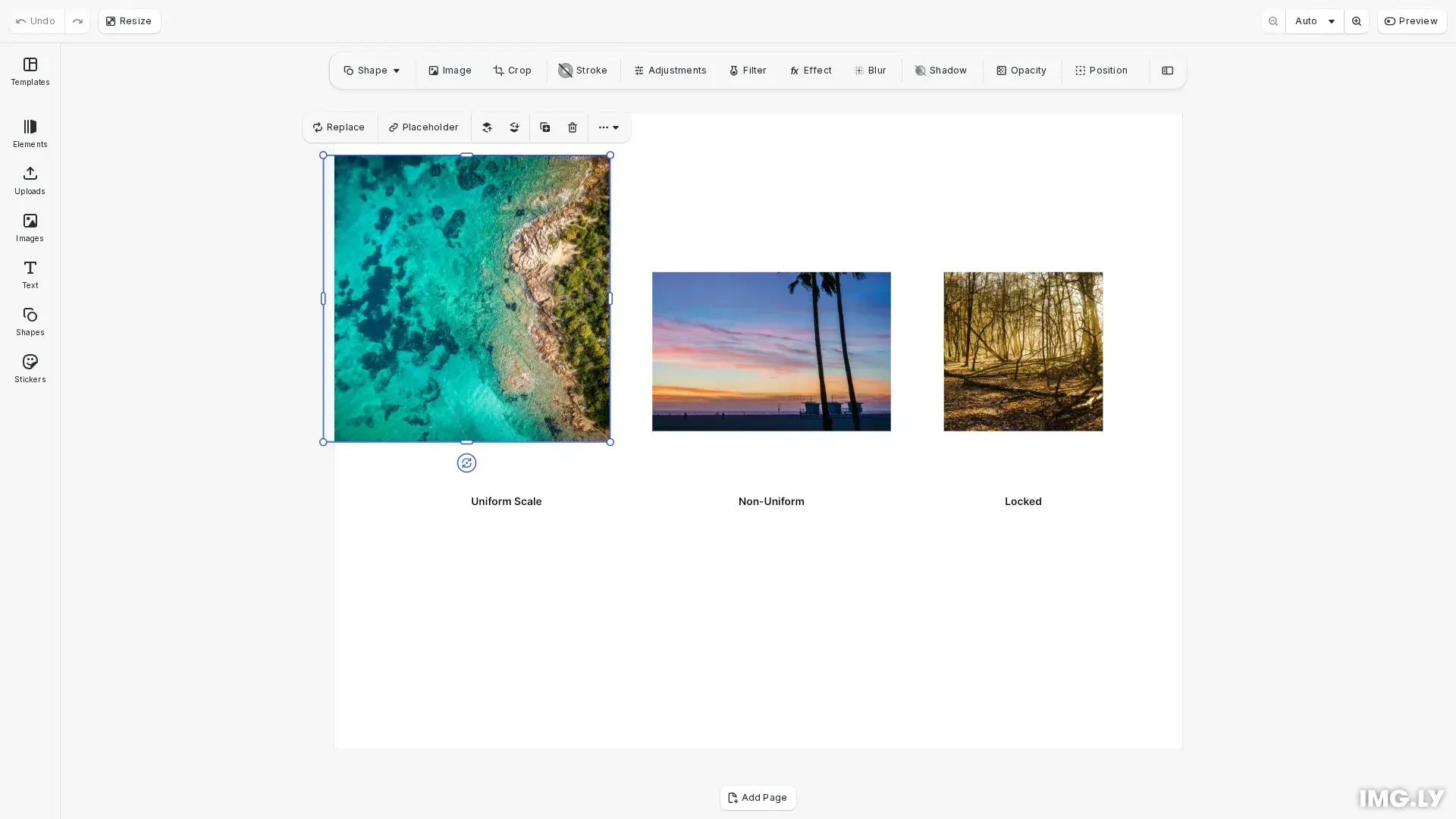
Scaling transforms a block proportionally using a factor, while resizing changes dimensions directly. Use scaling to maintain aspect ratio or apply consistent size changes across multiple elements.
This guide covers uniform scaling with anchor points, non-uniform axis stretching, and locking transforms to prevent scaling in templates.
Uniform Scaling#
Apply a scale factor with engine.block.scale() where 1.0 keeps the original size, values greater than 1 enlarge, and values less than 1 shrink. The third and fourth parameters control the anchor point (0 to 1 range):
// Scale uniformly to 150% from center anchorengine.block.scale(scaledImage, 1.5, 0.5, 0.5);Anchor Point Control#
Control the scaling origin with anchorX and anchorY parameters. Use (0, 0) for top-left, (0.5, 0.5) for center, or (1, 1) for bottom-right. Center anchor expands equally in all directions:
// Scale with different anchor points// Top-left anchor (0, 0) - default// Center anchor (0.5, 0.5) - scales from center// Bottom-right anchor (1, 1) - scales from bottom-right cornerconst anchorX = 0.5;const anchorY = 0.5;const scaleFactor = 1.2;engine.block.scale(scaledImage, scaleFactor, anchorX, anchorY);Non-Uniform Scaling#
Stretch a single axis by setting absolute mode and modifying width or height independently. This changes the aspect ratio:
// Stretch width by 50% while keeping heightengine.block.setWidthMode(stretchedImage, 'Absolute');const currentWidth = engine.block.getWidth(stretchedImage);engine.block.setWidth(stretchedImage, currentWidth * 1.5, true);Locking Transforms#
Lock transforms to prevent scaling, rotation, and repositioning using setTransformLocked:
// Lock transforms to prevent scalingengine.block.setTransformLocked(lockedImage, true);Scope Restrictions#
Disable specific capabilities using scopes. Use 'layer/resize' to prevent resizing while allowing other operations:
// Restrict scaling through scopesengine.block.setScopeEnabled(lockedImage, 'layer/resize', false);Troubleshooting#
Image Scales Unevenly#
Use the same anchor values for both X and Y (e.g., 0.5, 0.5 for center). Use scale() instead of separate width/height changes to maintain proportions.
Scaling Doesn’t Apply#
Verify the block is valid using engine.block.isValid(blockId). Ensure the block is appended to the scene hierarchy with engine.block.appendChild().
Users Can Still Scale Locked Blocks#
Check that the 'layer/resize' scope is disabled using engine.block.isScopeEnabled(). Transform locks prevent UI manipulation but not API calls.
Export Shows Original Size#
Confirm scaling was applied before export. Use engine.block.getWidth() and engine.block.getHeight() to verify dimensions after scaling.
API Reference#
| Method | Description |
|---|---|
engine.block.scale() | Scale block and children proportionally |
engine.block.getWidth() | Get current width |
engine.block.setWidth() | Set width with optional crop maintenance |
engine.block.getHeight() | Get current height |
engine.block.setHeight() | Set height with optional crop maintenance |
engine.block.setWidthMode() | Set width mode (Absolute, Percent, Auto) |
engine.block.setHeightMode() | Set height mode (Absolute, Percent, Auto) |
engine.block.setTransformLocked() | Lock all transformations |
engine.block.isTransformLocked() | Check if transforms are locked |
engine.block.setScopeEnabled() | Enable or disable a scope |
engine.block.isScopeEnabled() | Check if scope is enabled |