Dynamic content transforms static designs into flexible, data-driven templates. CE.SDK provides three complementary capabilities—text variables, placeholders, and editing constraints—that work together to enable personalization while maintaining design integrity.
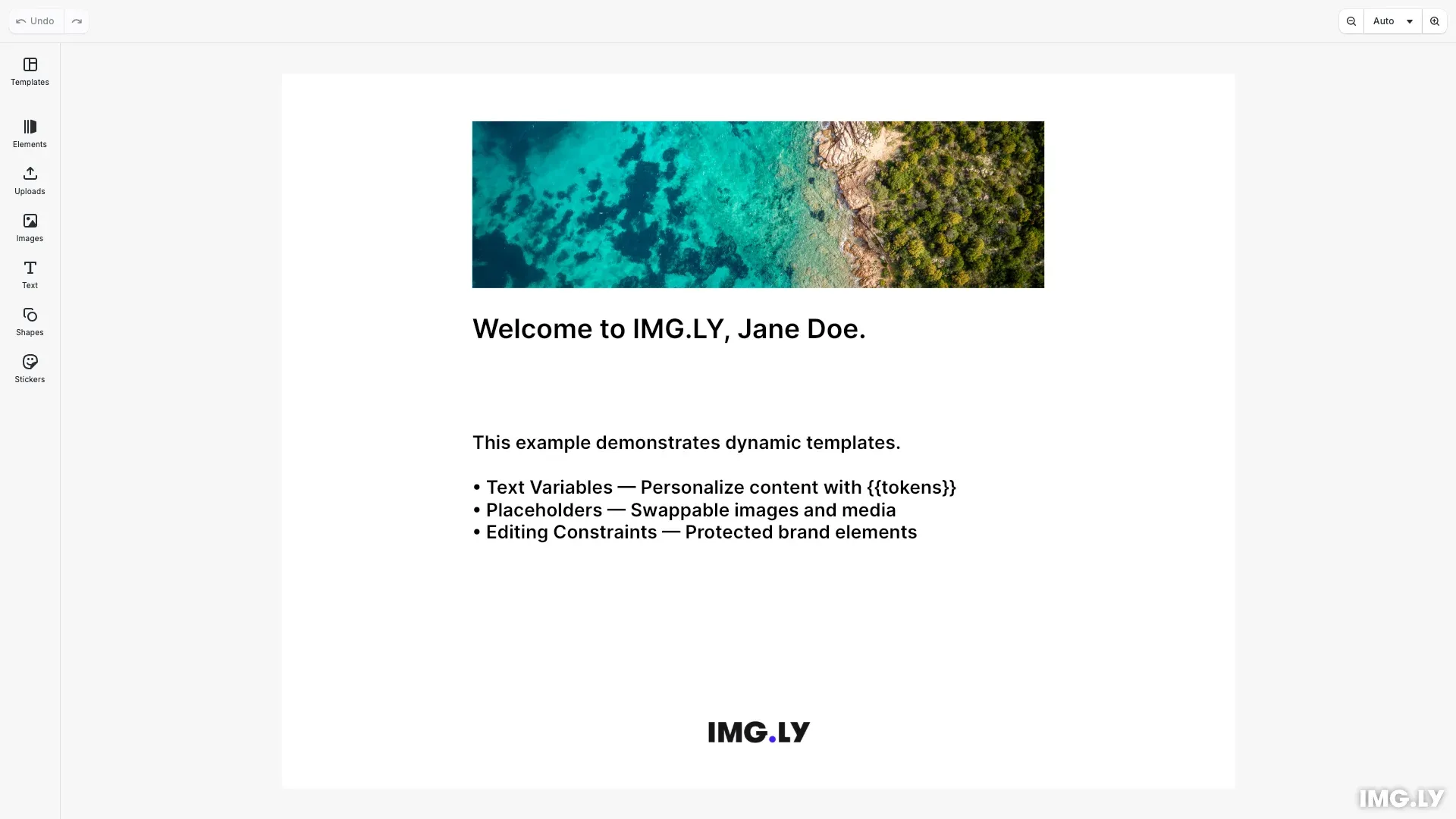
This guide covers how to use dynamic content capabilities in CE.SDK templates. The example creates a social media card with personalized name and company variables, a replaceable hero image, and a protected logo.
Dynamic Content Capabilities#
CE.SDK offers three ways to make templates dynamic:
- Text Variables — Insert
{{tokens}}in text that resolve to dynamic values at runtime - Placeholders — Mark blocks as drop zones where users can swap images or videos
- Editing Constraints — Lock specific properties to protect brand elements while allowing controlled changes
Text Variables#
Text variables enable data-driven text personalization. Define variables using engine.variable.setString(), then reference them in text blocks with {{variableName}} tokens.
engine.variable.setString('firstName', 'Jane');engine.variable.setString('lastName', 'Doe');engine.variable.setString('companyName', 'IMG.LY');
// Create heading with company variableconst headingText = engine.block.create('text');engine.block.replaceText(  headingText,  'Welcome to {{companyName}}, {{firstName}} {{lastName}}.');
Variables are defined globally and can be referenced in any text block. The findAll() method returns all variable keys in the scene, useful for building dynamic editing interfaces.
Placeholders#
Placeholders turn design blocks into drop zones for swappable media. Mark an image block as a placeholder, and users can replace its content while the surrounding design remains fixed.
// Enable placeholder behavior for the hero imageif (engine.block.supportsPlaceholderBehavior(heroImage)) {  engine.block.setPlaceholderBehaviorEnabled(heroImage, true);  engine.block.setPlaceholderEnabled(heroImage, true);
  if (engine.block.supportsPlaceholderControls(heroImage)) {    engine.block.setPlaceholderControlsOverlayEnabled(heroImage, true);    engine.block.setPlaceholderControlsButtonEnabled(heroImage, true);  }}
Enable placeholder behavior with setPlaceholderBehaviorEnabled(), then enable user interaction with setPlaceholderEnabled(). The visual overlay and replace button are controlled separately via setPlaceholderControlsOverlayEnabled() and setPlaceholderControlsButtonEnabled().
Editing Constraints#
Editing constraints protect design integrity by limiting what users can modify. Use scope-based APIs to lock specific properties while keeping others editable.
// Lock the logo: prevent moving, resizing, and selectionengine.block.setScopeEnabled(logo, 'layer/move', false);engine.block.setScopeEnabled(logo, 'layer/resize', false);engine.block.setScopeEnabled(logo, 'editor/select', false);
// Verify constraints are appliedconst canSelect = engine.block.isScopeEnabled(logo, 'editor/select');const canMove = engine.block.isScopeEnabled(logo, 'layer/move');console.log('Logo - canSelect:', canSelect, 'canMove:', canMove);
The setScopeEnabled() method controls individual properties. Setting 'editor/select' to false prevents users from selecting the block entirely, making it completely non-interactive. Combined with 'layer/move' and 'layer/resize', this creates a fully protected element.
Choosing the Right Capability#
| Need | Capability |
|---|---|
| Dynamic text content | Text Variables |
| Swappable images/videos | Placeholders |
| Lock specific properties | Editing Constraints |
API Reference#
| Method | Description |
|---|---|
engine.editor.setRole() | Set user role (Creator, Adopter, Viewer) |
engine.variable.findAll() | Get all variable keys in the scene |
engine.variable.setString() | Create or update a text variable |
engine.variable.getString() | Read a variable’s current value |
engine.block.supportsPlaceholderBehavior() | Check placeholder support |
engine.block.setPlaceholderBehaviorEnabled() | Enable placeholder behavior |
engine.block.setPlaceholderEnabled() | Enable user interaction |
engine.block.findAllPlaceholders() | Find all placeholder blocks |
engine.block.setScopeEnabled() | Enable or disable editing scope |
engine.block.isScopeEnabled() | Query scope state |