Understand the three color spaces in CE.SDK and when to use each for screen or print workflows.
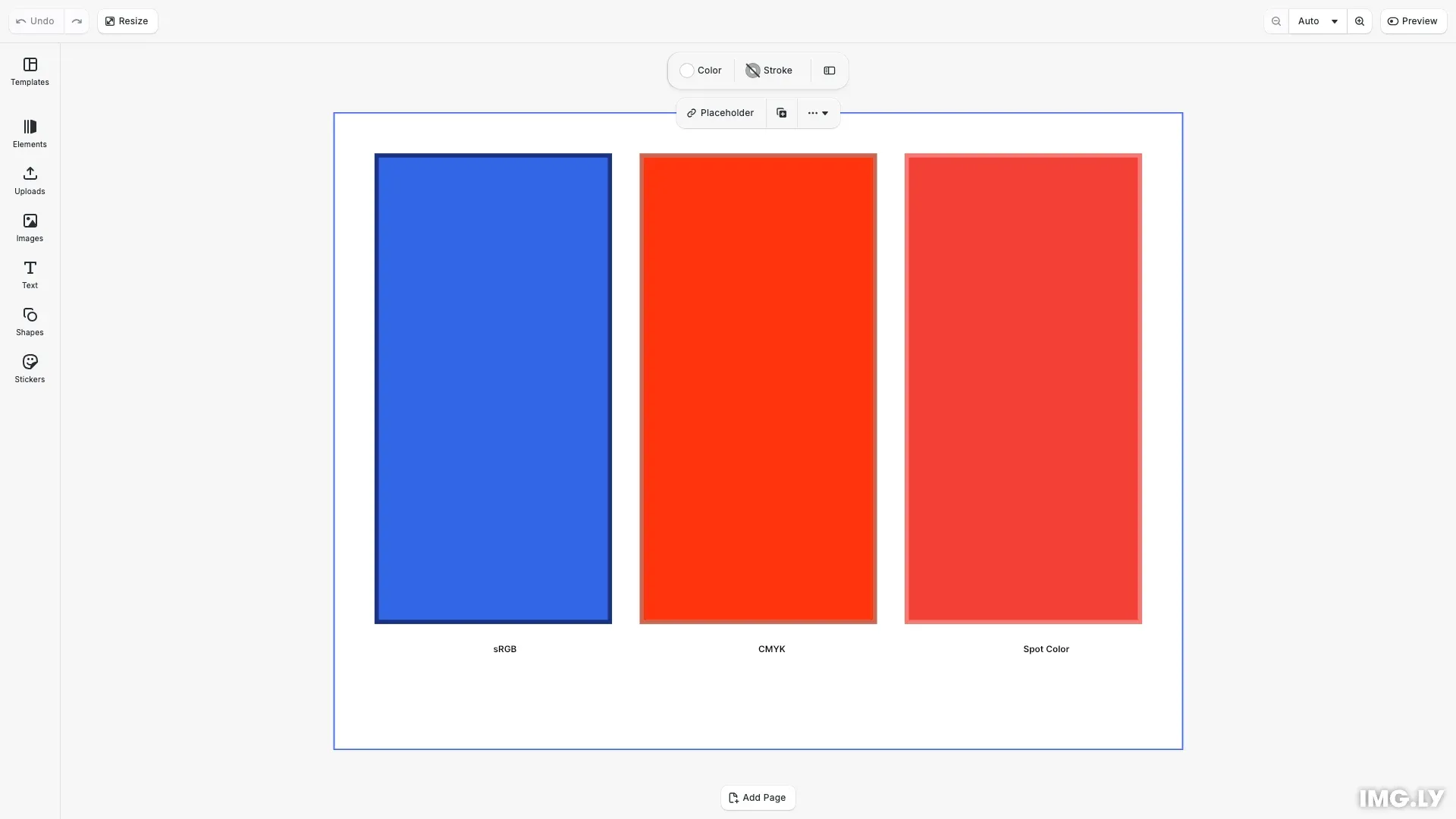
CE.SDK supports three color spaces: sRGB for screen display, CMYK for print workflows, and Spot Color for specialized printing. Each color space serves different output types and has its own object format for the setColor() API.
This guide covers how to choose the correct color space, define and apply colors using the unified setColor() API, and configure spot colors with screen preview approximations.
Color Spaces Overview#
CE.SDK represents colors as objects with different properties depending on the color space. Use engine.block.setColor() to apply any color type to supported properties.
Supported color properties:
'fill/color/value'- Fill color of a block'stroke/color'- Stroke/outline color'dropShadow/color'- Drop shadow color'backgroundColor/color'- Background color'camera/clearColor'- Canvas clear color
sRGB Colors#
sRGB is the default color space for screen display. Pass an RGBAColor object with r, g, b, a components, each in the range 0.0 to 1.0. The a (alpha) component controls transparency.
// Block 1: sRGB color (for screen display)const srgbBlock = engine.block.create('//ly.img.ubq/graphic');engine.block.setShape( srgbBlock, engine.block.createShape('//ly.img.ubq/shape/rect'));const srgbFill = engine.block.createFill('//ly.img.ubq/fill/color');// Set fill color using RGBAColor object (values 0.0-1.0)engine.block.setColor(srgbFill, 'fill/color/value', { r: 0.2, g: 0.4, b: 0.9, a: 1.0});engine.block.setFill(srgbBlock, srgbFill);engine.block.setWidth(srgbBlock, blockWidth);engine.block.setHeight(srgbBlock, blockHeight);engine.block.appendChild(page, srgbBlock);sRGB colors are ideal for web and digital content where the output is displayed on screens.
CMYK Colors#
CMYK is the color space for print workflows. Pass a CMYKColor object with c, m, y, k components (0.0 to 1.0) plus a tint value that controls opacity.
// Block 2: CMYK color (for print workflows)const cmykBlock = engine.block.create('//ly.img.ubq/graphic');engine.block.setShape( cmykBlock, engine.block.createShape('//ly.img.ubq/shape/rect'));const cmykFill = engine.block.createFill('//ly.img.ubq/fill/color');// Set fill color using CMYKColor object (values 0.0-1.0, tint controls opacity)engine.block.setColor(cmykFill, 'fill/color/value', { c: 0.0, m: 0.8, y: 0.95, k: 0.0, tint: 1.0});engine.block.setFill(cmykBlock, cmykFill);engine.block.setWidth(cmykBlock, blockWidth);engine.block.setHeight(cmykBlock, blockHeight);engine.block.appendChild(page, cmykBlock);When rendered on screen, CMYK colors are converted to RGB using standard conversion formulas. The tint value (0.0 to 1.0) is rendered as transparency.
Spot Colors#
Spot colors are named colors used for specialized printing. Before using a spot color, you must define it with an RGB or CMYK approximation for screen preview.
Defining Spot Colors#
Use engine.editor.setSpotColorRGB() or engine.editor.setSpotColorCMYK() to register a spot color with its screen preview approximation.
// Define a spot color with RGB approximation for screen previewengine.editor.setSpotColorRGB('MyBrand Red', 0.95, 0.25, 0.21);Applying Spot Colors#
Reference a defined spot color using a SpotColor object with the name, tint, and externalReference properties.
// Block 3: Spot color (for specialized printing)const spotBlock = engine.block.create('//ly.img.ubq/graphic');engine.block.setShape( spotBlock, engine.block.createShape('//ly.img.ubq/shape/rect'));const spotFill = engine.block.createFill('//ly.img.ubq/fill/color');// Set fill color using SpotColor object (references the defined spot color)engine.block.setColor(spotFill, 'fill/color/value', { name: 'MyBrand Red', tint: 1.0, externalReference: ''});engine.block.setFill(spotBlock, spotFill);engine.block.setWidth(spotBlock, blockWidth);engine.block.setHeight(spotBlock, blockHeight);engine.block.appendChild(page, spotBlock);When rendered on screen, the spot color uses its RGB or CMYK approximation. During PDF export, spot colors are saved as a Separation Color Space that preserves print information.
Applying Stroke Colors#
Strokes support all three color spaces. Enable the stroke, set its width, then apply a color using the 'stroke/color' property.
// Add strokes to demonstrate stroke color propertyengine.block.setStrokeEnabled(srgbBlock, true);engine.block.setStrokeWidth(srgbBlock, 4);engine.block.setColor(srgbBlock, 'stroke/color', {  r: 0.1,  g: 0.2,  b: 0.5,  a: 1.0});
engine.block.setStrokeEnabled(cmykBlock, true);engine.block.setStrokeWidth(cmykBlock, 4);engine.block.setColor(cmykBlock, 'stroke/color', {  c: 0.0,  m: 0.5,  y: 0.6,  k: 0.2,  tint: 1.0});
engine.block.setStrokeEnabled(spotBlock, true);engine.block.setStrokeWidth(spotBlock, 4);engine.block.setColor(spotBlock, 'stroke/color', {  name: 'MyBrand Red',  tint: 0.7,  externalReference: ''});
Reading Color Values#
Use engine.block.getColor() to retrieve the current color value from a property. The returned object’s shape indicates the color space (RGBAColor, CMYKColor, or SpotColor).
// Retrieve and log color values to demonstrate getColor()const srgbColor = engine.block.getColor(srgbFill, 'fill/color/value');const cmykColor = engine.block.getColor(cmykFill, 'fill/color/value');const spotColor = engine.block.getColor(spotFill, 'fill/color/value');
console.log('sRGB Color:', srgbColor);console.log('CMYK Color:', cmykColor);console.log('Spot Color:', spotColor);
Choosing the Right Color Space#
| Color Space | Use Case | Output |
|---|---|---|
| sRGB | Web, digital, screen display | PNG, JPEG, WebP |
| CMYK | Print workflows (converts to RGB) | PDF (converted) |
| Spot Color | Specialized printing, brand colors | PDF (Separation Color Space) |
API Reference#
| Method | Description |
|---|---|
engine.block.setColor(id, property, value) | Set a color property on a block. Pass an RGBAColor, CMYKColor, or SpotColor object. |
engine.block.getColor(id, property) | Get the current color value from a property. Returns an RGBAColor, CMYKColor, or SpotColor object. |
engine.editor.setSpotColorRGB(name, r, g, b) | Define a spot color with an RGB approximation for screen preview. Components range from 0.0 to 1.0. |
engine.editor.setSpotColorCMYK(name, c, m, y, k) | Define a spot color with a CMYK approximation for screen preview. Components range from 0.0 to 1.0. |
| Type | Properties | Description |
|---|---|---|
RGBAColor | r, g, b, a (0.0-1.0) | sRGB color for screen display. Alpha controls transparency. |
CMYKColor | c, m, y, k, tint (0.0-1.0) | CMYK color for print. Tint controls opacity. |
SpotColor | name, tint, externalReference | Named color for specialized printing. |
Next Steps#
- Apply Colors - Apply colors to design elements programmatically
- CMYK Colors - Work with CMYK for print workflows
- Spot Colors - Define and manage spot colors for specialized printing