Remove specific colors from exported images and generate alpha masks using CE.SDK’s color mask export API for print workflows, transparency creation, and compositing pipelines.
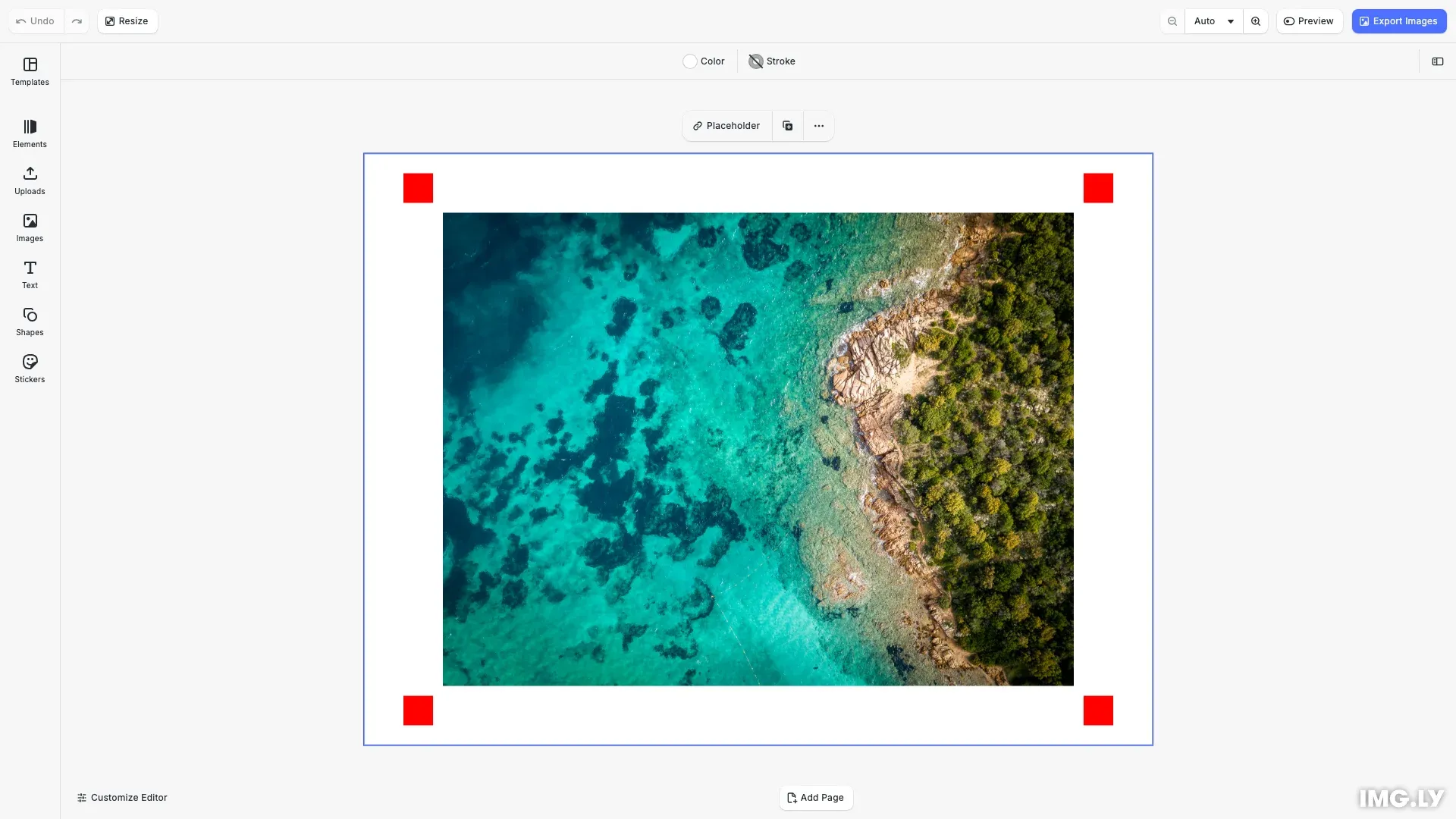
When exporting, CE.SDK can remove specific RGB colors by replacing matching pixels with transparency. The export generates two files: the masked image with transparent areas and an alpha mask showing removed pixels.
Color mask exports work through exact RGB color matching—pixels that precisely match your specified color values (0.0-1.0 range) are removed. This is useful for print workflows (removing registration marks), transparency creation (removing background colors), or generating alpha masks for compositing tools.
Exporting with Color Masks#
We export blocks with color masking using the exportWithColorMask method. This method removes specific RGB colors from the rendered output and generates both a masked image and an alpha mask.
// Export with color mask - removes pure red pixels (registration marks)const [maskedImage, alphaMask] = await engine.block.exportWithColorMask( currentPage, 1.0, // Red component 0.0, // Green component 0.0, // Blue component (RGB: pure red) { mimeType: 'image/png' });The method accepts the block to export, three RGB color components (0.0-1.0 range), and optional export options like MIME type. This example uses pure red (1.0, 0.0, 0.0) to identify and remove registration marks from the design.
The export operation returns a Promise that resolves to an array containing two Blobs. The first Blob is the masked image with transparency applied where the specified color was found. The second Blob is the alpha mask—a black and white image showing which pixels were removed (black) and which remained (white).
We then download both files using cesdk.utils.downloadFile(), which triggers browser downloads with appropriate file naming.
Specifying RGB Color Values#
RGB color components in CE.SDK use floating-point values from 0.0 to 1.0, not the 0-255 integer values common in design tools:
- Pure red:
(1.0, 0.0, 0.0)- Common for registration marks - Pure magenta:
(1.0, 0.0, 1.0)- Distinctive marker color - Pure cyan:
(0.0, 1.0, 1.0)- Alternative marker color - Pure yellow:
(1.0, 1.0, 0.0)- Useful for exclusion zones
When converting from standard 0-255 RGB values, divide each component by 255. For example, RGB(255, 128, 0) becomes (1.0, 0.502, 0.0).
How to Export with Color Masks#
We override the default export action to apply color masking when users click the export button. This integrates color mask functionality into your editor’s workflow without requiring additional UI.
// Override the default image export action to use color mask exportcesdk.actions.register('exportDesign', async () => {  const currentPage = engine.scene.getCurrentPage();  if (!currentPage) return;
  // Export with color mask - removes pure red pixels (registration marks)  const [maskedImage, alphaMask] = await engine.block.exportWithColorMask(    currentPage,    1.0, // Red component    0.0, // Green component    0.0, // Blue component (RGB: pure red)    { mimeType: 'image/png' }  );
  // Download masked image using CE.SDK utils  await cesdk.utils.downloadFile(maskedImage, 'image/png');
  // Download alpha mask  await cesdk.utils.downloadFile(alphaMask, 'image/png');
  console.log('Color mask export completed:', {    maskedSize: maskedImage.size,    maskSize: alphaMask.size  });});
The custom action registers as 'exportDesign', replacing the default export behavior. When triggered, it exports the current page with pure red (1.0, 0.0, 0.0) as the mask color, then downloads both the masked image and alpha mask files using cesdk.utils.downloadFile().
API Reference#
| Method | Description |
|---|---|
cesdk.actions.register() | Registers a custom action that can be triggered by UI elements |
cesdk.ui.insertOrderComponent() | Adds UI components to the editor’s navigation bar |
cesdk.utils.downloadFile() | Triggers a browser download for a file blob |
engine.scene.getCurrentPage() | Gets the currently active page in the scene |
engine.block.exportWithColorMask() | Exports a block with specific RGB color removed, generating masked image and alpha mask |
engine.block.addImage() | Adds an image block to the scene |
engine.block.create() | Creates a new block of the specified type |
engine.block.setShape() | Sets the shape for a graphic block |
engine.block.createShape() | Creates a shape definition for graphic blocks |
engine.block.createFill() | Creates a fill definition for blocks |
engine.block.setColor() | Sets the color value for a fill |
engine.block.setFill() | Applies a fill to a block |
engine.block.appendChild() | Adds a block as a child of another block |