Change image dimensions using absolute pixel values, percentage-based sizing for responsive layouts, or auto-sizing based on content.
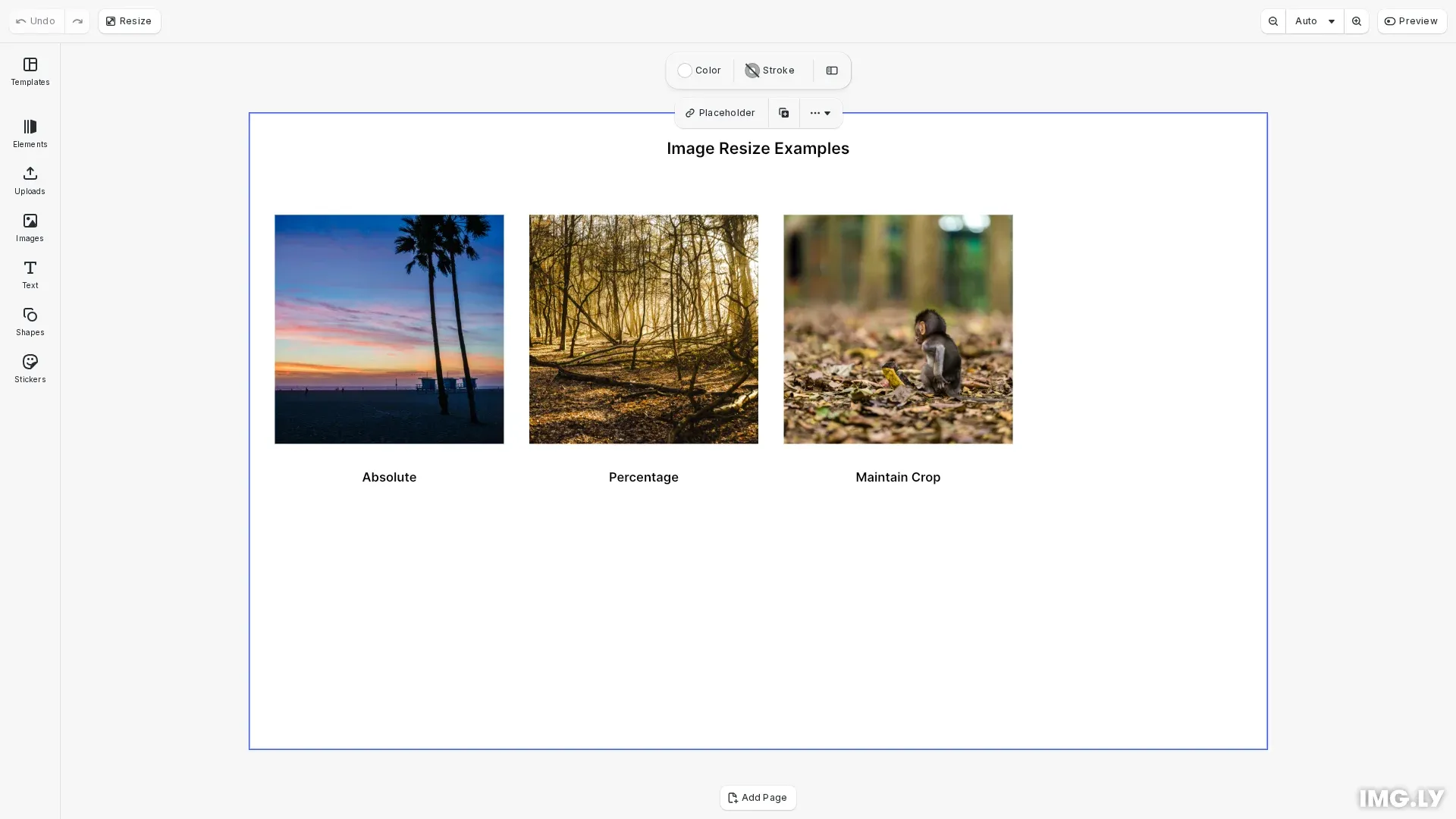
Image resizing changes actual dimensions rather than applying scale multipliers. Use engine.block.setWidth() and engine.block.setHeight() for individual dimensions, or engine.block.setSize() for both at once.
This guide covers resizing images with absolute or percentage sizing, configuring size modes, and maintaining crop settings during resize.
Understanding Size Modes#
Size values are interpreted in three modes. ‘Absolute’ uses fixed design units, ‘Percent’ uses parent-relative values (0.0-1.0), and ‘Auto’ sizes based on content. Use engine.block.getWidth() for the configured value and engine.block.getFrameWidth() for actual rendered size after layout.
Setting Absolute Dimensions#
Set explicit dimensions using engine.block.setSize() with absolute pixel values:
// Set explicit dimensions using setSizeengine.block.setSize(absoluteImage, 180, 180, { sizeMode: 'Absolute'});Percentage Sizing#
Use percentage mode for responsive sizing. Values range from 0.0 to 1.0 representing percentage of parent container:
// Set size mode to percentage for responsive sizingengine.block.setWidthMode(percentImage, 'Percent');engine.block.setHeightMode(percentImage, 'Percent');// Values 0.0 to 1.0 represent percentage of parentengine.block.setWidth(percentImage, 0.225);engine.block.setHeight(percentImage, 0.36);Percentage sizing adapts automatically when the parent block dimensions change, maintaining relative sizes in responsive designs.
Maintaining Crop During Resize#
Use the maintainCrop parameter to preserve existing crop settings when resizing:
// Resize while preserving crop settingsengine.block.setWidth(cropImage, 180, true);engine.block.setHeight(cropImage, 180, true);Setting maintainCrop to true automatically adjusts crop values to preserve the visible area.
Getting Current Dimensions#
Read current configured dimensions and size modes:
// Get current dimensionsconst currentWidth = engine.block.getWidth(absoluteImage);const currentHeight = engine.block.getHeight(absoluteImage);const widthMode = engine.block.getWidthMode(absoluteImage);const heightMode = engine.block.getHeightMode(absoluteImage);Getting Frame Dimensions#
Get calculated frame dimensions after layout:
// Get calculated frame dimensions after layoutconst frameWidth = engine.block.getFrameWidth(absoluteImage);const frameHeight = engine.block.getFrameHeight(absoluteImage);The difference between configured values and frame dimensions matters when using percentage or auto sizing modes.
Troubleshooting#
Image Not Resizing#
Check if locked using engine.block.getBool(block, 'constraints/size/locked'). Verify size constraints aren’t limiting changes. Ensure the block exists and confirm correct units for the size mode.
Unexpected Size Values#
Check mode using engine.block.getWidthMode() and engine.block.getHeightMode(). Verify absolute (design units) vs percentage (0.0-1.0) values. For percentage mode, review parent block dimensions.
Image Appears Stretched#
Calculate and set both dimensions proportionally. Use maintainCrop: true when resizing cropped images. Check scene/aspectRatioLock for scenes.
API Reference#
| Method | Description |
|---|---|
engine.block.addImage() | Create and size image in one operation |
engine.block.setSize() | Set width and height with optional mode |
engine.block.setWidth() | Set width value |
engine.block.setHeight() | Set height value |
engine.block.getWidth() | Get current width value |
engine.block.getHeight() | Get current height value |
engine.block.setWidthMode() | Set width interpretation mode |
engine.block.setHeightMode() | Set height interpretation mode |
engine.block.getWidthMode() | Get width interpretation mode |
engine.block.getHeightMode() | Get height interpretation mode |
engine.block.getFrameWidth() | Get calculated frame width |
engine.block.getFrameHeight() | Get calculated frame height |