Modify existing templates and manage template lifecycle in your asset library using CE.SDK.
Templates evolve as designs change. You might need to update branding, fix content errors, or remove outdated templates from your library. CE.SDK provides APIs for adding, editing, and removing templates from asset sources.
This guide covers how to add templates to asset sources, edit template content, remove templates, and save updated versions.
Adding Templates#
First, create a local asset source to store your templates:
// Create a local asset source for managing templatesengine.asset.addLocalSource('my-templates', undefined, async (asset) => { const uri = asset.meta?.uri; if (!uri) return undefined; const base64Content = uri.split(',')[1]; if (!base64Content) return undefined; await engine.scene.loadFromString(base64Content); return engine.scene.get() ?? undefined;});Next, create your template content using block APIs:
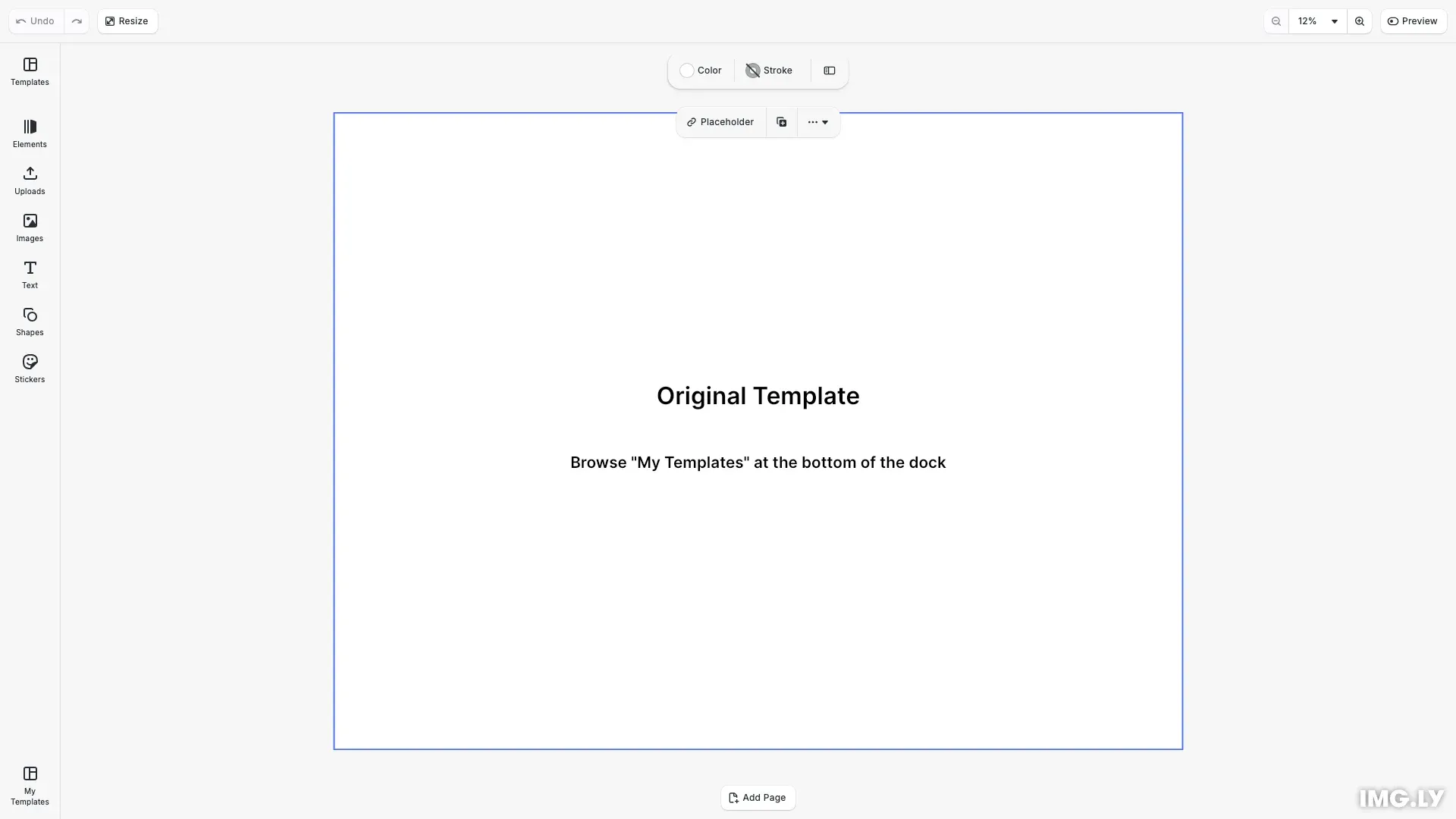
// Create the template with text blocksconst titleBlock = engine.block.create('text');engine.block.replaceText(titleBlock, 'Original Template');engine.block.setFloat(titleBlock, 'text/fontSize', 64);engine.block.setWidthMode(titleBlock, 'Auto');engine.block.setHeightMode(titleBlock, 'Auto');engine.block.appendChild(page, titleBlock);
const subtitleBlock = engine.block.create('text');engine.block.replaceText(  subtitleBlock,  'Browse "My Templates" at the bottom of the dock');engine.block.setFloat(subtitleBlock, 'text/fontSize', 42);engine.block.setWidthMode(subtitleBlock, 'Auto');engine.block.setHeightMode(subtitleBlock, 'Auto');engine.block.appendChild(page, subtitleBlock);
Then save the template and add it to the asset source using addAssetToSource(). Each template needs a unique ID, a label, and metadata containing the template URI and thumbnail:
// Save template content and add to asset sourceconst originalContent = await engine.scene.saveToString();engine.asset.addAssetToSource('my-templates', { id: 'template-original', label: { en: 'Original Template' }, meta: { uri: `data:application/octet-stream;base64,${originalContent}`, thumbUri: generateThumbnail('Original Template') }});The meta.uri field contains the template content as a data URI. The meta.thumbUri provides a thumbnail image for display in the asset library.
Editing Templates#
Modify template content using block APIs. You can update text, change images, adjust positions, and reconfigure any block properties.
// Edit the template content and save as a new versionengine.block.replaceText(titleBlock, 'Updated Template');engine.block.replaceText(  subtitleBlock,  'This template was edited and saved');
const updatedContent = await engine.scene.saveToString();engine.asset.addAssetToSource('my-templates', {  id: 'template-updated',  label: { en: 'Updated Template' },  meta: {    uri: `data:application/octet-stream;base64,${updatedContent}`,    thumbUri: generateThumbnail('Updated Template')  }});
After editing, save the modified template as a new asset or update an existing one.
Removing Templates#
Remove templates from asset sources using removeAssetFromSource(). This permanently deletes the template entry from the source.
// Add a temporary template to demonstrate removalengine.asset.addAssetToSource('my-templates', {  id: 'template-temporary',  label: { en: 'Temporary Template' },  meta: {    uri: `data:application/octet-stream;base64,${originalContent}`,    thumbUri: generateThumbnail('Temporary Template')  }});
// Remove the temporary template from the asset sourceengine.asset.removeAssetFromSource('my-templates', 'template-temporary');Saving Updated Templates#
To update an existing template, first remove it using removeAssetFromSource(), then add the updated version with addAssetToSource() using the same asset ID.
// Update an existing template by removing and re-adding with same IDengine.block.replaceText(subtitleBlock, 'Updated again with new content');const reUpdatedContent = await engine.scene.saveToString();
engine.asset.removeAssetFromSource('my-templates', 'template-updated');engine.asset.addAssetToSource('my-templates', {  id: 'template-updated',  label: { en: 'Updated Template' },  meta: {    uri: `data:application/octet-stream;base64,${reUpdatedContent}`,    thumbUri: generateThumbnail('Updated Template')  }});
// Notify that the asset source contents have changedengine.asset.assetSourceContentsChanged('my-templates');
After updating templates, call assetSourceContentsChanged() to notify the UI that the asset source contents have changed.
Best Practices#
Versioning Strategies#
When managing template updates, consider these approaches:
- Replace in place: Use the same asset ID to update templates without changing references. Existing designs using the template won’t break.
- Version suffixes: Create new entries with version identifiers (e.g.,
template-v2). This preserves old versions while introducing new ones. - Archive old versions: Move deprecated templates to a separate source before removal. This maintains a history without cluttering the main library.
Batch Operations#
When adding, updating, or removing multiple templates, call assetSourceContentsChanged() once after all operations complete rather than after each individual change. This reduces UI refreshes and improves performance.
Template IDs#
Use descriptive, unique IDs that reflect the template’s purpose (e.g., marketing-banner-2024, social-post-square). Consistent naming conventions make templates easier to find and manage programmatically.
Thumbnails#
Generate meaningful thumbnails that accurately represent template content. Good thumbnails improve discoverability in the asset library and help users quickly identify the right template.
Memory Considerations#
Templates stored as base64 data URIs remain in memory. For production applications with many templates, consider storing template content externally and using URLs in the meta.uri field instead of inline data URIs.
API Reference#
| Method | Description |
|---|---|
engine.asset.addLocalSource() | Create a local asset source |
engine.asset.addAssetToSource() | Add template to asset source |
engine.asset.removeAssetFromSource() | Remove template from asset source |
engine.asset.assetSourceContentsChanged() | Notify UI of asset source changes |
engine.scene.saveToString() | Save scene as base64 string |
engine.scene.loadFromString() | Load scene from base64 string |