Customize the font family used throughout the CE.SDK editor interface to match your application’s branding.
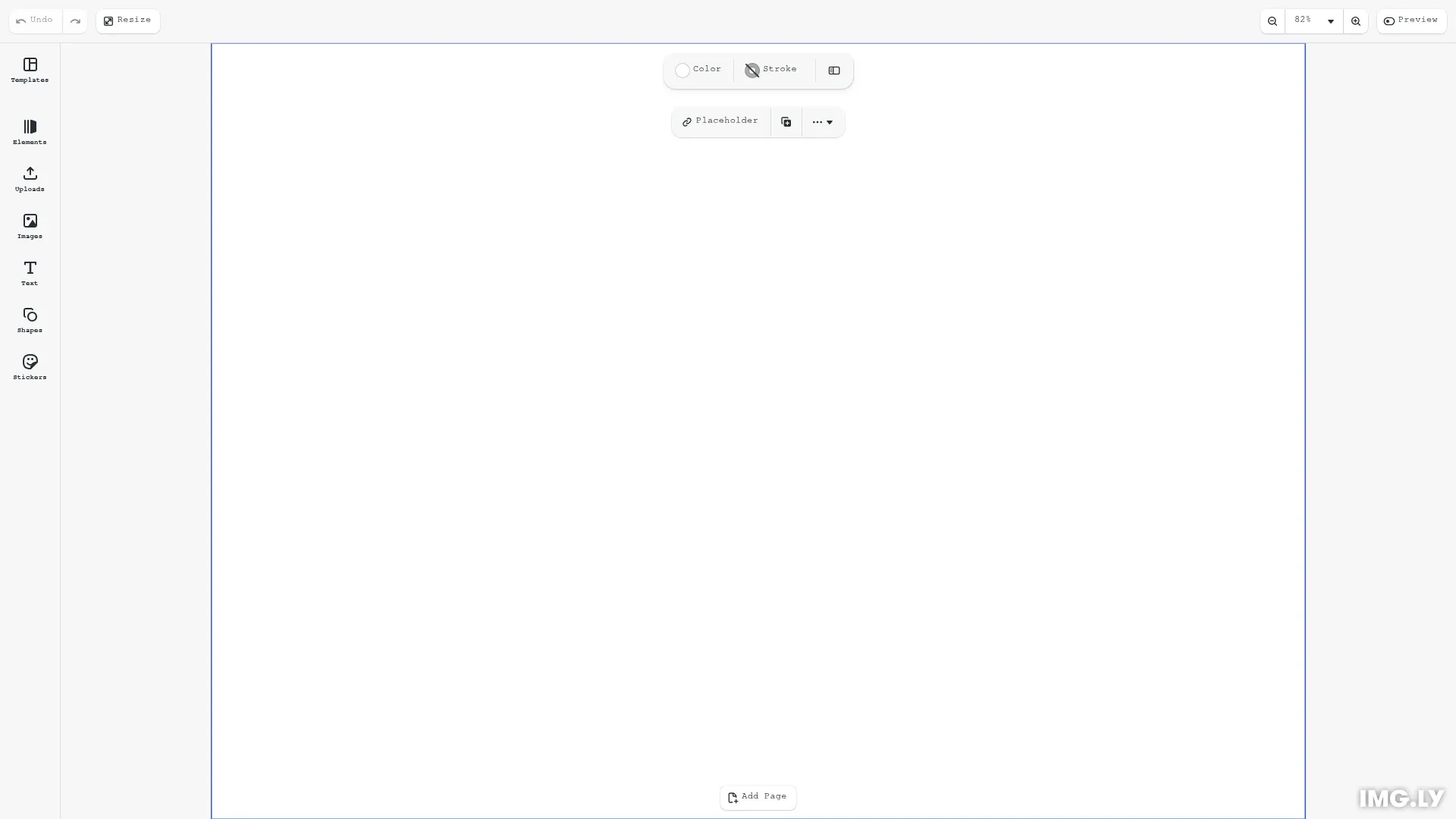
CE.SDK’s UI uses CSS custom properties for typography, allowing you to apply a custom font to all editor elements—panels, buttons, labels, and inputs—through a single CSS variable.
This guide covers loading custom fonts from various sources, setting the CSS variable, verifying the application, and troubleshooting common issues.
Understanding the UI Theming System#
CE.SDK’s typography uses CSS custom properties scoped to .ubq-public with theme and scale attributes. The --ubq-typography-font_family variable controls all UI elements, providing centralized font customization.
All UI text inherits from this single variable. When you set --ubq-typography-font_family, panels, buttons, dropdowns, inputs, and labels all update to use your chosen font.
Loading Custom Fonts#
Before setting the CSS variable, fonts must be available in the browser. You can use system fonts, self-host font files, load from Google Fonts, or use other providers.
Using Self-Hosted Fonts#
Define @font-face rules in your CSS with woff2 format for modern browsers and woff fallback:
@font-face {  font-family: 'CustomFont';  src: url('/fonts/CustomFont-Regular.woff2') format('woff2'),       url('/fonts/CustomFont-Regular.woff') format('woff');  font-weight: 400;  font-style: normal;}
@font-face {  font-family: 'CustomFont';  src: url('/fonts/CustomFont-SemiBold.woff2') format('woff2'),       url('/fonts/CustomFont-SemiBold.woff') format('woff');  font-weight: 600;  font-style: normal;}
CE.SDK uses font weights 450 and 600 throughout the interface. Load these weights or the closest alternatives (400 and 600 work well).
Using Google Fonts#
Add <link> tags to your HTML <head> to load fonts from Google Fonts CDN. Place these before CE.SDK initialization to prevent flash of unstyled text.
<!-- highlight-load-font --><!-- Load custom font from Google Fonts --><link rel="preconnect" href="https://fonts.googleapis.com" /><link rel="preconnect" href="https://fonts.gstatic.com" crossorigin /><link href="https://fonts.googleapis.com/css2?family=Roboto:wght@400;500;600&display=swap" rel="stylesheet"/><!-- highlight-load-font -->The preconnect links establish early connections to Google’s servers, reducing latency. The main font link loads Roboto with multiple weights. The display=swap parameter shows fallback text immediately while the custom font loads.
Using Adobe Fonts or Other Providers#
Load fonts according to the provider’s documentation, typically via <link> or <script> tag. Adobe Fonts provides a unique project link that loads your selected fonts. Ensure fonts load before applying the CSS variable to avoid layout shifts.
Setting the UI Font#
Set --ubq-typography-font_family using CSS selectors targeting .ubq-public. The simplest approach applies to all themes and scales:
/* highlight-set-font *//* Apply system monospace font to all CE.SDK UI elements */.ubq-public { --ubq-typography-font_family: ui-monospace, 'Cascadia Code', 'Source Code Pro', Menlo, Consolas, 'DejaVu Sans Mono', monospace;}/* highlight-set-font */This example uses a monospace font stack that prioritizes modern system monospace fonts. The ui-monospace keyword uses the system’s default monospace font, followed by specific fonts for different platforms, ending with the generic monospace fallback.
Targeting Specific Themes and Scales#
You can target specific theme and scale combinations if you need different fonts for different contexts:
/* Dark theme only */.ubq-public[data-ubq-theme='dark'] {  --ubq-typography-font_family: 'CustomFont', sans-serif;}
/* Large scale only */.ubq-public[data-ubq-scale='large'] {  --ubq-typography-font_family: 'CustomFont', sans-serif;}
/* Dark theme with normal scale */.ubq-public[data-ubq-theme='dark'][data-ubq-scale='normal'] {  --ubq-typography-font_family: 'CustomFont', sans-serif;}
Most applications use a single font across all themes and scales for consistency.
Verifying Font Application#
Use browser DevTools to inspect UI elements and confirm the font-family property shows your custom font.
// You can verify the current theme and scale settingsconst currentTheme = cesdk.ui.getTheme(); // 'light' or 'dark'const currentScale = cesdk.ui.getScale(); // 'normal', 'large', or 'modern'console.log('Current theme:', currentTheme);console.log('Current scale:', currentScale);Open DevTools (F12), select an element like a button or panel header, and check the Computed styles panel. The font-family property should show your custom font first, followed by fallbacks.
You can also verify the CSS custom property directly in the console:
getComputedStyle(document.querySelector('.ubq-public')) .getPropertyValue('--ubq-typography-font_family')This returns the current value of the font family variable.
Font Loading Best Practices#
Load fonts before CE.SDK initialization to prevent visual flashing. Use font-display: swap for instant fallback rendering and <link rel="preconnect"> for CDN optimization.
The font-display: swap descriptor shows fallback text immediately while the custom font downloads. Once loaded, the browser swaps to the custom font, providing instant text rendering with a smooth transition.
Preconnecting to font CDNs establishes early connections, reducing the time required to fetch font files. For Google Fonts, preconnect to both fonts.googleapis.com and fonts.gstatic.com.
For critical fonts, use <link rel="preload" as="font" type="font/woff2" crossorigin> to prioritize loading.
Advanced: Granular Typography Tokens#
Beyond the base --ubq-typography-font_family variable, CE.SDK provides granular typography tokens for fine-grained control over specific UI elements. Each token allows you to customize font family, size, weight, letter spacing, and line height independently.
Available Typography Tokens#
CE.SDK’s UI uses distinct typography tokens for different interface elements:
- Headlines -
headline-l(16px, weight 600),headline-m(12px, weight 600) - Labels -
label-m(12px, weight 450),label-s(10px, weight 450) - Body Text -
body-m(12px, weight 450) - Input Fields -
input-m(12px, weight 450) - Buttons -
button-m(12px, weight 450)
Each token exposes five CSS custom properties following the pattern --ubq-typography-{token}-{property}:
.ubq-public {  /* Headline Large - used for primary section headings */  --ubq-typography-headline-l-font_family: 'CustomFont', sans-serif;  --ubq-typography-headline-l-size: 16px;  --ubq-typography-headline-l-weight: 600;  --ubq-typography-headline-l-letter_spacing: 0.01em;  --ubq-typography-headline-l-line_height: 20px;
  /* Button Medium - used for button labels */  --ubq-typography-button-m-font_family: 'CustomFont', sans-serif;  --ubq-typography-button-m-size: 12px;  --ubq-typography-button-m-weight: 450;  --ubq-typography-button-m-letter_spacing: 0.02em;  --ubq-typography-button-m-line_height: 16px;}
Use Cases for Granular Tokens#
Use granular tokens when you need:
- Different fonts for different contexts - Apply a serif font to headlines while keeping sans-serif for body text
- Custom sizing - Adjust sizes to match your application’s design system
- Precise spacing - Fine-tune letter spacing and line height for optimal readability
- Weight adjustments - Use different font weights than CE.SDK’s defaults
Example: Mixed Typography#
.ubq-public {  /* Use serif for headlines */  --ubq-typography-headline-l-font_family: Georgia, 'Times New Roman', serif;  --ubq-typography-headline-m-font_family: Georgia, 'Times New Roman', serif;
  /* Use monospace for input fields and buttons */  --ubq-typography-input-m-font_family: ui-monospace, 'Cascadia Code', monospace;  --ubq-typography-button-m-font_family: ui-monospace, 'Cascadia Code', monospace;
  /* Keep default font for labels and body text */  --ubq-typography-label-m-font_family: 'Inter', sans-serif;  --ubq-typography-body-m-font_family: 'Inter', sans-serif;}
All granular typography tokens fall back to --ubq-typography-font_family when not explicitly set, ensuring consistency while allowing selective customization.
Troubleshooting#
Common issues and solutions for font customization.
Custom Font Not Appearing#
If your custom font isn’t visible in the UI, verify these common issues:
- CSS loaded before initialization - Ensure your stylesheet or
<style>block is in the<head>before the CE.SDK script - Font files accessible - Check the browser Network tab for 404 errors or CORS issues blocking font downloads
- CSS selector specificity - Ensure your selector targets
.ubq-publicand has sufficient specificity to override defaults - Font family name match - Confirm the name in
@font-faceexactly matches the name in the CSS variable - Font requests failing - Look for network errors in the browser console
Font Looks Different Than Expected#
If the font appears but doesn’t match your design:
- Correct font weights loaded - CE.SDK uses font weights 450 and 600. Load these specific weights or the closest alternatives (400 and 600 work well)
- Font-weight values match - Ensure
font-weightin@font-facematches your font files’ actual weights - Fallback fonts - Check that fallback fonts are specified correctly in case the custom font has missing glyphs
- Browser font smoothing - Font rendering varies across browsers and operating systems. Test on your target platforms
Font Loading Slowly#
If the custom font causes delays or flashing:
- Use font-display: swap - Add
display=swapto Google Fonts URLs orfont-display: swapto@font-facerules - Preload critical fonts - Use
<link rel="preload" as="font" type="font/woff2" href="/fonts/..." crossorigin>for immediately-needed fonts - Same-domain hosting - Host fonts on your domain to avoid cross-origin delays and DNS lookups
- Subset fonts - Use only the characters your application needs to reduce file size. Many font services offer subsetting options
API Reference#
Quick reference for UI font customization:
| API / CSS Variable | Category | Purpose |
|---|---|---|
--ubq-typography-font_family | CSS | Base font family variable used by all UI typography tokens |
cesdk.ui.setTheme() | UI | Set theme (light/dark/system) affecting CSS scope |
cesdk.ui.getTheme() | UI | Get current active theme |
cesdk.ui.setScale() | UI | Set scale (normal/large/modern) affecting CSS scope |
cesdk.ui.getScale() | UI | Get current scale setting |