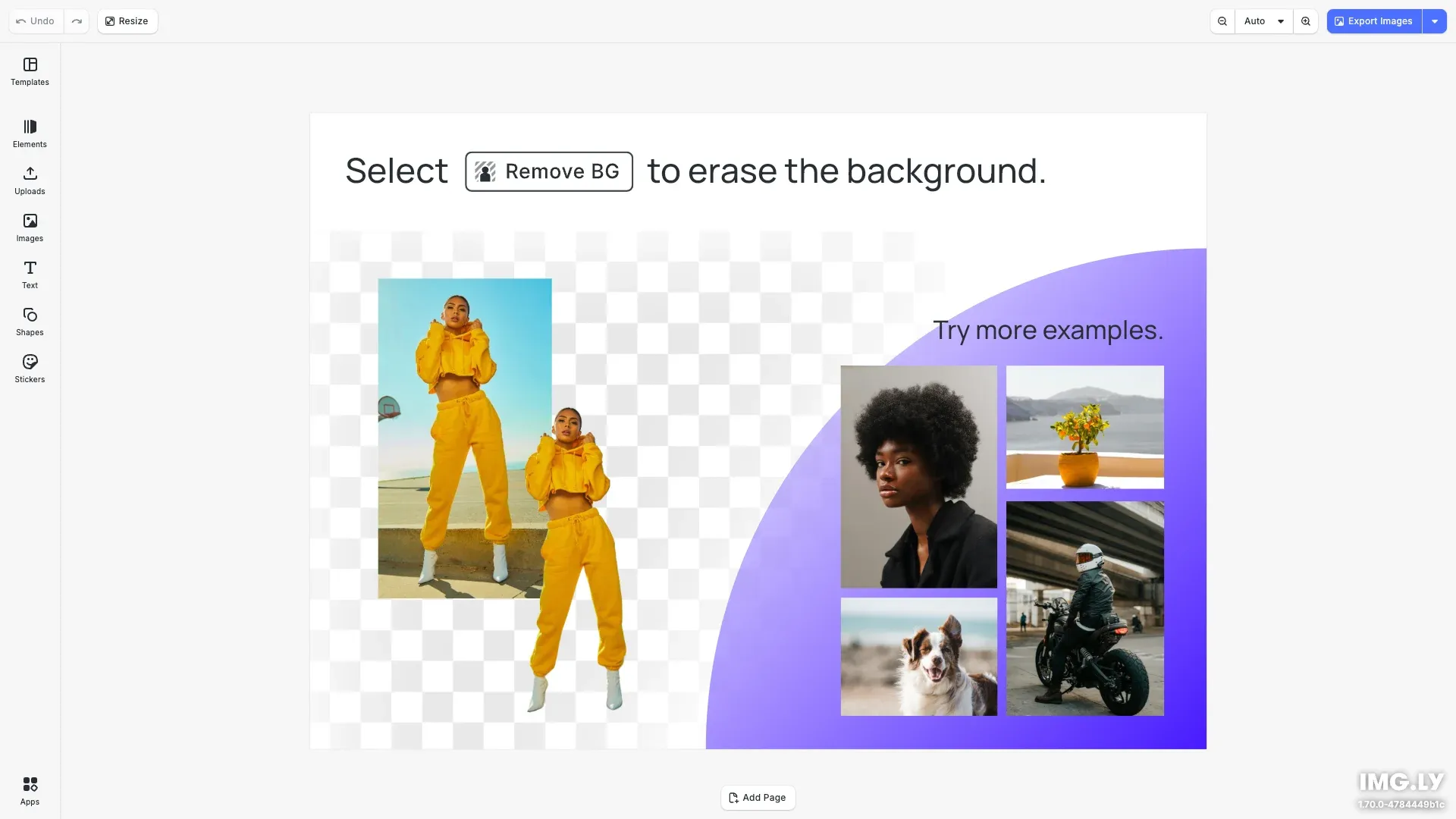
Effortlessly remove background from images directly in the browser with no additional costs and privacy concerns.
Prerequisites#
Before you begin, make sure you have the following:
- Node.js v22+ and npm installed locally – Download Node.js
- A supported browser – Chrome 114+, Edge 114+, Firefox 115+, Safari 15.6+
See Browser Support for the full list.
Get Started#
Create a new SvelteKit application with Background Removal Editor integration.
Step 1: Create a New Project#
npx sv create your-project-name
cd your-project-name
npx sv create your-project-name
cd your-project-namepnpm dlx sv create your-project-name
cd your-project-namepnpm dlx sv create your-project-name
cd your-project-nameyarn dlx sv create your-project-name
cd your-project-nameyarn dlx sv create your-project-name
cd your-project-nameStep 2: Clone the Starter Kit#
Clone the starter kit and copy the editor configuration to your project:
git clone https://github.com/imgly/starterkit-background-removal-editor-ts-web.git
cp -r starterkit-background-removal-editor-ts-web/src/imgly ./src/lib/imgly
mkdir -p static/assets
cp -r starterkit-background-removal-editor-ts-web/public/assets/. ./static/assets/
rm -rf starterkit-background-removal-editor-ts-web
git clone https://github.com/imgly/starterkit-background-removal-editor-ts-web.git
cp -r starterkit-background-removal-editor-ts-web/src/imgly ./src/lib/imgly
mkdir -p static/assets
cp -r starterkit-background-removal-editor-ts-web/public/assets/. ./static/assets/
rm -rf starterkit-background-removal-editor-ts-webnpx degit imgly/starterkit-background-removal-editor-ts-web/src/imgly ./src/lib/imgly
npx degit imgly/starterkit-background-removal-editor-ts-web/public/assets ./static/assets --forcenpx degit imgly/starterkit-background-removal-editor-ts-web/src/imgly ./src/lib/imgly
npx degit imgly/starterkit-background-removal-editor-ts-web/public/assets ./static/assets --forceStep 3: Install Dependencies#
Core Editor#
npm install @cesdk/cesdk-js@1.87.0-rc.3npm install @cesdk/cesdk-js@1.87.0-rc.3pnpm add @cesdk/cesdk-js@1.87.0-rc.3pnpm add @cesdk/cesdk-js@1.87.0-rc.3yarn add @cesdk/cesdk-js@1.87.0-rc.3yarn add @cesdk/cesdk-js@1.87.0-rc.3Background Removal#
npm install @imgly/plugin-background-removal-web@1.87.0-rc.3 onnxruntime-web@1.21.0npm install @imgly/plugin-background-removal-web@1.87.0-rc.3 onnxruntime-web@1.21.0pnpm add @imgly/plugin-background-removal-web@1.87.0-rc.3 onnxruntime-web@1.21.0pnpm add @imgly/plugin-background-removal-web@1.87.0-rc.3 onnxruntime-web@1.21.0yarn add @imgly/plugin-background-removal-web@1.87.0-rc.3 onnxruntime-web@1.21.0yarn add @imgly/plugin-background-removal-web@1.87.0-rc.3 onnxruntime-web@1.21.0Step 4: Download Assets#
CE.SDK requires engine assets (fonts, icons, UI elements) to function. These must be served as static files from your project’s static/ directory.
curl -O https://cdn.img.ly/packages/imgly/cesdk-js/1.87.0-rc.3/imgly-assets.zip
unzip imgly-assets.zip -d static/
rm imgly-assets.zip
curl -O https://cdn.img.ly/packages/imgly/cesdk-js/1.87.0-rc.3/imgly-assets.zip
unzip imgly-assets.zip -d static/
rm imgly-assets.zipStep 5: Create the Editor Component#
Create a Svelte component using the CE.SDK imperative API (e.g., src/lib/BackgroundRemovalEditor.svelte):
<script lang="ts"> import { onMount, onDestroy } from 'svelte'; import CreativeEditorSDK from '@cesdk/cesdk-js'; import { initBackgroundRemovalEditor } from './imgly';
let container: HTMLDivElement; let cesdk: CreativeEditorSDK | null = null;
onMount(async () => { cesdk = await CreativeEditorSDK.create(container, { baseURL: '/assets' }); await initBackgroundRemovalEditor(cesdk); await cesdk.actions.run('scene.create'); });
onDestroy(() => { if (cesdk) { cesdk.dispose(); } });</script>
<div bind:this={container} style="width: 100vw; height: 100vh;"></div>Step 6: Use the Component#
CE.SDK requires browser APIs, so turn off server-side rendering for this page. Create src/routes/+page.ts:
export const ssr = false;Import and use the component in src/routes/+page.svelte:
<script> import BackgroundRemovalEditor from '../lib/BackgroundRemovalEditor.svelte';</script>
<BackgroundRemovalEditor />Get Started#
Integrate the Background Removal Editor into an existing SvelteKit application. The steps expect a SvelteKit project. The project must have src/lib/ and static/ folders.
Step 1: Clone#
cd your-projectcd your-projectClone the starter kit and copy the editor configuration:
git clone https://github.com/imgly/starterkit-background-removal-editor-ts-web.git
cp -r starterkit-background-removal-editor-ts-web/src/imgly ./src/lib/imgly
rm -rf starterkit-background-removal-editor-ts-webgit clone https://github.com/imgly/starterkit-background-removal-editor-ts-web.git
cp -r starterkit-background-removal-editor-ts-web/src/imgly ./src/lib/imgly
rm -rf starterkit-background-removal-editor-ts-webnpx degit imgly/starterkit-background-removal-editor-ts-web/src/imgly ./src/lib/imglynpx degit imgly/starterkit-background-removal-editor-ts-web/src/imgly ./src/lib/imglyThe imgly/ folder contains the editor configuration:
imgly/├── index.ts # Editor initialization function├── demo-assets.ts # Demo asset URLs└── config/ ├── plugin.ts # Main configuration plugin ├── actions.ts # Export/import actions ├── features.ts # Feature toggles ├── i18n.ts # Translations ├── settings.ts # Engine settings ├── keyboard/ # Keyboard shortcuts │ ├── keyboard.ts # Shortcut registration │ └── catalogs/ │ └── us-ansi.ts # Key catalog └── ui/ # UI customization ├── index.ts # Combines UI customization exports ├── canvas.ts # Canvas configuration ├── components.ts # Custom component registration ├── dock.ts # Dock layout configuration ├── inspectorBar.ts # Inspector bar layout ├── navigationBar.ts # Navigation bar layout ├── panel.ts # Panel configuration └── videoTimeline.ts # Timeline configurationStep 2: Install Dependencies#
Core Editor#
npm install @cesdk/cesdk-js@1.87.0-rc.3npm install @cesdk/cesdk-js@1.87.0-rc.3pnpm add @cesdk/cesdk-js@1.87.0-rc.3pnpm add @cesdk/cesdk-js@1.87.0-rc.3yarn add @cesdk/cesdk-js@1.87.0-rc.3yarn add @cesdk/cesdk-js@1.87.0-rc.3Background Removal#
npm install @imgly/plugin-background-removal-web@1.87.0-rc.3 onnxruntime-web@1.21.0npm install @imgly/plugin-background-removal-web@1.87.0-rc.3 onnxruntime-web@1.21.0pnpm add @imgly/plugin-background-removal-web@1.87.0-rc.3 onnxruntime-web@1.21.0pnpm add @imgly/plugin-background-removal-web@1.87.0-rc.3 onnxruntime-web@1.21.0yarn add @imgly/plugin-background-removal-web@1.87.0-rc.3 onnxruntime-web@1.21.0yarn add @imgly/plugin-background-removal-web@1.87.0-rc.3 onnxruntime-web@1.21.0Step 3: Download Assets#
curl -O https://cdn.img.ly/packages/imgly/cesdk-js/1.87.0-rc.3/imgly-assets.zip
unzip imgly-assets.zip -d static/
rm imgly-assets.zipcurl -O https://cdn.img.ly/packages/imgly/cesdk-js/1.87.0-rc.3/imgly-assets.zip
unzip imgly-assets.zip -d static/
rm imgly-assets.zipStep 4: Create the Editor Component#
<script lang="ts">  import { onMount, onDestroy } from 'svelte';  import CreativeEditorSDK from '@cesdk/cesdk-js';  import { initBackgroundRemovalEditor } from './imgly';
  let container: HTMLDivElement;  let cesdk: CreativeEditorSDK | null = null;
  onMount(async () => {    cesdk = await CreativeEditorSDK.create(container, {      baseURL: '/assets'    });    await initBackgroundRemovalEditor(cesdk);    await cesdk.actions.run('scene.create');  });
  onDestroy(() => {    if (cesdk) {      cesdk.dispose();    }  });</script>
<div bind:this={container} style="width: 100vw; height: 100vh;"></div>
Step 5: Use the Component#
CE.SDK requires browser APIs, so turn off server-side rendering for this page. Create src/routes/+page.ts:
export const ssr = false;Import and use the BackgroundRemovalEditor component in src/routes/+page.svelte:
<script>  import BackgroundRemovalEditor from '../lib/BackgroundRemovalEditor.svelte';</script>
<BackgroundRemovalEditor />On another route, put +page.ts next to the page and adjust the import path. If the page already has a +page.ts, add export const ssr = false to it.
Using Background Removal#
To remove a background:
- Select an image in the editor
- The canvas menu appears with a “BG Removal” button
- Click the button to AI-remove the background
Set Up a Scene#
Replace the scene.create line in src/lib/BackgroundRemovalEditor.svelte. Use one of these calls:
CE.SDK offers multiple ways to load content into the editor. Choose the method that matches your use case:
// Create a blank design canvas - starts with an empty design sceneawait cesdk.actions.run('scene.create');
// Load from a template archive - restores a previously saved projectawait cesdk.load('https://example.com/template.zip');
// Load from an image URL - creates a new scene with the imageawait cesdk.createFromImage('https://example.com/image.jpg');
// Load from a scene file - restores a saved sceneawait cesdk.load('https://example.com/scene.scene');
The scene.create action is ideal for design workflows, as it creates a blank canvas ready for content.
Key Capabilities#
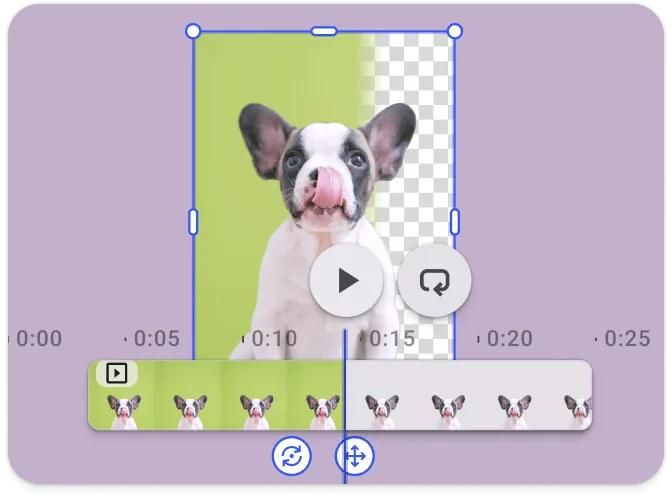
AI Background Removal
Remove backgrounds with one click. Uses ONNX Runtime for client-side AI processing—no server needed.
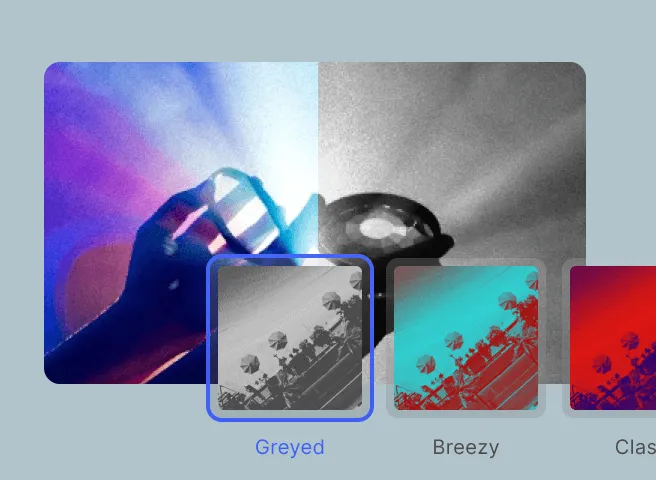
Professional Filters
Apply color grading with LUT filters, duotone effects, and customizable image adjustments.
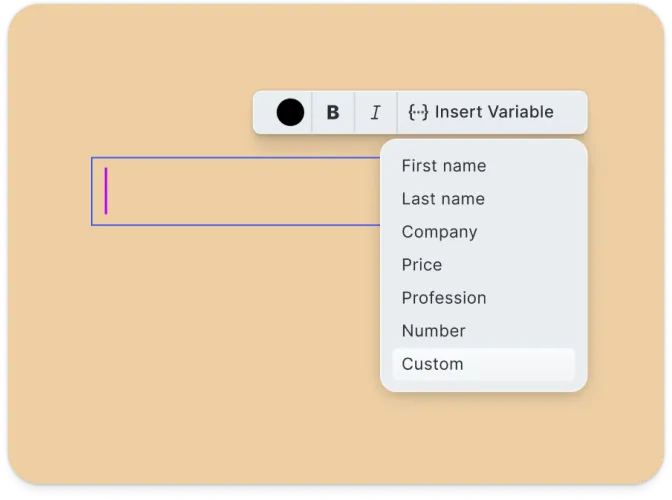
Text & Typography
Add styled text with comprehensive typography controls, fonts, and visual effects.
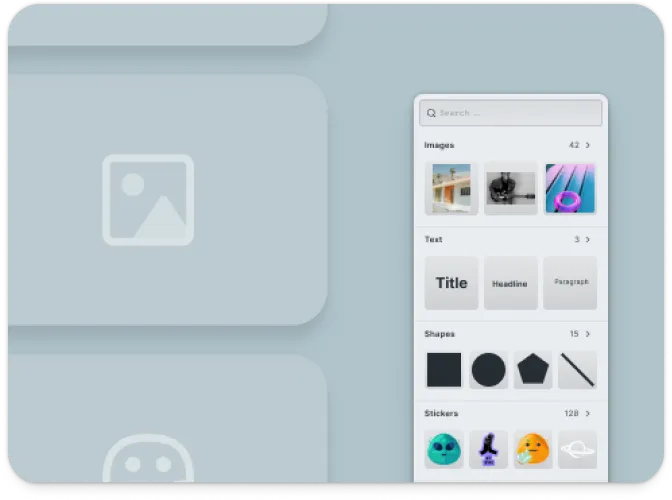
Asset Libraries
Access built-in collections of templates, stickers, shapes, and graphics, plus import custom assets.
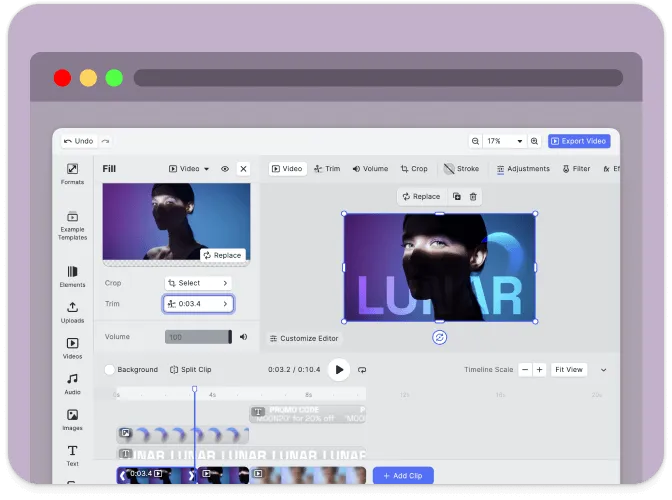
Privacy-First
All processing happens locally in the browser. No data is sent to external servers.

Export Options
Export to multiple formats including PNG, JPEG, and PDF with quality and size controls.
Troubleshooting#
Editor doesn’t load#
- Check the container element exists: Ensure your container element is in the DOM before calling
create() - Verify the baseURL: Assets must be accessible from the CDN or your self-hosted location
SSR Error: “window is not defined”#
CE.SDK requires browser APIs and cannot run during server-side rendering. Keep export const ssr = false in src/routes/+page.ts.
Background removal is slow on first use#
- This is expected: The first use downloads AI models (~30MB). Subsequent uses are instant as models are cached by the browser.
Watermark appears in production#
- Add your license key: Set the
licenseproperty in your configuration - Get a license: Contact us at img.ly/forms/contact-sales/
Next Steps#
- Background Removal Plugin – Detailed plugin configuration options
- Configuration – Complete list of initialization options
- Serve Assets – Self-host engine assets for production
- Actions – Build custom export and save workflows
- Theming – Customize colors and appearance