Turn templates into finished designs with the Swift Engine API. Load a template, populate its variables and image placeholders with your own data, and export the result to a PNG or PDF — the workflow behind batch processing, personalization, and automated design production.
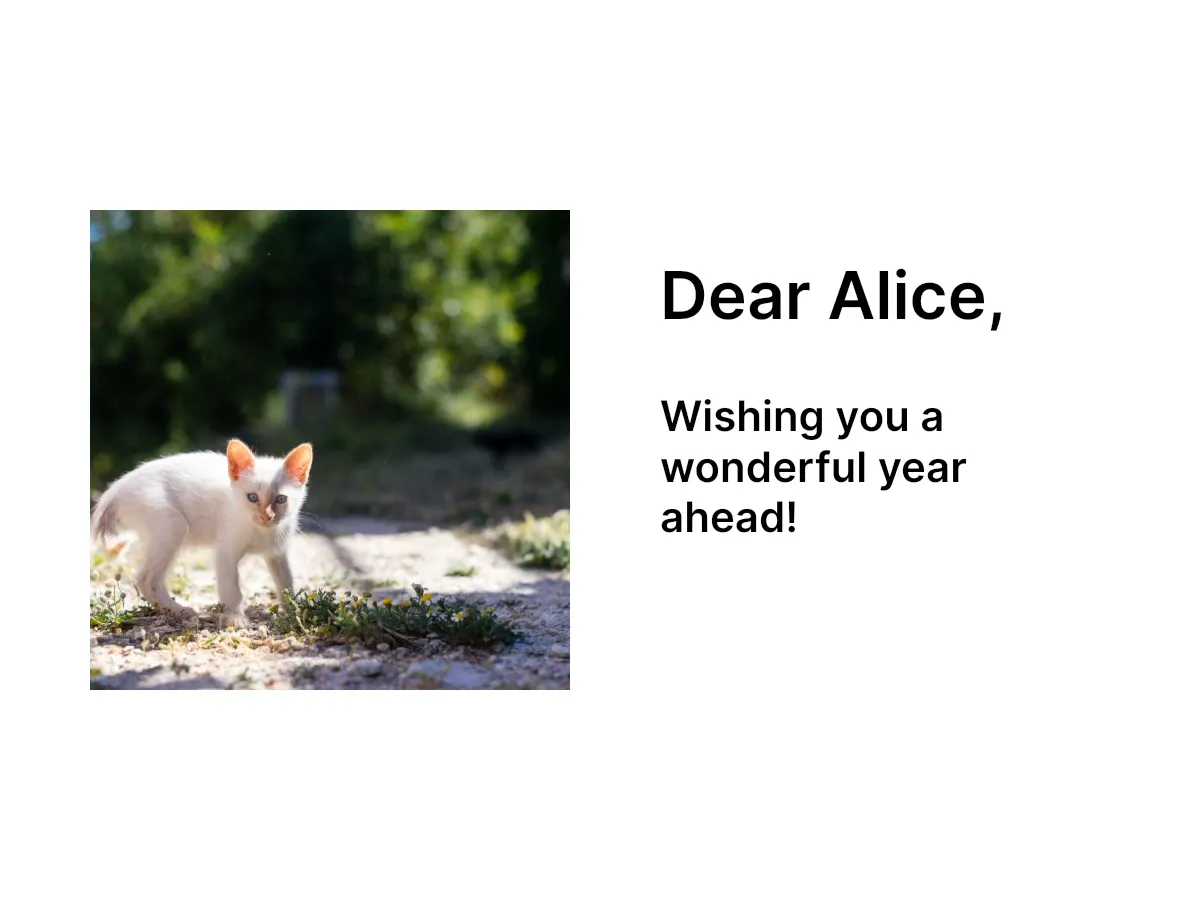
Template generation transforms a template into a finished design by populating data and exporting to an output format. Load a template with engine.scene.load(from:), replace its variables and placeholders with engine.variable.set(key:value:) and the block APIs, then export with engine.block.export(_:mimeType:options:).
This guide covers loading templates, populating variables, updating placeholder content, exporting to images and PDFs, and running batch generation. To merge a template into an existing scene while keeping your canvas size, see Apply Templates; for a deeper look at replacing content, see Replace Content.
Loading Templates#
engine.scene.load(from:) accepts a serialized scene string, or a URL to a scene or archive file.
Pass overrideEditorConfig: true to import the template’s registered variables and settings into the engine, so you can discover and populate them after loading.
The example loads a serialized template string it prepared from an inline demo scene. In your app, this string comes from your own storage or a template authored in the CE.SDK web editor.
// Load a template as the active scene. Pass `overrideEditorConfig: true` to// import the template's registered variables (and settings) into the engine.// Use a serialized string for stored data, a URL for a remote or bundled// `.scene` file with `engine.scene.load(from: URL)`, or// `engine.scene.load(from:)` for an archive that bundles its assets.try await engine.scene.load(from: templateString, overrideEditorConfig: true)Populating Variables#
Templates reference variables with {{variableName}} tokens in their text blocks, and register a variable for each token they define. Setting a variable replaces every matching token throughout the scene.
Discover Available Variables#
List the variables a template registers with engine.variable.findAll() so you know which data it expects, and read a variable’s current value with engine.variable.get(key:). findAll() reports registered variables — a template loaded with overrideEditorConfig: true imports the variables it defines, and setting a variable registers it. Variable names are case-sensitive.
// List the variables the template registers, and read a variable's value.let variableNames = engine.variable.findAll()let defaultRecipient = try engine.variable.get(key: "recipientName")print("Template variables:", variableNames, "— recipientName default:", defaultRecipient)Set Variable Values#
Assign a value to each variable with engine.variable.set(key:value:). The matching {{token}} in the template’s text updates immediately.
// Assign values that replace the matching {{token}} placeholders in text.try engine.variable.set(key: "recipientName", value: "Alice")try engine.variable.set(key: "message", value: "Wishing you a wonderful year ahead!")Updating Placeholder Content#
Beyond text variables, templates contain placeholder blocks for images and other content. Discover them with engine.block.findAllPlaceholders(), or look one up by its name with engine.block.find(byName:).
// Discover every placeholder block, or look one up by its name.let placeholders = engine.block.findAllPlaceholders()print("Template placeholders:", placeholders.count)
if let namedImage = engine.block.find(byName: "Image").first {  print("Found image placeholder:", try engine.block.getName(namedImage))}
Update Image Placeholders#
Read a placeholder’s fill with engine.block.getFill(_:), then point its fill/image/imageFileURI property at your image URL to swap the content.
// Swap an image placeholder's source by updating its fill's image URI.if let imageBlock = engine.block.find(byName: "Image").first { let fill = try engine.block.getFill(imageBlock) try engine.block.setURL( fill, property: "fill/image/imageFileURI", value: baseURL.appendingPathComponent("ly.img.image/images/sample_2.jpg"), )}Exporting to Images#
Render the populated design to an image with engine.block.export(_:mimeType:options:). Find the page to export with engine.block.find(byType: .page).
// Export the populated page to a PNG image at a target resolution.guard let page = try engine.block.find(byType: .page).first else { return }let pngData = try await engine.block.export( page, mimeType: .png, options: ExportOptions(targetWidth: 1920, targetHeight: 1080),)print("Exported PNG:", pngData.count, "bytes")Configure the output through ExportOptions: targetWidth and targetHeight set the render resolution, pngCompressionLevel (0–9) trades speed for smaller PNG files, and jpegQuality (0–1) sets JPEG quality.
Exporting to PDF#
Export the whole scene to a PDF document with mimeType: .pdf. Exporting the scene rather than a single page includes every page in a multi-page document.
// Export the whole scene to a multi-page PDF document.if let scene = try engine.scene.get() { let pdfData = try await engine.block.export(scene, mimeType: .pdf) print("Exported PDF:", pdfData.count, "bytes")}Batch Generation Workflows#
Drive a single template with many data records. Serialize the template once with engine.scene.saveToString(), then loop over your records — reloading the template, populating variables, and exporting for each one. Reloading with overrideEditorConfig: true restores the template’s own variables to their serialized defaults before each record, so their values don’t leak between exports. Loading merges variables rather than clearing them, so a variable you set that the template doesn’t define persists across reloads — remove it with engine.variable.remove(key:) if a later record shouldn’t inherit it.
// Personalize the same template once per record and export each result.let records: [[String: String]] = [  ["recipientName": "Alice", "message": "Wishing you a wonderful year ahead!"],  ["recipientName": "Bob", "message": "Congratulations on the new home!"],  ["recipientName": "Carol", "message": "Thank you for everything."],]
for record in records { // A reload with `overrideEditorConfig: true` re-imports the template's // own variables, resetting them to their serialized defaults each record. try await engine.scene.load(from: templateString, overrideEditorConfig: true) for (key, value) in record { try engine.variable.set(key: key, value: value) } guard let recordPage = try engine.block.find(byType: .page).first else { continue } let recordData = try await engine.block.export(recordPage, mimeType: .png) print("Exported \(record["recipientName"] ?? "record"):", recordData.count, "bytes")}Troubleshooting#
Template Fails to Load#
Confirm the URL is reachable and returns valid scene data, and that the scene format is compatible with your SDK version. Wrap load calls in do/catch to handle network or parsing errors.
Variables Not Updating#
Ensure the variable name passed to engine.variable.set(key:value:) exactly matches the {{token}} in the template. Names are case-sensitive. Use engine.variable.findAll() to list the registered variable names.
Export Returns Empty Output#
Confirm every referenced asset is reachable and that blocks are attached to the page hierarchy — orphaned blocks do not appear in exports.
Image Placeholder Not Found#
Verify the name passed to engine.block.find(byName:) matches the block’s name exactly. Names are case-sensitive. Use engine.block.findAllPlaceholders() to discover every placeholder in the scene.
API Reference#
| Method | Category | Purpose |
|---|---|---|
scene.load(from: String) |
Scene | Load a template from a serialized string |
scene.load(from: URL) |
Scene | Load a template scene or archive from a remote or bundled URL (kind detected automatically) |
scene.saveToString() |
Scene | Serialize the scene for batch processing |
scene.get() |
Scene | Get the active scene block |
variable.findAll() |
Variable | List every registered variable in the scene |
variable.set(key:value:) |
Variable | Set (and register) a variable value |
variable.get(key:) |
Variable | Read a variable value |
variable.remove(key:) |
Variable | Remove a registered variable |
block.find(byName:) |
Block | Find blocks by name |
block.find(byType:) |
Block | Find blocks by type, such as .page |
block.findAllPlaceholders() |
Block | Discover all placeholder blocks |
block.getFill(_:) |
Block | Get a block’s fill |
block.setURL(_:property:value:) |
Block | Set a URL property, such as an image fill URI |
block.export(_:mimeType:options:) |
Block | Export a block to a PNG, JPEG, or PDF blob |
Next Steps#
- Templates Overview — Understand how templates work in CE.SDK
- Apply Templates — Merge a template into an existing scene while preserving its dimensions
- Replace Content — Update variables and placeholders in depth
- Use Templates Programmatically — Build and personalize templates entirely in code