Edit stickers after they’ve been placed in a scene — swap the source image, transform the block, restyle with shadows or strokes, and duplicate the configuration.
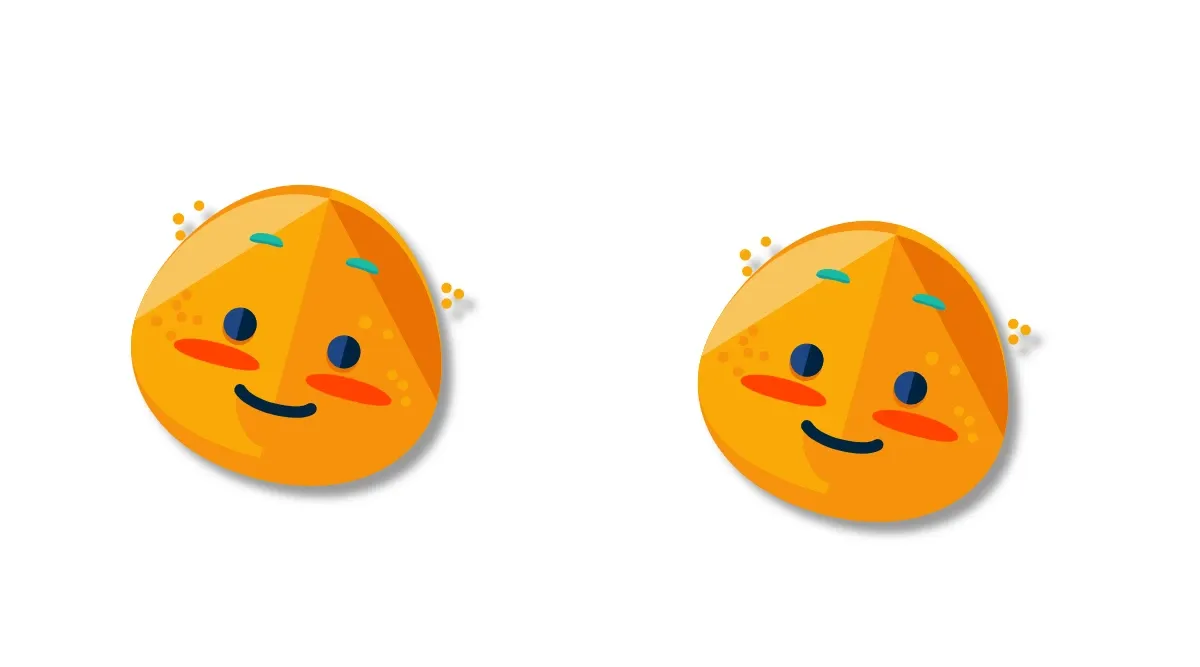
Stickers are graphic blocks with an image fill and the "sticker" kind tag (see Create Stickers). Once a sticker exists in a scene, every transform, opacity, drop shadow, stroke, blur, and effect setter that works on a graphic block also works on the sticker. The one thing that doesn’t apply is recoloring — the image fill preserves the source artwork’s colors.
Replacing the Sticker Image#
Swap the source artwork by writing a new URI to the sticker’s existing image fill. Read the fill with getFill(_:), then update fill/image/imageFileURI via setURL(_:property:value:). The block’s transform, opacity, drop shadow, and kind tag stay the same — only the rendered image changes.
let fill = try engine.block.getFill(sticker)try engine.block.setURL( fill, property: "fill/image/imageFileURI", value: baseURL.appendingPathComponent( "ly.img.sticker/images/emoticons/imgly_sticker_emoticons_blush.svg", ),)Writing the URI on the block instead of its fill throws BlockImageFillUnsupported — fill/image/imageFileURI lives on the fill, not the block. Always target the fill returned by getFill(_:).
Transforming Stickers#
Position, size, rotation, and flip respond to the same setters as every other graphic block. Rotation is in radians, and position/dimensions are in the scene’s DesignUnit.
try engine.block.setPositionX(sticker, value: 50)try engine.block.setPositionY(sticker, value: 65)try engine.block.setWidth(sticker, value: 120)try engine.block.setHeight(sticker, value: 120)try engine.block.setRotation(sticker, radians: .pi / 12)try engine.block.setFlipHorizontal(sticker, flip: false)setRotation(_:radians:) accepts any finite radian value (non-finite values throw). setFlipHorizontal(_:flip:) and setFlipVertical(_:flip:) mirror the sticker without changing its position or dimensions.
Changing the Content Fill Mode#
ContentFillMode controls how the image fits inside the block’s bounds. .contain preserves the source aspect ratio (the recommended default for stickers). .cover stretches the image to fill the bounds, cropping if the aspect ratios differ. .crop enables manual cropping.
if try engine.block.supportsContentFillMode(sticker) { try engine.block.setContentFillMode(sticker, mode: .cover)}Always gate the call on supportsContentFillMode(_:) — only blocks with content-bearing fills support the mode.
Adjusting Opacity#
setOpacity(_:value:) accepts values from 0.0 (fully transparent) to 1.0 (fully opaque). Values outside that range — and non-finite values like NaN or infinity — throw an error.
try engine.block.setOpacity(sticker, value: 1.0)Adding a Drop Shadow#
Drop shadows are a property of the block itself, not the fill. Enable the shadow, then configure color, offset, and blur radius for each axis. The color form takes a typed Color value — use .rgba(r:g:b:a:) for a quick literal.
try engine.block.setDropShadowEnabled(sticker, enabled: true)try engine.block.setDropShadowColor(sticker, color: .rgba(r: 0, g: 0, b: 0, a: 0.4))try engine.block.setDropShadowOffsetX(sticker, offsetX: 4)try engine.block.setDropShadowOffsetY(sticker, offsetY: 4)try engine.block.setDropShadowBlurRadiusX(sticker, blurRadiusX: 6)try engine.block.setDropShadowBlurRadiusY(sticker, blurRadiusY: 6)Duplicating Stickers#
duplicate(_:) produces an independent copy of the sticker — same image, dimensions, transform, drop shadow, content fill mode, and kind tag. The copy is attached to the same parent by default, so it appears on the same page. Change only the properties that should differ between original and copy.
let copy = try engine.block.duplicate(sticker)try engine.block.setPositionX(copy, value: 280)try engine.block.setPositionY(copy, value: 65)Adding a Stroke#
Strokes draw an outline around the block bounds. Enable the stroke, then configure color, width, and (optionally) position and style. Stroke color uses the typed Color form.
try engine.block.setStrokeEnabled(sticker, enabled: true)try engine.block.setStrokeColor(sticker, color: .rgba(r: 1, g: 1, b: 1, a: 1))try engine.block.setStrokeWidth(sticker, width: 4)Because the stroke follows the rect block bounds rather than the visible image silhouette, it produces a sharp rectangular outline around the sticker’s bounding box. For non-rectangular stickers, prefer a drop shadow or a glow effect over a stroke.
Applying Blur#
Attach a blur block to the sticker with createBlur(_:) and setBlur(_:blurID:), then enable it with setBlurEnabled(_:enabled:). Disabling the blur preserves the configuration so you can re-enable it without re-creating the blur block.
let blur = try engine.block.createBlur(.uniform)try engine.block.setBlur(sticker, blurID: blur)try engine.block.setBlurEnabled(sticker, enabled: true)Applying Effects#
Effects compose with the block through appendEffect(_:effectID:). Multiple effects stack in the order they were appended.
let tiltShift = try engine.block.createEffect(.tiltShift)try engine.block.appendEffect(sticker, effectID: tiltShift)The full list of effect types lives in EffectType (.tiltShift, .glow, .lutFilter, .pixelize, .posterize, and more).
Limitations#
Stickers preserve their source artwork’s colors. As a consequence:
- Recoloring is not supported. Calling
setColorwithfill/solid/coloron a sticker throwsBlockFillSetSolidColorWrongType— the fill is an image fill, not a solid color fill, so there is no color to overwrite. - Boolean operations are not supported.
combine(_:booleanOperation:)requires vector path shapes; image fills cannot participate.
If you need a recolorable or combinable graphic, create a shape instead — see Edit Shapes.
Troubleshooting#
Sticker Image Did Not Change#
Verify the new URI is reachable and serves a supported image format (SVG, PNG, JPG). Confirm setURL(_:property:value:) was called on the fill returned by getFill(_:), not on the block itself.
Sticker Appears Stretched#
The default .contain mode preserves the source aspect ratio but leaves padding when the block’s aspect ratio differs from the source artwork. Switch to .cover to fill the bounds, or resize the block to match the source aspect ratio.
Drop Shadow or Stroke Not Visible#
Confirm the feature is enabled (setDropShadowEnabled(_:enabled: true), setStrokeEnabled(_:enabled: true)). Check that the color’s alpha component is non-zero and that stroke width and shadow blur radii are greater than zero.
Sticker Cannot Be Recolored#
Expected — stickers use image fills, which preserve the source artwork’s colors. For a recolorable graphic, build a shape with a color or gradient fill instead.
API Reference#
| Method | Category | Purpose |
|---|---|---|
engine.block.getFill(_:) |
Fill | Get the image fill attached to a sticker |
engine.block.setURL(_:property:value:) |
Fill | Write a new fill/image/imageFileURI as a typed URL |
engine.block.setString(_:property:value:) |
Fill | Write a new image URI as a String |
engine.block.supportsContentFillMode(_:) |
Content | Check whether the block supports a content fill mode |
engine.block.setContentFillMode(_:mode:) |
Content | Switch between .contain, .cover, and .crop |
engine.block.setPositionX/Y(_:value:) |
Transform | Move the sticker |
engine.block.setWidth/Height(_:value:) |
Transform | Resize the sticker |
engine.block.setRotation(_:radians:) |
Transform | Rotate the sticker (radians) |
engine.block.setFlipHorizontal/Vertical(_:flip:) |
Transform | Mirror the sticker |
engine.block.setOpacity(_:value:) |
Appearance | Set the sticker’s opacity (0.0 … 1.0) |
engine.block.setDropShadowEnabled(_:enabled:) |
Drop shadow | Toggle the drop shadow |
engine.block.setDropShadowColor(_:color:) |
Drop shadow | Set the drop shadow color |
engine.block.setDropShadowOffsetX(_:offsetX:) |
Drop shadow | Offset the drop shadow on the X axis |
engine.block.setDropShadowOffsetY(_:offsetY:) |
Drop shadow | Offset the drop shadow on the Y axis |
engine.block.setDropShadowBlurRadiusX(_:blurRadiusX:) |
Drop shadow | Soften the drop shadow on the X axis |
engine.block.setDropShadowBlurRadiusY(_:blurRadiusY:) |
Drop shadow | Soften the drop shadow on the Y axis |
engine.block.setStrokeEnabled(_:enabled:) |
Stroke | Toggle the stroke |
engine.block.setStrokeColor(_:color:) |
Stroke | Set the stroke color |
engine.block.setStrokeWidth(_:width:) |
Stroke | Set the stroke width |
engine.block.createBlur(_:) |
Blur | Create a blur block |
engine.block.setBlur(_:blurID:) |
Blur | Attach a blur block to the sticker |
engine.block.setBlurEnabled(_:enabled:) |
Blur | Toggle the attached blur |
engine.block.createEffect(_:) |
Effects | Create an effect block |
engine.block.appendEffect(_:effectID:) |
Effects | Attach an effect block to the sticker |
engine.block.duplicate(_:) |
Lifecycle | Duplicate the sticker |
Next Steps#
- Create Stickers — Build stickers programmatically from image URLs.
- Edit Shapes — Modify recolorable, combinable shapes the same way.
- Combine Shapes — Use boolean operations to merge vector shapes.