Create reusable templates whose text content is populated from data at runtime. Text variables separate a design’s fixed layout from the values your app supplies, so a single template can produce many personalized results.
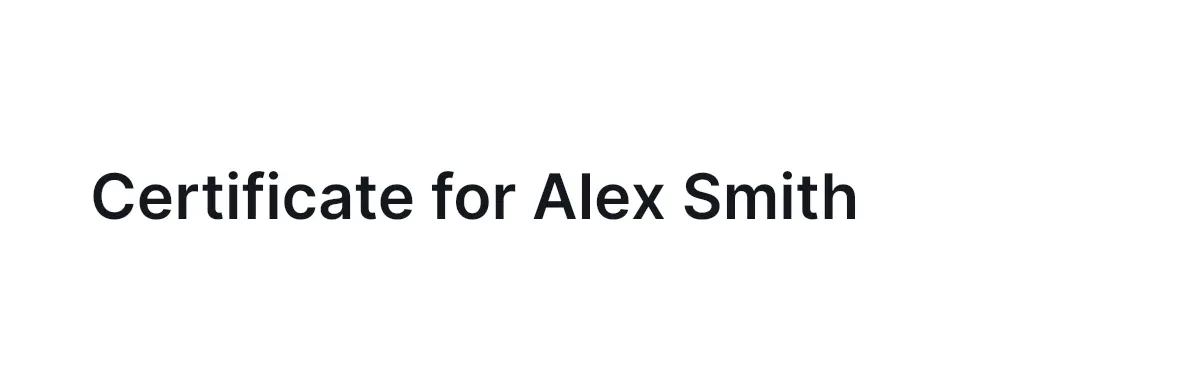
Text variables separate a design’s text layout from the values your app supplies. Put tokens such as {{firstName}} into text blocks, then update the variable store with matching keys before you preview or export.
Color, number, image and typeface variables drive block properties instead of text. See Variable Bindings.
This guide covers the Swift Engine APIs for creating tokenized text, setting values, reading them back, detecting which blocks reference variables, and scanning a scene for token names.
Variables and Tokens#
Tokens and variables are related, but they are not the same thing. A token is the {{key}} placeholder written into a text block, while a variable is the key-value entry stored on the engine.
Tokens do not automatically create variable entries. Use engine.variable.set(key:value:) to seed the store before you expect a token to resolve — an unresolved token renders as its literal {{key}} text.
Binding Tokens to Text Blocks#
Use the same text editing APIs you already use for normal text blocks. The token syntax can stand on its own or sit inside a longer string. Add the text block to the page that belongs to your template scene so it becomes visible, exportable content.
let textBlock = try engine.block.create(.text)try engine.block.replaceText(textBlock, text: "Certificate for {{firstName}} {{lastName}}")try engine.block.setPositionX(textBlock, value: 60)try engine.block.setPositionY(textBlock, value: 105)try engine.block.setWidth(textBlock, value: 680)try engine.block.setHeightMode(textBlock, mode: .auto)try engine.block.setTextFontSize(textBlock, fontSize: 42)try engine.block.setTextColor(textBlock, color: .rgba(r: 0.078, g: 0.09, b: 0.122, a: 1))try engine.block.appendChild(to: page, child: textBlock)The stored text/text value stays the template string. When the engine renders the block, matching variable values replace the token positions.
Setting Variable Values#
Populate the variable store with engine.variable.set(key:value:). Calling set for an existing key updates the value, so the same template can be reused for multiple data records.
let recipient = ["firstName": "Alex", "lastName": "Smith"]for (key, value) in recipient { try engine.variable.set(key: key, value: value)}Variable keys are case-sensitive. Keep the key names in your data model and text tokens identical.
Discovering Variables#
Use engine.variable.findAll() to list the keys currently stored on the engine. This reports variables that have been set, not every token that appears in text. It is non-throwing and returns a [String].
let variableNames = engine.variable.findAll().sorted()print("Stored variables:", variableNames) // ["firstName", "lastName"]Reading Variable Values#
Read an existing value with engine.variable.get(key:). Call it once you know the key exists — for example from your own data model or from findAll().
let firstName = try engine.variable.get(key: "firstName")print("firstName:", firstName) // "Alex"If the key is missing, the engine reports an error instead of returning an empty string.
Detecting Variable References#
Use engine.block.referencesAnyVariables(_:) to check whether a text block contains any {{...}} tokens.
let hasVariableReferences = try engine.block.referencesAnyVariables(textBlock)print("Heading references variables:", hasVariableReferences) // trueThe check applies to the block you pass in. To validate a whole scene, iterate over the text blocks and check each one.
Scanning Token Names#
Because findAll() lists stored variables only, scan text block content when you need to discover token names that have not been seeded yet. Read the text/text property from each text block returned by engine.block.find(byType: .text) and extract the tokens with a regular expression.
let tokenPattern = try NSRegularExpression(pattern: #"\{\{\s*([^{}]+?)\s*\}\}"#)let tokenKeys = try engine.block.find(byType: .text).flatMap { block -> [String] in let content = try engine.block.getString(block, property: "text/text") let range = NSRange(content.startIndex ..< content.endIndex, in: content) return tokenPattern.matches(in: content, range: range).compactMap { match in Range(match.range(at: 1), in: content).map { String(content[$0]) } }}print("Tokens in scene:", tokenKeys) // ["firstName", "lastName"]The pattern scans the text between {{ and }}, tolerating inner whitespace, so it also handles names such as user.name, campaign-id, or full_name.
Removing Variables#
Remove a variable with engine.variable.remove(key:) when it is no longer part of the current scene or data record.
try engine.variable.remove(key: "lastName")let remainingVariables = engine.variable.findAll().sorted()print("Variables after removal:", remainingVariables) // ["firstName"]Removing a variable does not remove tokens from text blocks. If a block still contains {{lastName}}, that token remains in the template text until you change the text content or set the variable again.
API Reference#
Methods#
| Method | Description |
|---|---|
engine.block.create(.text) |
Create a text block for tokenized copy |
engine.block.replaceText(_:text:) |
Set text content, including {{key}} tokens |
engine.block.setPositionX(_:value:) / setPositionY(_:value:) |
Position the text block on the template page |
engine.block.setWidth(_:value:) |
Set the text block width inside the page |
engine.block.setHeightMode(_:mode:) |
Let the text block height adapt to the inserted copy |
engine.block.setTextFontSize(_:fontSize:) |
Set the text block font size |
engine.block.setTextColor(_:color:) |
Set the text block color |
engine.block.appendChild(to:child:) |
Attach the tokenized text block to the page |
engine.variable.set(key:value:) |
Create or update a text variable value |
engine.variable.findAll() |
List variable keys currently stored on the engine |
engine.variable.get(key:) |
Read an existing variable value |
engine.variable.remove(key:) |
Remove an existing variable value |
engine.block.referencesAnyVariables(_:) |
Check whether one block contains variable tokens |
engine.block.find(byType:) |
Find text blocks for scene-level scanning |
engine.block.getString(_:property:) |
Read a text block’s stored template string |
Properties#
| Property | Type | Description |
|---|---|---|
text/text |
String | The block’s stored template string, including {{key}} tokens |
Troubleshooting#
A token appears in the output: Confirm the token name exactly matches a key passed to engine.variable.set(key:value:), including case.
findAll() returns fewer names than expected: findAll() lists stored variables only. It does not scan text blocks for tokens.
get(key:) fails for a variable: Check that the key exists before reading it. You can seed optional variables with an empty string when you want unresolved text to disappear.
referencesAnyVariables(_:) returns false: Pass the actual text block. The method does not inspect the children of a parent block.
Next Steps#
- Placeholders — Mark editable media or text areas inside locked template layouts.
- Form-Based Editing — Expose variables and placeholders through custom input controls.
- Data Merge — Merge external records into templates with variables and named placeholder blocks.
- Templating — Understand reusable scene templates with dynamic text and placeholder media.
- Automate Design Generation — Generate on-brand designs programmatically using templates and variables.