Configure blocks to size themselves from fixed values, their parent, or their content. Use the Swift Engine’s .absolute, .percent, and .auto size modes on each axis, then read getFrameWidth(_:) and getFrameHeight(_:) after layout when you need the computed result.
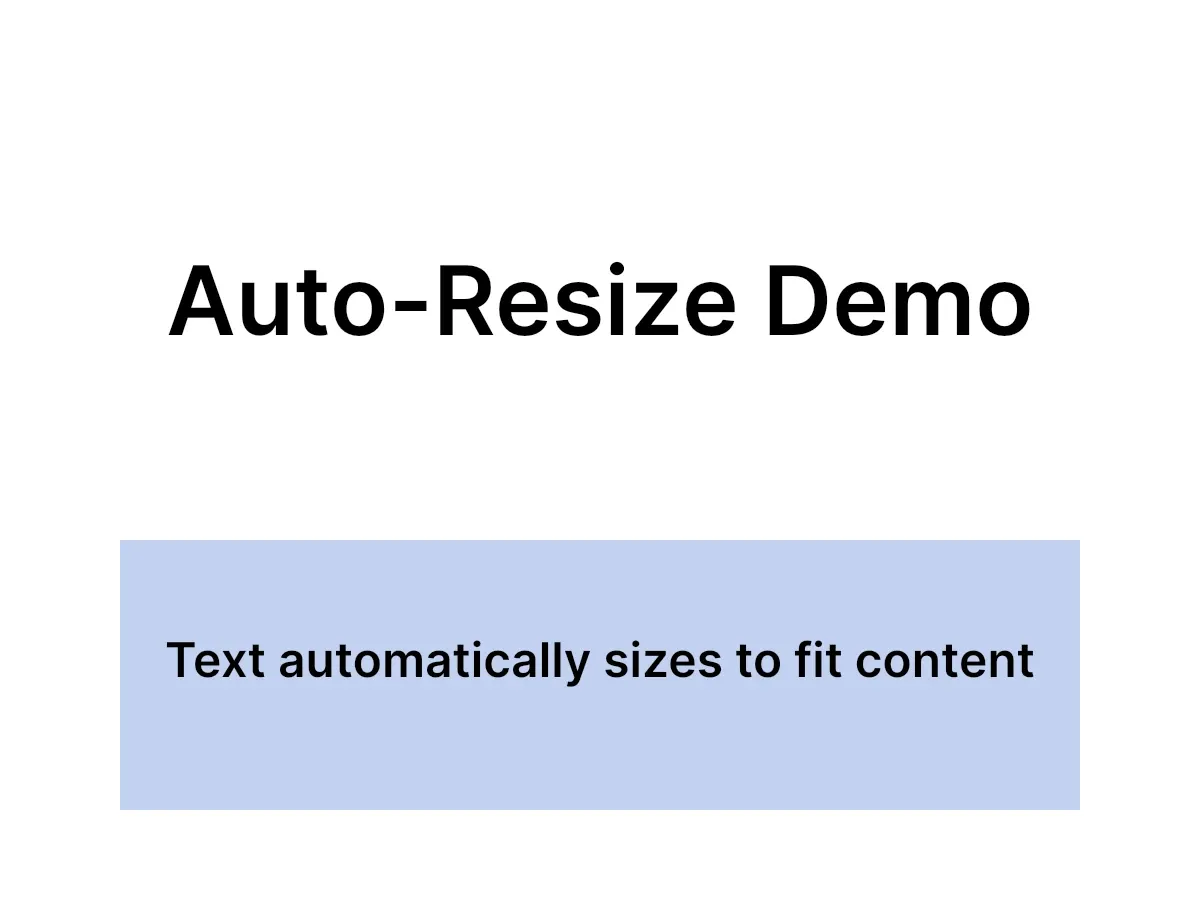
This example uses a title with Auto mode, a background panel with Percent mode, and computed frame sizes to center text. The Swift Engine also exposes fillParent(_:) as a shortcut when an attached block should cover its parent in one call.
Initialize the engine#
Create a design scene with an 800 by 600 page so the percent-mode values have a predictable parent size.
let scene = try engine.scene.create(designUnit: .px)let page = try engine.block.create(.page)try engine.block.setWidth(page, value: 800)try engine.block.setHeight(page, value: 600)try engine.block.appendChild(to: scene, child: page)Size modes#
.absoluteis the default. Width and height are design units that you control directly withsetWidth(_:value:)andsetHeight(_:value:)..percentinterprets width and height as normalized parent-relative values.1.0means 100 percent of the parent on that axis..autolets the engine compute the block size from its content. This is most useful for text and other intrinsic-content blocks.
Auto mode for text#
Use Auto mode when content should decide the final frame. Here the title expands to fit its text instead of using a hard-coded width.
let titleBlock = try engine.block.create(.text)try engine.block.replaceText(titleBlock, text: "Auto-Resize Demo")try engine.block.setTextFontSize(titleBlock, fontSize: 64)try engine.block.setWidthMode(titleBlock, mode: .auto)try engine.block.setHeightMode(titleBlock, mode: .auto)try engine.block.appendChild(to: page, child: titleBlock)Fill the parent in one call#
Attach a block to a parent, then call fillParent(_:) to resize and position it so it covers the parent completely:
let coverBlock = try engine.block.create(.graphic)try engine.block.setShape(coverBlock, shape: engine.block.createShape(.rect))let coverFill = try engine.block.createFill(.color)try engine.block.setColor(coverFill, property: "fill/color/value", color: .rgba(r: 1, g: 1, b: 1, a: 0.08))try engine.block.setFill(coverBlock, fill: coverFill)try engine.block.appendChild(to: page, child: coverBlock)try engine.block.fillParent(coverBlock)fillParent(_:) also resets crop values when needed and can switch a crop-based fill to cover so the block stays in a valid state.
Read computed frame dimensions#
Layout values are not the same as the raw width and height properties in Auto mode. Read frame dimensions after the engine has performed a layout update.
let titleWidth = try engine.block.getFrameWidth(titleBlock)let titleHeight = try engine.block.getFrameHeight(titleBlock)print("Title dimensions: \(Int(titleWidth))x\(Int(titleHeight)) pixels")If you query the frame size immediately after changing content, yield to the next turn (await Task.yield()) or wait for another engine update before reading.
Center the block with frame dimensions#
Once you have the computed title size, use the page dimensions to place it precisely.
let pageWidth = try engine.block.getWidth(page)let pageHeight = try engine.block.getHeight(page)let centerX = (pageWidth - titleWidth) / 2let centerY = (pageHeight - titleHeight) / 2 - 100try engine.block.setPositionX(titleBlock, value: centerX)try engine.block.setPositionY(titleBlock, value: centerY)This pattern is useful whenever content length changes between generated outputs.
Percent mode for responsive layouts#
Percent mode makes a block track its parent. The example uses 80 percent width, 30 percent height, with a 10 percent left margin and a 60 percent top offset.
let backgroundBlock = try engine.block.create(.graphic)try engine.block.setShape(backgroundBlock, shape: engine.block.createShape(.rect))let backgroundFill = try engine.block.createFill(.color)try engine.block.setColor(backgroundFill, property: "fill/color/value", color: .rgba(r: 0.2, g: 0.4, b: 0.8, a: 0.3))try engine.block.setFill(backgroundBlock, fill: backgroundFill)try engine.block.setWidthMode(backgroundBlock, mode: .percent)try engine.block.setHeightMode(backgroundBlock, mode: .percent)try engine.block.setWidth(backgroundBlock, value: 0.8)try engine.block.setHeight(backgroundBlock, value: 0.3)try engine.block.setPositionX(backgroundBlock, value: pageWidth * 0.1)try engine.block.setPositionY(backgroundBlock, value: pageHeight * 0.6)try engine.block.appendChild(to: page, child: backgroundBlock)try engine.block.sendToBack(backgroundBlock)Because values are normalized, the same layout logic adapts to different page sizes without recalculating pixel dimensions.
Additional auto-sized content#
You can repeat the same pattern for other text blocks. This subtitle uses Auto mode and recenters itself from its computed width.
let subtitleBlock = try engine.block.create(.text)try engine.block.replaceText(subtitleBlock, text: "Text automatically sizes to fit content")try engine.block.setTextFontSize(subtitleBlock, fontSize: 32)try engine.block.setWidthMode(subtitleBlock, mode: .auto)try engine.block.setHeightMode(subtitleBlock, mode: .auto)try engine.block.appendChild(to: page, child: subtitleBlock)
await Task.yield()
let subtitleWidth = try engine.block.getFrameWidth(subtitleBlock)try engine.block.setPositionX(subtitleBlock, value: (pageWidth - subtitleWidth) / 2)try engine.block.setPositionY(subtitleBlock, value: pageHeight * 0.7)
Verify the active modes#
Query the current modes when you need to branch behavior or assert that template setup is correct.
let titleWidthMode = try engine.block.getWidthMode(titleBlock)let titleHeightMode = try engine.block.getHeightMode(titleBlock)let backgroundWidthMode = try engine.block.getWidthMode(backgroundBlock)let backgroundHeightMode = try engine.block.getHeightMode(backgroundBlock)print("Title uses auto sizing: \(titleWidthMode == .auto && titleHeightMode == .auto)")print("Background uses percent sizing: \(backgroundWidthMode == .percent && backgroundHeightMode == .percent)")Troubleshooting#
Frame dimensions are 0 or stale: wait for a layout pass before calling getFrameWidth(_:) or getFrameHeight(_:).
Percent sizing has no effect: the block must be attached to a parent, and the parent needs a resolved size.
Auto sizing does not change the block: Auto mode is primarily useful for blocks with intrinsic content, such as text.
A fill looks different after fillParent(_:): the helper may reset crop values or force cover mode to keep the block valid.
API Reference#
Methods#
| Method | Description |
|---|---|
engine.block.getWidth(_:) |
Read the configured width value in the current mode |
engine.block.setWidth(_:value:) |
Set width in the current mode |
engine.block.getWidthMode(_:) |
Read the width sizing mode |
engine.block.setWidthMode(_:mode:) |
Set the width sizing mode |
engine.block.getHeight(_:) |
Read the configured height value in the current mode |
engine.block.setHeight(_:value:) |
Set height in the current mode |
engine.block.getHeightMode(_:) |
Read the height sizing mode |
engine.block.setHeightMode(_:mode:) |
Set the height sizing mode |
engine.block.getFrameWidth(_:) |
Read the computed width after layout |
engine.block.getFrameHeight(_:) |
Read the computed height after layout |
engine.block.fillParent(_:) |
Resize and reposition a block to cover its parent |
Next Steps#
- Resize — change a block frame explicitly with width and height values.
- Batch Processing — apply the same sizing logic across many records.
- Multiple Image Generation — combine template data replacement with responsive layout rules.