Control CE.SDK’s interface programmatically at runtime through event subscriptions, panel operations, notifications, and dynamic feature management.
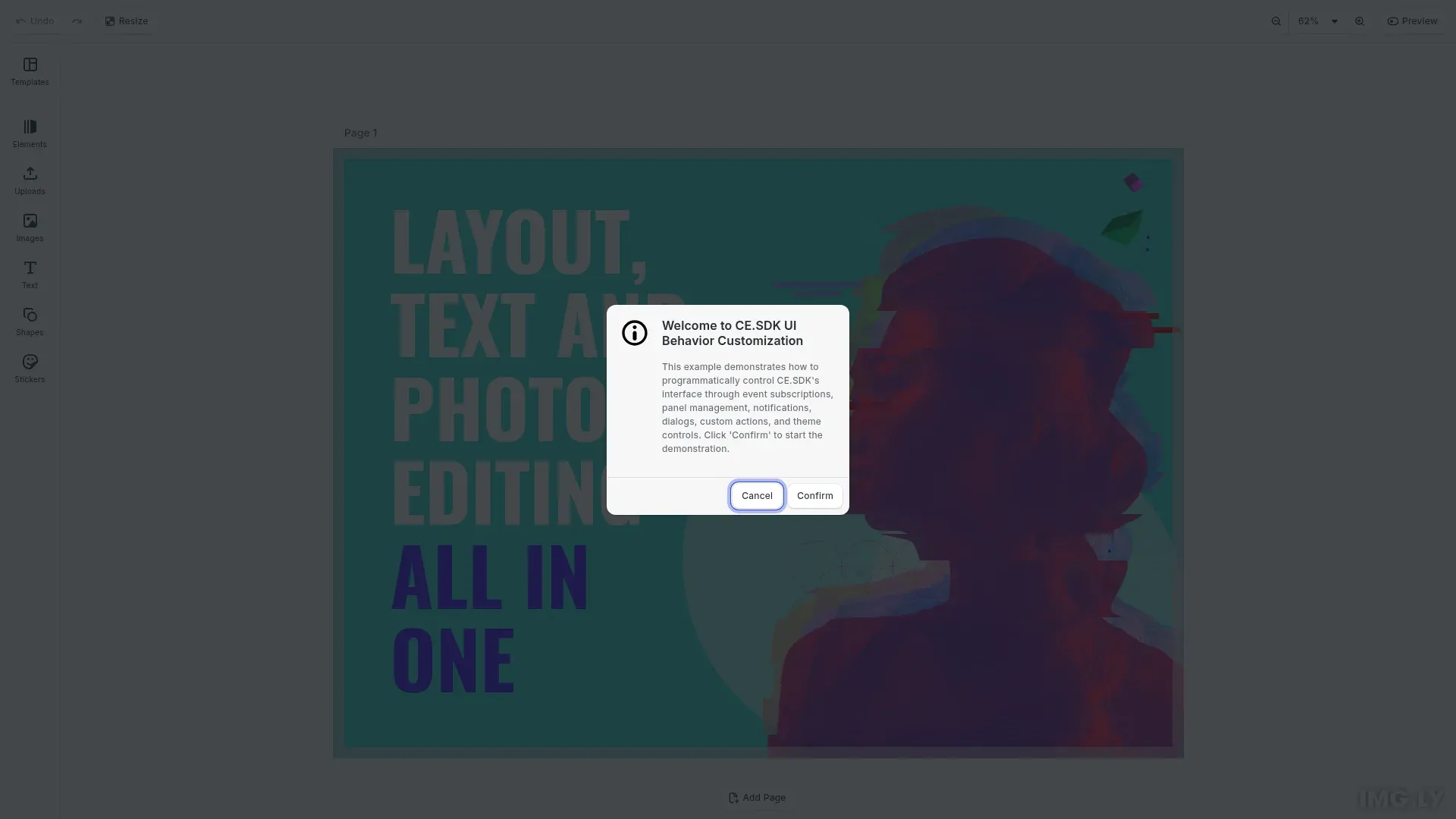
UI behavior customization enables responsive, context-aware editing experiences. You can listen for user interactions, manipulate UI state dynamically based on application logic, integrate CE.SDK with external workflows, and build custom behavior that responds to editing events.
This guide demonstrates the core behavior customization APIs: notifications and dialogs for user feedback, custom action registration, dynamic theme and scale control, feature management, and external state integration. For detailed event handling and panel management, see the dedicated guides linked in each section.
Listening to Editing Events#
Subscribe to block events to react to changes in your scene. The event system delivers batched updates for Created, Updated, and Destroyed events.
const unsubscribe = engine.event.subscribe([], (events: BlockEvent[]) => { events.forEach((event) => { if (event.type === 'Created') { cesdk.ui.showNotification({ message: 'Block created', type: 'info' }); } });});For comprehensive event handling patterns including selection tracking and state synchronization, see the Event Subscriptions guide.
Programmatic Panel Management#
Control panel visibility dynamically using the UI API. Open, close, and query panel state to adapt your interface to user actions.
if (!cesdk.ui.isPanelOpen('//ly.img.panel/inspector')) { cesdk.ui.openPanel('//ly.img.panel/inspector');}For complete panel management including custom panel registration and advanced patterns, see the Custom Panels guide.
Showing Notifications and Dialogs#
Displaying Notifications#
Show temporary feedback using cesdk.ui.showNotification(). Configure the notification’s message, type (info, success, error), and duration (short, medium, long).
cesdk.ui.showNotification({ message: 'Operation completed successfully', type: 'success', duration: 'medium'});Creating Confirmation Dialogs#
Present user decisions with cesdk.ui.showDialog(). Define onClick handlers for action buttons that receive a context parameter containing the dialog ID.
cesdk.ui.showDialog({ type: 'info', content: { title: 'Confirm Action', message: 'Are you sure you want to proceed?' }, actions: [ { label: 'Cancel', onClick: (context) => cesdk.ui.closeDialog(context.id) }, { label: 'Confirm', onClick: (context) => { cesdk.ui.closeDialog(context.id); // Your action logic here } } ]});Registering Custom Actions#
Register custom action handlers to intercept UI events like export, load, and download. The editor calls your action when users trigger the corresponding UI event.
cesdk.actions.register('downloadFile', async (blob: Blob, mimeType: string) => { const url = URL.createObjectURL(blob); const link = document.createElement('a'); link.href = url; link.download = `export.${mimeType.split('/')[1]}`; link.click(); URL.revokeObjectURL(url);});Dynamic Theme and Scale Control#
Control the editor’s theme and UI scale at runtime. Set theme to 'light', 'dark', or 'system', and scale to 'normal' or 'large'.
// Toggle themeconst currentTheme = cesdk.ui.getTheme();cesdk.ui.setTheme(currentTheme === 'dark' ? 'light' : 'dark');
// Set scalecesdk.ui.setScale('large');
Feature Management at Runtime#
Control feature availability based on user permissions or application state. Enable, disable, and query features dynamically.
// Check and toggle featuresif (cesdk.feature.isEnabled('ly.img.undo')) {  cesdk.feature.disable('ly.img.undo');} else {  cesdk.feature.enable('ly.img.undo');}
// List available featuresconst features = cesdk.feature.list({ matcher: 'ly.img.*' });
Integrating with External State#
Connect CE.SDK events to Redux, MobX, or other state systems for bidirectional synchronization.
// Subscribe to CE.SDK events and update external stateengine.event.subscribe([], (events: BlockEvent[]) => {  events.forEach((event) => {    // Dispatch to your state management system    dispatch({ type: 'CESDK_EVENT', payload: event });  });});
// Listen to external state changes and update CE.SDK UIstore.subscribe(() => { const state = store.getState(); if (state.shouldShowInspector) { cesdk.ui.openPanel('//ly.img.panel/inspector'); }});Troubleshooting#
Event Subscriptions Not Firing#
Verify the engine is initialized and blocks exist before subscribing. Event subscriptions only fire for changes after subscription - you won’t receive events for existing state. Check that your callback function executes without errors, as exceptions are logged but don’t prevent future events.
Panel Operations Failing#
Check panel ID spelling and registration status. Panel IDs are case-sensitive and must match exactly. Verify the panel is registered before attempting to open it. Custom panels must be registered through plugins before they become available for panel operations.
Actions Not Executing#
Ensure the action is registered before calling cesdk.actions.run(). The method throws an error if the action doesn’t exist. Register actions during plugin initialization or before they’re needed. Check that action names match exactly when registering and executing.
Memory Leaks from Event Subscriptions#
Always call the unsubscribe cleanup function when you no longer need event listeners. Store the return value from engine.event.subscribe() and call it when your component unmounts or the feature is disabled. Failing to unsubscribe causes memory leaks and unnecessary callback executions.
UI Not Updating After State Changes#
Verify event handlers execute without errors. Check the browser console for exceptions thrown in callbacks. Ensure your UI update logic runs after async operations complete. Theme and feature changes apply immediately, so check that you’re querying the correct state after modifications.
Theme or Scale Changes Not Applying#
Check if function-based configs are evaluated correctly. For theme functions, ensure they return valid values ('light' or 'dark'). For scale functions, verify the container width calculation is correct. Function-based configs re-evaluate on each access, so ensure your logic accounts for this behavior.
API Reference#
| Method | Purpose |
|---|---|
engine.event.subscribe() | Subscribe to block lifecycle events |
cesdk.ui.openPanel() | Open a specific panel programmatically |
cesdk.ui.closePanel() | Close a panel by ID or pattern |
cesdk.ui.isPanelOpen() | Check if panel is currently open |
cesdk.ui.findAllPanels() | Find all available panels with filtering |
cesdk.ui.showNotification() | Display temporary notification message |
cesdk.ui.showDialog() | Show confirmation or custom dialog |
cesdk.ui.closeDialog() | Close dialog by ID |
cesdk.actions.register() | Register custom action handler |
cesdk.actions.get() | Retrieve registered action function |
cesdk.actions.run() | Execute registered action |
cesdk.actions.list() | List all registered action IDs |
cesdk.ui.setTheme() | Change editor theme at runtime |
cesdk.ui.getTheme() | Get current resolved theme |
cesdk.ui.setScale() | Control UI density and sizing |
cesdk.ui.getScale() | Get current resolved scale |
cesdk.feature.enable() | Enable feature dynamically |
cesdk.feature.disable() | Disable feature dynamically |
cesdk.feature.isEnabled() | Check if feature is enabled |
cesdk.feature.list() | List features matching pattern |