Control what users can edit in templates by setting fine-grained permissions on individual blocks or globally across your scene using CE.SDK’s Scope system.
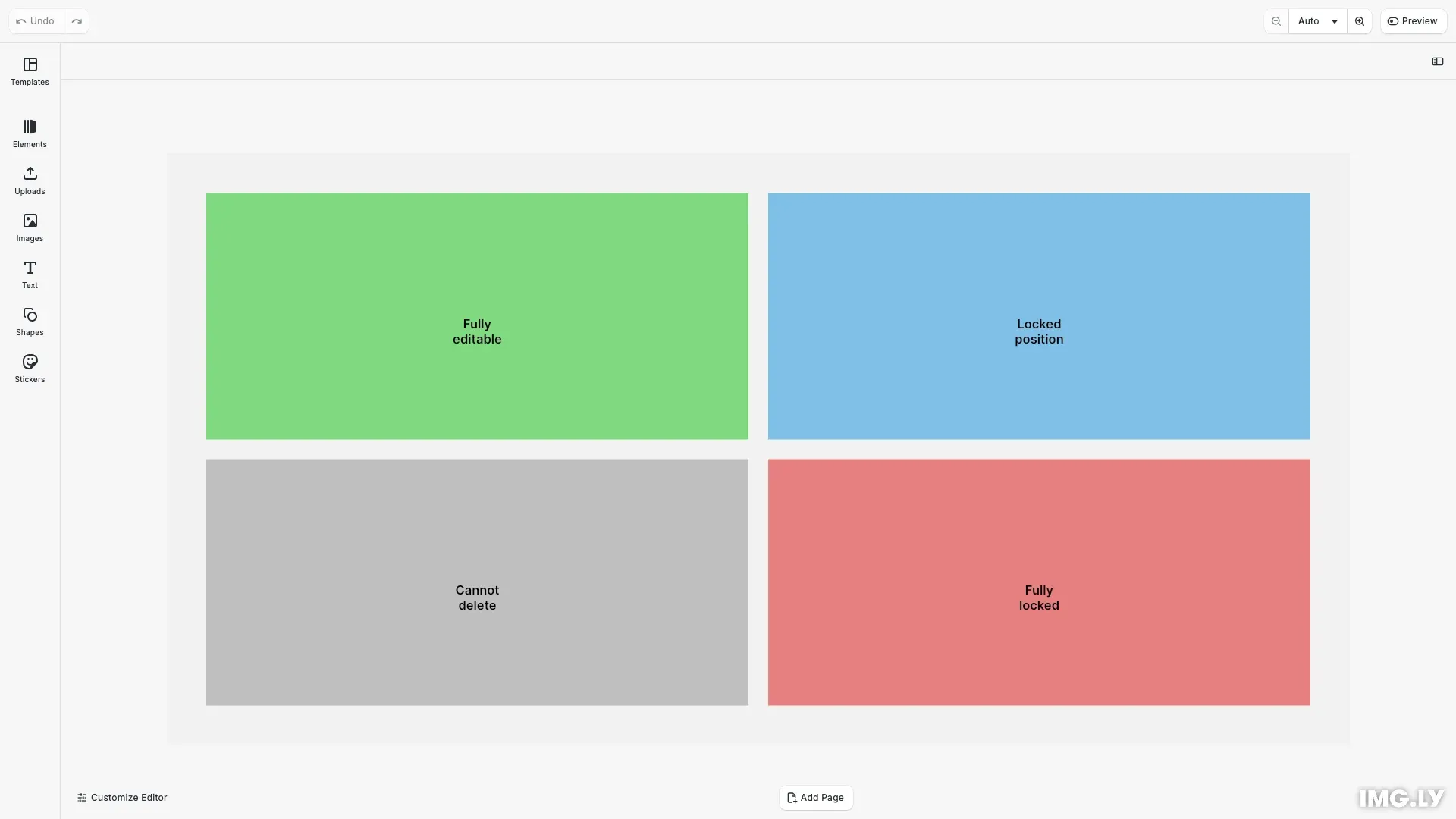
Editing constraints in CE.SDK allow you to lock specific properties of design elements while keeping others editable. The Scope system provides granular control over 20+ editing capabilities including movement, resizing, rotation, fill changes, text editing, and lifecycle operations.
This guide demonstrates how to apply editing constraints to create brand templates, guided editing experiences, and form-based workflows.
Understanding Scopes#
What are Scopes?#
A scope is a permission key that controls a specific editing capability in CE.SDK. Each scope represents a distinct action users can perform, such as moving blocks ('layer/move'), changing fills ('fill/change'), or editing text content ('text/edit'). By enabling or disabling scopes, you control exactly what users can and cannot do with each design element.
Scopes exist at two levels:
- Block-level scopes: Per-block permissions set using
setScopeEnabled() - Global scopes: Default behavior for all blocks set using
setGlobalScope()
Available Scope Categories#
CE.SDK provides scopes organized into logical categories:
| Category | Purpose | Example Scopes |
|---|---|---|
| Text Editing | Control text content and formatting | text/edit, text/character |
| Fill & Stroke | Manage colors and gradients | fill/change, fill/changeType, stroke/change |
| Shape | Modify shape properties | shape/change |
| Layer Transform | Control position and dimensions | layer/move, layer/resize, layer/rotate, layer/flip, layer/crop |
| Layer Appearance | Manage visual properties | layer/opacity, layer/blendMode, layer/visibility |
| Effects & Filters | Apply visual effects | appearance/adjustments, appearance/filter, appearance/effect, appearance/blur, appearance/shadow |
| Lifecycle | Control creation and deletion | lifecycle/destroy, lifecycle/duplicate |
| Editor | Manage scene-level actions | editor/add, editor/select |
Scope Configuration#
Global Scope Modes#
Global scopes set the default behavior for all blocks in the scene. They have three modes:
- Allow: Always allow the action, overriding block-level settings
- Deny: Always deny the action, overriding block-level settings
- Defer: Use block-level settings (default mode)
To ensure block-level scope settings are respected, set relevant global scopes to ‘Defer’:
// Set global scopes to 'Defer' to respect block-level scope settings// Without this, global 'Allow' settings might override block-level restrictionsengine.editor.setGlobalScope('layer/move', 'Defer');engine.editor.setGlobalScope('layer/resize', 'Defer');engine.editor.setGlobalScope('lifecycle/destroy', 'Defer');engine.editor.setGlobalScope('lifecycle/duplicate', 'Defer');
// Global scope modes:// - 'Allow': Always allow (overrides block-level settings)// - 'Deny': Always deny (overrides block-level settings)// - 'Defer': Use block-level settings (respects setScopeEnabled)
Without setting global scopes to ‘Defer’, default ‘Allow’ settings might override your block-level restrictions. This is essential when applying fine-grained constraints.
Scope Resolution Priority#
When both global and block-level scopes are set, they resolve in this order:
- Global Deny takes highest priority (action always denied)
- Global Allow takes second priority (action always allowed)
- Global Defer defers to block-level settings (default behavior)
Setting Block-Level Constraints#
Locking Position#
Prevent users from moving or repositioning a block while allowing other edits:
const disableMoveScope = (block: number) => {  // Disable move scope  engine.block.setScopeEnabled(block, 'layer/move', false);
  // Explicitly enable other transform scopes  engine.block.setScopeEnabled(block, 'layer/resize', true);  engine.block.setScopeEnabled(block, 'layer/rotate', true);  engine.block.setScopeEnabled(block, 'layer/flip', true);
  // Explicitly enable lifecycle scopes  engine.block.setScopeEnabled(block, 'lifecycle/destroy', true);  engine.block.setScopeEnabled(block, 'lifecycle/duplicate', true);};
const moveLockedBlock = createExampleBlock(  'Locked\nposition',  {    r: 0.5,    g: 0.75,    b: 0.9  },  disableMoveScope);// Block position is locked - users cannot move or reposition it// Other scopes are explicitly enabled: resizing, rotation, flipping, deletion, duplication
The block position is locked—users cannot move or reposition it. Other scopes remain enabled, allowing resizing, editing, and deletion. This pattern maintains layout integrity while allowing content updates.
Preventing Deletion#
Protect blocks from being deleted or duplicated:
const disableLifecycleScopes = (block: number) => {  // Disable lifecycle scopes  engine.block.setScopeEnabled(block, 'lifecycle/destroy', false);  engine.block.setScopeEnabled(block, 'lifecycle/duplicate', false);
  // Explicitly enable transform scopes  engine.block.setScopeEnabled(block, 'layer/move', true);  engine.block.setScopeEnabled(block, 'layer/resize', true);  engine.block.setScopeEnabled(block, 'layer/rotate', true);  engine.block.setScopeEnabled(block, 'layer/flip', true);};
const lifecycleLockedBlock = createExampleBlock(  'Cannot\ndelete',  {    r: 0.75,    g: 0.75,    b: 0.75  },  disableLifecycleScopes);// Block cannot be deleted or duplicated// Other scopes are explicitly enabled: moving, resizing, rotation, flipping
Users cannot delete or duplicate the block but can still move, resize, and edit it. Use this for essential template elements that must remain present.
Checking Scope State#
Query the current state of any scope for a block:
// Check if a scope is enabled for a specific blockconst canMove = engine.block.isScopeEnabled(moveLockedBlock, 'layer/move');const canDelete = engine.block.isScopeEnabled(  lifecycleLockedBlock,  'lifecycle/destroy');const canEditFully = engine.block.isScopeEnabled(  fullyEditableBlock,  'layer/move');const canEditLocked = engine.block.isScopeEnabled(  fullyLockedBlock,  'layer/move');
console.log('Move-locked block - layer/move enabled:', canMove); // falseconsole.log(  'Lifecycle-locked block - lifecycle/destroy enabled:',  canDelete); // falseconsole.log('Fully editable block - layer/move enabled:', canEditFully); // trueconsole.log('Fully locked block - layer/move enabled:', canEditLocked); // false
Use isScopeEnabled() to check the block-level setting. This returns whether the scope is enabled at the block level, but doesn’t consider global scope settings.
Checking Effective Permissions#
Check the effective permission considering both block and global settings:
// Check if scope is allowed (considers global + block settings)const moveAllowed = engine.block.isAllowedByScope(block, 'layer/move');isAllowedByScope() returns the final permission after resolving block-level and global scope settings. Use this when you need to know if an action is actually permitted.
API Reference#
| Method | Description |
|---|---|
engine.block.setScopeEnabled() | Enable or disable a scope for a specific block |
engine.block.isScopeEnabled() | Check if a scope is enabled at the block level |
engine.block.isAllowedByScope() | Check if a scope is allowed considering both block and global settings |
engine.editor.setGlobalScope() | Set global scope policy ('Allow', 'Deny', or 'Defer') |
engine.editor.findAllScopes() | List all available scope keys |