Enforce specific aspect ratios or fixed dimensions on design blocks using the force crop API.
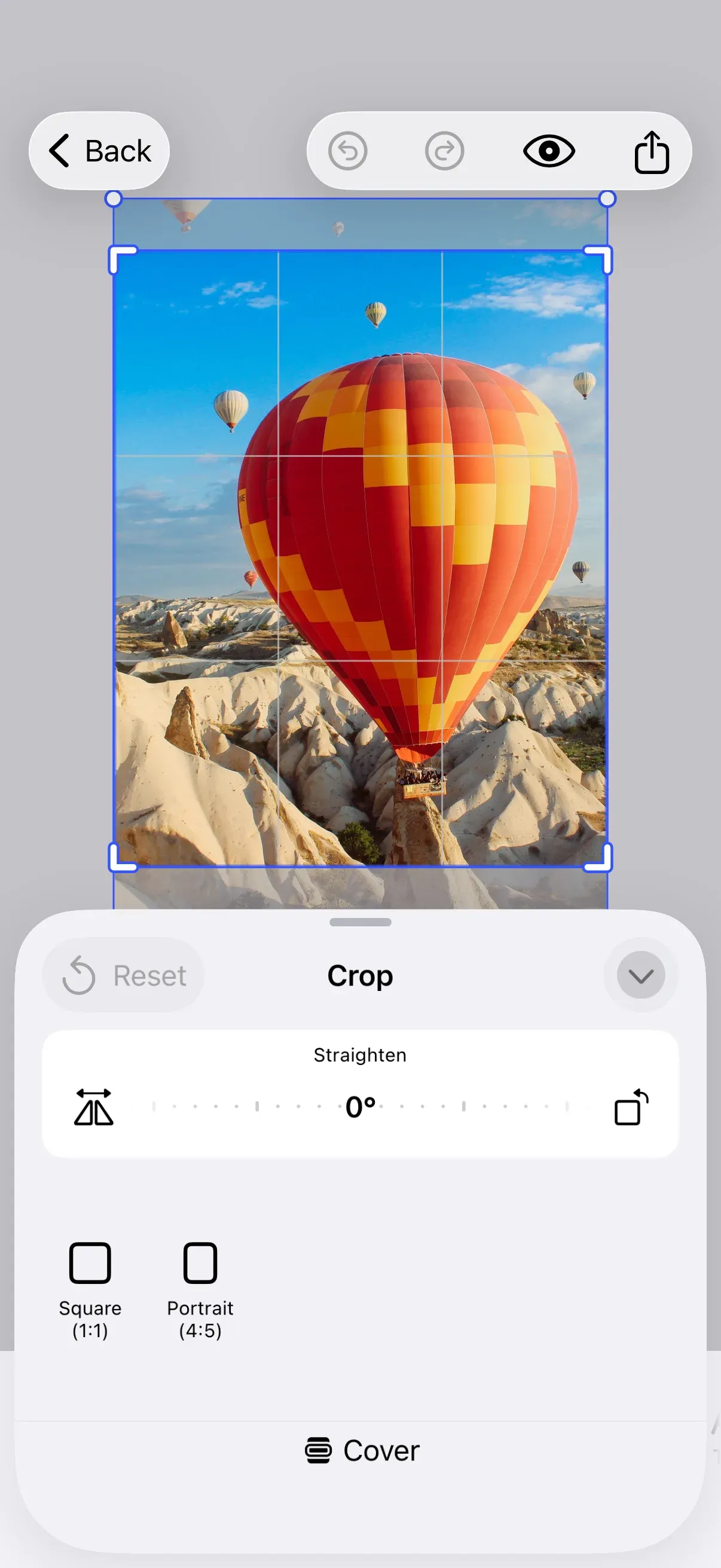
Overview#
Force cropping ensures that a page or any croppable block uses a specific aspect ratio or fixed size when the editor loads. We send an .applyForceCrop event through the editor’s event handler, providing the target design block, an array of ForceCropPreset candidates, and a ForceCropMode.
| Type | Purpose |
|---|---|
ForceCropPreset |
Identifies a crop preset by source ID and preset ID |
ForceCropMode |
Controls crop UI behavior: .silent, .always, or .ifNeeded(threshold:) |
When multiple candidates are provided, the system automatically selects the best match based on the block’s current dimensions.
Setting Up Force Crop#
In the onLoaded callback, we get the current page and send the force crop event with preset candidates from the ly.img.crop.presets asset source.
builder.onLoaded { context, existing in  guard let page = try context.engine.scene.getCurrentPage() else { return }
  let sourceID = "ly.img.crop.presets"
  context.eventHandler.send(.applyForceCrop(    to: page,    with: [      ForceCropPreset(sourceID: sourceID, presetID: "aspect-ratio-1-1"),      ForceCropPreset(sourceID: sourceID, presetID: "aspect-ratio-16-9"),      ForceCropPreset(sourceID: sourceID, presetID: "aspect-ratio-9-16"),    ],    mode: .ifNeeded,  ))
  try await existing()}
Applying Force Crop#
We send the .applyForceCrop event with the page, preset candidates, and mode. The event can be fired outside onLoaded as well — at any appropriate time in your business logic, but not in onCreate.
context.eventHandler.send(.applyForceCrop( to: page, with: [ ForceCropPreset(sourceID: sourceID, presetID: "aspect-ratio-1-1"), ForceCropPreset(sourceID: sourceID, presetID: "aspect-ratio-16-9"), ForceCropPreset(sourceID: sourceID, presetID: "aspect-ratio-9-16"), ], mode: .ifNeeded,))Understanding Crop Modes#
The ForceCropMode parameter controls how the editor responds after applying a crop preset.
| Mode | Behavior |
|---|---|
.silent |
Applies the crop without opening the crop UI. |
.always |
Applies the crop and opens the crop sheet immediately. |
.ifNeeded(threshold:) |
Compares the preset with the current frame dimensions. The crop is applied and the sheet opens only when the difference exceeds threshold. |
Setting the Threshold#
A fixed aspect ratio preset compares the ratios, where the ratio is the height divided by the width. A fixed size preset compares both edges in the design unit of the preset. Writing .ifNeeded uses ForceCropMode.defaultIfNeededThreshold, which is 0.0001. Pass .ifNeeded(threshold: 0.01) to widen the tolerance.
To accept a range of aspect ratios instead of a single one, use the midpoint of the range as the preset ratio and half of the range as the threshold. A preset ratio of 1.05 with a threshold of 0.05 accepts every block whose ratio falls between 1.0 and 1.1.
Isolating Presets#
To ensure the user only sees the enforced preset, we recreate the asset source in the onLoaded callback:
let sourceID = "ly.img.crop.presets"try context.engine.asset.removeSource(sourceID: sourceID)try context.engine.asset.addLocalSource(sourceID: sourceID)try context.engine.asset.addAsset(to: sourceID, asset: myCustomPreset)Next Steps#
- Hide Elements - Remove or hide UI components
- Rearrange Buttons - Change button order across components