Dynamic content transforms static designs into flexible, data-driven templates. CE.SDK provides three complementary capabilities—text variables, placeholders, and editing constraints—that work together to enable personalization while maintaining design integrity.
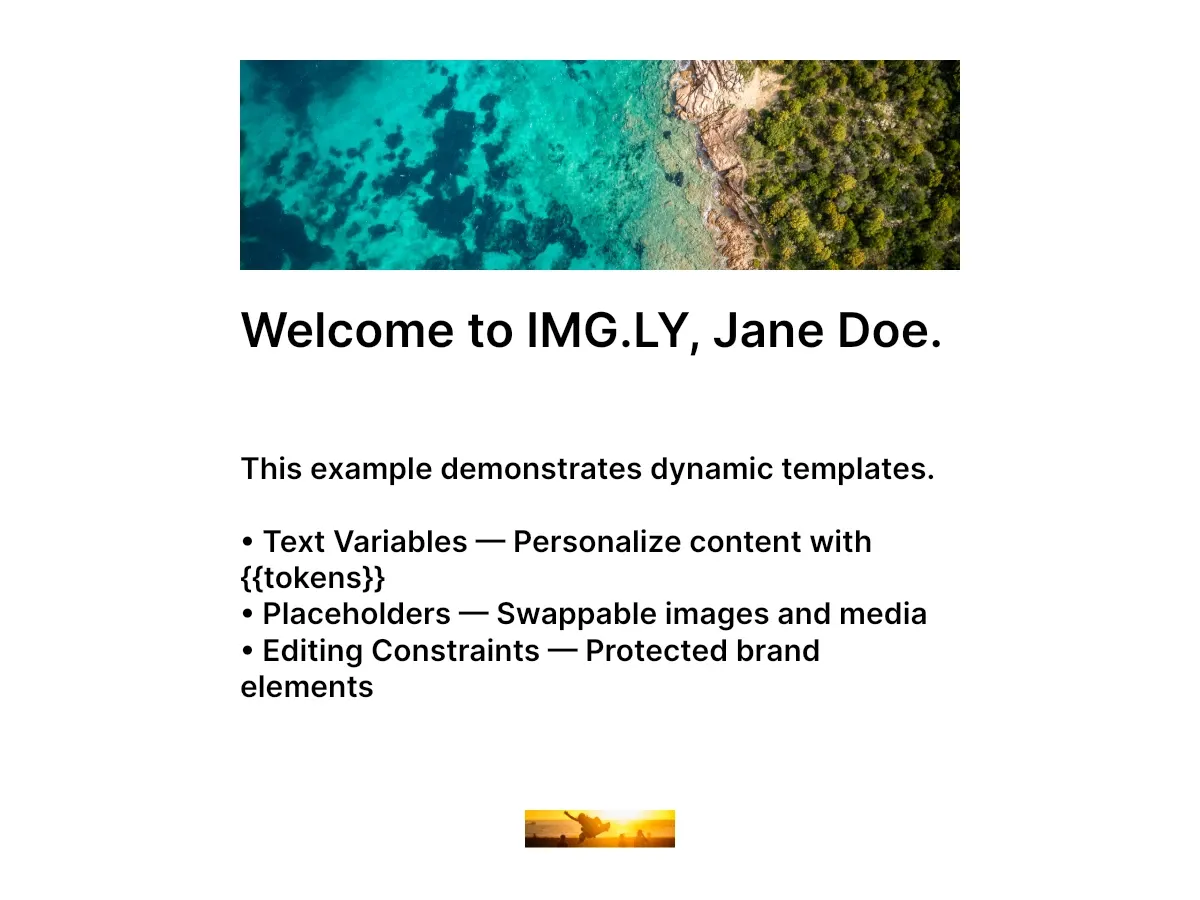
This guide covers how to use dynamic content capabilities in CE.SDK templates. The example creates a social media card with personalized name and company variables, a replaceable hero image, and a protected brand image.
Dynamic Content Capabilities#
CE.SDK offers three ways to make templates dynamic:
- Text Variables — Insert
{{tokens}}in text that resolve to dynamic values at runtime - Placeholders — Mark blocks as drop zones where users can swap images or videos
- Editing Constraints — Lock specific properties to protect brand elements while allowing controlled changes
The example sets the Adopter role with engine.editor.setRole(_:) before creating the template’s content. Under the Adopter role, the engine enforces editing scopes and defers scope decisions to each block’s own settings, so the block-level constraints configured below take effect.
Text Variables#
Text variables enable data-driven text personalization. Define variables using engine.variable.set(key:value:), then reference them in text blocks with {{variableName}} tokens.
try engine.variable.set(key: "firstName", value: "Jane")try engine.variable.set(key: "lastName", value: "Doe")try engine.variable.set(key: "companyName", value: "IMG.LY")
// Create heading with variable tokenslet headingText = try engine.block.create(.text)try engine.block.replaceText(  headingText,  text: "Welcome to {{companyName}}, {{firstName}} {{lastName}}.",)
// Discover all variables in the scenelet allVariables = engine.variable.findAll()print("Variables in scene:", allVariables)
Variables are defined globally and can be referenced in any text block. The findAll() method returns all variable keys in the scene, useful for building dynamic editing interfaces. Read a variable’s current value with engine.variable.get(key:).
Placeholders#
Placeholders turn design blocks into drop zones for swappable media. Mark an image block as a placeholder, and users can replace its content while the surrounding design remains fixed.
// Enable placeholder behavior on the image filllet fill = try engine.block.getFill(heroImage)if try engine.block.supportsPlaceholderBehavior(fill) {  try engine.block.setPlaceholderBehaviorEnabled(fill, enabled: true)}
// Enable user interaction and visual controls on the blocktry engine.block.setPlaceholderEnabled(heroImage, enabled: true)if try engine.block.supportsPlaceholderControls(heroImage) {  try engine.block.setPlaceholderControlsOverlayEnabled(heroImage, enabled: true)  try engine.block.setPlaceholderControlsButtonEnabled(heroImage, enabled: true)}
// Find all placeholders in the scenelet placeholders = engine.block.findAllPlaceholders()print("Placeholders in scene:", placeholders.count)
For a graphic block, placeholder behavior is a property of its fill: retrieve the fill with getFill(_:), then query support and enable the behavior on that fill. The interactive placeholder flag and the visual controls apply to the block itself — enable user interaction with setPlaceholderEnabled(_:enabled:), and configure the overlay and replace button separately via setPlaceholderControlsOverlayEnabled(_:enabled:) and setPlaceholderControlsButtonEnabled(_:enabled:).
Editing Constraints#
Editing constraints protect design integrity by limiting what users can modify. Use scope-based APIs to lock specific properties while keeping others editable.
// Lock the brand image: prevent moving, resizing, and selectiontry engine.block.setScopeEnabled(brandImage, key: "layer/move", enabled: false)try engine.block.setScopeEnabled(brandImage, key: "layer/resize", enabled: false)try engine.block.setScopeEnabled(brandImage, key: "editor/select", enabled: false)
// Verify constraints are appliedlet canSelect = try engine.block.isScopeEnabled(brandImage, key: "editor/select")let canMove = try engine.block.isScopeEnabled(brandImage, key: "layer/move")print("Brand image - canSelect:", canSelect, "canMove:", canMove)
The setScopeEnabled(_:key:enabled:) method controls individual properties. Setting "editor/select" to false prevents users from selecting the block entirely, making it completely non-interactive. Combined with "layer/move" and "layer/resize", this creates a fully protected element.
Choosing the Right Capability#
| Need | Capability |
|---|---|
| Dynamic text content | Text Variables |
| Swappable images/videos | Placeholders |
| Lock specific properties | Editing Constraints |
API Reference#
| Method | Description |
|---|---|
engine.editor.setRole(_:) |
Set user role (Creator, Adopter, Viewer, Presenter) |
engine.variable.findAll() |
Get all variable keys in the scene |
engine.variable.set(key:value:) |
Create or update a text variable |
engine.variable.get(key:) |
Read a variable’s current value |
engine.block.getFill(_:) |
Get the fill that carries a graphic block’s placeholder behavior |
engine.block.supportsPlaceholderBehavior(_:) |
Check placeholder support |
engine.block.setPlaceholderBehaviorEnabled(_:enabled:) |
Enable placeholder behavior |
engine.block.setPlaceholderEnabled(_:enabled:) |
Enable user interaction |
engine.block.findAllPlaceholders() |
Find all placeholder blocks |
engine.block.setScopeEnabled(_:key:enabled:) |
Enable or disable editing scope |
engine.block.isScopeEnabled(_:key:) |
Query scope state |
Next Steps#
Each capability has a dedicated deep-dive guide:
- Text Variables - Personalize text with tokens resolved at runtime
- Placeholders - Mark image, video, or text blocks as swappable drop zones
- Set Editing Constraints - Lock specific properties with scope-based permissions
- Form-Based Editing - Build custom form interfaces to drive template customization