Create a collage in Swift by loading a layout page and transferring existing images and text into the new structure.
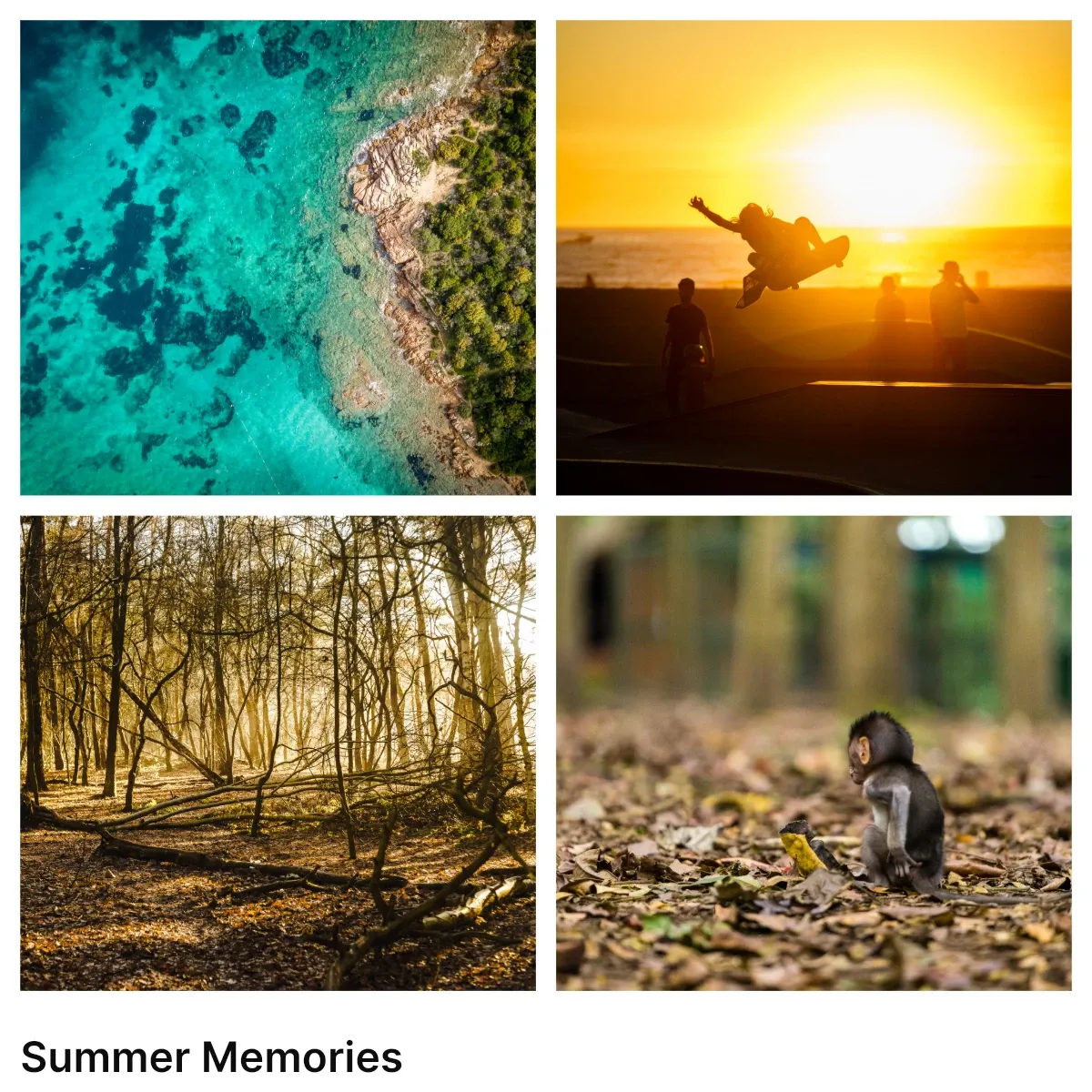
Layouts are predefined page structures that arrange images and text in a composition. Unlike templates, which usually replace the whole scene, this workflow keeps the user’s content and maps it into a new layout.
The example uses the Engine directly. You can call the same layout application function from SwiftUI, an asset source callback, or any other workflow that lets a user choose a layout.
What You’ll Learn#
In this guide, you will learn how to:
- Define a layout page that contains image slots and text placeholders.
- Load the layout from a saved block string.
- Replace the current page structure while preserving existing image and text content.
- Sort blocks visually so content maps top-to-bottom and left-to-right.
When to Use Layouts#
Use layout-based collages when the app needs to keep the current content but change its arrangement. Common examples include:
- Photo collages
- Grid layouts
- Magazine spreads
- Social media posts
Difference Between Layouts and Templates#
Layouts can be represented as custom assets, but the apply behavior is different from a full template load:
- Templates load a complete design and replace the current scene.
- Layouts provide a new page structure while the app transfers the current content into matching slots.
Preserving assets while changing the layout is app logic. CE.SDK provides the block, fill, text, and scene APIs needed to implement that logic.
How Collages Work#
When a user chooses a collage layout, the app performs this sequence:
- Load a layout page from a saved block string.
- Duplicate the current page as a temporary content source.
- Replace the current page’s children with the layout’s children.
- Copy images and text from the old page into the new layout in visual order.
- Clean up temporary blocks and add an undo step.
Visual order matters. The example sorts simple, untransformed layout slots by their accumulated page coordinates so content maps predictably between the old page and the new layout.
Create Page Helpers#
The example uses small helpers to create pages, image slots, and text blocks. The page helper sets only the page dimensions.
@MainActorprivate func makeCollagePage( engine: Engine, width: Float, height: Float,) throws -> DesignBlockID { let page = try engine.block.create(.page) try engine.block.setWidth(page, value: width) try engine.block.setHeight(page, value: height) return page}Image slots are graphic blocks with rectangular shapes and image fills. In a real app the URIs come from a bundle, local storage, or remote media the user picked.
@MainActorprivate func makeImageSlot( engine: Engine, x: Float, y: Float, width: Float, height: Float, uri: URL,) throws -> DesignBlockID { let graphic = try engine.block.create(.graphic) try engine.block.setShape(graphic, shape: engine.block.createShape(.rect)) let fill = try engine.block.createFill(.image) try engine.block.setURL(fill, property: "fill/image/imageFileURI", value: uri) try engine.block.setFill(graphic, fill: fill) try engine.block.setPositionX(graphic, value: x) try engine.block.setPositionY(graphic, value: y) try engine.block.setWidth(graphic, value: width) try engine.block.setHeight(graphic, value: height) return graphic}Text blocks isolate the text creation and initial color setup.
@MainActorprivate func makeTextBlock( engine: Engine, x: Float, y: Float, width: Float, text: String, color: Color,) throws -> DesignBlockID { let block = try engine.block.create(.text) try engine.block.replaceText(block, text: text) try engine.block.setColor(block, property: "fill/solid/color", color: color) try engine.block.setPositionX(block, value: x) try engine.block.setPositionY(block, value: y) try engine.block.setWidth(block, value: width) return block}Define a Layout#
A layout is a page with positioned image slots and optional text blocks. In production, save these pages as scene or block files and load them from the app bundle, a backend, or an asset source.
@MainActorprivate func makeFourUpLayout(  engine: Engine,  baseURL: URL,  width: Float,  height: Float,) async throws -> String {  let layoutPage = try makeCollagePage(engine: engine, width: width, height: height)  let halfWidth = (width - 60) / 2  let halfHeight = (height - 60) / 2 - 40  let placeholders = [    baseURL.appendingPathComponent("ly.img.image/images/sample_2.jpg"),    baseURL.appendingPathComponent("ly.img.image/images/sample_3.jpg"),    baseURL.appendingPathComponent("ly.img.image/images/sample_5.jpg"),    baseURL.appendingPathComponent("ly.img.image/images/sample_6.jpg"),  ]
  try engine.block.appendChild(to: layoutPage, child: try makeImageSlot(    engine: engine, x: 20, y: 20,    width: halfWidth, height: halfHeight, uri: placeholders[0],  ))  try engine.block.appendChild(to: layoutPage, child: try makeImageSlot(    engine: engine, x: 40 + halfWidth, y: 20,    width: halfWidth, height: halfHeight, uri: placeholders[1],  ))  try engine.block.appendChild(to: layoutPage, child: try makeImageSlot(    engine: engine, x: 20, y: 40 + halfHeight,    width: halfWidth, height: halfHeight, uri: placeholders[2],  ))  try engine.block.appendChild(to: layoutPage, child: try makeImageSlot(    engine: engine, x: 40 + halfWidth, y: 40 + halfHeight,    width: halfWidth, height: halfHeight, uri: placeholders[3],  ))
  try engine.block.appendChild(to: layoutPage, child: try makeTextBlock(    engine: engine, x: 20, y: height - 60,    width: width - 40, text: "Layout Caption",    color: .rgba(r: 0.2, g: 0.2, b: 0.2, a: 1),  ))
  let saved = try await engine.block.saveToString(blocks: [layoutPage])  try engine.block.destroy(layoutPage)  return saved}
The example saves the layout page with engine.block.saveToString(blocks:) and later restores it with engine.block.load(from:). The same pattern works when the string comes from a remote layout file. The freshly loaded layout blocks are not attached to a scene by default, so the caller decides where they go.
Apply the Collage#
Call the app-owned layout helper with the current page, the Engine instance, and the saved layout data. Pass addUndoStep: true when the action should become a single undoable editor operation.
let collagedPage = try await applyCollageLayout( engine: engine, page: sourcePage, layoutData: layoutData, addUndoStep: true,)The function returns the page that now contains the collage structure and transferred content.
Replace the Page Structure#
applyCollageLayout(engine:page:layoutData:addUndoStep:) temporarily allows block deletion, clears the current selection, duplicates the old page as a backup, loads the saved layout, and moves the layout’s children into the current page. It then hands the backup and the rebuilt page to transferCollageContent(engine:from:to:) (covered in the next section) before destroying the temporary blocks and committing the undo step.
@MainActorprivate func applyCollageLayout(  engine: Engine,  page: DesignBlockID,  layoutData: String,  addUndoStep: Bool,) async throws -> DesignBlockID {  let previousDestroyScope = try engine.editor.getGlobalScope(key: "lifecycle/destroy")  try engine.editor.setGlobalScope(key: "lifecycle/destroy", value: .allow)  defer {    try? engine.editor.setGlobalScope(key: "lifecycle/destroy", value: previousDestroyScope)  }
  for selected in engine.block.findAllSelected() {    try engine.block.setSelected(selected, selected: false)  }
  let oldPageBackup = try engine.block.duplicate(page, attachToParent: false)  let loadedBlocks = try await engine.block.load(from: layoutData)  guard let layoutPage = loadedBlocks.first else {    throw NSError(domain: "Collage", code: 1, userInfo: [      NSLocalizedDescriptionKey: "Saved layout string did not contain a page.",    ])  }
  for child in try engine.block.getChildren(page) {    try engine.block.destroy(child)  }  for (index, child) in try engine.block.getChildren(layoutPage).enumerated() {    try engine.block.insertChild(into: page, child: child, at: index)  }
  try transferCollageContent(engine: engine, from: oldPageBackup, to: page)
  try engine.block.destroy(oldPageBackup)  try engine.block.destroy(layoutPage)  if addUndoStep {    try engine.editor.addUndoStep()  }  return page}
Key details:
- Store and restore the previous
lifecycle/destroyscope in adeferblock so the surrounding editor state remains unchanged even when an error is thrown. - Keep the duplicate backup unattached so it cannot leak into the scene if transfer fails.
- The old children get destroyed once the layout swap commits; the temporary backup and layout pages are destroyed after content transfer.
Transfer Content#
transferCollageContent(engine:from:to:) collects all descendants from both pages, sorts each list by visual position, then pairs source and target blocks by type using zip.
@MainActorprivate func transferCollageContent(  engine: Engine,  from sourcePage: DesignBlockID,  to targetPage: DesignBlockID,) throws {  let sourceBlocks = try visuallySortBlocks(    engine: engine,    blocks: collectDescendants(engine: engine, root: sourcePage),  )  let targetBlocks = try visuallySortBlocks(    engine: engine,    blocks: collectDescendants(engine: engine, root: targetPage),  )
  let sourceImages = try sourceBlocks.filter { try isImageSlot(engine: engine, block: $0) }  let targetImages = try targetBlocks.filter { try isImageSlot(engine: engine, block: $0) }  for (source, target) in zip(sourceImages, targetImages) {    try copyImage(engine: engine, from: source, to: target)  }
  let sourceTexts = try sourceBlocks.filter { try engine.block.getType($0) == DesignBlockType.text.rawValue }  let targetTexts = try targetBlocks.filter { try engine.block.getType($0) == DesignBlockType.text.rawValue }  for (source, target) in zip(sourceTexts, targetTexts) {    try copyText(engine: engine, from: source, to: target)  }}
If the source has more images than the layout has slots, zip stops at the shorter list and the extra images are ignored. If the layout has more slots, the remaining slots keep their placeholder content.
Sort Blocks Visually#
Block positions are local to their parent. For unrotated and unscaled layout slots, the example walks each block’s ancestor chain with getParent(_:), accumulates the offsets, rounds the values, then sorts by Y before X. If layout slots live under rotated or scaled parents, use the global bounding-box APIs instead of this local-offset helper.
private struct SortedBlock {  let block: DesignBlockID  let x: Int  let y: Int}
@MainActorprivate func collectDescendants(  engine: Engine,  root: DesignBlockID,) throws -> [DesignBlockID] {  var result: [DesignBlockID] = []  for child in try engine.block.getChildren(root) {    result.append(child)    result.append(contentsOf: try collectDescendants(engine: engine, root: child))  }  return result}
@MainActorprivate func accumulatedPosition(  engine: Engine,  block: DesignBlockID,) throws -> (x: Int, y: Int) {  var x: Float = 0  var y: Float = 0  var current: DesignBlockID? = block  while let id = current {    x += try engine.block.getPositionX(id)    y += try engine.block.getPositionY(id)    current = try engine.block.getParent(id)  }  return (Int(x.rounded()), Int(y.rounded()))}
@MainActorprivate func visuallySortBlocks(  engine: Engine,  blocks: [DesignBlockID],) throws -> [DesignBlockID] {  let measured = try blocks.map { block -> SortedBlock in    let position = try accumulatedPosition(engine: engine, block: block)    return SortedBlock(block: block, x: position.x, y: position.y)  }  return measured    .sorted { lhs, rhs in      if lhs.y == rhs.y {        return lhs.x < rhs.x      }      return lhs.y < rhs.y    }    .map(\.block)}
Keep layout slots in distinct positions when possible. Blocks with the same accumulated Y position map left-to-right.
Identify Image Slots#
The transfer code treats a graphic block with an image fill as an image slot. This keeps the mapping independent from custom metadata or asset-source IDs.
@MainActorprivate func isImageSlot( engine: Engine, block: DesignBlockID,) throws -> Bool { guard try engine.block.getType(block) == DesignBlockType.graphic.rawValue else { return false } guard try engine.block.supportsFill(block) else { return false } let fill = try engine.block.getFill(block) return try engine.block.getType(fill) == FillType.image.rawValue}Copy Images#
Copy the image URI from the source fill to the target fill, copy the source set so responsive variants survive, and reset the crop so the image refits the new slot dimensions. The placeholder behavior calls preserve placeholder state when both blocks support it.
@MainActorprivate func copyImage(  engine: Engine,  from source: DesignBlockID,  to target: DesignBlockID,) throws {  let sourceFill = try engine.block.getFill(source)  let targetFill = try engine.block.getFill(target)
  let uri = try engine.block.getString(sourceFill, property: "fill/image/imageFileURI")  try engine.block.setString(targetFill, property: "fill/image/imageFileURI", value: uri)
  let sources = try engine.block.getSourceSet(sourceFill, property: "fill/image/sourceSet")  try engine.block.setSourceSet(targetFill, property: "fill/image/sourceSet", sourceSet: sources)
  try engine.block.resetCrop(target)
  if try engine.block.supportsPlaceholderBehavior(source),     try engine.block.supportsPlaceholderBehavior(target) {    let enabled = try engine.block.isPlaceholderBehaviorEnabled(source)    try engine.block.setPlaceholderBehaviorEnabled(target, enabled: enabled)  }}
Copy Text#
Text transfer reads the source string with getString(_:property:), writes it with replaceText(_:text:), and copies the block’s fill color through the typed Color API. Typeface and font URI preservation is best-effort so unresolved fonts do not block the text content transfer.
@MainActorprivate func copyText(  engine: Engine,  from source: DesignBlockID,  to target: DesignBlockID,) throws {  let text = try engine.block.getString(source, property: "text/text")  try engine.block.replaceText(target, text: text)
  // Font transfer is best-effort: an unresolved URI must not abort the  // collage update.  if let typeface = try? engine.block.getTypeface(source) {    let fontURIString = try engine.block.getString(source, property: "text/fontFileUri")    if let fontURL = URL(string: fontURIString) {      try? engine.block.setFont(target, fontFileURL: fontURL, typeface: typeface)    }  }
  if let color: Color = try? engine.block.getColor(source, property: "fill/solid/color") {    try engine.block.setColor(target, property: "fill/solid/color", color: color)  }}
Use the same visual pairing rule for text as for images so captions and titles stay in their expected order.
Connect It to Your UI#
The Engine workflow is UI-agnostic. A typical integration stores each layout with:
| Field | Purpose |
|---|---|
id |
Stable layout identifier for the app |
label |
Display name in the layout picker |
uri |
Scene or block file containing the layout page |
thumbnailUri |
Preview image shown in the UI |
When a user selects a layout, load its file, pass the saved block string into the app’s applyCollageLayout(engine:page:layoutData:addUndoStep:) helper, and keep the UI code separate from the content transfer logic.
Troubleshooting#
| Issue | What to Check |
|---|---|
| Layout does not apply | Verify the saved layout string loads with engine.block.load(from:) and returns at least one block before moving children into the current page. |
| Content maps to the wrong slots | Keep image and text slots unrotated and unscaled, and check the accumulated coordinates used by visual sorting. Blocks with the same accumulated Y coordinate map left-to-right, so keep slot positions distinct enough for predictable ordering. |
| Images stay empty or lose variants | Ensure both source and target blocks use image fills, then copy fill/image/imageFileURI and fill/image/sourceSet before calling engine.block.resetCrop(_:). |
| Text copies without its expected font | The example wraps engine.block.setFont(_:fontFileURL:typeface:) in try?, so unresolved font URIs are skipped rather than aborting the collage. If you need stricter behavior, replace the try? with try and handle the error explicitly. |
| Undo or cleanup behaves unexpectedly | Restore the previous lifecycle/destroy scope in a defer block, destroy the temporary duplicate and layout pages, and add the undo step only after transfer completes. |
| Slot counts do not match | Pair source and target blocks with zip. Extra source content is ignored, and extra layout slots keep their placeholder content. |
API Reference#
| API | Category | Purpose |
|---|---|---|
engine.block.saveToString(blocks:) |
Layout data | Serialize a layout page so it can be stored as a layout asset or file. |
engine.block.load(from:) |
Layout data | Load a saved layout page before moving its children into the current page. The loaded blocks are not attached to a scene by default. |
engine.block.duplicate(_:attachToParent:) |
Backup | Copy the current page without attaching the duplicate to the scene. |
engine.block.getChildren(_:) |
Hierarchy | Read child blocks before clearing or moving a page structure. |
engine.block.insertChild(into:child:at:) |
Hierarchy | Move layout children into the current page in order. |
engine.block.destroy(_:) |
Lifecycle | Remove old children and temporary pages during cleanup. |
engine.editor.getGlobalScope(key:) |
Lifecycle | Store the current deletion scope before the layout swap. |
engine.editor.setGlobalScope(key:value:) |
Lifecycle | Temporarily allow block deletion, then restore the previous scope. |
engine.block.findAllSelected() |
Selection | Find selected blocks so the layout change can clear the selection first. |
engine.block.setSelected(_:selected:) |
Selection | Deselect blocks before replacing the page structure. |
engine.block.getFill(_:) |
Images | Access the image fill that stores URI and source-set properties. |
engine.block.getString(_:property:) |
Images, Text | Read fill/image/imageFileURI from an image fill or text/text / text/fontFileUri from a text block. |
engine.block.setURL(_:property:value:) |
Images | Set fill/image/imageFileURI on an image fill from a URL. |
engine.block.setString(_:property:value:) |
Images | Copy fill/image/imageFileURI to the target fill. |
engine.block.getSourceSet(_:property:) |
Images | Read responsive image variants from the source fill. |
engine.block.setSourceSet(_:property:sourceSet:) |
Images | Preserve responsive image variants on the target fill. |
engine.block.resetCrop(_:) |
Images | Refit the transferred image inside the new slot. |
engine.block.supportsPlaceholderBehavior(_:) |
Placeholders | Check whether placeholder state can be copied. |
engine.block.isPlaceholderBehaviorEnabled(_:) |
Placeholders | Read placeholder state from the source block. |
engine.block.setPlaceholderBehaviorEnabled(_:enabled:) |
Placeholders | Apply the source placeholder behavior to the target image block. |
engine.block.replaceText(_:text:) |
Text | Copy text content into the target block. |
engine.block.getTypeface(_:) |
Text | Read the source typeface before applying the font to the target. |
engine.block.setFont(_:fontFileURL:typeface:) |
Text | Preserve the source font when the URI and typeface resolve. |
engine.block.getColor(_:property:) / setColor(_:property:color:) |
Text | Copy fill/solid/color through the typed Color API. |
engine.block.getParent(_:) |
Sorting | Walk ancestors while accumulating untransformed page coordinates. |
engine.block.getPositionX(_:) / getPositionY(_:) |
Sorting | Read local X / Y positions while calculating row-and-column ordering. |
engine.editor.addUndoStep() |
Undo | Commit the completed layout swap as one undoable operation. |
Next Steps#
Now that you can create collages with layouts, explore these related guides:
- Templates Overview — Work with templates instead of layouts
- Panel — Show or hide side panels in an editor UI
- Insert Images — Manage image blocks and fills
- Load a Scene — Load and save scenes
- Content JSON Schema — Build custom asset libraries for layouts