Animate single block properties over time with keyframes, such as an opacity fade, a color change or a growing corner radius.
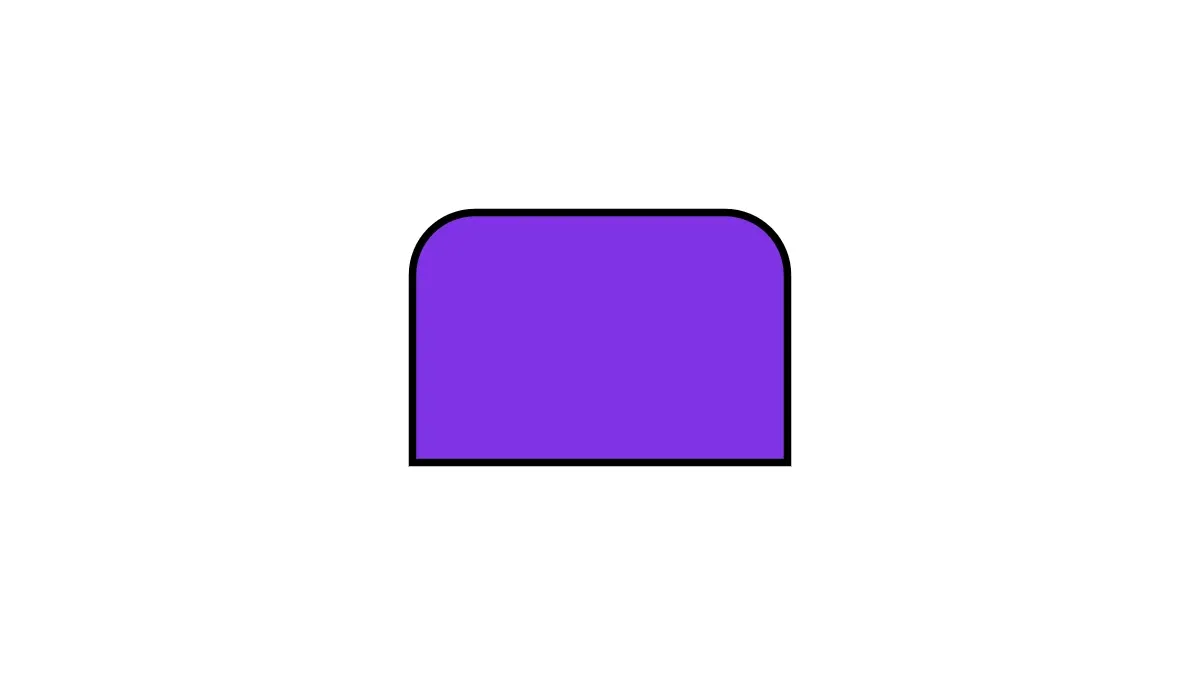
Preset in, out and loop animations cover common motion. Keyframes give you control over each value, each time and each curve. A keyframe track belongs to one property of one block and renders at the current playback time, in frame exports and in video export. For preset animations, see Create Animations.
This guide covers how to check which properties accept keyframes, how time and values work, easing, absolute and relative tracks, anchor, skew and auto-orient, how a block follows another block, reading tracks back, removing them, and the errors to expect.
Creating the Animated Block#
We create a rectangle with a color fill and a rect shape, and give it a duration of 5 seconds. Keyframes belong to the block that owns the property. The graphic owns opacity and position/x, the fill owns fill/color/value and the shape owns the corner radii.
// A 5 second rectangle with a color fill and a rect shapelet block = try engine.block.create(.graphic)try engine.block.setShape(block, shape: engine.block.createShape(.rect))try engine.block.setFill(block, fill: engine.block.createFill(.color))try engine.block.setWidth(block, value: 600)try engine.block.setHeight(block, value: 400)try engine.block.setPositionX(block, value: 360)try engine.block.setPositionY(block, value: 340)try engine.block.appendChild(to: page, child: block)try engine.block.setDuration(block, duration: 5)
// The fill and the shape own their properties and their keyframeslet fill = try engine.block.getFill(block)let shape = try engine.block.getShape(block)
Checking Animatable Properties#
isPropertyAnimatable(_:property:) tells you whether a property of a block accepts keyframes. It returns false for a property that the block does not have, for example a star property on a rect shape, and for a property that cannot be animated, such as visible.
let opacityIsAnimatable = try engine.block.isPropertyAnimatable(block, property: "opacity")let fillColorIsAnimatable = try engine.block.isPropertyAnimatable(fill, property: "fill/color/value")let visibleIsAnimatable = try engine.block.isPropertyAnimatable(block, property: "visible")print("opacity: \(opacityIsAnimatable), fill color: \(fillColorIsAnimatable), visible: \(visibleIsAnimatable)")Pass the block that owns the property. fill/color/value is animatable on the fill block, not on the graphic.
Setting Keyframes#
setKeyframes(_:property:keyframes:mode:) replaces the whole track of a property. Each Keyframe has a time from 0 to 1, normalized over the block’s duration. A fill, shape or effect uses the duration of the block it belongs to. Here the fade ends at 0.4, which is 2 seconds into the 5 second block.
// Fade in during the first 40% of the block's duration (2 seconds)try engine.block.setKeyframes(block, property: "opacity", keyframes: [ Keyframe(time: 0, value: .float(0), easing: .preset(.easeOut)), Keyframe(time: 0.4, value: .float(1)),])The engine sorts the keyframes by time. Before the first keyframe the property keeps the first value, and after the last keyframe it keeps the last value. When you change the block’s duration, the animation stretches with it.
Keyframe Values#
The KeyframeValue case must match the kind of the property, and all keyframes of one track use the same kind.
| Value | Holds | Example property |
|---|---|---|
.float |
A Float |
opacity, rotation, shape/rect/cornerRadiusTL |
.color |
A Color: RGBA, CMYK or spot |
fill/color/value |
.vec2 |
A SIMD2<Float> |
position, shape/position |
.list |
An array of Float |
stroke/dashArray, fill/gradient/colors |
.path |
PathVertex items and a closed flag |
shape/vector_path/path |
.discrete |
A DiscreteValue: .bool, .int or .string |
stroke/enabled, blend/mode, text/text |
All color keyframes of a track must use one color space.
// Orange, then a hold on purple, then a fade to tealtry engine.block.setKeyframes(fill, property: "fill/color/value", keyframes: [ Keyframe(time: 0, value: .color(.rgba(r: 1, g: 0.5, b: 0, a: 1))), Keyframe(time: 0.5, value: .color(.rgba(r: 0.5, g: 0.2, b: 0.9, a: 1)), easing: .hold), Keyframe(time: 0.75, value: .color(.rgba(r: 0.4, g: 0.8, b: 0.8, a: 1))), Keyframe(time: 1, value: .color(.rgba(r: 0, g: 0.6, b: 0.6, a: 1))),])A .discrete value never interpolates. It changes at the time of the next keyframe. An .int value selects an enum option by its index, and an index that names no option throws .blockEnumValueInvalid.
// Switch the stroke on halfway; discrete values never interpolatetry engine.block.setStrokeWidth(block, width: 12)try engine.block.setStrokeColor(block, color: .rgba(r: 0, g: 0, b: 0, a: 1))try engine.block.setKeyframes(block, property: "stroke/enabled", keyframes: [ Keyframe(time: 0, value: .discrete(.bool(false))), Keyframe(time: 0.5, value: .discrete(.bool(true))),])Easing Between Keyframes#
The easing of a keyframe shapes the curve from that keyframe to the next one. It defaults to .preset(.linear).
.preset(_:)uses one of theAnimationEasingpresets, the same values as theanimationEasingproperty of preset animations..bezier(out:in:)is a cubic bezier, as in CSScubic-bezier(out.x, out.y, in.x, in.y). Both x values must be from 0 to 1..holdkeeps the value until the next keyframe. In the color track above, the purple keyframe holds from 50% to 75% and then jumps.
We grow all four corner radii with a bezier curve that starts slow and ends slow.
// Grow every corner radius with a CSS-style cubic bezierfor corner in ["TL", "TR", "BL", "BR"] { try engine.block.setKeyframes(shape, property: "shape/rect/cornerRadius\(corner)", keyframes: [ Keyframe(time: 0, value: .float(0), easing: .bezier(out: SIMD2(0.7, 0), in: SIMD2(0.3, 1))), Keyframe(time: 1, value: .float(200)), ])}Absolute and Relative Tracks#
A track is .absolute by default, so its value replaces the static value of the property. Pass mode: .relative to add the track value to the static value. Relative tracks work for number and vec2 properties only.
// Slide 600 units to the right of the block's static x positiontry engine.block.setKeyframes(block, property: "position/x", keyframes: [ Keyframe(time: 0, value: .float(0)), Keyframe(time: 1, value: .float(600)),], mode: .relative)This relative position/x track moves the block 600 units to the right of wherever it is placed. When you move the block, the whole motion moves with it.
Motion Paths and Scale#
position of a block is a vec2 property, so one track moves both axes. The dot follows a curved path: its spatialOut and spatialIn tangents bend the path between two keyframes.
// A dot follows a curved path. Vec2 keyframes animate `position/x` and// `position/y` together, and the tangents bend the path upward.let dot = try engine.block.create(.graphic)try engine.block.setShape(dot, shape: engine.block.createShape(.ellipse))let dotFill = try engine.block.createFill(.color)try engine.block.setColor(dotFill, property: "fill/color/value", color: .rgba(r: 0.9, g: 0.2, b: 0.4, a: 1))try engine.block.setFill(dot, fill: dotFill)try engine.block.setWidth(dot, value: 120)try engine.block.setHeight(dot, value: 120)try engine.block.appendChild(to: page, child: dot)try engine.block.setDuration(dot, duration: 5)// The static position is the start of the path.try engine.block.setVec2(dot, property: "position", value: [200, 900])
try engine.block.setKeyframes(dot, property: "position", keyframes: [  Keyframe(time: 0, value: .vec2([200, 900]), spatialOut: [300, -600], spatialIn: [-300, -600]),  Keyframe(time: 1, value: .vec2([1600, 900])),])
For which keyframe holds which tangent, straight paths, single-axis tracks and the errors to expect, see Motion Paths.
Rotation and scale tracks pivot on the block’s anchor, transform/anchor/x and transform/anchor/y, in design units from the top-left corner of the frame. A block without an anchor turns about its center, as setRotation(_:radians:) turns it, and scales about its top-left corner. Set the anchor, even to (0, 0), to make it the pivot of the rotation too. hasTransformAnchor(_:) tells whether a block has an anchor.
transform/scale/x and transform/scale/y scale a graphic, text or caption block about its anchor without changing its frame. A negative value mirrors the block, so a track that shows another sign than the static scale also needs the layer/flip scope.
// Pulse the dot to 1.5 times its size and back. Its frame does not change.for axis in ["x", "y"] { try engine.block.setKeyframes(dot, property: "transform/scale/\(axis)", keyframes: [ Keyframe(time: 0, value: .float(1)), Keyframe(time: 0.5, value: .float(1.5)), Keyframe(time: 1, value: .float(1)), ])}print(try engine.block.getAnimatedProperties(dot)) // ["position", "transform/scale/x", "transform/scale/y"]Scale tracks take .float keyframes. playback/timeRemap of a composition group also takes them; see Time Remap.
Anchor and Skew#
transform/anchor/x and transform/anchor/y set the point that rotation, scale and skew pivot on, and transform/skew shears the block. The bar below has its anchor at its center and leans by 20 degrees, so its rotation track turns it in place.
// A bar that leans by 20 degrees and turns half a turn about its centre.// The anchor is in design units from the top-left corner of the frame.let bar = try engine.block.create(.graphic)try engine.block.setShape(bar, shape: engine.block.createShape(.rect))try engine.block.setFill(bar, fill: engine.block.createFill(.color))try engine.block.setWidth(bar, value: 320)try engine.block.setHeight(bar, value: 80)try engine.block.setPositionX(bar, value: 120)try engine.block.setPositionY(bar, value: 120)try engine.block.appendChild(to: page, child: bar)try engine.block.setDuration(bar, duration: 5)try engine.block.setFloat(bar, property: "transform/anchor/x", value: 160)try engine.block.setFloat(bar, property: "transform/anchor/y", value: 40)try engine.block.setFloat(bar, property: "transform/skew", value: 20)try engine.block.setKeyframes(bar, property: "rotation", keyframes: [ Keyframe(time: 0, value: .float(0)), Keyframe(time: 1, value: .float(.pi)),])hasTransformAnchor(_:) tells whether a block has an anchor. Setting transform/anchor/x or transform/anchor/y, even to 0, or giving one of them keyframes, gives a block an anchor. A rotation track turns a graphic or text with an anchor about the anchor, and one without about its frame center.
// The bar has an anchor, so its rotation track turns it about the anchor.// A graphic or text without an anchor turns about its frame centre.print(try engine.block.hasTransformAnchor(bar)) // trueAuto-Orient#
When transform/autoOrient is on, a block turns to follow the direction of its position keyframes.
// A bar on a wavy path turns to follow the direction of its motionlet arrow = try engine.block.create(.graphic)try engine.block.setShape(arrow, shape: engine.block.createShape(.rect))let arrowFill = try engine.block.createFill(.color)try engine.block.setColor(arrowFill, property: "fill/color/value", color: .rgba(r: 0.1, g: 0.6, b: 0.3, a: 1))try engine.block.setFill(arrow, fill: arrowFill)try engine.block.setWidth(arrow, value: 160)try engine.block.setHeight(arrow, value: 40)try engine.block.appendChild(to: page, child: arrow)try engine.block.setDuration(arrow, duration: 5)try engine.block.setFloat(arrow, property: "transform/anchor/x", value: 80)try engine.block.setFloat(arrow, property: "transform/anchor/y", value: 20)try engine.block.setVec2(arrow, property: "position", value: [700, 140])try engine.block.setKeyframes(arrow, property: "position", keyframes: [ Keyframe(time: 0, value: .vec2([700, 140]), spatialOut: [300, 150], spatialIn: [-300, -150]), Keyframe(time: 1, value: .vec2([1600, 140])),])try engine.block.setBool(arrow, property: "transform/autoOrient", value: true)The arrow turns about its anchor at its center. For a block without an anchor, the skew axis, animating the skew, how auto-orient adds to the rotation and the errors to expect, see Anchor, Skew and Auto-Orient.
Follow Another Block#
setTransformParent(_:parent:) makes a block follow the transform of another block, so it moves with the block also while that block plays keyframes. In the example, the square rides along the arrow’s path. getTransformParent(_:) returns the transform parent, or nil.
// A square rides in front of the arrow. Its position is read in the// arrow's local space, so it moves and turns with the arrow.let rider = try engine.block.create(.graphic)try engine.block.setShape(rider, shape: engine.block.createShape(.rect))let riderFill = try engine.block.createFill(.color)try engine.block.setColor(riderFill, property: "fill/color/value", color: .rgba(r: 0.95, g: 0.7, b: 0.1, a: 1))try engine.block.setFill(rider, fill: riderFill)try engine.block.setWidth(rider, value: 40)try engine.block.setHeight(rider, value: 40)try engine.block.setPositionX(rider, value: 170)try engine.block.setPositionY(rider, value: 0)try engine.block.appendChild(to: page, child: rider)try engine.block.setTransformParent(rider, parent: arrow)print(try engine.block.getTransformParent(rider) == arrow) // true
do {  // The arrow cannot follow a block that follows the arrow  try engine.block.setTransformParent(arrow, parent: rider)} catch let error as EngineError {  print(error.catalogCode == .blockTransformParentCycle) // true}
For what a block inherits from its transform parent, chains of links, removing a link and the errors to expect, see Follow Another Block.
Reading Keyframes Back#
getAnimatedProperties(_:) lists the paths of a block that have keyframes, sorted. getKeyframes(_:property:) returns the keyframes of a property sorted by time, with the default easing filled in. It returns an empty array for an animatable property without keyframes. getKeyframeMode(_:property:) returns the TrackMode of a track.
// ["opacity", "position/x", "stroke/enabled"]let animatedProperties = try engine.block.getAnimatedProperties(block)
// The second keyframe reports the default easing, .preset(.linear)let opacityKeyframes = try engine.block.getKeyframes(block, property: "opacity")
// .relativelet positionMode = try engine.block.getKeyframeMode(block, property: "position/x")print(animatedProperties, opacityKeyframes[1].easing, positionMode == .relative)
getKeyframeMode throws for a property without keyframes, so check getAnimatedProperties first when you do not know.
Static Values and Keyframes#
Setters such as setOpacity(_:value:) or setFloat(_:property:value:) change the static value and leave the keyframes as they are. setKeyframes does not change the static value either.
// Changes the static value only. The absolute opacity track still replaces it.try engine.block.setOpacity(block, value: 0.5)let opacityKeyframeCount = try engine.block.getKeyframes(block, property: "opacity").countprint(opacityKeyframeCount) // 2An absolute track replaces the static value, so the new opacity does not show while the track exists. A relative track adds to it.
Removing Keyframes#
removeKeyframes(_:property:) removes the track of one property, so the static value applies again. Removing from a property without keyframes does nothing. To change single keyframes, read the track with getKeyframes, edit the array and pass it to setKeyframes.
// The bottom corners return to their static radius of 0try engine.block.removeKeyframes(shape, property: "shape/rect/cornerRadiusBL")try engine.block.removeKeyframes(shape, property: "shape/rect/cornerRadiusBR")let shapeAnimatedProperties = try engine.block.getAnimatedProperties(shape)print(shapeAnimatedProperties) // ["shape/rect/cornerRadiusTL", "shape/rect/cornerRadiusTR"]Handling Errors#
Invalid input throws an EngineError. Its catalogCode names the problem as an EngineErrorCode. A failed setKeyframes leaves the existing track unchanged.
do { try engine.block.setKeyframes(block, property: "visible", keyframes: [ Keyframe(time: 0, value: .discrete(.bool(true))), ])} catch let error as EngineError { print(error.catalogCode == .blockKeyframesPropertyNotAnimatable) // true}Exporting a Frame#
We set the page’s playback time to 2.5 seconds and export the page as PNG. The export shows every track at that time: the block is halfway along its path, purple, with a stroke and rounded top corners.
// Export the frame at 2.5 seconds, halfway through the animationtry engine.block.setPlaybackTime(page, time: 2.5)let png = try await engine.block.export(page, mimeType: .png)print("Exported \(png.count) bytes")Keyframes and Other Block Operations#
Keyframes take part in the usual block operations:
- Undo and redo restore keyframe tracks.
- Saving and loading a scene keeps the tracks, their easing and their mode.
- Duplicating a block copies the tracks of the block, its fill and its shape.
- Replacing a fill, shape or effect does not move the keyframes to the new block. They stay with the old one.
- Preset animations run on top of keyframe tracks. A fade animation scales the keyframed opacity. A scale animation (Zoom, Pop, Grow, Scale Loop, Squeeze) ignores the static or keyframed
transform/scaleof the block while it runs. Pulsating and Breathing scale the static or keyframed scale, so a flipped block stays flipped. - Scaling a block or changing the design unit also converts the keyframes of length and position properties, such as corner radii and
position/x. - Rotating or flipping a block turns or mirrors the keyframes of its position, rotation and skew with it. The keyframes of a group turn and mirror with the group. A turn other than a half turn joins
position/xandposition/ytracks into onepositiontrack when they share the mode, the times and the easings and nopositiontrack exists. Other axis tracks cannot turn: their Absolute values move with the block, and their Relative values stay.
setKeyframes and removeKeyframes need the appearance/animation scope and the scope of the property’s setter, such as layer/move for position, layer/rotate for rotation and layer/resize for width and the scale. A transform/scale/x or transform/scale/y track that shows another sign than the static scale also needs layer/flip. A transform lock (setTransformLocked) does not apply to keyframes: tracks on the position, rotation, size, scale, anchor or skew still animate a locked block.
Troubleshooting#
- The property does not accept keyframes (
.blockKeyframesPropertyNotAnimatable): checkisPropertyAnimatableand pass the block that owns the property, for example the fill forfill/color/value. All keyframe methods throw this error for such a property. - The keyframe list is empty (
.blockKeyframesEmpty): pass at least one keyframe. UseremoveKeyframesto remove a track. - A time is outside 0 to 1 (
.blockKeyframesTimeOutOfRange): times are fractions of the block’s duration, not seconds. - Two keyframes have the same time (
.blockKeyframesDuplicateTime): give each keyframe its own time. - The value does not fit the property (
.blockKeyframesValueKindMismatch): use the value type of the property, for example.colorforfill/color/value. - The keyframes hold different value types (
.blockKeyframesMixedValueKinds): use one value type for the whole track. - The colors use different color spaces (
.blockKeyframesMixedColorSpaces): use one color space per track. For a spot color, keep one spot color name and animate its tint. - A bezier handle is out of range (
.blockKeyframesEasingOutOfRange): keep the x values ofoutandinfrom 0 to 1. - The relative mode fails (
.blockKeyframesRelativeUnsupported): use.relativeonly for number and vec2 properties. - Motion path tangents fail (
.blockKeyframesSpatialTangentUnsupported):spatialOutandspatialInwork only on keyframes with a.vec2value. - Reading the mode fails (
.blockKeyframesNoTrack): the property has no keyframes. - A block cannot follow another block (
.blockTransformParentCycle): the parent is the block itself, sits inside it or follows it, directly or through other blocks. Pick a parent outside that chain.
API Reference#
Methods#
| Method | Description |
|---|---|
engine.block.isPropertyAnimatable(_:property:) |
Check whether a property of a block accepts keyframes |
engine.block.setKeyframes(_:property:keyframes:mode:) |
Replace the keyframe track of a property |
engine.block.getKeyframes(_:property:) |
Get the keyframes of a property, sorted by time |
engine.block.getKeyframeMode(_:property:) |
Get the TrackMode of a track |
engine.block.getAnimatedProperties(_:) |
List the properties of a block that have keyframes |
engine.block.removeKeyframes(_:property:) |
Remove the keyframe track of a property |
engine.block.setVec2(_:property:value:) |
Set the static value of position or shape/position |
engine.block.setFloat(_:property:value:) |
Set transform/anchor/x, transform/anchor/y or transform/skew |
engine.block.setBool(_:property:value:) |
Turn transform/autoOrient on |
engine.block.setTransformParent(_:parent:) |
Make a block follow the transform of another block, or pass nil to remove the link |
engine.block.getTransformParent(_:) |
Get the block that a block follows, or nil |
engine.block.hasTransformAnchor(_:) |
Check whether a block has an anchor, the pivot of a rotation track |
engine.block.getFill(_:) |
Get the fill block that owns the fill color |
engine.block.getShape(_:) |
Get the shape block that owns the corner radii |
engine.block.setDuration(_:duration:) |
Set the duration that keyframe times refer to |
engine.block.setOpacity(_:value:) |
Set the static opacity |
engine.block.setPlaybackTime(_:time:) |
Set the time to render |
engine.block.export(_:mimeType:options:onPreExport:uriResolver:onProgress:) |
Export the page at the current playback time |
Next Steps#
- Follow Another Block: make blocks follow the transform of another block.
- Create Animations: add preset in, out and loop animations to blocks.
- Edit Animations: change the duration, easing and properties of preset animations.
- Animation Overview: understand animation concepts and capabilities.
- Anchor, Skew and Auto-Orient: set the pivot of a block, skew it and turn it along its motion path.
- Motion Paths: move blocks along straight and curved paths.