Configure source sets for images and videos so CE.SDK automatically selects the optimal resolution for editing previews and exports.
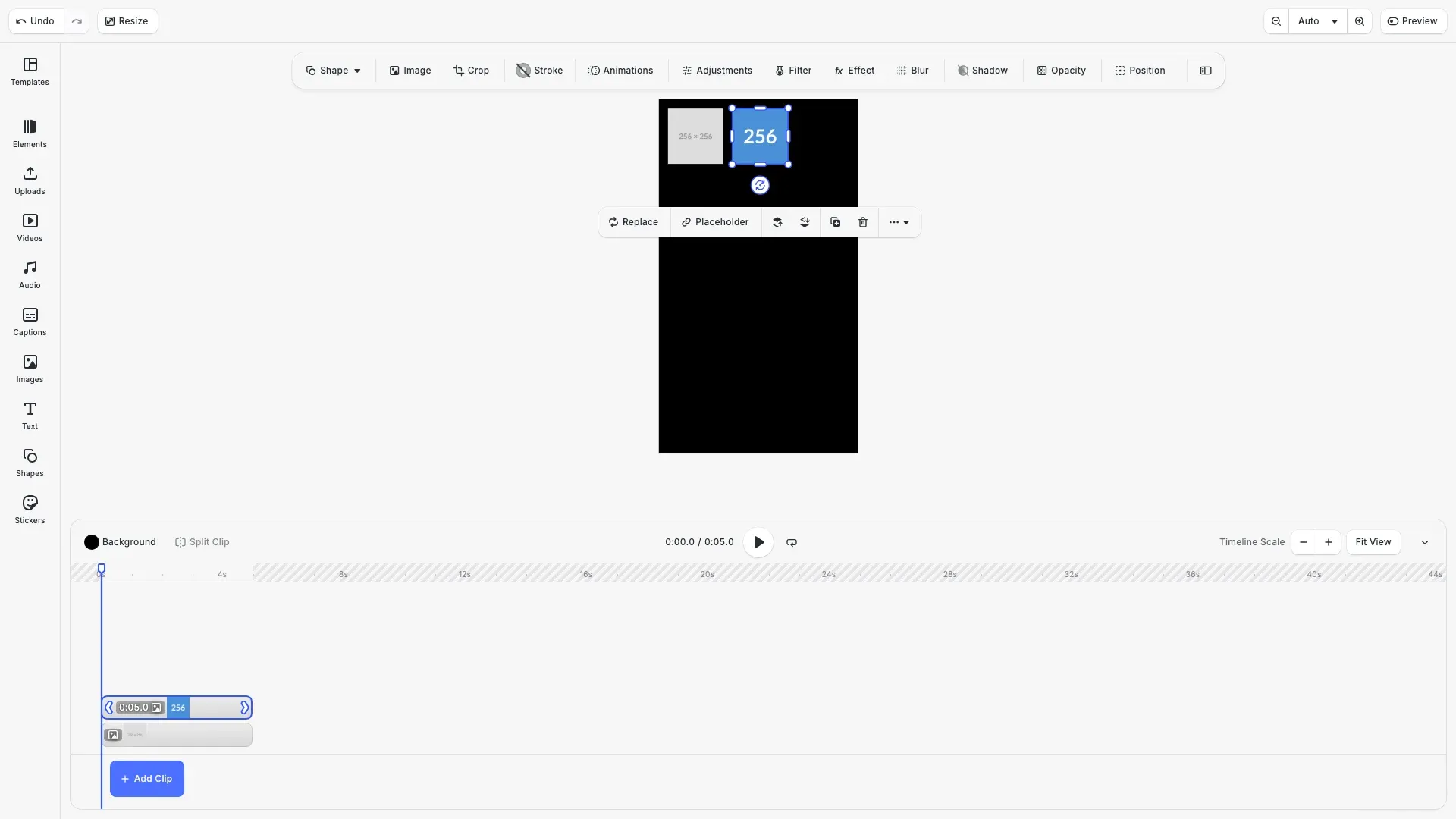
Source sets allow you to provide multiple versions of the same asset at different resolutions. CE.SDK automatically selects the most appropriate source based on the current drawing size in screen pixels. This improves performance by loading smaller images for mobile previews while ensuring high-quality assets are used for final exports.
This guide covers how to configure source sets programmatically, define them in asset definitions, and optimize video preview performance.
How Source Set Selection Works#
When rendering content, the engine calculates the current drawing size in pixels. If a source set exists, the engine selects the source with the closest size exceeding the drawing size. If no source set is defined, the full resolution image is downscaled to a maximum 4096px edge length (configurable via the maxImageSize setting).
Source sets are also evaluated during export, ensuring the best matching asset is used for the target export resolution.
Setting a Source Set on an Image Fill#
We configure source sets for image fills using engine.block.setSourceSet(). Each source entry requires a uri, width, and height. The engine uses these dimensions to select the appropriate source.
// Create a graphic block with an image fillconst imageBlock = engine.block.create('graphic');engine.block.setShape(imageBlock, engine.block.createShape('rect'));
// Create an image fill and configure source set with multiple resolutionsconst imageFill = engine.block.createFill('image');engine.block.setSourceSet(imageFill, 'fill/image/sourceSet', [  // Placeholder images display their dimensions, making it easy to see which source is selected  { uri: 'https://placehold.co/256x256/png', width: 256, height: 256 },  { uri: 'https://placehold.co/512x512/png', width: 512, height: 512 },  { uri: 'https://placehold.co/1024x1024/png', width: 1024, height: 1024 }]);engine.block.setFill(imageBlock, imageFill);
// Position and size the blockengine.block.setWidth(imageBlock, 300);engine.block.setHeight(imageBlock, 300);engine.block.setPositionX(imageBlock, 50);engine.block.setPositionY(imageBlock, 50);engine.block.appendChild(page, imageBlock);Querying and Modifying Source Sets#
You can retrieve existing source sets with engine.block.getSourceSet(). To add sources dynamically, use engine.block.addImageFileURIToSourceSet(), which loads the image to determine dimensions automatically.
// Query the existing source setconst sourceSet = engine.block.getSourceSet(  imageFill,  'fill/image/sourceSet');console.log('Current source set:', sourceSet);
// Add a new high-resolution source dynamically// The dimensions are determined automatically from the imageawait engine.block.addImageFileURIToSourceSet(  imageFill,  'fill/image/sourceSet',  'https://placehold.co/2048x2048/png');
// Verify the source was addedconst updatedSourceSet = engine.block.getSourceSet(  imageFill,  'fill/image/sourceSet');console.log('Updated source set with 2048px source:', updatedSourceSet);
Using Source Sets in Asset Definitions#
When defining assets for the asset library, you can include source sets in the payload.sourceSet field. When the asset is applied with engine.asset.defaultApplyAsset(), the source set is automatically configured on the resulting block’s fill.
// Define an asset with a source set in its payloadconst assetDefinition = {  id: 'multi-resolution-image',  label: { en: 'Multi-Resolution Image' },  meta: {    kind: 'image',    fillType: '//ly.img.ubq/fill/image'  },  payload: {    sourceSet: [      {        uri: 'https://placehold.co/256x256/4a90d9/white/png?text=256',        width: 256,        height: 256      },      {        uri: 'https://placehold.co/512x512/4a90d9/white/png?text=512',        width: 512,        height: 512      },      {        uri: 'https://placehold.co/1024x1024/4a90d9/white/png?text=1024',        width: 1024,        height: 1024      }    ]  }};
// Register the asset with a local sourceawait engine.asset.addLocalSource('my-images');engine.asset.addAssetToSource('my-images', assetDefinition);
// Find the asset from the source for applyingconst findResult = await engine.asset.findAssets('my-images', {  page: 0,  perPage: 1});const assetResult = findResult.assets[0];
// Apply the asset - the source set is automatically configuredconst assetBlock = await engine.asset.defaultApplyAsset(assetResult);if (assetBlock === undefined) {  throw new Error('Failed to apply asset');}
// Verify the source set was applied to the block's fillconst assetFill = engine.block.getFill(assetBlock);const assetSourceSet = engine.block.getSourceSet(  assetFill,  'fill/image/sourceSet');console.log('Asset source set applied:', assetSourceSet);
// Position the asset blockengine.block.setWidth(assetBlock, 300);engine.block.setHeight(assetBlock, 300);engine.block.setPositionX(assetBlock, 400);engine.block.setPositionY(assetBlock, 50);
Video Source Sets#
Source sets work with video fills using the fill/video/sourceSet property. The engine selects the appropriate video source based on the current drawing size. Use engine.block.addVideoFileURIToSourceSet() to add video sources dynamically.
// Create a graphic block with a video fillconst videoBlock = engine.block.create('graphic');engine.block.setShape(videoBlock, engine.block.createShape('rect'));
// Create a video fill and configure source setconst videoFill = engine.block.createFill('video');engine.block.setSourceSet(videoFill, 'fill/video/sourceSet', [  {    uri: 'https://cdn.img.ly/assets/demo/v3/ly.img.video/videos/pexels-drone-footage-of-a-surfer-barrelling-a-wave-12715991.mp4',    width: 1920,    height: 1080  }]);engine.block.setFill(videoBlock, videoFill);
// Add a higher resolution source dynamically// Note: In production, this would be a different resolution fileawait engine.block.addVideoFileURIToSourceSet(  videoFill,  'fill/video/sourceSet',  'https://cdn.img.ly/assets/demo/v3/ly.img.video/videos/pexels-drone-footage-of-a-surfer-barrelling-a-wave-12715991.mp4');
// Position and size the video blockengine.block.setWidth(videoBlock, 400);engine.block.setHeight(videoBlock, 225);engine.block.setPositionX(videoBlock, 50);engine.block.setPositionY(videoBlock, 400);engine.block.appendChild(page, videoBlock);
// Set video duration for timelineengine.block.setDuration(videoBlock, 5);
Video Preview Quality Settings#
For performance optimization during editing, you can force the engine to use the smallest available source for video previews. Export operations will still use the highest quality source.
// Force low-quality video preview during editing for better performance// Export will still use the highest quality source availableengine.editor.setSettingBool('features/forceLowQualityVideoPreview', true);The features/forceLowQualityVideoPreview setting forces previews to use the smallest source during editing. By default, this is disabled, and the engine uses the source closest to the current drawing size.
Troubleshooting#
| Problem | Solution |
|---|---|
| Wrong resolution selected | Ensure source dimensions accurately reflect actual image/video dimensions |
| Performance issues with large assets | Add smaller resolution sources to your source set for editing preview |
| Export quality issues | Verify that your source set includes a high-resolution source for the target export size |
| Source set not applied from asset | Ensure payload.sourceSet is defined with valid uri, width, and height entries |
API Reference#
| Method | Description |
|---|---|
engine.block.setSourceSet() | Set a source set for a block property |
engine.block.getSourceSet() | Get the source set from a block property |
engine.block.addImageFileURIToSourceSet() | Add an image to an existing source set (async) |
engine.block.addVideoFileURIToSourceSet() | Add a video to an existing source set (async) |
engine.block.createFill('image') | Create an image fill |
engine.block.createFill('video') | Create a video fill |
engine.block.setFill() | Apply a fill to a block |
engine.block.getFill() | Get the fill from a block |
engine.asset.addLocalSource() | Create a local asset source |
engine.asset.addAssetToSource() | Add an asset with source set to a source |
engine.asset.defaultApplyAsset() | Apply an asset, configuring its source set |
engine.editor.setSettingBool() | Configure editor settings like video preview quality |