Manage external media files—images, videos, audio, and fonts—that blocks reference via URIs in CE.SDK.
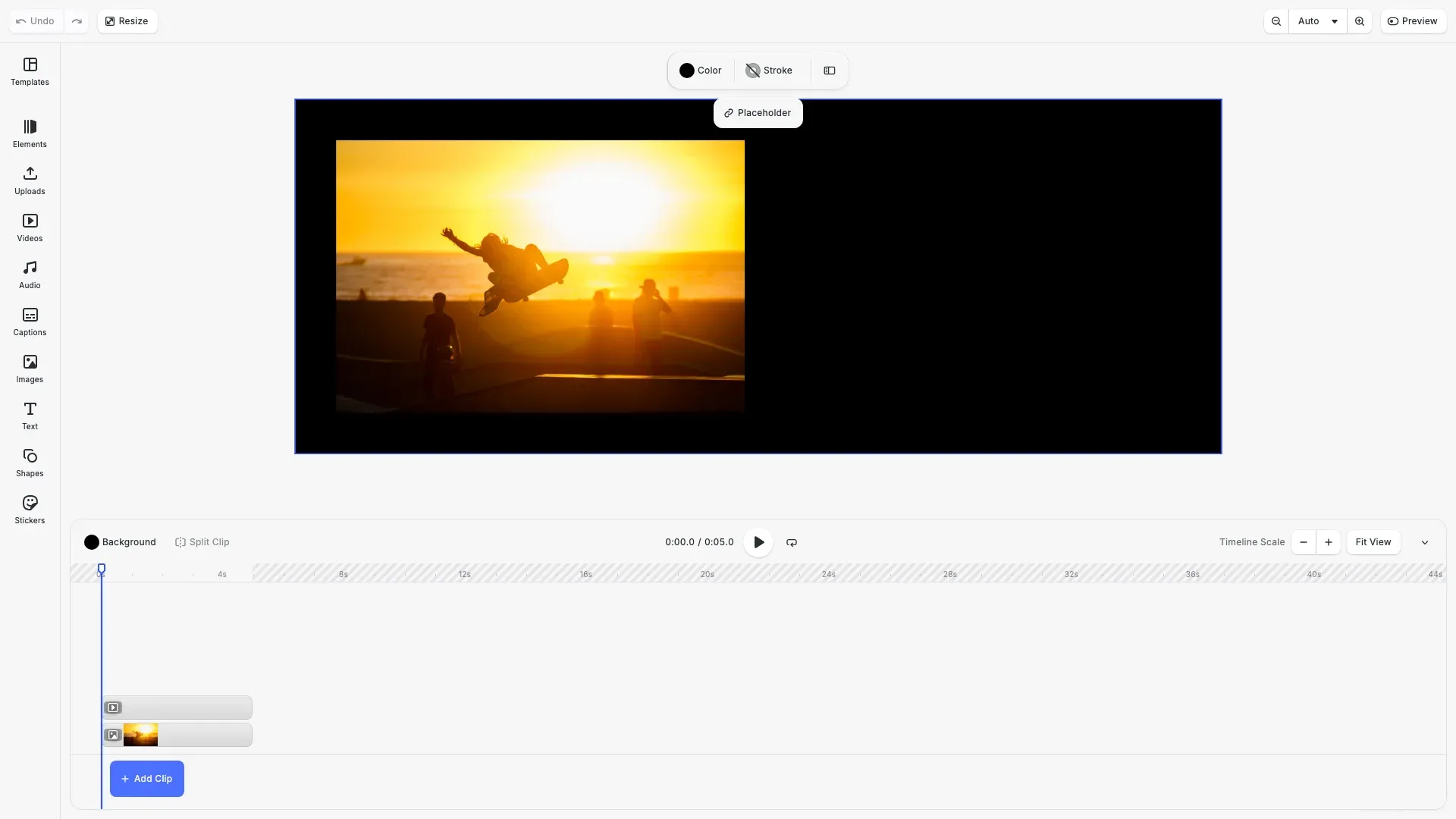
Resources are external media files that blocks reference through URI properties like fill/image/imageFileURI or fill/video/fileURI. CE.SDK loads resources automatically when needed, but you can preload them for better performance. When working with temporary data like buffers or blobs, you need to persist them before saving. If resource URLs change (such as during CDN migration), you can update the mappings without modifying scene data.
This guide covers on-demand and preloaded resource loading, identifying and persisting transient resources, relocating resources when URLs change, and discovering all media URIs in a scene.
On-Demand Loading#
The engine fetches resources automatically when rendering blocks or preparing exports. This approach requires no extra code but may delay the initial render while resources download.
// Get the current scene and pageconst scene = engine.scene.get();if (scene === null) {  throw new Error('No scene available');}
const pages = engine.block.findByType('page');const page = pages[0];
// Layout configuration: two blocks with equal marginsconst margin = 30;const gap = 20;const blockWidth = 300;const blockHeight = 200;
// Set page dimensions to hug the blocksconst pageWidth = margin + blockWidth + gap + blockWidth + margin;const pageHeight = margin + blockHeight + margin;engine.block.setWidth(page, pageWidth);engine.block.setHeight(page, pageHeight);
// Create a graphic block with an image fill// Resources are loaded on-demand when the engine renders the blockconst imageBlock = engine.block.create('graphic');const rectShape = engine.block.createShape('rect');engine.block.setShape(imageBlock, rectShape);engine.block.setPositionX(imageBlock, margin);engine.block.setPositionY(imageBlock, margin);engine.block.setWidth(imageBlock, blockWidth);engine.block.setHeight(imageBlock, blockHeight);
// Create an image fill - the image loads when the block is renderedconst imageFill = engine.block.createFill('image');engine.block.setString(  imageFill,  'fill/image/imageFileURI',  'https://img.ly/static/ubq_samples/sample_4.jpg');engine.block.setFill(imageBlock, imageFill);engine.block.setEnum(imageBlock, 'contentFill/mode', 'Cover');engine.block.appendChild(page, imageBlock);console.log('Created image block - resource loads on-demand when rendered');
When you create a block with an image fill, the image doesn’t load immediately. The engine fetches it when the block first renders on the canvas.
Preloading Resources#
Load resources before they’re needed with forceLoadResources(). Pass block IDs to load resources for those blocks and their children. Preloading eliminates render delays and is useful when you want the scene fully ready before displaying it.
// Preload all resources in the scene before rendering// This ensures resources are cached and ready for displayconsole.log('Preloading all resources in the scene...');await engine.block.forceLoadResources([scene]);console.log('All resources preloaded successfully');
// Preload specific blocks only (useful for optimizing load order)await engine.block.forceLoadResources([imageBlock]);console.log('Image block resources preloaded');
Pass the scene to preload all resources in the entire design, or pass specific blocks to load only what you need.
Preloading Audio and Video#
Audio and video resources require forceLoadAVResource() for full metadata access. The engine needs to download and parse media files before you can query properties like duration or dimensions.
// Create a second graphic block for videoconst videoBlock = engine.block.create('graphic');const videoShape = engine.block.createShape('rect');engine.block.setShape(videoBlock, videoShape);engine.block.setPositionX(videoBlock, margin + blockWidth + gap);engine.block.setPositionY(videoBlock, margin);engine.block.setWidth(videoBlock, blockWidth);engine.block.setHeight(videoBlock, blockHeight);
// Create a video fillconst videoFill = engine.block.createFill('video');engine.block.setString(  videoFill,  'fill/video/fileURI',  'https://img.ly/static/ubq_video_samples/bbb.mp4');engine.block.setFill(videoBlock, videoFill);engine.block.setEnum(videoBlock, 'contentFill/mode', 'Cover');engine.block.appendChild(page, videoBlock);
// Preload video resource to query its propertiesconsole.log('Preloading video resource...');await engine.block.forceLoadAVResource(videoFill);console.log('Video resource preloaded');
// Now we can query video propertiesconst videoDuration = engine.block.getAVResourceTotalDuration(videoFill);const videoWidth = engine.block.getVideoWidth(videoFill);const videoHeight = engine.block.getVideoHeight(videoFill);console.log(  `Video properties - Duration: ${videoDuration}s, Size: ${videoWidth}x${videoHeight}`);
Without preloading, properties like getAVResourceTotalDuration() or getVideoWidth() may return zero or incomplete values.
Finding Transient Resources#
Transient resources are temporary data stored in buffers or blobs that won’t survive scene serialization. Use findAllTransientResources() to discover them before saving.
// Find all transient resources that need persistence before export// Transient resources include buffers and blobs that won't survive serializationconst transientResources = engine.editor.findAllTransientResources();console.log(`Found ${transientResources.length} transient resources`);for (const resource of transientResources) { console.log( `Transient: URL=${resource.URL}, Size=${resource.size} bytes` );}Each entry includes the resource URL and its size in bytes. Common transient resources include images from clipboard paste operations, camera captures, or programmatically generated content.
Finding Media URIs#
Get all media file URIs referenced in a scene with findAllMediaURIs(). This returns a deduplicated list of URIs from image fills, video fills, audio blocks, and other media sources.
// Get all media URIs referenced in the scene// Useful for pre-fetching or validating resource availabilityconst mediaURIs = engine.editor.findAllMediaURIs();console.log(`Scene contains ${mediaURIs.length} media URIs:`);for (const uri of mediaURIs) { console.log(` - ${uri}`);}Use this for pre-fetching resources, validating availability, or building a manifest of all assets in a design.
Detecting MIME Types#
Determine a resource’s content type with getMimeType(). The engine downloads the resource if it’s not already cached.
// Detect the MIME type of a resource// This downloads the resource if not already cachedconst imageUri = 'https://img.ly/static/ubq_samples/sample_4.jpg';const mimeType = await engine.editor.getMimeType(imageUri);console.log(`MIME type of ${imageUri}: ${mimeType}`);Common return values include image/jpeg, image/png, video/mp4, and audio/mpeg. This is useful when you need to verify resource types or make format-dependent decisions.
Relocating Resources#
Update URL mappings when resources move with relocateResource(). This modifies the internal cache without changing scene data.
// Relocate a resource when its URL changes// This updates the internal cache mapping without modifying scene dataconst oldUrl = 'https://example.com/old-location/image.jpg';const newUrl = 'https://cdn.example.com/new-location/image.jpg';
// In a real scenario, you would relocate after uploading to a new location:// engine.editor.relocateResource(oldUrl, newUrl);console.log(`Resource relocation example: ${oldUrl} -> ${newUrl}`);console.log('Use relocateResource() after uploading to a CDN');
Use relocation after uploading resources to a CDN or when migrating assets between storage locations. The scene continues to reference the original URL, but the engine fetches from the new location.
Persisting Transient Resources#
Handle transient resources during save with the onDisallowedResourceScheme callback in saveToString(). The callback receives each resource URL with a disallowed scheme (like buffer: or blob:) and returns the permanent URL after uploading.
// When saving, use onDisallowedResourceScheme to handle transient resources// This callback is called for each resource with a disallowed scheme (like buffer: or blob:)const sceneString = await engine.block.saveToString(  [scene],  ['http', 'https'], // Only allow http and https URLs  async (url: string) => {    // In a real app, upload the resource and return the permanent URL    // const response = await uploadToCDN(url);    // return response.permanentUrl;
    // For this example, we'll just log the URL    console.log(`Would upload transient resource: ${url}`);    // Return the original URL since we're not actually uploading    return url;  });console.log(`Scene saved to string (${sceneString.length} characters)`);
This pattern lets you intercept temporary resources, upload them to permanent storage, and save the scene with stable URLs that will work when reloaded.
Troubleshooting#
Slow initial render: Preload resources with forceLoadResources() before displaying the scene.
Export fails with missing resources: Check findAllTransientResources() and persist any temporary resources before export.
Video duration returns 0: Ensure the video resource is loaded with forceLoadAVResource() before querying properties.
Resources not found after reload: Transient resources (buffers, blobs) are not serialized—relocate them to persistent URLs before saving.