Convert colors between sRGB, CMYK, and spot color spaces programmatically in CE.SDK.
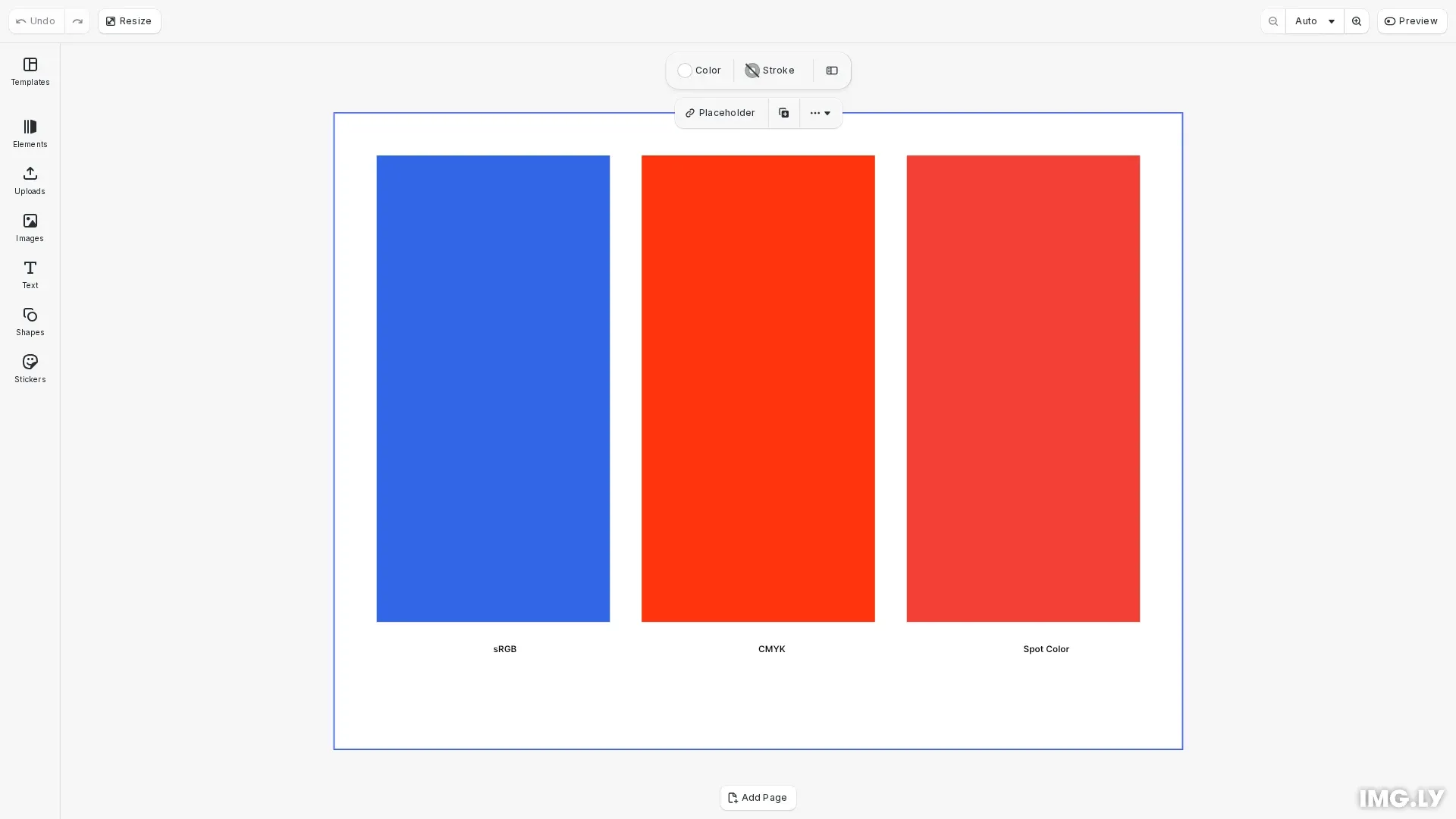
CE.SDK supports three color spaces: sRGB, CMYK, and SpotColor. When building color interfaces or preparing designs for export, you may need to convert colors between these spaces. The engine handles the mathematical conversion automatically through the convertColorToColorSpace() API.
This guide covers how to convert colors between sRGB and CMYK, handle spot color conversions, identify color types with type guards, and understand how tint and alpha values are preserved during conversion.
Supported Color Spaces#
CE.SDK supports conversion between three color spaces:
| Color Space | Format | Use Case |
|---|---|---|
| sRGB | RGBAColor with r, g, b, a (0.0-1.0) | Screen display, web output |
| CMYK | CMYKColor with c, m, y, k, tint (0.0-1.0) | Print workflows |
| SpotColor | SpotColor with name, tint, externalReference | Specialized printing |
Setting Up Colors#
Before converting colors, you need colors in different spaces. This example creates blocks with sRGB, CMYK, and spot colors.
First, define a spot color with its RGB approximation for screen preview:
// Define a spot color with RGB approximation for screen previewengine.editor.setSpotColorRGB('Brand Red', 0.95, 0.25, 0.21);Create an sRGB color block for screen display:
// Block 1: sRGB color (for screen display)const srgbBlock = engine.block.create('//ly.img.ubq/graphic');engine.block.setShape( srgbBlock, engine.block.createShape('//ly.img.ubq/shape/rect'));const srgbFill = engine.block.createFill('//ly.img.ubq/fill/color');engine.block.setColor(srgbFill, 'fill/color/value', { r: 0.2, g: 0.4, b: 0.9, a: 1.0});engine.block.setFill(srgbBlock, srgbFill);engine.block.setWidth(srgbBlock, blockWidth);engine.block.setHeight(srgbBlock, blockHeight);engine.block.appendChild(page, srgbBlock);Create a CMYK color block for print workflows:
// Block 2: CMYK color (for print workflows)const cmykBlock = engine.block.create('//ly.img.ubq/graphic');engine.block.setShape( cmykBlock, engine.block.createShape('//ly.img.ubq/shape/rect'));const cmykFill = engine.block.createFill('//ly.img.ubq/fill/color');engine.block.setColor(cmykFill, 'fill/color/value', { c: 0.0, m: 0.8, y: 0.95, k: 0.0, tint: 1.0});engine.block.setFill(cmykBlock, cmykFill);engine.block.setWidth(cmykBlock, blockWidth);engine.block.setHeight(cmykBlock, blockHeight);engine.block.appendChild(page, cmykBlock);Create a spot color block for specialized printing:
// Block 3: Spot color (for specialized printing)const spotBlock = engine.block.create('//ly.img.ubq/graphic');engine.block.setShape( spotBlock, engine.block.createShape('//ly.img.ubq/shape/rect'));const spotFill = engine.block.createFill('//ly.img.ubq/fill/color');engine.block.setColor(spotFill, 'fill/color/value', { name: 'Brand Red', tint: 1.0, externalReference: ''});engine.block.setFill(spotBlock, spotFill);engine.block.setWidth(spotBlock, blockWidth);engine.block.setHeight(spotBlock, blockHeight);engine.block.appendChild(page, spotBlock);Converting to sRGB#
Use engine.editor.convertColorToColorSpace(color, 'sRGB') to convert any color to sRGB format. This is useful for displaying color values on screen or when you need RGB components for CSS or other web-based color operations.
// Convert colors to sRGB for screen displayconst srgbColor = engine.block.getColor(srgbFill, 'fill/color/value');const cmykColor = engine.block.getColor(cmykFill, 'fill/color/value');const spotColor = engine.block.getColor(spotFill, 'fill/color/value');
// Convert CMYK to sRGBconst cmykToRgba = engine.editor.convertColorToColorSpace(  cmykColor,  'sRGB');console.log('CMYK converted to sRGB:', cmykToRgba);
// Convert Spot color to sRGB (uses defined RGB approximation)const spotToRgba = engine.editor.convertColorToColorSpace(  spotColor,  'sRGB');console.log('Spot color converted to sRGB:', spotToRgba);
When converting CMYK or spot colors to sRGB, the engine returns an RGBAColor object with r, g, b, a properties. The tint value from CMYK or spot colors becomes the alpha value in the returned sRGB color.
Converting to CMYK#
Use engine.editor.convertColorToColorSpace(color, 'CMYK') to convert any color to CMYK format. This is essential for print workflows where you need to ensure colors are in the correct space before export.
// Convert colors to CMYK for print workflowsconst srgbToCmyk = engine.editor.convertColorToColorSpace(  srgbColor,  'CMYK');console.log('sRGB converted to CMYK:', srgbToCmyk);
// Convert Spot color to CMYK for print output// First define CMYK approximation for the spot colorengine.editor.setSpotColorCMYK('Brand Red', 0.0, 0.85, 0.9, 0.05);const spotToCmyk = engine.editor.convertColorToColorSpace(  spotColor,  'CMYK');console.log('Spot color converted to CMYK:', spotToCmyk);
When converting sRGB colors to CMYK, the alpha value becomes the tint value in the returned CMYK color. For spot colors, define a CMYK approximation with setSpotColorCMYK() before converting.
Identifying Color Types#
Before converting a color, you may need to identify its current color space. CE.SDK provides type guard functions to check the color type.
// Use type guards to identify color space before conversionif (isRGBAColor(srgbColor)) {  console.log(    'sRGB color components:',    `R: ${srgbColor.r}, G: ${srgbColor.g}, B: ${srgbColor.b}, A: ${srgbColor.a}`  );}
if (isCMYKColor(cmykColor)) {  console.log(    'CMYK color components:',    `C: ${cmykColor.c}, M: ${cmykColor.m}, Y: ${cmykColor.y}, K: ${cmykColor.k}, Tint: ${cmykColor.tint}`  );}
if (isSpotColor(spotColor)) {  console.log('Spot color name:', spotColor.name, 'Tint:', spotColor.tint);}
Import the type guards from @cesdk/cesdk-js:
isRGBAColor()- Returns true if the color is an sRGB colorisCMYKColor()- Returns true if the color is a CMYK colorisSpotColor()- Returns true if the color is a spot color
Handling Tint and Alpha#
The tint and alpha values represent transparency in different color spaces:
| Source | Target | Transformation |
|---|---|---|
| sRGB (alpha) | CMYK | Alpha becomes tint |
| CMYK (tint) | sRGB | Tint becomes alpha |
| SpotColor (tint) | sRGB | Tint becomes alpha |
| SpotColor (tint) | CMYK | Tint is preserved |
Practical Use Cases#
Building a Color Picker#
When displaying a color value from a block in a custom color picker, convert to sRGB to show RGB values:
const fillColor = engine.block.getColor(fillId, 'fill/color/value');const rgbaColor = engine.editor.convertColorToColorSpace(fillColor, 'sRGB');// Display: R: ${rgbaColor.r * 255}, G: ${rgbaColor.g * 255}, B: ${rgbaColor.b * 255}Export Preparation#
Before PDF export for print, verify colors are in CMYK format:
const color = engine.block.getColor(blockId, 'fill/color/value');if (!isCMYKColor(color)) { const cmykColor = engine.editor.convertColorToColorSpace(color, 'CMYK'); // Log or display the CMYK values console.log(`C: ${cmykColor.c}, M: ${cmykColor.m}, Y: ${cmykColor.y}, K: ${cmykColor.k}`);}Troubleshooting#
| Issue | Cause | Solution |
|---|---|---|
| Spot color converts to unexpected values | Spot color not defined | Call setSpotColorRGB() or setSpotColorCMYK() before conversion |
| Colors look different after conversion | Color gamut differences | Some sRGB colors cannot be exactly represented in CMYK |
| Type errors with converted colors | Wrong type assumption | Use type guards (isRGBAColor, isCMYKColor, isSpotColor) before accessing properties |
API Reference#
| Method | Description |
|---|---|
engine.editor.convertColorToColorSpace(color, colorSpace) | Convert a color to the target color space. Returns an RGBAColor for ‘sRGB’ or CMYKColor for ‘CMYK’. |
engine.editor.setSpotColorRGB(name, r, g, b) | Define a spot color with an RGB approximation. Components range from 0.0 to 1.0. |
engine.editor.setSpotColorCMYK(name, c, m, y, k) | Define a spot color with a CMYK approximation. Components range from 0.0 to 1.0. |
| Type Guard | Description |
|---|---|
isRGBAColor(color) | Returns true if the color is an RGBAColor object |
isCMYKColor(color) | Returns true if the color is a CMYKColor object |
isSpotColor(color) | Returns true if the color is a SpotColor object |