Export vertical video designs for social media platforms with the correct dimensions, formats, and quality settings. Configure video exports with appropriate resolution, framerate, and bitrate optimized for Instagram Reels, TikTok, and YouTube Shorts.
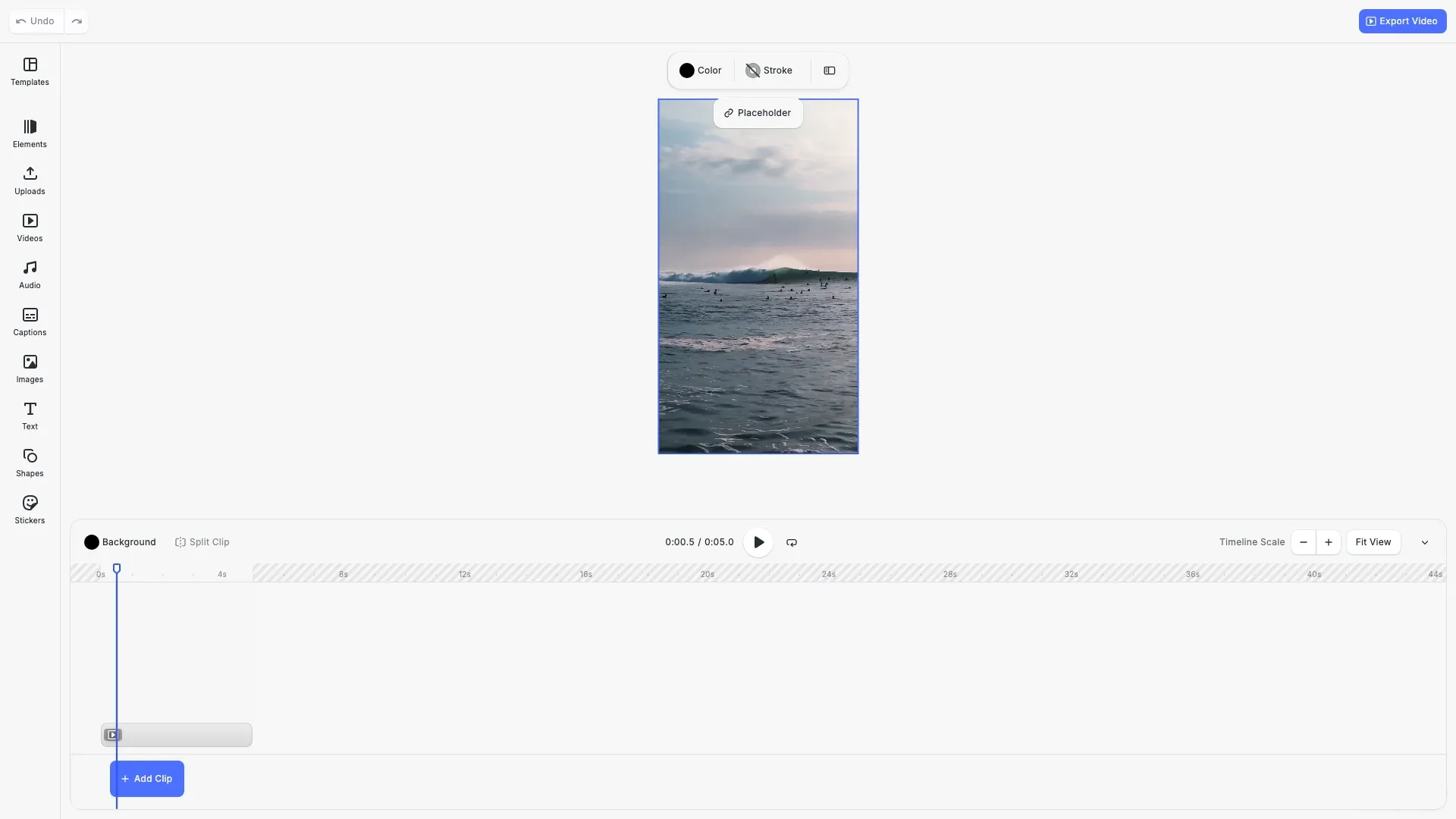
Short-form vertical video has become the dominant format for social media. Instagram Reels, TikTok, and YouTube Shorts all use the 9:16 aspect ratio at 1080×1920 pixels. This guide demonstrates how to create and export vertical video content with the correct settings for these platforms.
This guide covers creating a vertical video scene, exporting with resolution, framerate, and bitrate settings, and tracking export progress.
Creating a Video Scene#
Create a video scene with the correct dimensions for vertical video. Use cesdk.actions.run('scene.create', { mode: 'Video' }) with explicit pixel dimensions to ensure your content matches platform requirements.
// Create a vertical video scene (9:16) for Instagram Reels, TikTok, YouTube Shortsawait cesdk.actions.run('scene.create', {  mode: 'Video',  page: { width: 1080, height: 1920, unit: 'Pixel' }});
const page = engine.scene.getCurrentPage();if (!page) {  throw new Error('No page found');}
// Add a video clip that fills the vertical frameconst pageWidth = engine.block.getWidth(page);const pageHeight = engine.block.getHeight(page);const videoBlock = await engine.block.addVideo(  'https://cdn.img.ly/assets/demo/v3/ly.img.video/videos/pexels-drone-footage-of-a-surfer-barrelling-a-wave-12715991.mp4',  pageWidth,  pageHeight);engine.block.fillParent(videoBlock);
The scene uses 1080×1920 pixels (9:16 aspect ratio), which is the standard resolution for Instagram Reels, TikTok, and YouTube Shorts. The video block fills the entire page dimensions.
Exporting Videos#
Export video content using engine.block.exportVideo(). Configure resolution, framerate, and bitrate for optimal quality and file size.
const videoBlob = await engine.block.exportVideo(currentPage, { mimeType: 'video/mp4', targetWidth: 1080, targetHeight: 1920, framerate: 30, videoBitrate: 8_000_000, // 8 Mbps onProgress: (renderedFrames, encodedFrames, totalFrames) => { const percent = Math.round((encodedFrames / totalFrames) * 100); console.log( `Export progress: ${percent}% (${encodedFrames}/${totalFrames} frames)` ); }});Key video export settings:
- mimeType:
video/mp4for broad platform compatibility - targetWidth/targetHeight: Output resolution (1080×1920 for vertical)
- framerate: 30 frames per second (standard for social media)
- videoBitrate: 8 Mbps provides good quality while keeping file sizes reasonable
Higher bitrates produce better quality but larger files. For short-form vertical video, 8 Mbps (8,000,000 bits per second) balances quality and upload speed.
Tracking Export Progress#
Video exports can take time, especially for longer content. Use the onProgress callback to provide users with feedback during export.
onProgress: (renderedFrames, encodedFrames, totalFrames) => { const percent = Math.round((encodedFrames / totalFrames) * 100); console.log( `Export progress: ${percent}% (${encodedFrames}/${totalFrames} frames)` );}The callback receives three parameters:
- renderedFrames: Number of frames rendered so far
- encodedFrames: Number of frames encoded to the output file
- totalFrames: Total frames to be exported
The encoding stage typically trails rendering slightly. Calculate progress percentage from encodedFrames / totalFrames for an accurate completion indicator.
Downloading Exported Files#
After export, use cesdk.utils.downloadFile() to trigger a browser download:
const videoBlob = await engine.block.exportVideo(page, { /* options */ });await cesdk.utils.downloadFile(videoBlob, 'video/mp4');This utility handles the download process automatically, including memory cleanup. For server uploads, pass the Blob directly to your upload function or FormData.
API Reference#
| Method | Purpose |
|---|---|
cesdk.actions.run('scene.create', { mode: 'Video' }) | Create a video scene with specified dimensions |
engine.block.exportVideo() | Export block as video (MP4) |
engine.scene.getCurrentPage() | Get the active page for export |
cesdk.utils.downloadFile() | Trigger browser download for exported files |
Export Options (Videos)#
| Option | Type | Description |
|---|---|---|
mimeType | string | Output format: video/mp4 |
targetWidth | number | Output width in pixels |
targetHeight | number | Output height in pixels |
framerate | number | Frames per second |
videoBitrate | number | Video bitrate in bits per second |
onProgress | function | Progress callback with frame counts |
Next Steps#
- Export Overview - Complete export options including H.264 profiles and advanced settings