Edit text block content from Android by replacing text, formatting UTF-16 ranges, reading formatting state, and managing the active text selection.
CE.SDK supports two text-editing paths. The CE.SDK editor UI lets users enter text editing mode on a selected text block, while the Android Engine API edits text content and formatting directly. This guide focuses on the Engine APIs and assumes you already have an Engine instance.
Range-based text APIs use UTF-16 code unit offsets. A range is [from, to), so from is included and to points to the first code unit after the range. For replaceText() and removeText(), leaving both values at the default -1 targets the whole text block. Formatting and query APIs use the active text selection while a text block is being edited, or the whole text block otherwise.
Creating a Text Block#
Create a text block, append it to a page, and let the block size itself from its content. The surrounding sample creates the scene and page before this snippet.
val text = engine.block.create(DesignBlockType.Text)engine.block.appendChild(parent = page, child = text)engine.block.setWidthMode(text, mode = SizeMode.AUTO)engine.block.setHeightMode(text, mode = SizeMode.AUTO)engine.block.setPositionX(text, value = 80F)engine.block.setPositionY(text, value = 120F)Setting a Typeface#
After the typeface asset source is loaded, select a typeface that provides regular, bold, italic, and bold italic font variants by metadata and assign its regular font with engine.block.setFont(). The sample requires all four variants because later steps toggle bold and italic formatting and apply a bold italic range. Use setTypeface() when you want to change the block typeface while retaining existing formatting where possible.
val typeface = engine.asset.findAssets( sourceId = "ly.img.typeface", query = FindAssetsQuery(query = "", page = 0, perPage = 100),).assets .mapNotNull { asset -> asset.payload.typeface } .firstOrNull { candidate -> val fonts = candidate.fonts fonts.any { font -> font.weight == FontWeight.NORMAL && font.style == FontStyle.NORMAL } && fonts.any { font -> font.weight == FontWeight.BOLD && font.style == FontStyle.NORMAL } && fonts.any { font -> font.weight == FontWeight.NORMAL && font.style == FontStyle.ITALIC } && fonts.any { font -> font.weight == FontWeight.BOLD && font.style == FontStyle.ITALIC } } ?: error("Typeface with regular, bold, italic, and bold italic fonts not found")val regularFont = typeface.fonts.first { font -> font.weight == FontWeight.NORMAL && font.style == FontStyle.NORMAL}engine.block.setFont(block = text, fontFileUri = regularFont.uri, typeface = typeface)engine.block.setTypeface(block = text, typeface = typeface)val blockTypeface = engine.block.getTypeface(text)Selecting a font by weight and style keeps the sample stable if the asset source changes the order of the fonts array.
Replacing and Removing Text#
Use engine.block.replaceText() to replace the whole text, insert content at one offset, or replace a specific range. Use engine.block.removeText() to delete a range.
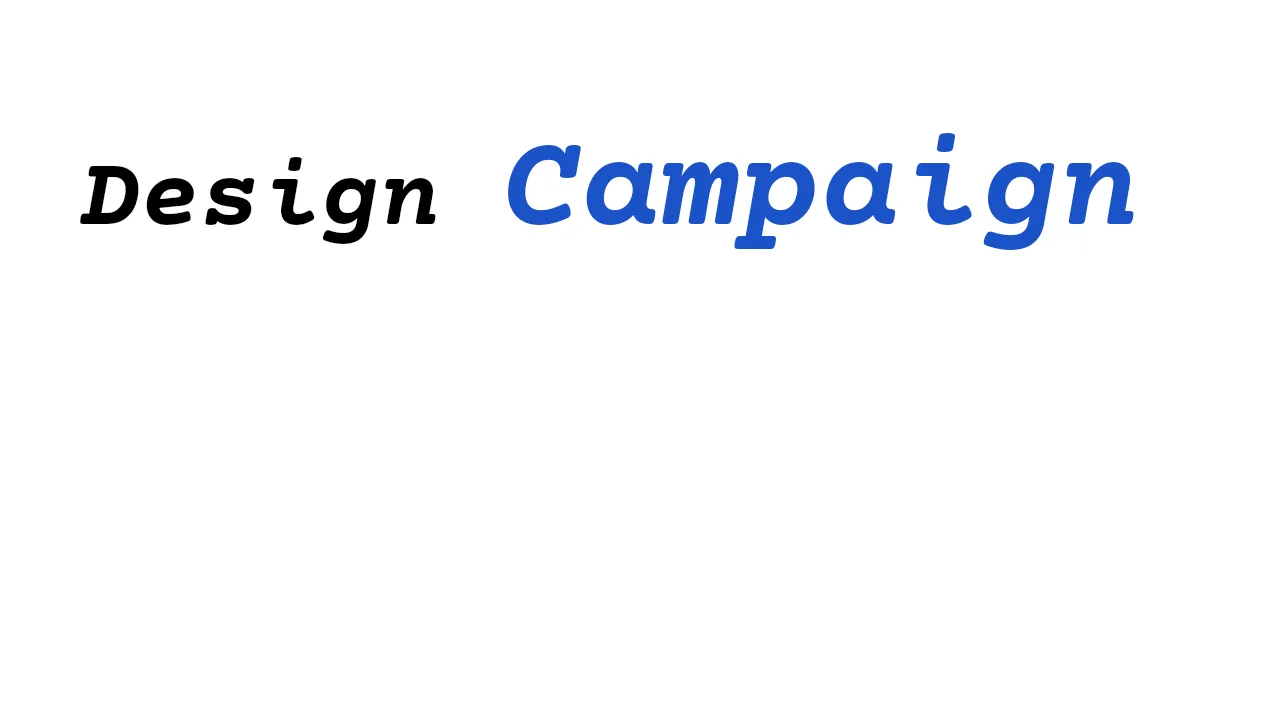
engine.block.replaceText(text, text = "Winter Sale")engine.block.replaceText(text, text = " Design", from = 6, to = 6)engine.block.replaceText(text, text = "Campaign", from = 14, to = 18)engine.block.removeText(text, from = 0, to = 7)The sample starts with Winter Sale, inserts Design, replaces Sale with Campaign, then removes the first word so the final text reads Design Campaign.
Using Tab Stops#
Tab characters align text into columns. A tab moves the text after it to the next tab stop, in both left-to-right and right-to-left text. A tab whose stop lies past the frame edge wraps to the next line. The tabStopInterval setting defines the distance between tab stops as a multiple of the base font size. The default is 2; a value of 0 or less makes tab characters advance no width.
val table = engine.block.create(DesignBlockType.Text)engine.block.appendChild(parent = page, child = table)engine.block.replaceText(table, text = "Name:\tCE.SDK")engine.editor.setSettingFloat("tabStopInterval", value = 3F)While editing on the canvas with a hardware keyboard, Tab inserts a tab character. In lists, Tab and Shift+Tab at the start of a paragraph change the list indent level instead; outside a list Shift+Tab does nothing.
Applying Text Formatting#
Formatting APIs accept the same UTF-16 from and to offsets. You can apply color, font weight, font style, size, and text case to the whole block or to a smaller range.
val campaignStart = 7val campaignEnd = 15engine.block.setTextColor( block = text, color = Color.fromRGBA(r = 0.1F, g = 0.32F, b = 0.78F, a = 1F), from = campaignStart, to = campaignEnd,)engine.block.setTextFontWeight(text, fontWeight = FontWeight.BOLD, from = campaignStart, to = campaignEnd)engine.block.setTextFontStyle(text, fontStyle = FontStyle.ITALIC, from = campaignStart, to = campaignEnd)engine.block.setTextFontSize(text, fontSize = 24F)engine.block.setTextFontSize(text, fontSize = 32F, from = campaignStart, to = campaignEnd)engine.block.setTextCase(text, textCase = TextCase.TITLE_CASE)Use the toggle helpers when your UI should invert the current bold or italic state for a range. Check canToggleBoldFont() or canToggleItalicFont() before calling the matching toggle method. Decoration toggles are also available for toolbar controls that need underline, strikethrough, or overline formatting.
val designEnd = 6if (engine.block.canToggleBoldFont(text, from = 0, to = designEnd)) { engine.block.toggleBoldFont(text, from = 0, to = designEnd)}if (engine.block.canToggleItalicFont(text, from = 0, to = designEnd)) { engine.block.toggleItalicFont(text, from = 0, to = designEnd)}Querying Text Properties#
Read formatting back with the matching getter APIs. Formatting getters such as getTextColors(), getTextFontWeights(), getTextFontStyles(), getTextFontSizes(), and getTextDecorations() return ordered unique values; getTextCases() and getTypefaces() return the ordered values reported for the selected range.
val colors = engine.block.getTextColors(text)val fontWeights = engine.block.getTextFontWeights(text)val fontStyles = engine.block.getTextFontStyles(text)val fontSizes = engine.block.getTextFontSizes(text)val textCases = engine.block.getTextCases(text)val typefaces = engine.block.getTypefaces(text)For example, getTextFontSizes() returns both sizes after the sample applies a 24F size to the whole block and a larger 32F size to the Campaign range.
Cursor and Selection Ranges#
getTextCursorRange() and setTextCursorRange() operate on the text block that is currently being edited in the CE.SDK editor UI. They require an active inline text-editing session and are not part of this headless Engine sample. Pass -1..-1 to select all text when your editor flow is already editing a text block.
Line Information#
After the text resources are loaded, query visible line details for layout-aware UI such as overlays or measurement tools.
engine.block.forceLoadResources(blocks = listOf(text))val lineCount = engine.block.getTextVisibleLineCount(text)val firstLine = engine.block.getTextVisibleLineContent(text, lineIndex = 0)val firstLineBounds = engine.block.getTextLineBoundingBoxRect(text, index = 0)getTextVisibleLineCount() returns the number of rendered lines, getTextVisibleLineContent() returns the content for one visible line, and getTextLineBoundingBoxRect() returns that line’s bounds in the scene’s global coordinate space.
Font Metrics#
Use engine.editor.getFontMetrics() when you need raw values from a font file for custom layout calculations or text decoration placement.
val fontMetrics = engine.editor.getFontMetrics(fontFileUri = regularFont.uri.toString())The returned values are in the font’s design-unit coordinate space and include ascender, descender, units per em, line gap, cap height, x-height, underline, and strikeout metrics.
Troubleshooting#
- Text does not update: verify the block is valid and has the
"text/edit"scope before callingreplaceText()orremoveText(). - Range edits affect the wrong substring: count UTF-16 code units, not user-perceived characters. Emoji and some combined glyphs can occupy multiple code units.
- Bold or italic toggles do nothing: make sure the active typeface includes the matching normal, bold, italic, or bold italic variant.
- Cursor range calls fail: select a text block and switch the editor to
Textmode before callingsetTextCursorRange(). - Line information returns zero lines: force-load text resources after setting the text content and typeface.
API Reference#
| API | Purpose |
|---|---|
engine.block.create(blockType=DesignBlockType.Text) |
Create a text block. |
engine.block.appendChild(parent=_, child=_) |
Add the text block to the page hierarchy. |
engine.block.setWidthMode(block=_, mode=SizeMode.AUTO) |
Let the text block width follow its content. |
engine.block.setHeightMode(block=_, mode=SizeMode.AUTO) |
Let the text block height follow its content. |
engine.block.setPositionX(block=_, value=_) |
Set the text block’s horizontal position. |
engine.block.setPositionY(block=_, value=_) |
Set the text block’s vertical position. |
engine.asset.findAssets(sourceId=_, query=_) |
Find a typeface asset. |
engine.block.setFont(block=_, fontFileUri=_, typeface=_) |
Set the text block’s font and typeface, resetting existing formatting. |
engine.block.setTypeface(block=_, typeface=_, from=-1, to=-1) |
Change the text block’s typeface while preserving formatting where possible. |
engine.block.getTypeface(block=_) |
Read the text block’s base typeface property. |
engine.block.replaceText(block=_, text=_, from=-1, to=-1) |
Replace, insert, or overwrite text content. |
engine.block.removeText(block=_, from=-1, to=-1) |
Remove text content from a UTF-16 range. |
Color.fromRGBA(r=_, g=_, b=_, a=_) |
Create the text color value used by the formatting snippet. |
engine.block.setTextColor(block=_, color=_, from=-1, to=-1) |
Apply text color to a range. |
engine.block.setTextFontWeight(block=_, fontWeight=_, from=-1, to=-1) |
Apply font weight to a range. |
engine.block.setTextFontStyle(block=_, fontStyle=_, from=-1, to=-1) |
Apply font style to a range. |
engine.block.setTextFontSize(block=_, fontSize=_, from=-1, to=-1) |
Apply font size to a range. |
engine.block.setTextCase(block=_, textCase=_, from=-1, to=-1) |
Apply a text case transform to a range. |
engine.block.canToggleBoldFont(block=_, from=-1, to=-1) |
Check whether bold can be toggled for a range. |
engine.block.toggleBoldFont(block=_, from=-1, to=-1) |
Toggle bold for a range. |
engine.block.canToggleItalicFont(block=_, from=-1, to=-1) |
Check whether italic can be toggled for a range. |
engine.block.toggleItalicFont(block=_, from=-1, to=-1) |
Toggle italic for a range. |
engine.block.toggleTextDecorationUnderline(block=_, from=-1, to=-1) |
Toggle underline decoration for a range. |
engine.block.toggleTextDecorationStrikethrough(block=_, from=-1, to=-1) |
Toggle strikethrough decoration for a range. |
engine.block.toggleTextDecorationOverline(block=_, from=-1, to=-1) |
Toggle overline decoration for a range. |
engine.block.getTextColors(block=_, from=-1, to=-1) |
Get ordered unique text colors in a range. |
engine.block.getTextFontWeights(block=_, from=-1, to=-1) |
Get ordered unique font weights in a range. |
engine.block.getTextFontStyles(block=_, from=-1, to=-1) |
Get ordered unique font styles in a range. |
engine.block.getTextFontSizes(block=_, from=-1, to=-1) |
Get ordered unique font sizes in a range. |
engine.block.getTextDecorations(block=_, from=-1, to=-1) |
Get ordered unique decoration configurations in a range. |
engine.block.getTextCases(block=_, from=-1, to=-1) |
Get text case values in a range. |
engine.block.getTypefaces(block=_, from=-1, to=-1) |
Get typefaces used in a range. |
engine.block.setTextCursorRange(range=_) |
Set the active text cursor or selection range. |
engine.block.getTextCursorRange() |
Read the active text cursor or selection range. |
engine.block.forceLoadResources(blocks=_) |
Load text resources before querying visible line information. |
engine.block.getTextVisibleLineCount(block=_) |
Get the number of rendered text lines. |
engine.block.getTextVisibleLineContent(block=_, lineIndex=_) |
Get the text content of a visible line. |
engine.block.getTextLineBoundingBoxRect(block=_, index=_) |
Get visible line bounds in global scene coordinates. |
engine.editor.getFontMetrics(fontFileUri=_) |
Read raw metrics from a font file URI. |
Next Steps#
- Add Text - Insert text blocks into your CE.SDK scene.
- Text Styling - Apply fonts, colors, alignment, and other styling options to customize text appearance.
- Auto-Size - Configure text blocks to automatically adapt their dimensions or font size for dynamic content.
- Customize Fonts - Load and manage custom fonts to match brand guidelines or user preferences.