Apply a CameraConfiguration to the IMG.LY Camera to choose what it captures, tune its recording color and limits, pick a camera mode, and localize the strings it shows to the user.
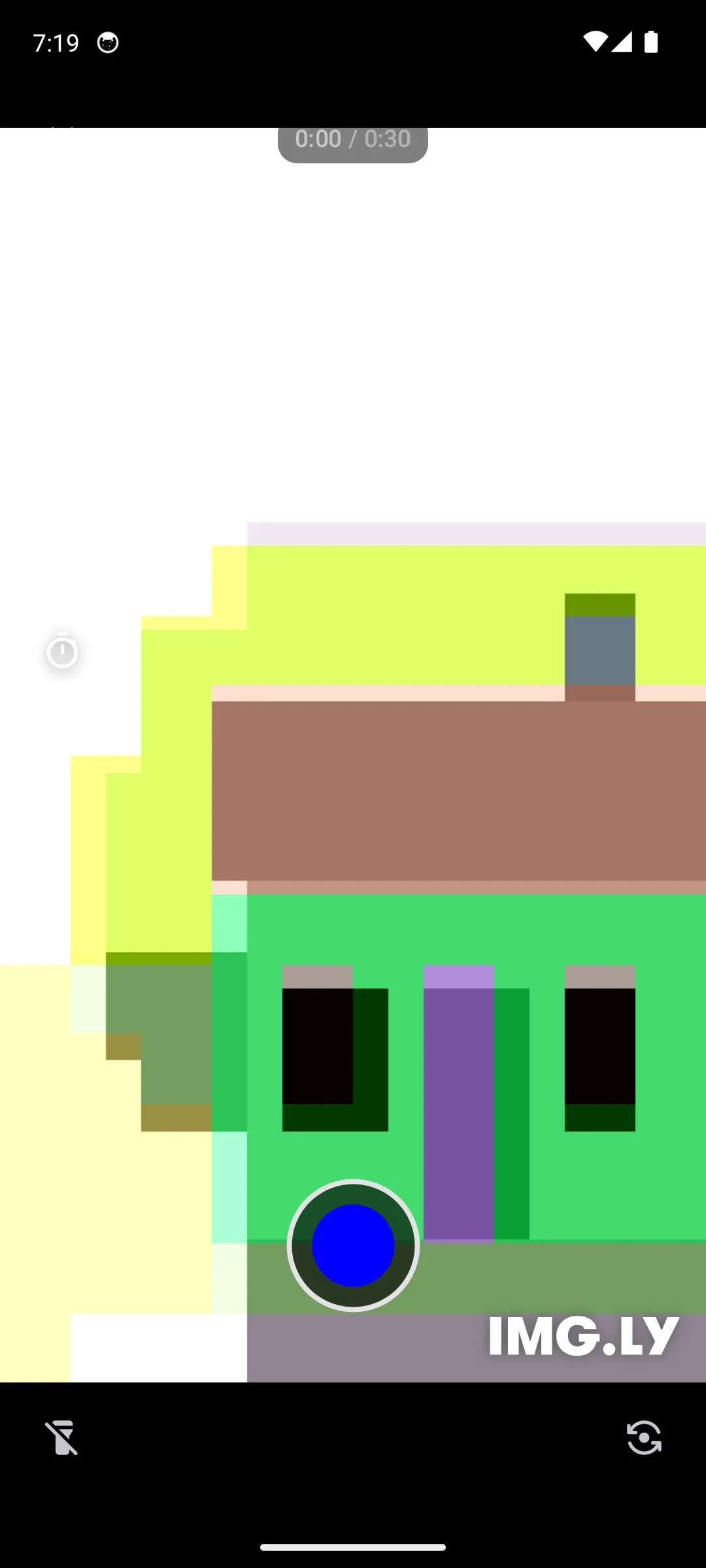
This guide builds on the Integrate Camera guide and customizes the camera from the ly.img.camera.core module. You configure it through the three inputs you pass to CaptureMedia.Input: EngineConfiguration initializes the underlying engine, an optional CameraConfiguration controls what the camera captures and how it looks, and cameraMode selects the capture mode.
Engine Configuration#
EngineConfiguration initializes the underlying engine and is required to build the camera input.
engineConfiguration = EngineConfiguration( license = license, // null or an empty string opens the camera in evaluation (watermark) mode userId = userId,),license– the license key you received from IMG.LY. Passnullor an empty string to evaluate the camera in watermark mode.userId– an optional unique ID tied to your application’s user. This helps us accurately calculate monthly active users (MAU), which is especially useful when one person uses the app on multiple devices with a sign-in feature, ensuring they’re counted once. The default value isnull.
Camera Configuration#
Pass an optional CameraConfiguration to customize the camera’s appearance and recording behavior. Every property has a default value, so you only set the ones you want to change.
cameraConfiguration = CameraConfiguration( recordingColor = Color.Blue, maxTotalDuration = 30.seconds, allowExceedingMaxDuration = false,),recordingColor– the color of the record button while recording, and of the other recording indicators. Defaults to a muted red (Color(0xFFDE6F62)).maxTotalDuration– the target duration of the recording. Defaults toDuration.INFINITE, which places no limit on the recording length. InCameraMode.Reaction, this value is ignored — the recording is capped by the duration of the video being reacted to.allowExceedingMaxDuration– set totrueto keep recording pastmaxTotalDuration. The segment visualization still uses the target duration, but the limit is not enforced. Defaults tofalse. InCameraMode.Reaction, this is ignored and always behaves as if set tofalse.
Capture Type and Count#
These properties control what the camera captures, how many captures a session produces, and how photo captures are handled:
captureType–CaptureType.Video(default) records videos,CaptureType.Phototakes still photos, andCaptureType.Mixedshows an in-camera toggle so the user can switch between photo and video during the session.captureCount–CaptureCount.Multi(default) lets the user stack several captures into one session;CaptureCount.Singlereturns after a single capture.photoClipDuration– the duration stamped on each captured photo when it is later treated as a clip. Defaults to5.seconds.showsPhotoPreview– whenfalse, photo captures are committed immediately instead of showing a full-screen confirm/discard preview. Defaults totrue.
val photoConfiguration = CameraConfiguration( captureType = CaptureType.Photo, captureCount = CaptureCount.Single, showsPhotoPreview = false,)Camera Mode#
The mode is not part of CameraConfiguration — it is a separate cameraMode argument you pass to CaptureMedia.Input.
cameraMode = CameraMode.Standard(),Available Modes#
CameraMode.Standard()– the regular camera. This is the default.CameraMode.Reaction(video, cameraLayoutMode, positionsSwapped)– records with the camera while a video plays back.video– theUriof the video to react to.cameraLayoutMode– arranges the two feeds, eitherCameraLayoutMode.Vertical(default) orCameraLayoutMode.Horizontal.positionsSwapped– whentrue, the camera feed and the reacted-to video swap positions. Defaults tofalse.
Not every mode supports every capture type: Standard works with any CaptureType, while Reaction records video only. CaptureMedia.Input validates the pairing when you construct it and throws if the mode can’t produce the requested capture type, so check mode.supports(captureType) first when the two come from user input.
Launching the Camera#
Register the camera with rememberLauncherForActivityResult using the CaptureMedia contract, then call launch with your CaptureMedia.Input. The contract delivers a CameraResult? — null when the user dismisses the camera without capturing, otherwise one of:
CameraResult.Captures(captures)for any non-reaction session. EachCaptureis aCapture.Photoor aCapture.Video; theList<Capture>.videosextension pulls out just theRecordings.CameraResult.Reaction(video, reaction)for reaction mode, pairing the reacted-to video with the user’s recordings.
val cameraLauncher = rememberLauncherForActivityResult(contract = CaptureMedia()) { result -> when (result) { null -> Log.i(TAG, "Camera dismissed") is CameraResult.Captures -> { val videoUris = result.captures.videos.flatMap { recording -> recording.videos.map { it.uri } } Log.i(TAG, "Captured ${result.captures.size} item(s); video URIs: $videoUris") } is CameraResult.Reaction -> Log.i(TAG, "Reaction with ${result.reaction.size} recording(s)") else -> Log.i(TAG, "Unhandled result: $result") }}Required Permissions#
The camera captures from the device camera and microphone. The ly.img:camera module already declares the CAMERA and RECORD_AUDIO permissions in its manifest, and the camera screen requests them at runtime the first time it needs them — so you don’t add anything to your app’s manifest or write permission-handling code. CaptureType.Photo sessions request only CAMERA; CaptureType.Video and CaptureType.Mixed sessions request both CAMERA and RECORD_AUDIO.
Localization#
The IMG.LY camera ships with English and German on Android, and exposes its strings through Android string resources so you can override existing values or add new languages.
All camera keys live in strings.xml and follow a strict naming convention that makes locating them self-explanatory. For example, ly_img_camera_timer_option_off is the timer-off button, and ly_img_camera_dialog_delete_last_recording_title is the title of the alert shown when deleting the last recording.
Replacing Existing Keys#
To change any existing string, copy its key into your app module’s res/values/strings.xml and set your value. Your app’s resources take precedence over the ones bundled with the SDK, so your value wins.
Supporting New Languages#
To support a language the camera doesn’t ship with, copy the English strings.xml into res/values-<language-code>/strings.xml and translate the values.
Troubleshooting#
- The camera rejects the input: Check that
cameraMode.supports(cameraConfiguration.captureType)returnstrue. Reaction mode supports video capture only. - Recording stops at an unexpected time: In standard mode,
maxTotalDurationdefines the target andallowExceedingMaxDurationdetermines whether recording may continue. Reaction mode always follows the source video’s duration. - The camera cannot start: Confirm that the device has an available camera and that the user grants the requested camera and microphone permissions.
API Reference#
| API | Purpose |
|---|---|
EngineConfiguration(license=_, userId=_) |
Configure the CE.SDK license and optional user identifier used by the camera. |
CameraConfiguration(recordingColor=_, maxTotalDuration=_, allowExceedingMaxDuration=_) |
Configure the recording indicators and duration behavior. |
CameraConfiguration(captureType=_, captureCount=_, showsPhotoPreview=_) |
Configure the media type, number of captures, and photo confirmation flow. |
CaptureMedia.Input(engineConfiguration=_, cameraConfiguration=_, cameraMode=_) |
Combine the engine, camera, and mode settings passed to the camera contract. |
CameraMode.Standard() |
Create the standard camera mode. |
cameraMode.supports(captureType=_) |
Check whether a mode supports a capture type before constructing the input. |
rememberLauncherForActivityResult(contract=_, onResult=_) |
Register the CaptureMedia activity-result contract in Compose. |
cameraLauncher.launch(input=_) |
Open the camera with the configured input. |
result.captures.videos |
Read video recordings from a standard camera result. |
Key result and configuration types include CameraResult.Captures, CameraResult.Reaction, CaptureType, and CaptureCount.
Next Steps#
- Integrate Camera — Add the camera to your app and present it.
- Record Reaction — Record a reaction while playing back a video.
- Recordings — Send the captured media into the video editor.