Apply motion content to Android design blocks by filling graphic shapes and backgrounds with videos through CE.SDK’s video fill system.
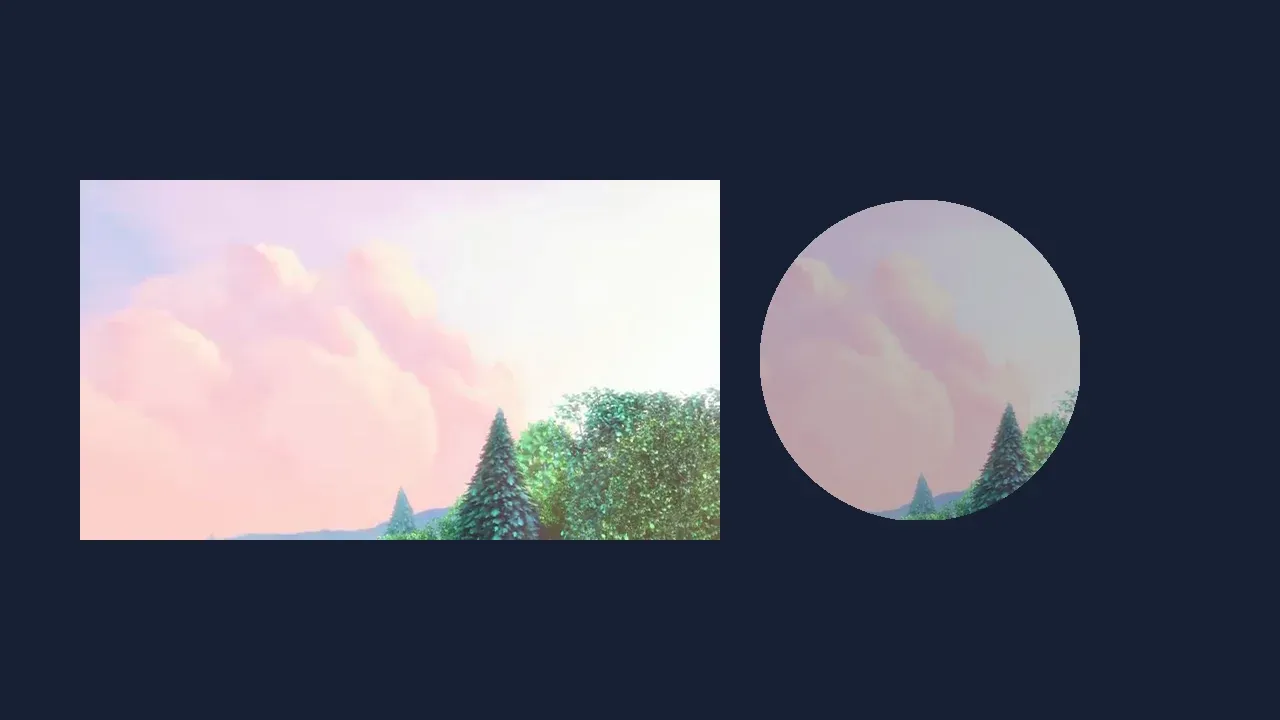
Video fills are fill objects you attach to blocks that support fills. Use them when video should behave like a visual material inside a graphic shape or background.
Timeline video editing solves a different problem: the media clip is arranged, trimmed, timed, and exported as part of a video composition. For that workflow, use the Trim Video and Audio guide.
The Video Editor Starter Kit exposes video replacement and crop controls in the CE.SDK editor UI. This guide focuses on the CreativeEngine APIs you use when creating and configuring video fills programmatically.
Understanding Video Fills#
What Is a Video Fill?#
A video fill paints a block with video frames. The fill is identified by
FillType.Video, which maps to the Engine type //ly.img.ubq/fill/video.
The fill stores its media source through fill/video/fileURI or
fill/video/sourceSet. The block that owns the fill stores shape, size,
opacity, and content fill mode.
Video Fill vs. Timeline Editing#
Use a video fill when you want motion content clipped by an existing block’s shape. This guide uses graphic blocks because CE.SDK text rendering uses solid color fill behavior.
Use a timeline editing workflow when the video should behave like a clip with trim, arrangement, playback timing, and export controls. CE.SDK still represents that media through design blocks, commonly graphic blocks with video fills inside tracks; the editing workflow determines how users interact with it.
Checking Video Fill Support#
Before applying a video fill, create or select a block that supports fills. The sample uses a graphic block with a rectangle shape.
val block = engine.block.create(DesignBlockType.Graphic)engine.block.setShape(block = block, shape = engine.block.createShape(ShapeType.Rect))engine.block.setWidth(block, value = 640F)engine.block.setHeight(block, value = 360F)engine.block.appendChild(parent = page, child = block)
check(engine.block.supportsFill(block)) { "Graphic blocks can receive fills." }
Graphic blocks and pages support fills; scenes do not. Use page fills for full-page backgrounds, or graphic blocks for shaped video textures. Text blocks may report fill support, but CreativeEngine text rendering is solid-fill-oriented, so keep video fill examples on graphic blocks or pages.
Creating Video Fills#
Create the video fill, assign a media URI, and attach the fill to the block. The backing sample creates a page for isolation; in your app, append the block to the scene hierarchy you already manage.
val videoFill = engine.block.createFill(FillType.Video)val videoUri = Uri.parse("https://img.ly/static/ubq_video_samples/bbb.mp4")engine.block.setUri( block = videoFill, property = "fill/video/fileURI", value = videoUri,)engine.block.setFill(block = block, fill = videoFill)The fill can be configured before it is attached. After setFill(), the block
uses the video as the visible content inside its shape.
Getting Current Fill Information#
Read the current fill when your UI needs to display the active fill type or show the assigned media source.
val currentFill = engine.block.getFill(block)val currentFillType = engine.block.getType(currentFill)val currentVideoUri = engine.block.getUri( block = currentFill, property = "fill/video/fileURI",)getType() returns the Engine type key, while getUri() reads the Android
Uri stored on the video fill.
Content Fill Modes#
Content fill modes control how the video is scaled inside the block frame.
Check supportsContentFillMode() before changing the mode. Android exposes
typed mode constants through ContentFillMode.
check(engine.block.supportsContentFillMode(block)) {    "Graphic blocks can scale video fills inside their frame."}
engine.block.setContentFillMode(block = block, mode = ContentFillMode.COVER)val coverMode = engine.block.getContentFillMode(block)
engine.block.setContentFillMode(block = block, mode = ContentFillMode.CONTAIN)val containMode = engine.block.getContentFillMode(block)ContentFillMode.COVERfills the frame and may crop the video.ContentFillMode.CONTAINkeeps the whole video visible and may leave empty space.ContentFillMode.CROPleaves crop values under explicit user or app control.
Use Cover for backgrounds and video textures. Use Contain when the full source must remain visible, such as product or presentation content.
Working With Video Sources#
Single URI#
For one video file, set fill/video/fileURI with a remote, local, bundled, or
app-provided Uri. Remote videos should use a format supported by the target
Android device.
Source Sets#
Source sets provide multiple versions of the same video so CE.SDK can choose the best source for the current drawing or export size. Apply the source set to the attached video fill, then read it back from that fill when your UI needs to show the available sources. If the block already uses a specific content fill mode, set that mode again after changing the source set.
engine.block.setSourceSet( block = videoFill, property = "fill/video/sourceSet", sourceSet = listOf( Source( uri = Uri.parse("https://img.ly/static/example-assets/sourceset/1x.mp4"), width = 720, height = 1280, ), Source( uri = Uri.parse("https://img.ly/static/example-assets/sourceset/2x.mp4"), width = 1440, height = 2560, ), ),)val responsiveSources = engine.block.getSourceSet( block = videoFill, property = "fill/video/sourceSet",)// Setting a source set can reset crop state on connected blocks.engine.block.setContentFillMode(block = block, mode = ContentFillMode.CONTAIN)val finalContentFillMode = engine.block.getContentFillMode(block)Use source sets when previews can use a smaller file and exports need a higher resolution source. The same pattern is covered in more depth in the Source Sets guide.
Loading Video Resources#
Videos load asynchronously. Call the suspend forceLoadAVResource() API before
you read the video’s duration or generate thumbnails from the fill.
engine.block.forceLoadAVResource(block = videoFill)val durationSeconds = engine.block.getAVResourceTotalDuration(videoFill)check(durationSeconds > 0.0) { "The video fill must contain playable media." }
// Generate thumbnails from the first two seconds of the video fill.val thumbnailPreviewEndSeconds = durationSeconds.coerceAtMost(2.0)val thumbnails = engine.block.generateVideoThumbnailSequence(    block = videoFill,    thumbnailHeight = 72,    timeBegin = 0.0,    timeEnd = thumbnailPreviewEndSeconds,    numberOfFrames = 3,).toList()
On Android, thumbnail generation returns a Flow of VideoThumbnailResult
objects. Each result contains RGBA pixel data for that thumbnail.
Common Use Cases#
Video in Shapes and Overlays#
Video fills are not limited to rectangles. You can attach the same fill to another shape, then use normal block APIs for opacity, position, and size.
val ellipseBlock = engine.block.create(DesignBlockType.Graphic)engine.block.setShape(ellipseBlock, shape = engine.block.createShape(ShapeType.Ellipse))engine.block.setWidth(ellipseBlock, value = 320F)engine.block.setHeight(ellipseBlock, value = 320F)engine.block.setPositionX(ellipseBlock, value = 760F)engine.block.setPositionY(ellipseBlock, value = 200F)engine.block.setOpacity(ellipseBlock, value = 0.72F)engine.block.setFill(block = ellipseBlock, fill = videoFill)engine.block.appendChild(parent = page, child = ellipseBlock)
val sharedFill = engine.block.getFill(ellipseBlock)val opacity = engine.block.getOpacity(ellipseBlock)
Sharing a fill keeps repeated video elements synchronized because the blocks reference the same fill object.
Troubleshooting#
| Issue | Fix |
|---|---|
| Video fill is not visible | Confirm the block supports fills, has a shape, has non-zero dimensions, and is attached to the scene hierarchy. |
| Metadata or thumbnails fail | Await forceLoadAVResource() before reading duration or generating thumbnail data. |
| Video appears cropped | Check getContentFillMode() and switch between COVER, CONTAIN, and CROP based on your framing needs. |
| Replacing fills leaks memory | Destroy old fills that are no longer attached or reused by any block. |
API Reference#
| API | Description |
|---|---|
engine.block.create(blockType=DesignBlockType.Graphic) |
Create a block that can host a video fill. |
engine.block.createShape(type=_) |
Create the shape that clips the video fill. |
engine.block.setShape(block=_, shape=_) |
Attach a shape to the graphic block. |
engine.block.setWidth(block=_, value=_) |
Set the block width in design units. |
engine.block.setHeight(block=_, value=_) |
Set the block height in design units. |
engine.block.setPositionX(block=_, value=_) |
Set the block’s horizontal position. |
engine.block.setPositionY(block=_, value=_) |
Set the block’s vertical position. |
engine.block.appendChild(parent=_, child=_) |
Attach a block to the scene hierarchy. |
engine.block.supportsFill(block=_) |
Check whether a block can receive a fill. |
engine.block.supportsContentFillMode(block=_) |
Check whether a block supports content fill scaling modes. |
engine.block.createFill(fillType=FillType.Video) |
Create a video fill object. |
engine.block.setUri(block=_, property="fill/video/fileURI", value=_) |
Assign a single video source URI. |
engine.block.getUri(block=_, property="fill/video/fileURI") |
Read the assigned video source URI. |
engine.block.setFill(block=_, fill=_) |
Attach a fill to a block. |
engine.block.getFill(block=_) |
Read the fill attached to a block. |
engine.block.getType(block=_) |
Read a block or fill type key. |
engine.block.setContentFillMode(block=_, mode=_) |
Set Cover, Contain, or Crop behavior. |
engine.block.getContentFillMode(block=_) |
Read the current content fill mode. |
engine.block.setSourceSet(block=_, property="fill/video/sourceSet", sourceSet=_) |
Assign responsive video sources. |
engine.block.getSourceSet(block=_, property="fill/video/sourceSet") |
Read responsive video sources. |
engine.block.forceLoadAVResource(block=_) |
Load video metadata before reading duration or generating thumbnails. |
engine.block.getAVResourceTotalDuration(block=_) |
Read the loaded media duration in seconds. |
engine.block.generateVideoThumbnailSequence(block=_, thumbnailHeight=_, timeBegin=_, timeEnd=_, numberOfFrames=_) |
Generate video thumbnail frames. |
engine.block.setOpacity(block=_, value=_) |
Set block opacity from 0.0F to 1.0F. |
engine.block.getOpacity(block=_) |
Read the block opacity. |
engine.block.destroy(block=_) |
Release a fill that is no longer attached or shared. |
Next Steps#
- Image Fills — Fill blocks with static image content
- Fills Overview - Review the broader fill system.
- Source Sets - Provide responsive video sources.
- Trim Video and Audio - Work with time-based media ranges.