Isolate specific opaque colors from Android image exports and generate a matching mask image for print and compositing workflows.
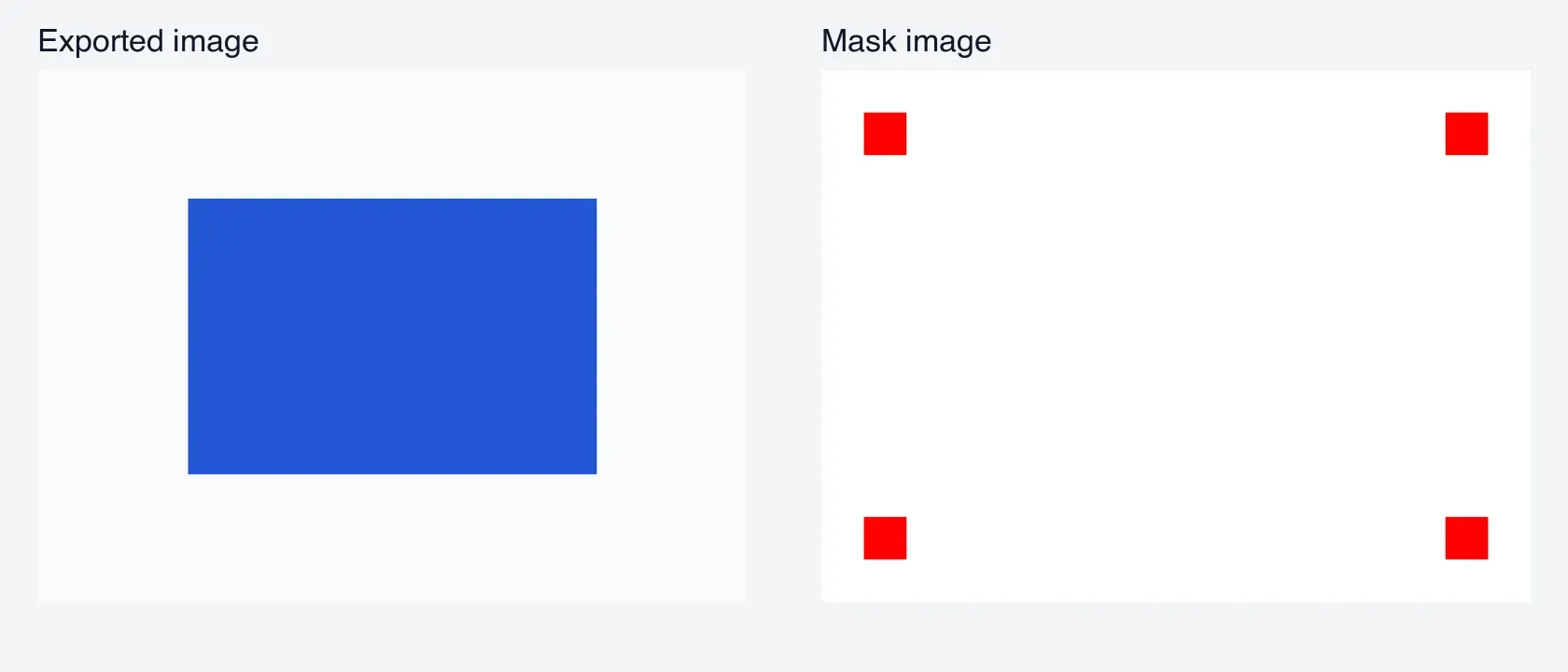
CE.SDK can render a second export pass for pixels that match a chosen opaque color. Android returns a Pair<ByteBuffer, ByteBuffer>: the first buffer contains the image result, and the second buffer contains the mask image.
Exporting with Color Masks#
Call engine.block.exportWithColorMask(...) with the page or block you want to export, the output MIME type, a mask color, and optional ExportOptions. This example isolates fully opaque red registration marks from a PNG export.
suspend fun exportPageWithColorMask(    engine: Engine,    page: DesignBlock,): Pair<ByteBuffer, ByteBuffer> {    val maskColor = Color.fromRGBA(r = 1F, g = 0F, b = 0F)    val options = ExportOptions(        pngCompressionLevel = 9,        targetWidth = 800F,        targetHeight = 600F,    )
    val (maskedImage, maskImage) = engine.block.exportWithColorMask(        block = page,        mimeType = MimeType.PNG,        maskColor = maskColor,        options = options,    )
    check(maskedImage.hasRemaining()) { "Masked image export is empty" }    check(maskImage.hasRemaining()) { "Mask image export is empty" }    return maskedImage to maskImage}
Use MimeType.PNG for lossless image output and predictable mask pixels. The sample also sets targetWidth and targetHeight so the image result and mask image have predictable pixel dimensions.
Specifying Color Values#
exportWithColorMask takes an opaque RGBAColor as its mask color. Use the Color.fromRGBA(...) overload that matches the values your app already has:
- Normalized components:
Color.fromRGBA(r = 1F, g = 0F, b = 0F) - 8-bit components:
Color.fromRGBA(r = 255, g = 0, b = 0)
When your scene uses CMYK process colors, create those source fills with Color.fromCMYK(...). The mask color still needs the exact opaque RGB value the rendered export should match.
Save the Export Files#
Write each returned ByteBuffer separately on Dispatchers.IO. Use a read-only duplicate when writing if the same buffer will also be decoded, uploaded, or inspected later.
suspend fun saveColorMaskFiles(    maskedImage: ByteBuffer,    maskImage: ByteBuffer,    outputDir: File,): Pair<File, File> = withContext(Dispatchers.IO) {    outputDir.mkdirs()
    val maskedImageFile = File(outputDir, "color-mask-image.png")    val maskImageFile = File(outputDir, "color-mask-mask.png")
    fun writeBuffer(        buffer: ByteBuffer,        outputFile: File,    ) {        outputFile.outputStream().channel.use { channel ->            val readableBuffer = buffer.asReadOnlyBuffer()            while (readableBuffer.hasRemaining()) {                channel.write(readableBuffer)            }        }    }
    writeBuffer(maskedImage, maskedImageFile)    writeBuffer(maskImage, maskImageFile)
    maskedImageFile to maskImageFile}
The first file is the image result. The second file marks matching pixels with the mask color and non-matching pixels as white, which is useful for print-service checks or external compositing.
API Reference#
| Method | Description |
|---|---|
engine.block.exportWithColorMask(block=_, mimeType=_, maskColor=_, options=_) |
Exports a block with exact opaque color masking, returning image and mask buffers. |
Color.fromRGBA(r=_, g=_, b=_) |
Creates the fully opaque RGBAColor passed as the mask color. |
Color.fromCMYK(c=_, m=_, y=_, k=_, tint=_) |
Creates CMYK source fill colors when the design uses process colors. |
ExportOptions(pngCompressionLevel=_, targetWidth=_, targetHeight=_) |
Configures PNG compression and output dimensions for the export. |
engine.block.export(block=_, mimeType=_, options=_) |
Exports a block without color masking. |
Next Steps#
- Export Options - Explore every supported export format and the options each one accepts.
- Export to PDF - Produce print-ready PDFs with optional underlayers for spot-color workflows.
- Partial Export - Learn how to export specific blocks, groups, and page elements instead of entire scenes using CE.SDK’s programmatic export API.