Change image dimensions by setting exact width and height values, switching size modes, or resizing grouped blocks together.
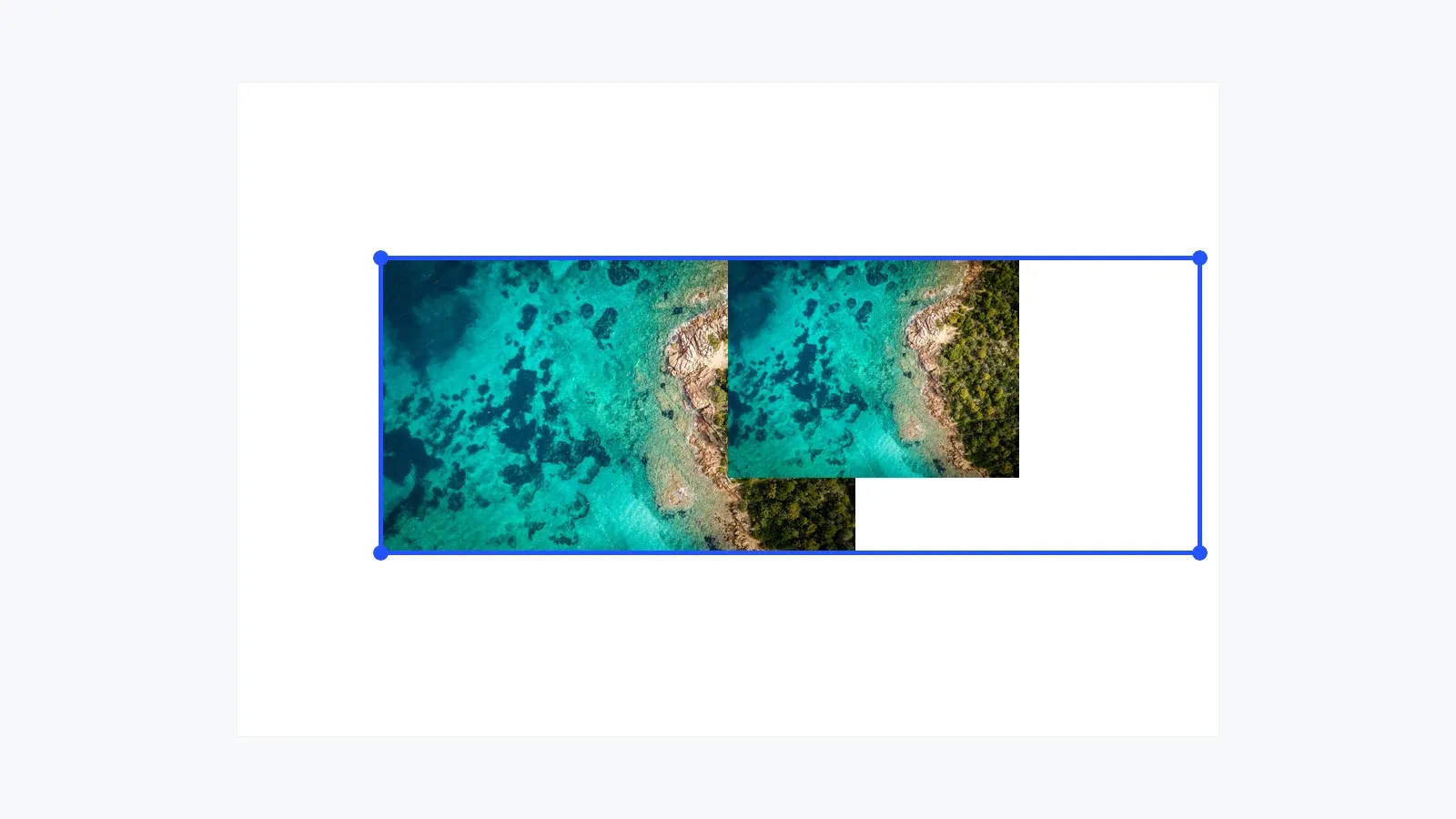
Image resizing changes a block’s dimensions rather than applying a scale multiplier. Use engine.block.setWidth() and engine.block.setHeight() for individual dimensions, and choose a SizeMode to control how each value is interpreted.
This guide covers resizing image blocks with absolute or percentage sizing, preserving crop state during resize, and locking resize permissions for templates.
Create an Image Block#
Create a graphic block with an image fill before applying resize operations:
private fun createImageBlock(    engine: Engine,    page: DesignBlock,): DesignBlock {    val imageBlock = engine.block.create(DesignBlockType.Graphic)    engine.block.setShape(imageBlock, shape = engine.block.createShape(ShapeType.Rect))    engine.block.setWidth(imageBlock, value = 320F)    engine.block.setHeight(imageBlock, value = 240F)    engine.block.setPositionX(imageBlock, value = 120F)    engine.block.setPositionY(imageBlock, value = 120F)
    val imageFill = engine.block.createFill(FillType.Image)    engine.block.setUri(        block = imageFill,        property = "fill/image/imageFileURI",        value = Uri.parse("https://img.ly/static/ubq_samples/sample_1.jpg"),    )    engine.block.setFill(block = imageBlock, fill = imageFill)    engine.block.appendChild(parent = page, child = imageBlock)
    return imageBlock}
The resize APIs operate on the block frame. The image fill remains attached to the graphic block and follows the crop and fill mode settings.
Understanding Size Modes#
Size values are interpreted in three modes. SizeMode.ABSOLUTE uses fixed design units, SizeMode.PERCENT uses parent-relative values from 0.0F to 1.0F, and SizeMode.AUTO lets CE.SDK calculate the size from content where supported.
Use engine.block.getWidth() and engine.block.getHeight() to read configured values. Use engine.block.getFrameWidth() and engine.block.getFrameHeight() when you need the calculated layout dimensions after CE.SDK resolves the block.
Using the Built-In Resize UI#
The CE.SDK editor UI shows resize handles when a selectable block supports resize operations. You can hide, show, or defer the non-proportional edge handles with the typed resize-handle visibility API:
engine.editor.setResizeHandlesVisibility(HandleVisibility.ALWAYS)
val resizeHandlesVisibility = engine.editor.getResizeHandlesVisibility()
This API controls handle visibility only. Programmatic resize APIs and other transform controls still follow the block’s scopes and transform lock state.
For a complete photo editing surface, see the Photo Editor Starter Kit.
Setting Absolute Dimensions#
Set explicit dimensions by switching both axes to SizeMode.ABSOLUTE, then writing width and height values:
engine.block.setWidthMode(imageBlock, mode = SizeMode.ABSOLUTE)engine.block.setHeightMode(imageBlock, mode = SizeMode.ABSOLUTE)engine.block.setWidth(imageBlock, value = 400F)engine.block.setHeight(imageBlock, value = 300F)
val absoluteWidth = engine.block.getWidth(imageBlock)val absoluteHeight = engine.block.getHeight(imageBlock)
Absolute sizing is the most direct option for fixed layouts, templates, and exports where the target design units are known.
Percentage Sizing#
Use percentage mode for responsive sizing. A value of 1.0F means 100 percent of the parent on that axis:
engine.block.setWidthMode(imageBlock, mode = SizeMode.PERCENT)engine.block.setHeightMode(imageBlock, mode = SizeMode.PERCENT)engine.block.setWidth(imageBlock, value = 0.5F)engine.block.setHeight(imageBlock, value = 0.5F)
val percentWidth = engine.block.getWidth(imageBlock)val percentHeight = engine.block.getHeight(imageBlock)val percentWidthMode = engine.block.getWidthMode(imageBlock)val percentHeightMode = engine.block.getHeightMode(imageBlock)
Percentage sizing adapts when the parent dimensions change, which makes it useful for reusable templates and generated layouts.
Getting Frame Dimensions#
Configured width and height can differ from the rendered frame in percentage and auto modes. Read the frame dimensions when you need the final layout size:
val frameWidth = engine.block.getFrameWidth(imageBlock)val frameHeight = engine.block.getFrameHeight(imageBlock)Frame dimensions are only available after CE.SDK has resolved layout for the block. In an offscreen sample, let the engine process one layout or update pass after changing percentage or auto sizes before calling these getters; the complete source does that immediately before the highlighted read.
Maintaining Crop During Resize#
When you resize an image block, you change the image frame. The fill and crop state control how the image content remains framed inside that new size.
For reusable code that may receive other block types, call engine.block.supportsContentFillMode() before reading or setting content fill mode.
Pass maintainCrop = true when the current crop should stay visually stable while the frame changes:
engine.block.setContentFillMode(block = imageBlock, mode = ContentFillMode.CROP)engine.block.setWidthMode(imageBlock, mode = SizeMode.ABSOLUTE)engine.block.setHeightMode(imageBlock, mode = SizeMode.ABSOLUTE)engine.block.setWidth(imageBlock, value = 520F, maintainCrop = true)engine.block.setHeight(imageBlock, value = 320F, maintainCrop = true)
val cropModeAfterResize = engine.block.getContentFillMode(imageBlock)
Use this for user-adjusted images or layout changes where visual continuity matters. Leave maintainCrop at its default when crop values should stay unadjusted and the visible framing can change according to the current fill and crop state.
Resizing Groups#
Group multiple blocks, then resize the group block to keep the members together:
val group = engine.block.group(listOf(imageBlock, secondImageBlock))engine.block.setWidth(group, value = 600F)
val groupWidth = engine.block.getWidth(group)
When a group is resized, CE.SDK keeps the group aspect ratio and updates both dimensions proportionally.
Content-Aware Resizing#
Use resizeContentAware() when changing page dimensions for another output format:
engine.block.resizeContentAware(blocks = listOf(page), width = 1080F, height = 1080F)
val pageWidthAfterContentAwareResize = engine.block.getWidth(page)
This keeps full-page blocks attached to the page and scales other content proportionally.
Locking Resize Operations#
Disable the layer/resize scope when a template block should stay at its configured size. Use a transform lock when users should not move, rotate, or resize the block at all:
engine.block.setScopeEnabled(block = group, key = "layer/resize", enabled = false)val resizeScopeEnabled = engine.block.isScopeEnabled(block = group, key = "layer/resize")
engine.block.setTransformLocked(block = group, locked = true)val transformLocked = engine.block.isTransformLocked(group)Troubleshooting#
Image Not Resizing#
Check whether layer/resize is disabled or the block is transform-locked. Then verify that the block exists and that the width and height modes match the values you write.
Unexpected Size Values#
Read getWidthMode() and getHeightMode() before interpreting numeric values. In percentage mode, 0.5F means 50 percent of the parent, not 0.5 design units.
Image Appears Cropped#
Resize changes the frame around the image content. Use maintainCrop = true to preserve the existing crop framing, or adjust the crop after resize when you want a different composition.
API Reference#
| Method | Description |
|---|---|
engine.block.create(blockType=_) |
Create a graphic or page block |
engine.block.createShape(type=_) |
Create the shape used by a graphic block |
engine.block.setShape(block=_, shape=_) |
Attach a shape to a graphic block |
engine.block.setPositionX(block=_, value=_) |
Set a block’s x position |
engine.block.setPositionY(block=_, value=_) |
Set a block’s y position |
engine.block.createFill(fillType=_) |
Create an image fill |
engine.block.setUri(block=_, property="fill/image/imageFileURI", value=_) |
Set the image URI on the fill |
engine.block.setFill(block=_, fill=_) |
Attach a fill to a block |
engine.block.appendChild(parent=_, child=_) |
Add the image block to the page |
engine.editor.setResizeHandlesVisibility(value=_) |
Set when editor resize handles are shown |
engine.editor.getResizeHandlesVisibility() |
Read when editor resize handles are shown |
engine.block.setWidthMode(block=_, mode=_) |
Set how CE.SDK interprets the width value |
engine.block.setHeightMode(block=_, mode=_) |
Set how CE.SDK interprets the height value |
engine.block.setWidth(block=_, value=_, maintainCrop=_) |
Set a block width and optionally preserve crop state |
engine.block.setHeight(block=_, value=_, maintainCrop=_) |
Set a block height and optionally preserve crop state |
engine.block.getWidth(block=_) |
Read the configured width value |
engine.block.getHeight(block=_) |
Read the configured height value |
engine.block.getWidthMode(block=_) |
Read the width mode |
engine.block.getHeightMode(block=_) |
Read the height mode |
engine.block.getFrameWidth(block=_) |
Read the resolved frame width after layout |
engine.block.getFrameHeight(block=_) |
Read the resolved frame height after layout |
engine.block.supportsContentFillMode(block=_) |
Check whether a block exposes content fill mode |
engine.block.setContentFillMode(block=_, mode=_) |
Set how image content fills its frame |
engine.block.getContentFillMode(block=_) |
Read how image content fills its frame |
engine.block.group(blocks=_) |
Group blocks before resizing them together |
engine.block.resizeContentAware(blocks=_, width=_, height=_) |
Resize blocks while adjusting contained content |
engine.block.setScopeEnabled(block=_, key="layer/resize", enabled=_) |
Enable or disable resize permission for a block |
engine.block.isScopeEnabled(block=_, key="layer/resize") |
Read whether resize permission is enabled |
engine.block.setTransformLocked(block=_, locked=_) |
Lock or unlock all transforms on a block |
engine.block.isTransformLocked(block=_) |
Read the transform lock state |
Next Steps#
- Resize images proportionally with Scale.
- Control image framing and visible content with Crop.
- Apply resizing across complete designs with Auto-Resize.