Add CE.SDK’s built-in voiceover recorder to your Android editor so users can narrate clips without leaving the editor UI.
Voiceover recording is an editor UI feature. The example uses the base
Editor with a timeline bottom panel so recorded takes are visible after the
user saves them.
If your app builds on the Video Editor Starter Kit, the default dock and inspector bar already include voiceover actions. The code below is for apps that customize the base editor or replace those component lists themselves.
Configure the Editor#
Start from EditorConfiguration.remember and add Timeline.remember() as the
bottom panel. The dock and inspector bar snippets below show the voiceover
actions to keep when your app customizes those lists.
Editor( license = license, // pass null or empty for evaluation mode with watermark configuration = { EditorConfiguration.remember { bottomPanel = { Timeline.remember() } dock = { rememberVoiceoverDock() } inspectorBar = { rememberVoiceoverInspectorBar() } } }, onClose = onClose,)Declare the Microphone Permission#
The voiceover recorder requests Manifest.permission.RECORD_AUDIO when the user
taps Record. Editor-only integrations must still declare the permission in the
app manifest; apps that already include the camera module may already have it.
<uses-permission android:name="android.permission.RECORD_AUDIO" />Open the Voiceover Recorder#
Add Dock.Button.rememberVoiceoverRecord() to the dock list so users can open
the built-in recorder. If you customize the dock list, keep any other actions
your editor still needs alongside the voiceover button.
@Composableprivate fun rememberVoiceoverDock() = Dock.remember { listBuilder = { Dock.ListBuilder.remember { add { Dock.Button.rememberVoiceoverRecord() } } }}Add Recordings from the Inspector#
When a completed voiceover clip is selected,
InspectorBar.Button.rememberVoiceover() opens the same recorder for another
take at the current playback position. The recorder creates or reuses a draft
voiceover block for the new take; it does not append audio to the selected
completed clip.
@Composableprivate fun rememberVoiceoverInspectorBar() = InspectorBar.remember { listBuilder = { InspectorBar.ListBuilder.remember { add { InspectorBar.Button.rememberVoiceover() } add { InspectorBar.Button.rememberVolume() } add { InspectorBar.Button.rememberDelete() } } }}Recording Behavior#
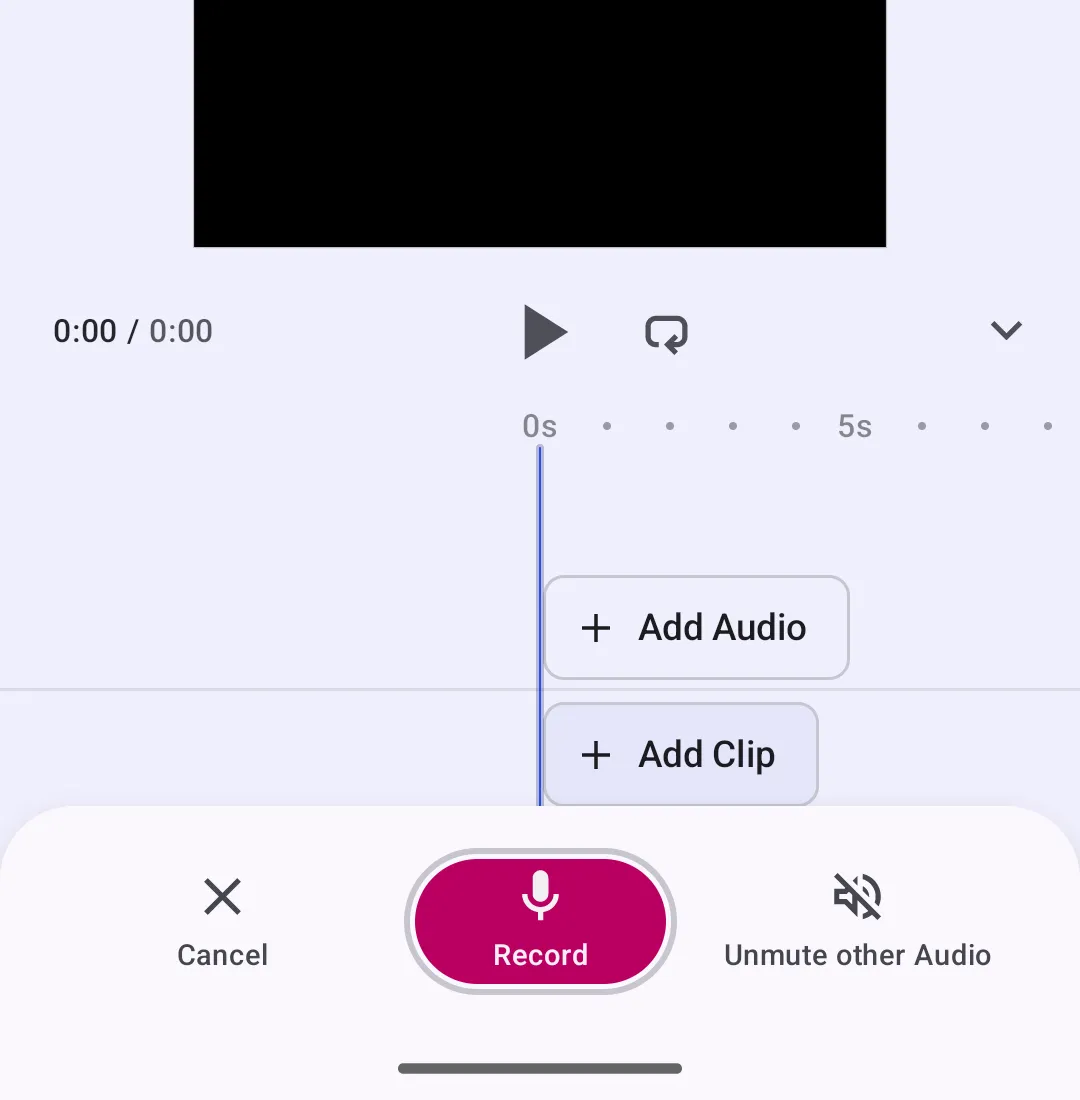
The recorder starts at the current playback position and creates an audio block
with the voiceover kind on the timeline. The recorder UI lets users record or
stop, cancel the draft take, and mute or unmute other playback audio while
recording.
Draft voiceover clips do not have a final audio resource until the recording is committed. After the take is saved, the clip behaves like other timeline audio for playback and export.
API Reference#
| API | Purpose |
|---|---|
Dock.Button.rememberVoiceoverRecord() |
Adds a dock button that opens the voiceover recorder. |
InspectorBar.Button.rememberVoiceover() |
Adds an inspector bar button for selected saved voiceover clips that opens the recorder for another take. |
Next Steps#
- Adjust Audio Volume — Learn how to adjust audio volume in CE.SDK to control playback levels, mute audio, and balance multiple audio sources in video projects.
- Adjust Audio Playback Speed — Control audio playback speed from quarter-speed (0.25x) to triple-speed (3.0x) using the CE.SDK Android Engine API.
- Loop Audio — Create seamless repeating audio playback for background music and sound effects using CE.SDK’s audio looping system.