Build custom Android form interfaces that populate template variables and image placeholders through the CreativeEngine API.
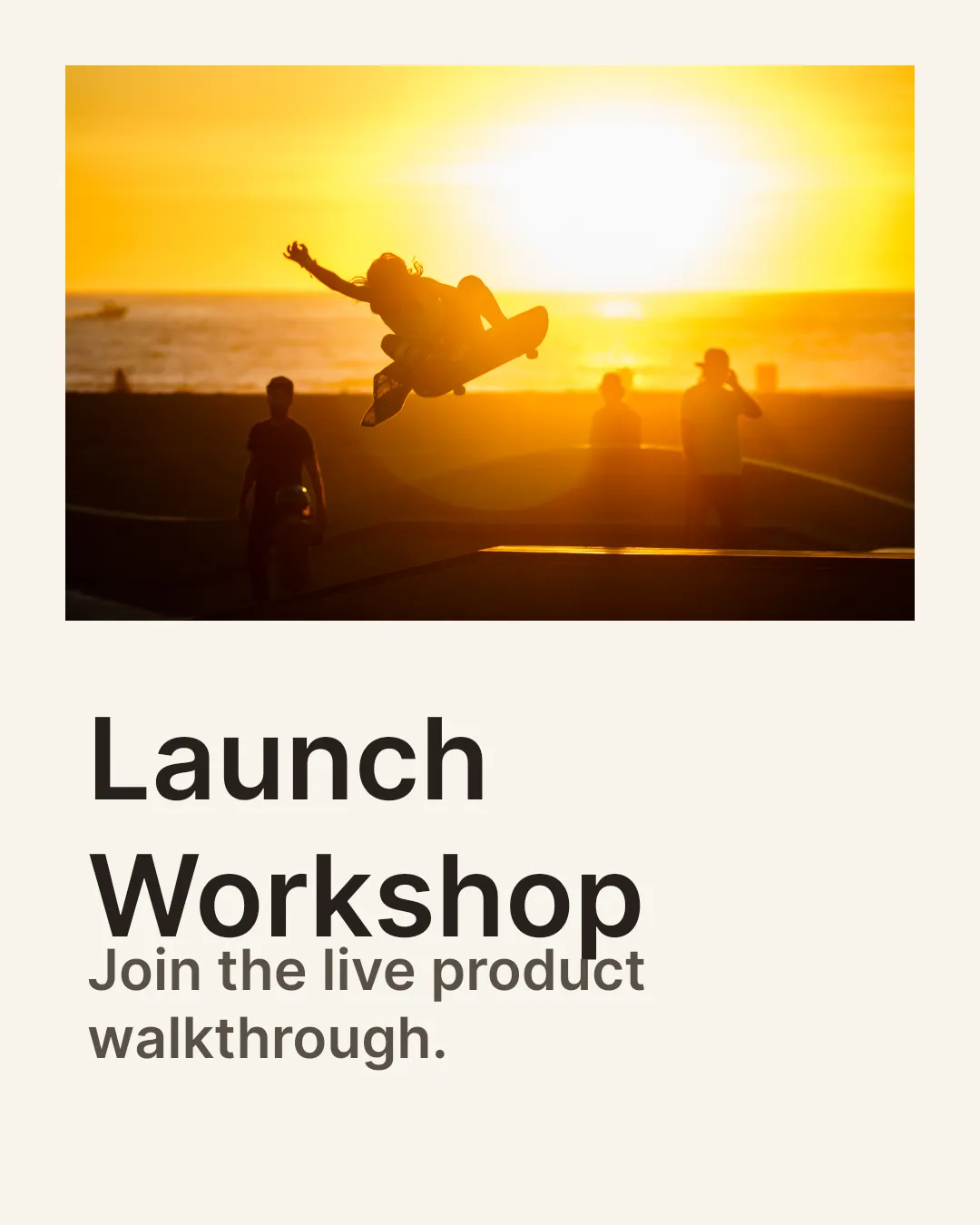
Form-based editing turns template customization into structured data entry. Instead of asking users to edit blocks directly on the canvas, your Android UI collects values in native controls and applies them to a template with variables and placeholders.
Understanding Form-Based Editing#
Variables control text content. Image placeholders control replaceable image blocks. A form-based workflow maps each native input field to one of those template fields, validates the submitted values, and updates the engine so the template preview or export reflects the form state.
CE.SDK does not ship a dedicated Android form panel. If you want a full editor preview beside your form, use the Design Editor Starter Kit as the CE.SDK editor UI and drive the same Engine APIs from your own Compose controls.
Discovering Template Metadata#
Start from a loaded template that already contains text variables and image placeholders. Query the variable store and filter placeholder blocks to determine which form controls your Android UI needs.
val variableKeys = engine.variable.findAll().sorted()
val imagePlaceholders = engine.block.findByType(DesignBlockType.Graphic)    .filter { block ->        engine.block.isPlaceholderEnabled(block) && engine.block.supportsFill(block)    }
val placeholderNames = imagePlaceholders.map { block -> engine.block.getName(block) }
engine.variable.findAll() returns the variable keys currently stored in the engine. The placeholder lookup uses typed DesignBlockType.Graphic queries and checks isPlaceholderEnabled() so the form only targets blocks that the template author marked as replaceable.
Working with Variables#
Represent the values from your native controls in an app-owned data model. CE.SDK only receives the final strings and image URIs; TextField state, validation messages, and image pickers stay in your Android UI layer.
data class TemplateFormState( val headline: String, val subline: String, val heroImageUri: Uri,)Reading Current Values#
Read existing variable values to prefill your form when a user opens a template that already contains default content.
val initialValues = variableKeys.associateWith { key -> engine.variable.get(key) }
val heroPlaceholder = imagePlaceholders.first { block ->    engine.block.getName(block) == "hero-image"}val currentHeroFill = engine.block.getFill(heroPlaceholder)val initialHeroImageUri = engine.block.getUri(    block = currentHeroFill,    property = "fill/image/imageFileURI",)
The same step can read the current image URI from a placeholder fill, which lets your UI show the currently assigned image before the user selects a replacement.
Updating Variables#
After your Compose controls produce a submitted form state, assign each text field to the matching variable key.
val submittedForm = TemplateFormState( headline = "Launch Workshop", subline = "Join the live product walkthrough.", heroImageUri = Uri.parse("https://img.ly/static/ubq_samples/sample_4.jpg"),)engine.variable.set(key = "headline", value = submittedForm.headline)engine.variable.set(key = "subline", value = submittedForm.subline)Text blocks that reference {{headline}} or {{subline}} update from the variable store during preview and export.
Replacing Placeholder Content#
For image fields, locate the placeholder block, get its fill, and update the image URI stored on that fill.
val updatedHeroFill = engine.block.getFill(heroPlaceholder)engine.block.setUri( block = updatedHeroFill, property = "fill/image/imageFileURI", value = submittedForm.heroImageUri,)engine.block.resetCrop(heroPlaceholder)Resetting the crop after the replacement keeps the placeholder framing consistent when the new image has different dimensions than the original asset.
Building the Form UI#
Build the visible form with normal Android UI primitives such as Compose TextField, image picker launchers, dropdowns, or validation labels. Keep that UI state in your app, then pass the submitted values into the mapping layer shown above.
The important boundary is that CE.SDK does not need to own the form controls. Your code discovers the editable template fields, shows matching native controls, and calls engine.variable.set() for text fields or engine.block.setUri() for image fields when the user changes content.
Error Handling#
Validate the form before export or before enabling a final action. Required text fields and image selections should be checked in your UI state before you mutate the template.
val missingRequiredFields = listOfNotNull(    "headline".takeIf { submittedForm.headline.isBlank() },    "subline".takeIf { submittedForm.subline.isBlank() },    "heroImageUri".takeIf { submittedForm.heroImageUri.toString().isBlank() },)
check(missingRequiredFields.isEmpty()) {    "Missing required form fields: ${missingRequiredFields.joinToString()}"}
Then export the populated page once the data is complete.
val pngData = engine.block.export( block = page, mimeType = MimeType.PNG,)Handle these cases in the same validation layer:
- Missing variables: compare discovered keys with the fields your form requires.
- Invalid images: check MIME type and URI availability before assigning a file to an image placeholder.
- Missing placeholders: keep stable block names or metadata for required image fields.
- Export failures: report which field or asset prevented the final output.
API Reference#
| Method | Description |
|---|---|
engine.variable.findAll() |
List variable keys stored on the engine |
engine.variable.get(key=_) |
Read the current value for a variable key |
engine.variable.set(key=_, value=_) |
Set or update a text variable |
engine.block.findByType(type=_) |
Find blocks by typed design-block type |
engine.block.isPlaceholderEnabled(block=_) |
Check whether a block is enabled as a placeholder |
engine.block.supportsFill(block=_) |
Check whether a block can carry a fill |
engine.block.getName(block=_) |
Read the semantic name assigned to a block |
engine.block.getFill(block=_) |
Get the fill block attached to a design block |
engine.block.getUri(block=_, property=_) |
Read URI-backed block or fill properties such as image file URIs |
engine.block.setUri(block=_, property=_, value=_) |
Update URI-backed block or fill properties such as image file URIs |
engine.block.resetCrop(block=_) |
Reset crop values after replacing an image |
engine.block.export(block=_, mimeType=_) |
Export the populated template page |
Next Steps#
- Text Variables — Deep dive into variable management
- Placeholders — Understand placeholder configuration
- Lock Templates — Combine forms with locked designs
- Set Editing Constraints — Learn how to control editing capabilities in CE.SDK templates using the Scope system to lock positions, prevent transformations, and create guided editing experiences