Define, apply, and manage spot colors in CE.SDK for professional print workflows with exact color matching through premixed inks.
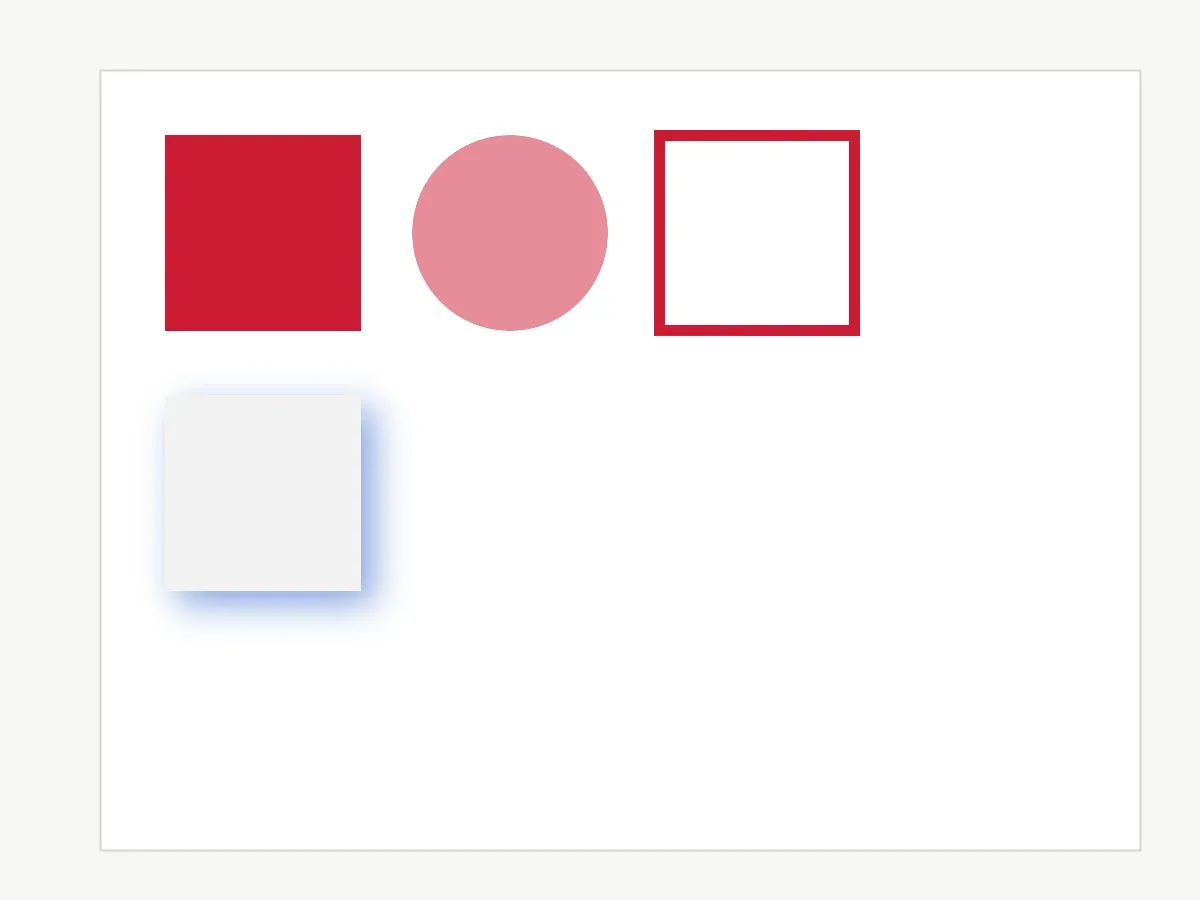
Spot colors are named colors reproduced using premixed inks in print production, providing exact color matching that CMYK process colors cannot guarantee. CE.SDK maintains a registry of spot color definitions on the editor instance, where each entry has a name and screen approximations (RGB and/or CMYK) for display. The premixed ink is selected at print time based on the spot color name.
This guide covers how to define spot colors with RGB and CMYK approximations, apply them to fills, strokes, and shadows, control intensity with tints, query and update definitions, and assign spot colors to cutout types for die-cutting operations.
Understanding Spot Colors#
Spot colors differ from CMYK process colors in several important ways:
- Exact color matching - Premixed inks guarantee consistent color reproduction across print runs.
- Brand consistency - Essential for logos and corporate brand colors.
- Specialty effects - Enable metallic, fluorescent, and other specialty inks.
- Color gamut - Some colors cannot be reproduced with CMYK process inks.
A spot color in CE.SDK has four components:
name- The identifier used in the print output, for example"Brand-Red-485".- Approximations - RGB and/or CMYK values used for on-screen display.
tint- A value from0Fto1Fthat controls color intensity.externalReference- Optional metadata recording the originating color system. Android stores this as a nullable string and does not use it for on-screen rendering.
Use Color.fromSpotColor(name, tint, externalReference) to create a spot color reference for block color properties. tint defaults to 1F, and externalReference defaults to null.
Define Spot Colors#
RGB Approximation#
Register spot colors with engine.editor.setSpotColor(name, Color.fromRGBA(...)). This creates a new spot color if the name doesn’t exist, or updates the RGB approximation if it does. RGB components range from 0F to 1F; the alpha value is ignored for spot color definitions.
engine.editor.setSpotColor( name = "Brand-Primary", Color.fromRGBA(r = 0.8F, g = 0.1F, b = 0.2F, a = 1F),)engine.editor.setSpotColor( name = "Brand-Accent", Color.fromRGBA(r = 0.2F, g = 0.4F, b = 0.8F, a = 1F),)RGB approximations control how the spot color is rendered on screen during editing.
CMYK Approximation#
Add CMYK approximations with the Color.fromCMYK(...) overload to provide print-accurate previews alongside the RGB display. Calling either overload with an existing name updates that approximation without affecting the other.
engine.editor.setSpotColor( name = "Brand-Primary", Color.fromCMYK(c = 0.05F, m = 0.95F, y = 0.85F, k = 0F),)engine.editor.setSpotColor( name = "Brand-Accent", Color.fromCMYK(c = 0.75F, m = 0.5F, y = 0F, k = 0F),)Provide both approximations whenever possible: RGB drives the on-screen display, while CMYK enables accurate print preview.
Apply Spot Colors to Design Elements#
Apply a spot color to any color property with engine.block.setColor() and a Color.fromSpotColor(...) value. The spot color must be defined first; undefined names fall back to magenta on screen.
val brandPrimary = Color.fromSpotColor(    name = "Brand-Primary",    tint = 1F,    externalReference = "BrandBook",)
engine.block.setColor(    primaryFill,    property = "fill/color/value",    value = brandPrimary,)
The externalReference argument is optional metadata describing where the spot color comes from, such as an in-house color book or an internal style identifier. It is preserved by the engine alongside the name but doesn’t affect on-screen rendering.
Color is a single interface across all color spaces, so the same setColor() method works for RGBA, CMYK, and spot color values. Color fill blocks expose their color through the "fill/color/value" property.
Using Tints#
tint scales the spot color’s intensity without changing the underlying name in the print output. A tint of 0.5F produces a 50 percent strength variation; the name in the exported PDF stays the same.
val brandPrimaryHalfTint = Color.fromSpotColor(    name = "Brand-Primary",    tint = 0.5F,    externalReference = "BrandBook",)
engine.block.setColor(    tintedFill,    property = "fill/color/value",    value = brandPrimaryHalfTint,)
Use tints for lighter variations in a design system rather than defining a separate spot color per shade.
Strokes and Shadows#
Spot colors work with any color property, including strokes and drop shadows. Enable the feature, configure widths and offsets as usual, then assign the spot color.
engine.block.setStrokeEnabled(strokeBlock, enabled = true)engine.block.setStrokeWidth(strokeBlock, width = 8F)engine.block.setStrokeColor(    strokeBlock,    color = Color.fromSpotColor(name = "Brand-Primary"),)
engine.block.setDropShadowEnabled(shadowBlock, enabled = true)engine.block.setDropShadowOffsetX(shadowBlock, offsetX = 10F)engine.block.setDropShadowOffsetY(shadowBlock, offsetY = 10F)engine.block.setDropShadowBlurRadiusX(shadowBlock, blurRadiusX = 15F)engine.block.setDropShadowBlurRadiusY(shadowBlock, blurRadiusY = 15F)engine.block.setDropShadowColor(    shadowBlock,    color = Color.fromSpotColor(name = "Brand-Accent", tint = 0.8F),)
For PDF output, use setStrokeOverprint() or setFillOverprint() when stacked spot-color strokes or fills should print over underlying artwork. The PDF writer only honors these flags when the stroke or fill uses a spot color. For process colors the flag is a silent no-op and on-screen rendering ignores it.
Query Spot Color Definitions#
List and Inspect Approximations#
Retrieve every defined spot color with engine.editor.findAllSpotColors(). Query individual approximations with engine.editor.getSpotColorRGB() and engine.editor.getSpotColorCMYK().
val spotColorNames = engine.editor.findAllSpotColors()val brandPrimaryRgb = engine.editor.getSpotColorRGB(name = "Brand-Primary")val brandPrimaryCmyk = engine.editor.getSpotColorCMYK(name = "Brand-Primary")
check(spotColorNames.containsAll(listOf("Brand-Primary", "Brand-Accent")))check(brandPrimaryRgb == Color.fromRGBA(r = 0.8F, g = 0.1F, b = 0.2F, a = 1F))check(brandPrimaryCmyk == Color.fromCMYK(c = 0.05F, m = 0.95F, y = 0.85F, k = 0F))
Querying an undefined spot color returns the magenta default for the requested representation. The same magenta value is also returned for a name that is defined but only has the other representation set, so check findAllSpotColors() to reliably determine whether a name is defined.
Read Colors from Blocks#
engine.block.getColor() returns a Color value. Reusing the primaryFill from the Apply Spot Colors to Design Elements step, check whether the value is a SpotColor before reading its name and tint.
val retrievedColor = engine.block.getColor(    primaryFill,    property = "fill/color/value",)
val retrievedSpotColor = when (retrievedColor) {    is SpotColor -> retrievedColor    else -> error("Expected a spot color, got $retrievedColor")}
check(retrievedSpotColor.name == "Brand-Primary")check(retrievedSpotColor.tint == 1F)
Update and Remove Spot Colors#
Update Approximations#
Update an existing spot color by calling setSpotColor() again with the same name. This changes how the color appears on screen without changing the name written to the print output, and existing blocks automatically reflect the new approximation.
engine.editor.setSpotColor( name = "Brand-Accent", Color.fromRGBA(r = 0.3F, g = 0.5F, b = 0.9F, a = 1F),)Remove Spot Colors#
Remove a spot color with engine.editor.removeSpotColor(). Removing an undefined name is a no-op.
engine.editor.setSpotColor(    name = "Temporary-Color",    Color.fromRGBA(r = 0.5F, g = 0.8F, b = 0.3F, a = 1F),)engine.block.setColor(    temporaryFill,    property = "fill/color/value",    value = Color.fromSpotColor(name = "Temporary-Color"),)
engine.editor.removeSpotColor(name = "Temporary-Color")check("Temporary-Color" !in engine.editor.findAllSpotColors())
Removing a spot color doesn’t update blocks already using it; they display magenta until the color is redefined or replaced with a different value.
Spot Colors for Cutouts#
CE.SDK can assign a spot color to a cutout type for die-cutting and other print finishing operations. On Android, use engine.block.setSpotColorForCutoutType() to associate a defined spot color with CutoutType.SOLID or CutoutType.DASHED. Query the current assignment with getSpotColorForCutoutType().
engine.editor.setSpotColor(    name = "DieLine",    Color.fromRGBA(r = 1F, g = 0F, b = 1F, a = 1F),)engine.editor.setSpotColor(    name = "DieLine",    Color.fromCMYK(c = 0F, m = 1F, y = 0F, k = 0F),)
engine.block.setSpotColorForCutoutType(type = CutoutType.SOLID, name = "DieLine")val cutoutSpotColor = engine.block.getSpotColorForCutoutType(type = CutoutType.SOLID)check(cutoutSpotColor == "DieLine")
When no assignment is made, CutoutType.SOLID defaults to "CutContour" and CutoutType.DASHED defaults to "PerfCutContour". All cutout blocks of the given type render with the assigned spot color immediately after the call.
Best Practices#
Define early - Register spot colors before applying them to blocks. Undefined colors display as magenta, which can confuse users.
Use descriptive names - Match your print vendor’s reference, such as "Brand-Red-485", to ensure correct ink matching in production.
Provide both approximations - RGB controls screen display, while CMYK supports print preview.
Use tints sparingly - Prefer tints for lighter variations instead of defining a separate spot color for every shade.
Validate before export - Query findAllSpotColors() to verify all expected spot colors are defined before exporting for print.
Troubleshooting#
Spot Color Displays as Magenta#
The spot color hasn’t been defined. Call setSpotColor() with that name and either an RGB or CMYK approximation before applying it to a block.
Color Approximation Looks Wrong#
Call the matching setSpotColor() overload again with new component values. RGB values drive the on-screen display while CMYK values drive the print preview, so updating one does not change the other.
Spot Color Not in Output#
Verify that the spot color name matches exactly, including capitalization. Also check that the block color is a SpotColor value created with Color.fromSpotColor(...), not an RGB or CMYK process color.
Can’t Remove Spot Color#
Pass the exact name string to removeSpotColor(). Removing a spot color does not update blocks already using it; they display magenta until the color is redefined or replaced with another color.
API Reference#
| Method | Description |
|---|---|
engine.editor.setSpotColor(name=_, color=Color.fromRGBA(r=_, g=_, b=_, a=_)) |
Define or update the RGB approximation of a spot color. |
engine.editor.setSpotColor(name=_, color=Color.fromCMYK(c=_, m=_, y=_, k=_)) |
Define or update the CMYK approximation of a spot color. |
engine.editor.findAllSpotColors() |
Return the names of every defined spot color. |
engine.editor.getSpotColorRGB(name=_) |
Read the RGB approximation. Returns magenta if undefined. |
engine.editor.getSpotColorCMYK(name=_) |
Read the CMYK approximation. Returns magenta if undefined. |
engine.editor.removeSpotColor(name=_) |
Remove a spot color from the registry. |
Color.fromRGBA(r=_, g=_, b=_, a=_) |
Create an RGB approximation or process color. |
Color.fromCMYK(c=_, m=_, y=_, k=_) |
Create a CMYK approximation or process color. |
Color.fromSpotColor(name=_, tint=_, externalReference=_) |
Create a spot color reference. tint defaults to 1F; externalReference defaults to null. |
engine.block.setColor(block=_, property="fill/color/value", value=_) |
Apply a color, including a spot color, to a fill property. |
engine.block.getColor(block=_, property="fill/color/value") |
Read a color from a fill property. Returns a Color value. |
engine.block.setStrokeEnabled(block=_, enabled=_) |
Enable or disable a block stroke. |
engine.block.setStrokeWidth(block=_, width=_) |
Set the stroke width before assigning a stroke color. |
engine.block.setStrokeColor(block=_, color=_) |
Apply a color, including a spot color, to a block stroke. |
engine.block.setDropShadowEnabled(block=_, enabled=_) |
Enable or disable a block drop shadow. |
engine.block.setDropShadowOffsetX(block=_, offsetX=_) |
Set the horizontal drop-shadow offset. |
engine.block.setDropShadowOffsetY(block=_, offsetY=_) |
Set the vertical drop-shadow offset. |
engine.block.setDropShadowBlurRadiusX(block=_, blurRadiusX=_) |
Set the horizontal drop-shadow blur radius. |
engine.block.setDropShadowBlurRadiusY(block=_, blurRadiusY=_) |
Set the vertical drop-shadow blur radius. |
engine.block.setDropShadowColor(block=_, color=_) |
Apply a color, including a spot color, to a block drop shadow. |
engine.block.setStrokeOverprint(block=_, overprint=_) |
Mark a spot-color stroke for overprinting in PDF export. |
engine.block.getStrokeOverprint(block=_) |
Read whether the stroke is marked for PDF overprinting. |
engine.block.setFillOverprint(block=_, overprint=_) |
Mark a spot-color fill for overprinting in PDF export. |
engine.block.getFillOverprint(block=_) |
Read whether the fill is marked for PDF overprinting. |
engine.block.setSpotColorForCutoutType(type=_, name=_) |
Assign a spot color to CutoutType.SOLID or CutoutType.DASHED. |
engine.block.getSpotColorForCutoutType(type=_) |
Read the spot color assigned to a cutout type. |
| Related type | Description |
|---|---|
SpotColor |
Color value returned by engine.block.getColor() when a property uses a spot color. |
CutoutType.SOLID / CutoutType.DASHED |
Cutout type values accepted by the cutout APIs. |
Next Steps#
- Export for Printing - Export designs from CE.SDK as print-ready PDFs with professional output options including high compatibility mode, underlayers for special media, and scene DPI configuration.
- Apply Colors - Apply colors to fills, strokes, and shadows.
- CMYK Colors - Work with CMYK colors in CE.SDK for professional print production workflows with support for color space conversion and tint control.