
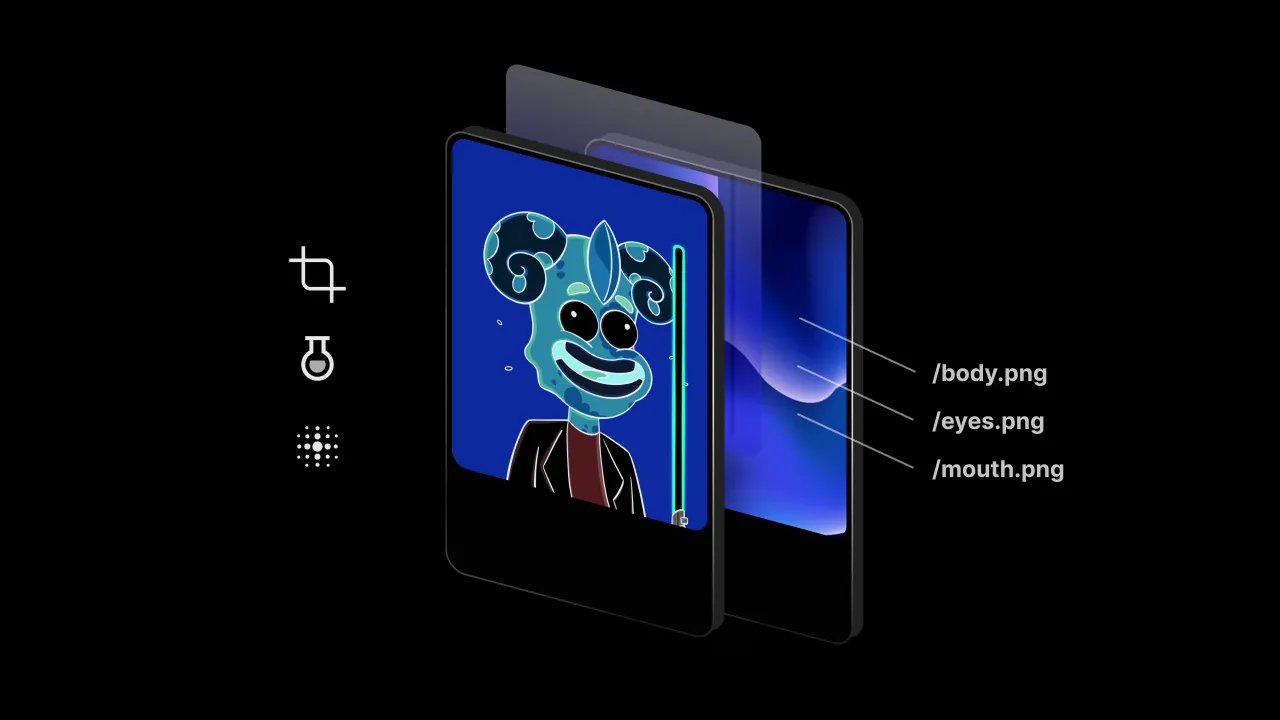
Image Manipulation Libraries (IML) are used to perform various manipulation functions on images: you can increase the brightness of an image, add saturation or filters, crop and resize, and more valuable features that will help you to do almost everything and turn your web browser into an Adobe Lightroom!
We have included libraries for every significant image manipulation task, from simple, low-level operations such as filters, brightness, and saturation to single-purpose libraries for cropping or image composition. To finish up, we wandered into the realm of testing images, since no image manipulation application is complete without a reliable way to test results.
Updated September 2026.
Quick comparison
Here’s how the five libraries compare at a glance.
| Library | Runs in | Best for | Native dependencies | License | Latest release |
|---|---|---|---|---|---|
| Sharp | Node.js, Deno, Bun | Fast resizing and format conversion | libvips (prebuilt for most systems) | Apache 2.0 | 0.35.4, August 2026 |
| Cropper.js | Browser | Cropping UI | None | MIT | 2.2.0, August 2026 |
| Merge Images | Browser, Node.js with node-canvas | Combining images | node-canvas in Node.js | MIT | 2.0.0, March 2020 |
| LooksSame | Node.js | Comparing images in tests | None | MIT | 10.0.1, August 2025 |
| Jimp | Browser, Node.js | Resizing, filters, and text | None | MIT | 1.6.1, April 2026 |
Sharp
Sharp is a high-performance Node.js image processing library to resize different image formats such as JPEG, PNG, WebP, GIF, AVIF, SVG, and TIFF. The typical use case for this high-speed Node.js module is to convert large images in standard formats to smaller, web-friendly images. It works with Node.js (version 20.9.0 or later), Deno, and Bun.
Sharp earns its place on large files or batches, and on compositing, extraction, color management and Pango-backed text. For resizing a single small image, ordinary HTML and vanilla JavaScript will be more beneficial. Sharp is built on libvips, which makes resizing typically 4x-5x faster than the quickest ImageMagick and GraphicsMagick settings, allowing you to resize and compress your images much more quickly.
Use cases
I used it to resize a whole NFT Collection with a size of over 80Gb, which after compression came out at circa 10Gb. So again, if you would like to use it for resizing several large images, then it’s a strong choice. You’ll do it faster than the quickest ImageMagick and GraphicsMagick settings.
Example
You can install this library by using the command below:
npm install sharpThis is how you would resize an image using sharp:
const sharp = require('sharp');

sharp('yellow.png')
  .resize(200)
  .toFile('yellow-200.png')
  .then((info) => {
    console.log(info);
  })
  .catch((err) => {
    console.log(err);
  });
Cropper.js
Cropper.js is another popular JavaScript library for image manipulation. You can use it to crop your images in all possible ways, change aspect ratio, rotate, zoom and work with canvas data. Cropper.js is the right choice for cropping without any extra features. Version 2.0 rebuilt it as a set of web components, so code written for version 1 needs updating, although version 1 is still maintained.
Use cases
You can use its flexible API to create a custom image cropping UI in your web app allowing your users to adjust photos to the correct size and aspect ratio. It will be more efficient because it requires almost nothing, doesn’t have any useless features, and is very optimized for cropping!
Example
This library can be installed with the following command:
npm install cropperjsimport Cropper from 'cropperjs';
const cropper = new Cropper('#image');
const selection = cropper.getCropperSelection();
// cropper-canvas defaults to a 200px min-width and 100px min-height, so give it a real size
cropper.getCropperCanvas().style.height = '500px';
selection.aspectRatio = 16 / 9;
selection.addEventListener('change', (event) => {
console.log(event.detail.x);
console.log(event.detail.y);
console.log(event.detail.width);
console.log(event.detail.height);
});Check out the Cropper.js playground to try it in your browser and see the result instantly.
For an in-depth guide on how to add image cropping to your React app, check out our guide on using react-image-crop.
Merge Images
Working with the canvas can be slightly tedious, especially when you need the canvas context to do relatively simple things like merging a few images. Merge Images abstracts all repetitive tasks into simple function calls. It’s a wrapper around the Canvas API, abstracting its low-level functions, which makes this specific task a lot easier. You can also create parameters like positioning, opacity, and several more. You can find them in the docs on GitHub. It works in the browser and in Node.js (with node-canvas), though it hasn’t had a new release since version 2.0.0 in March 2020.
Use cases
It’s a valuable library that can help with several tasks. For example, you can generate an NFT Collection where you can merge all components to have a complete set of variations. Or you can find this library helpful for personal use, for example, combining a few different images to generate a collage.
Example
Install the library itself:
npm install --save merge-imagesThen you can use this code to generate a simple image:
//write this inside of your javascript file

import mergeImages from 'merge-images';

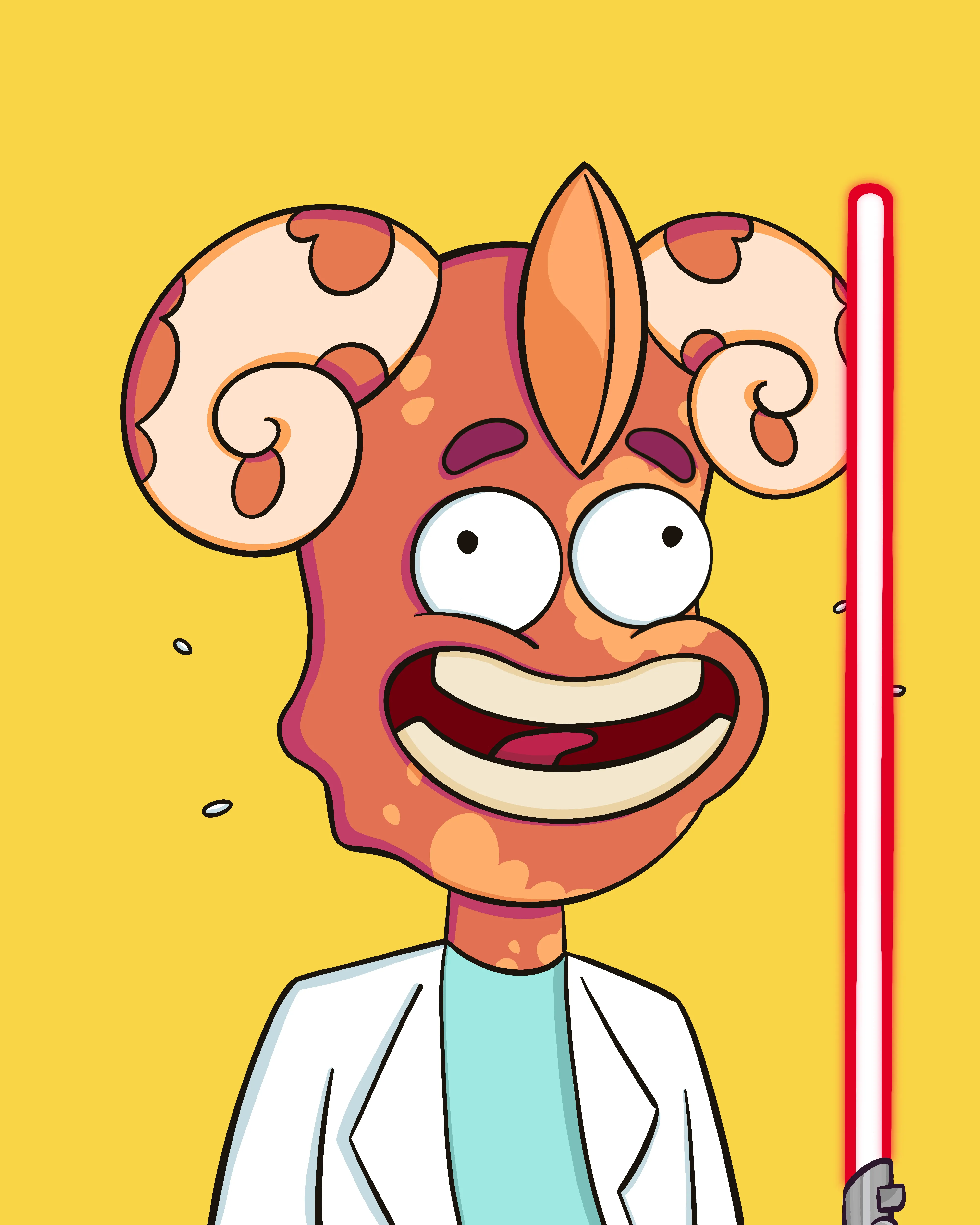
mergeImages(['/body.png', '/eyes.png', '/mouth.png']).then(
  (b64) => (document.querySelector('img').src = b64)
);

//And that would update the img element to show this image:
Here, I used it to merge several components to create a final variation (here I used Background, Character, Horns, Emotion, and Accessories).
LooksSame
LooksSame is a Node.js library for comparing images, built for visual regression testing. If the two images you uploaded are duplicates, the library will let you know. All you have to do is provide the file paths (or buffers) of the pictures you would like compared. LooksSame is not strictly an image manipulation library, but is helpful for testing purposes. It has had no release and no commit on its default branch since August 2025.
Use cases
You can use this library and write code for automation and loop cycles that search a directory and compare each pair of your images for duplicates. Additionally, you can delete these duplicates and automate this process as well. It is a splendid library if you’re constantly working with ML algorithms that include large numbers of images.
Example
To start comparing images, you need just to install it by using this command:
npm i looks-same
npm i -D jest
Here, you can see how to test this library with Jest. The test compares two files you put next to it, image1.png and image2.png:
const looksSame = require('looks-same');

//Parameters can be paths to files or buffer with compressed png image

test('image1 and image2 are the same', async () => {
  const { equal } = await looksSame('image1.png', 'image2.png');
  expect(equal).toBe(true);
});

//The test passes if the two images look the same
LooksSame loads its image decoder with a dynamic import, which Jest only allows with an extra Node flag. Run the test with NODE_OPTIONS=--experimental-vm-modules npx jest, otherwise the suite fails before the test starts.
Jimp
Jimp stands for JavaScript Image Manipulation Program, that allows you to edit your image in almost every possible way. With it, you can invert your image, add some text, resize, use pixelation, clone images, blur them, invert colors, and several other cool features which will increase the image manipulation capabilities of your app. It’s written entirely in JavaScript with zero native dependencies, so it runs both in the browser and in Node.js. Version 1.0 moved to named imports and options objects, so older code examples need small changes. Development has been quiet since the 1.6.1 release in April 2026.
Use cases
With Jimp, you can build your web application where you’ll be able to edit and manipulate images in almost any possible way. Crop, resize, rotate, and filter features let you create your own photo editor and add an interface on top of it. To streamline this process, you can try IMG.LY’s Photo Editor SDK. It will provide you with a polished user interface and photo editing features, so you can focus on the application you are building instead.
Example
Here’s the JavaScript code to try this excellent library. There’s an async function in which you can see many types of properties that you can easily change. Such as Add Text, Resize Image, Blur the Image, etc. To use at least one of them, you’ll need to uncomment only part that you need, and your program is ready to run! The example uses import and writes files to disk, so save it as an .mjs file and run it with Node.
// Import dependencies
import { Jimp, loadFont } from 'jimp';
import { SANS_16_WHITE } from 'jimp/fonts';

(async function () {
  // Read the image
  const image = await Jimp.read('images/shapes.png');

  // // Add text
  //  const font = await loadFont(SANS_16_WHITE); // bitmap fonts
  //  image.print({ font, x: 0, y: 0, text: 'Hello world!' });

  //  // Resize the image
  //  // Resize the image to 250 x 250
  //  image.resize({ w: 250, h: 250 });

  //  // Resize the height to 250 and scale the width accordingly
  //  image.resize({ h: 250 });

  //  // Resize the width to 250 and scale the height accordingly
  //  image.resize({ w: 250 });

  //  // Add a sepia wash to the image
  //  image.sepia();

  //  // Pixelation
  //  image.pixelate(5);

  //  // Clone
  //  const image2 = image.clone();

  //  // Blur the image
  //  image.gaussian(1);
  //  image.blur(1);

  //  // Inverts the image
  //  image.invert();

  //  // Set the brightness
  //  image.brightness(0.5);

  //  // Resize the image
  //  image.resize({ w: 256, h: 256 });

  //  // Convert to grayscale
  //  image.greyscale();

  // Save the image
  await image.write('images/edited-shapes.png');

  //  // Or save it as a JPEG with a set quality
  //  await image.write('images/edited-shapes.jpg', { quality: 100 });
})();
PS: Don’t forget to uncomment the effects which you want to use and save the file after. :)
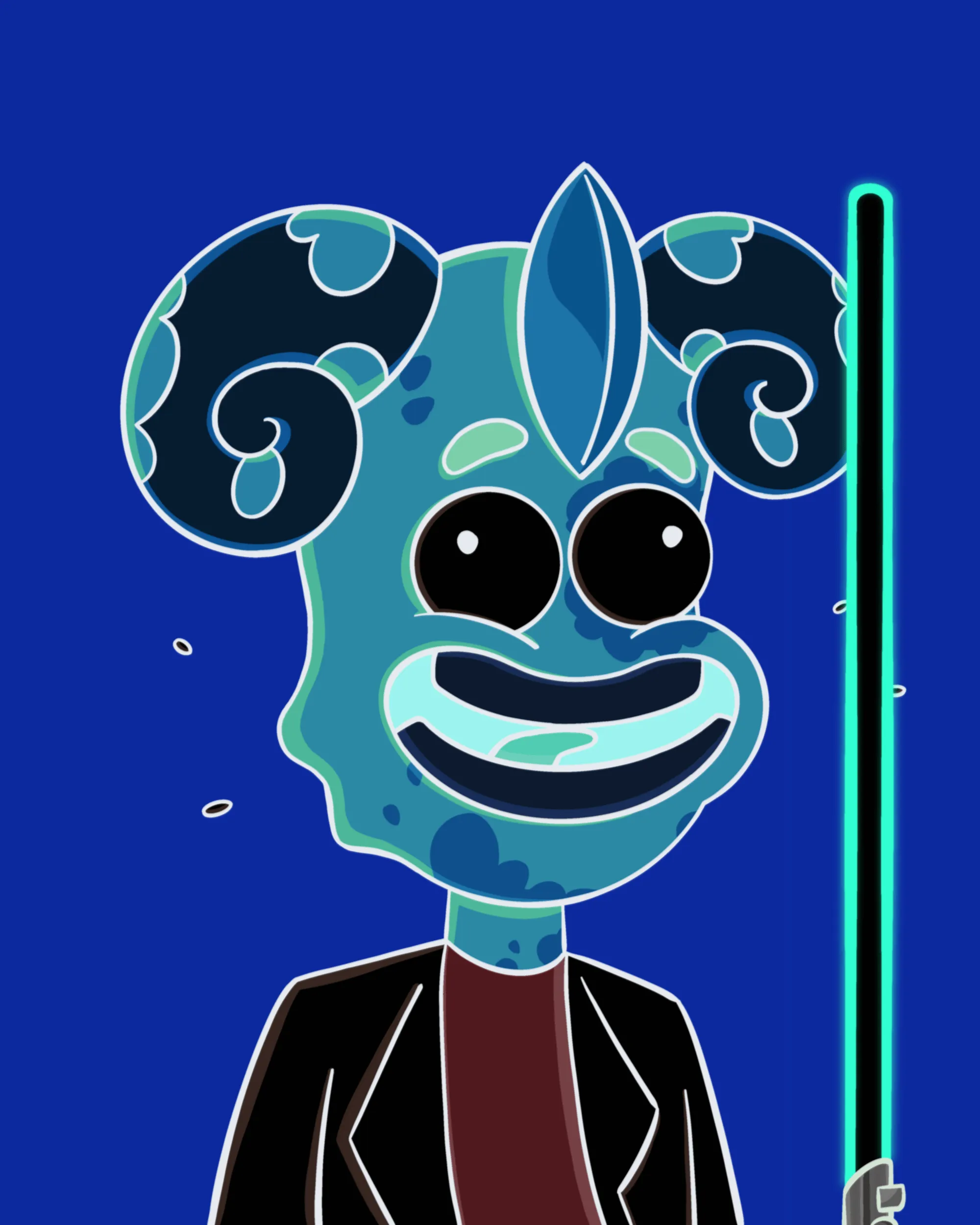
As you can see here, I blurred everything and inverted the colors for the previous image that I showed you, getting the following result:
Other libraries worth a look
A few more open-source libraries come up often and might fit your project better. Pica resizes images in the browser with high quality, picking the best technology available, such as web workers or WebAssembly. Fabric.js is an HTML5 canvas library with built-in image filters and interactions like scale, move, and rotate. Filerobot Image Editor gives your users a ready-made editor for cropping, resizing, filters, and annotations, though installing it today pulls a 5.0 beta while its README still documents the 4.x API. And image-js is an image processing and manipulation library maintained by Zakodium. All four are MIT-licensed.
Conclusion
That’s it! Now you know the differences between five of the most popular image manipulation libraries for JavaScript. Some of them are useful for only one task, such as resizing images, while others can do multiple tasks at once and help you with more processes. You have also met IMG.LY’s Photo Editor SDK to work smarter and save time building photo editing solutions, and focus on building your great product instead.
These libraries all solve the processing half of the problem. If what you actually need is an editor your users work in, the calculation changes, and an open-source library is not always the cheaper path once you count the UI. We wrote an honest comparison of the open-source photo editing SDKs against CE.SDK that lays out where each one stops.
FAQ
Should I use Sharp or Jimp? Use Sharp when speed matters, for example when you process large images or many of them on a server. It’s built on libvips and runs natively. Use Jimp when you want zero native dependencies or need the same code to run in the browser, and you can accept slower processing. Jimp has been quiet since its 1.6.1 release in April 2026.
Does Sharp work in the browser? No. Sharp runs on Node.js, Deno, and Bun, and its documentation lists browser use as unsupported for the WebAssembly build. For resizing images in the browser, Jimp and Pica are the options from this guide.
What changed in Cropper.js 2.0? Cropper.js 2.0 is a rewrite built from web components such as cropper-canvas, cropper-image, and cropper-selection. Options like aspectRatio moved onto those elements, so code written for version 1 needs updating. The docs list version 1’s status as Maintaining against version 2’s Active, so it remains an option if you aren’t ready to migrate.
Is Merge Images still maintained? It still works, but it hasn’t had a new release since version 2.0.0 in March 2020. In Node.js, it needs node-canvas to run.
How do I compare two images in automated tests? LooksSame compares two images, given as file paths or buffers, and tells you whether they look the same. By default, it ignores differences a person wouldn’t notice, such as antialiasing, and you can switch to strict mode to catch every difference.
Which library should I use for a photo editor UI? None of the five are complete editors on their own. Cropper.js gives you a cropping UI, and Filerobot Image Editor is an open-source editor you can embed. If you need a complete, customizable photo editor, IMG.LY’s Photo Editor SDK provides the interface and editing features.
Are these libraries free for commercial use? Yes. Sharp’s own code uses the Apache 2.0 license, and Cropper.js, Merge Images, LooksSame, and Jimp use the MIT license. The prebuilt libvips binaries that an install of Sharp pulls in are published under LGPL-3.0-or-later. All three licenses allow commercial use.