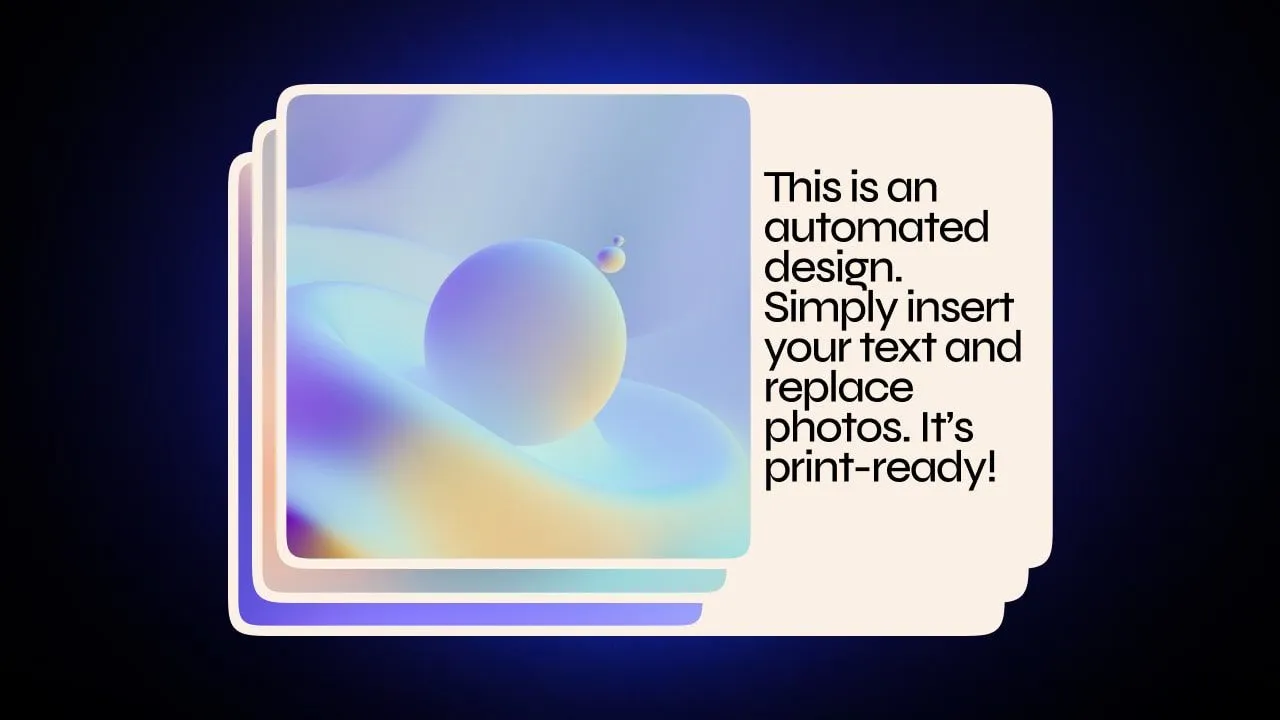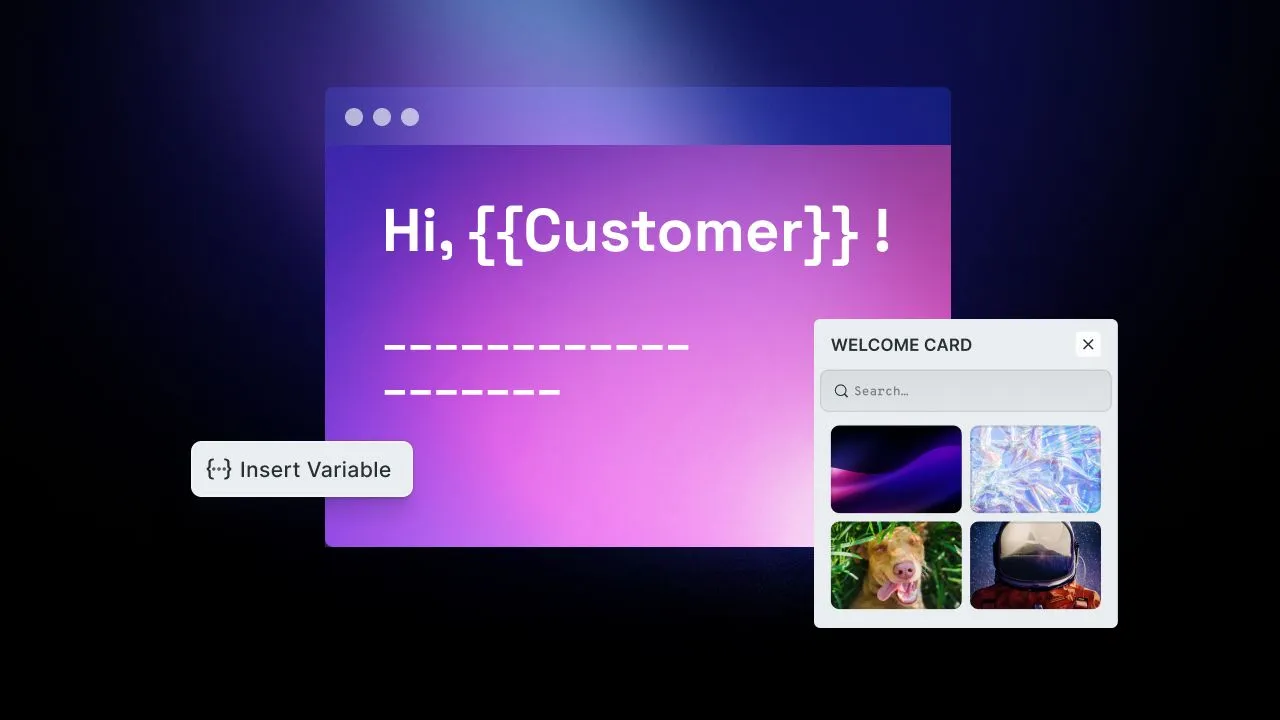

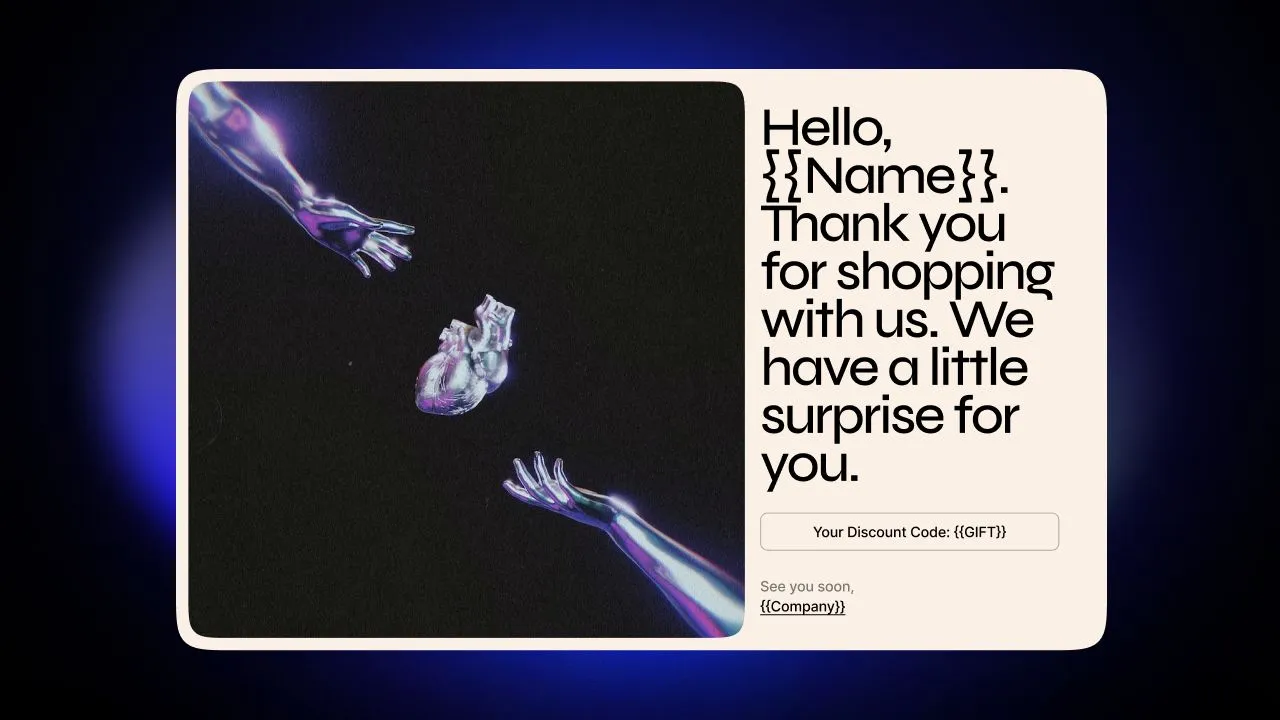
Variable data printing (VDP) has been around since the 1980s, helping businesses automate manual processes, scale personalization efforts, and run direct mail campaigns. While the term “variable data printing” may not be familiar to everyone, we encounter its use regularly in our day-to-day lives through bills, event tickets, or membership cards.
VDP’s ability to use data to create personalized tangible items, such as postcards or brochures, provides a more intimate experience compared to digital communication. Although process automation is a significant advantage of VDP, there are many other ways to use it.
Full disclosure: we build CE.SDK, a design SDK whose template and batch rendering features serve VDP workflows. This piece is about the technique and its costs; product mentions are marked.
Last updated: September 7, 2026. This update adds the five cost factors, the four levels of variability, per-image generation costs from our July 2026 model benchmark, and what that benchmark measured about brand-color accuracy.
How It Works
VDP, also referred to as variable data imaging, is a digital printing technique that enables the creation of numerous customized materials in a single print run. This process is powered by software that can generate data-driven designs or templates by pulling variables from databases or files.
The variables used in VDP can automatically generate unique and personalized materials based on data sources. Anything that can be customized, such as names, addresses, messages, or images, can be used as a variable. These elements can be changed on each printed piece without slowing down the printing process.
To illustrate how VDP works in practice, let’s consider a scenario where a company offers a loyalty program for customers to collect points when they make purchases. To encourage more spending, customers can use their accumulated points to receive discounts or freebies. Although points and bonuses can be accessed through an app or website, the company can create immediate gamification by sending a personalized card with every new purchase.
To personalize that card, we are looking at three separate variables: name, number of points, and type of discount that can be applied. To manually generate all variations of the same template would be counterproductive, but with variables connected to a database it’s an automated process. A name is connected to a number of points, which in turn are connected to discounts. The software does all the heavy lifting, while marketers and designers can focus on other tasks.
Common Applications of VDP
Although VDP was originally used to automate manual mail processes, its usefulness extends beyond that.
Eight variable data printing examples, with the fields that vary
These eight examples cover most of what VDP does commercially. For each, the fields that change per record are named.
Personalized direct mail. Varies: recipient name and address, salutation, offer amount, nearest store, response code. The envelope’s whole job is to look like it was written for one person, and the response code closes the loop, tying each reply back to its record so the campaign can be measured per segment.
Event badges. Varies: attendee name, company, role, access level, QR code for check-in. Printed from the registration list, often overnight between registration close and doors open, which makes badges the VDP job with the least forgiving deadline. There is no reprint window when the conference starts at nine.
Membership and loyalty cards. Varies: member name, number, tier, join date, barcode. Data comes from the membership system; the card template never changes, so the marginal cost of each new member’s card is data plus press time and nothing else.
Versioned packaging and labels. Varies: serial numbers, batch codes, regulatory text per market, language, flavor or variant naming. Spot color is the deciding capability in this category, because brand colors on packaging are routinely specified as named spot inks rather than CMYK approximations, so the color is identical on every run, substrate, and converter. A pipeline that only represents RGB or CMYK cannot carry a named spot color to output; it can only substitute the approximation the brand specified against. Whatever tool you evaluate for this category, ours included, ask to see a named spot color survive the render into the exported PDF. An on-screen swatch that looks similar proves nothing. The same logic covers geometry: labels are die-cut, so artwork must run past the die line while critical content stays inside it.
Personalized photo products. Varies: the customer’s own photos and text on calendars, books, and mugs. Every unit is a one-off; VDP mechanics are what make one-offs producible at scale.
Regional retail signage. Varies: prices, offers, legal fine print, store address. One campaign template produces one file per store, and no store manager opens a design tool. The data pipeline matters more than the design here. Prices come from the merchandising system, and a signage run is only as current as the feed it rendered from.
Franchise marketing collateral. Varies: location details, local offers, staff photos, within a brand-locked template. The overlap with B2B web-to-print programs is complete.
Transactional documents. Varies: everything except the frame. Statements, invoices, and policy documents are VDP at its highest volumes, though they are usually produced by dedicated transactional systems.
A worked example of the first one, from a customer of ours. PostBuddy built its Nordic direct-mail platform around a CSV upload: a marketer places variable fields on a postcard template, uploads a recipient list, and the platform merges every row into its own print-ready postcard. Thousands of copies come out of one design, and nobody opens an editor per record. That is the whole mechanic of VDP with the plumbing visible, and it is why one design cost covers the entire campaign.
Marketing
From quickly generating business cards to creating custom QR codes, variable data printing is a big part of marketing efforts for most businesses. Apart from handling internal processes, VDP also has a hand in scaling personalized marketing campaigns. The growing preference for personalized messaging and products goes alongside increased usage of VDP.
Production of personalized labels, packaging, or brochures is one of the best ways to use VDP in marketing. It can be used as a step in a broader personalization campaign, like generating custom QR codes to bring users to personalized landing pages. Or be a venture on its own, like “Share a Coke” by Coca-Cola and its widely successful personalization of labels.
Advertising
Direct mail used to read as junk. Record-level personalization is why some of it no longer does. A tailored offer beats a generic one, but by how much is contested. The response-rate section below sets out why the published figures conflict.
Taking advantage of VDP in advertising usually includes customized leaflets or coupons with images and content based on age or demographics. One of the personalization examples is including custom maps with steps on how to reach an advertised location, making it much more relatable and easy to act on.
Customer Relationship Management
While VDP helps marketing and advertising drive acquisition, it’s also a great way to help with customer retention. Small and yet important gestures of appreciation like custom-made thank you and birthday cards can go a long way. As mentioned before, VDP can also be used to generate membership cards or personalized bonuses and discounts based on shopping preferences. With variables in the template, every printed material sent to a customer can be created in a way that will feel personal and appreciative, in turn helping sustain loyal customers.
What actually varies: the four levels
VDP jobs sort into four levels of variability, and each level costs more to set up than the one before it.
Text only. Names, numbers, addresses flow into fixed text slots. Cheapest to set up, and where most programs correctly start.
Text plus image. Records also select or supply images: a member photo, a regional product shot. Adds data handling for image sourcing and the resolution checking that images drag in.
Layout-adaptive. The design reflows by record: a long name shrinks to fit, an empty field collapses its block, a three-item offer becomes a two-item layout. This is where template logic gets real, and where less capable tools produce overset text somewhere deep in the run.
Fully generated. The design varies structurally per record, closer to creative automation than classic VDP: different products, layouts, or imagery assembled per recipient. The setup investment is highest and so is the ceiling on relevance.
Knowing which level a job needs, before quoting it, is most of the estimating skill. Price a level-two campaign as if it needed level four and the business case collapses. Attempt a level-three job with level-one tooling and it fails in production.
The levels also behave differently over a program’s life. A text-only job’s template is nearly free to reuse, so the second run costs data preparation and press time alone. A layout-adaptive template is an investment that pays back across every subsequent campaign built on it, which is why organizations that commit to VDP tend to standardize a small set of well-tested adaptive templates and reuse them across campaigns.
Why Use VDP
Variable data printing is not reserved for a single industry or business type. It can be used across multiple customer touchpoints, from the awareness stage via direct mail advertising, to a personalized label and thank you card shipped with a purchased product. VDP can also be used internally to show gratitude and appreciation to employees with custom-made cards and packaging.
Benefits
The advantages of variable data printing go hand-in-hand with the advantages of personalization. In Twilio’s State of Personalization 2024, 89% of business leaders called personalization essential to their success over the next three years. That number measures what leaders believe about digital experiences. It says nothing about what personalization does to print response.
VDP is what puts that personalization on paper rather than in another email subject line. Custom labels, packaging, and cards personalize the shopping experience, while thank you cards, birthday cards, tailored messaging, and discounts put something physical in the customer’s hands.
Bringing variable data printing to your workflows, whether it concerns marketing, advertising, HR, or sales, is one way to get the benefits of personalization.
Challenges
The main challenge of VDP is having software that can efficiently work with variables and generate print-ready designs, while also providing advanced design editing features.
Since the popularization of personalization, variables can be used in many different types of marketing materials. The design of those materials matters just as much, which is why automated print validation belongs in the same pipeline.
This challenge applies to companies that use variable data to generate designs, as well as Print Service Providers (PSP) working with VDP. For the PSP, another challenge is file format submission, especially if they don’t have a web-to-print editor their customers can use to submit their orders. Flawed print validation, incompatible format, low resolution, or insufficient quality could be costly mistakes to make. A web-to-print editor that validates files at submission removes most of this manual work. That is the category we sell into, so weigh it accordingly.
What drives variable data printing cost?
Five factors set the cost of a VDP run, and only one of them is the printing.
Setup and template design. Building the master template with its variable slots, rules, and constraints. Scales with the variability level, not with the run length, which is why VDP economics improve with volume and reorders. Setup is also where legacy tooling quietly kills a program. One merchandise platform we interviewed had inherited an industry-specific customizer that needed roughly 150 hand-built files per t-shirt before that shirt could be personalized at all, at 15 to 30 seconds of render time per view. Against a catalog of 500 to 1,000 products they got 20 configured in a month, then abandoned the tool. Nothing was wrong with the press or the data. The per-product setup cost simply did not divide into the catalog.
Data preparation. Getting the source data clean, deduplicated, correctly encoded, and complete. In our experience of VDP projects, this is the underestimated line item. The template takes days, while the data cleanup drags on and drains the project. A bad address still prints a perfect mailer; it just never arrives.
Software licensing. The tooling that binds data to template and renders output, whether a desktop VDP tool, a prepress module, or an embedded SDK with batch rendering. Models range from perpetual desktop licenses to annual platform fees; see the variable data printing software roundup for how the categories differ.
Press time. VDP runs digital, since every impression differs, and on some equipment variable jobs run slower than static ones. The per-piece premium over static digital printing has fallen with modern presses but has not vanished.
Proofing. A static job proofs once. A VDP job needs record-level proofing across the edge cases: the longest name, the emptiest record, the double-barrelled surname with a diacritic. Skipping this is how a full run prints with a placeholder where the salutation belongs.
The five factors also interact. Cleaner data reduces proofing rounds; a better-constrained template reduces both. Teams pricing their first VDP job tend to budget the press time accurately and the other four factors optimistically.
If part of the variability is AI-generated imagery, add a sixth line and price it per image before you price it per campaign. Our own benchmark of 15 image models (pilot-0 suite, scored July 2026) measured list price per image spanning $0.010 to $0.36, a 36x spread across models that all return a usable picture, with latency spreading just as far. FLUX.2 ran at $0.013 per image with a 2.0 second median, while GPT Image 1.5 took 34.0 seconds. Multiplied out, a 10,000-variant campaign is about $130 of generation on FLUX.2 and $3,600 on the most expensive model in the run. That campaign total is our arithmetic on the measured per-image prices, not a run we executed, and list prices move. The point holds anyway. Once imagery is generated per record, the model you route to is a larger cost lever than the press. The personalization-at-scale weighting shows how the same models score when they are judged for this job specifically.
Brand color is the second cost of generated imagery, and it does not show up on the invoice. Our brand-color finding measures how close each model lands to an exact hex using CIEDE2000, and the best of the 15 scores 3.67 of 5, with 12 of them below 3. For a VDP run that is the difference between a brand mark that holds across 10,000 pieces and one that drifts, so treat generated imagery as a fill for the interchangeable part of the layout and keep logos, brand color and legal copy as template layers the model never touches.
Does variable data printing improve response rates?
Generally yes, and it is the most cited benefit of variable data printing. How much it lifts response rates is another matter, because published figures disagree too widely to quote responsibly. Vendor sites circulate improvement percentages that trace back to old studies, small samples, or no locatable source at all, and the numbers vary by an order of magnitude depending on where you look.
Name-personalized mail and mail with per-recipient offers are different interventions, and they perform differently. Industries and list qualities differ between studies as well. And the personalization is confounded with the data behind it, because a campaign that knows enough about you to personalize deeply is also targeting you better in the first place. A tailored offer to the right list outperforms, and how much of that is the printing is hard to isolate.
One number we can source properly, because it came out of a customer’s own test rather than a vendor deck: PostBuddy A/B-tested a single direct-mail campaign and measured a fourfold difference in performance between a plain, text-only postcard and a more polished layout. Read it for what it is. One campaign, one platform, reported by the operator, and the variable under test was design quality, so it says nothing about what a name in the salutation is worth. What it does say is that in a channel most people treat as static, the layout itself can move response by a multiple, which is an argument for spending the setup budget on the template before spending it on data enrichment.
Deeper variability makes each piece more relevant to its recipient, at higher setup cost. Run the levels against your own list and measure, because none of the published numbers will predict what your campaign does.
How the files get made
The production mechanics are the same web-to-print pipeline that serves interactive orders, pointed at a data source. A template with placeholder fields binds to a database or CSV, a rendering engine produces one print-ready file (or one page) per record, and output lands in prepress as PDF/X with CMYK color and correct geometry, ready to impose. CE.SDK does this through headless batch rendering in Node.js from the same templates its interactive editor uses. For where the technique sits in the larger stack, the web-to-print software guide maps the pipeline end to end.
One correction to that picture, from someone running it at volume. A print specialist at a European direct-mail platform, 20 years in print and a former online print-shop owner, told us the design editor in their stack builds the master template and does nothing else. The personalization runs through a separate high-end composition workflow that can produce 2.5 million personalized postcards in five minutes. Above a certain volume you are buying two things: an authoring surface for the master template, and a merge engine sized for the run. Most writing in this category, including most software comparisons, assumes one tool does both jobs. For a campaign of a few thousand pieces a batch renderer covers both. For millions, budget and evaluate them as two separate decisions.
Example of Leveraging Variable Data Printing with CE.SDK
IMG.LY has developed CreativeEditor SDK to help integrate VDP into all designs in an easy and intuitive way. CE.SDK is fully customizable and can be integrated into a customer-facing web-to-print editor, providing powerful editing features, or an in-house design editor for all creative needs. Here’s an example of how you can use variables with our editor.
Creating Custom Thank-You Card
As mentioned before, thank you cards are a great way to show appreciation and build stronger connections with both customers and employees. Creation of a custom thank-you card is pretty straightforward. Here are the steps:
- Creating a Smart Template
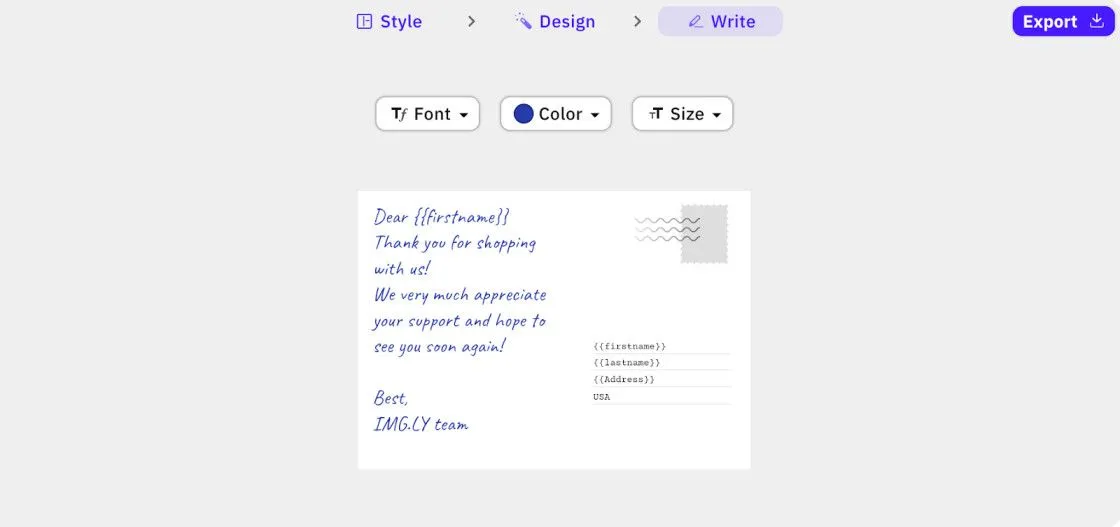
To create a personalized card, we begin by designing a template with variable fields. The front design remains consistent, while the back features unique personalized messages.
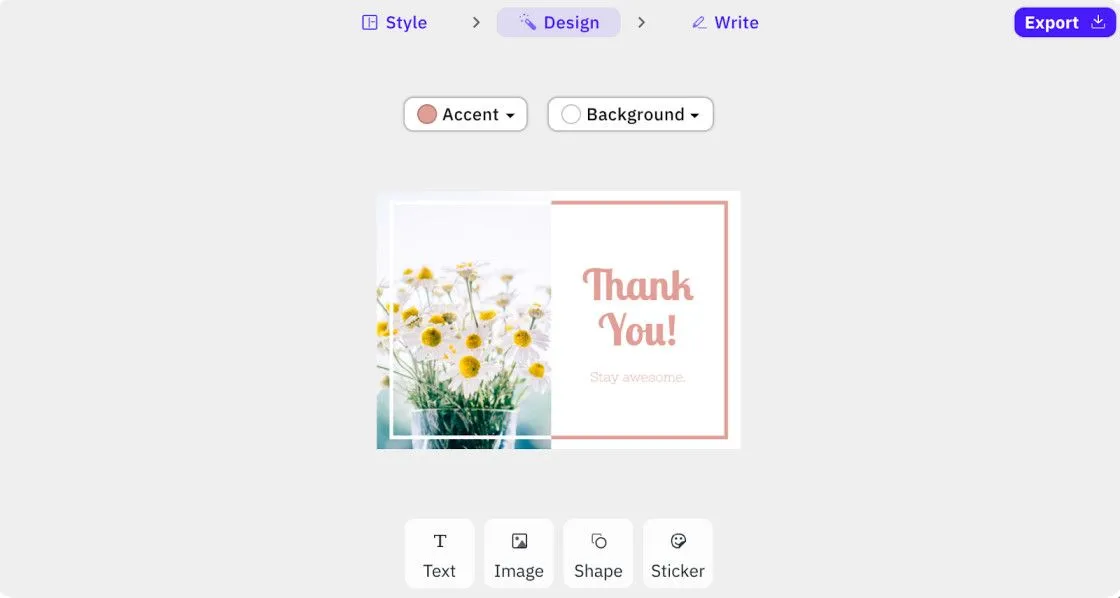
2. Assigning Placeholders
The next step is to choose the elements that will be personalized. For example, we may select a personalized greeting, such as “Hello {{name}}”, and address information. To insert a variable, we use double curly brackets {{}} and a placeholder name, such as {{firstname}} or {{address}}.
3. Connecting Template to a Data Source
The last step is connecting your template to a data source with a list of variables. This can be done by using the Creative Engine variable API to programmatically set values for the variables and render the final personalized card.
4. Design Validation
In the example above, there shouldn’t be any issue with text exceeding the bleed line or other common print errors. Design validation is still an important CE.SDK feature: it automatically detects issues that might cause a print error, cause trademark infringement, or generate harmful content.
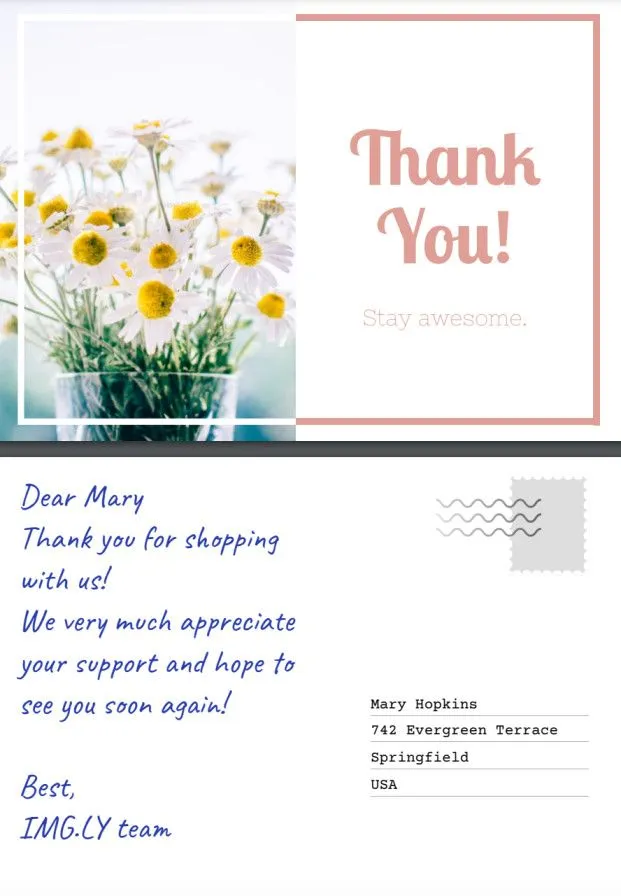
And that’s it! We have created a template for a custom thank-you card in four steps. Here is what a card would look like.
Try creating a custom card with CE.SDK yourself in our greeting cards demo.
Frequently asked questions
What are examples of variable data printing?
Common variable data printing examples include personalized direct mail, event badges, membership cards, serialized labels and versioned packaging, personalized photo products, regional retail signage, franchise collateral, and transactional documents like statements. In each, a fixed template merges with per-record data, so every printed piece differs without separate design work.
How much does variable data printing cost?
Five factors drive it: template setup (scales with variability complexity), data preparation and cleaning, software licensing, digital press time (variable jobs can run slower than static), and record-level proofing. Published per-piece figures vary too much by job type to quote usefully; price your specific job across those five lines.
What is the difference between variable data printing and mail merge?
Mail merge is variable data printing’s office-document ancestor: text fields flowing into a word-processor template. VDP extends the idea to production printing, with graphic-quality templates, image and layout variability, color-managed press-ready output, and volumes that run on digital presses. The concept is identical; the fidelity, tooling, and scale are not.
What are the benefits of variable data printing?
One press run produces individually relevant pieces, with the right name, offer, location, and language on each. That relevance is the commercial point, alongside operational wins, since versioned output needs no per-version design work and reorders regenerate from data. Response improvements are real but vary by campaign, so measure your own instead of trusting published averages.
Conclusion
Variable data printing can lower the cost of personalized print and remove per-version design work. It can help scale personalization efforts, acquire new customers, add value to the final product, and make employees feel appreciated.
To take advantage of the benefits of VDP and overcome its challenges, consider using CreativeEditor SDK and see how it can help you scale personalization and bring variable data printing to your company and customers. For a comparison of the tooling categories, from desktop tools to embeddable engines, see our guide to variable data printing software, and for the implementation specifics our variable data printing SDK page.
Thanks for reading! To stay in the loop, subscribe to our Newsletter.