If you're building a mobile app that needs video editing capabilities, you're facing a tough decision: should you integrate a commercial SDK, work with open-source tools, or try to build something yourself?
Video editing on mobile isn't just hard, it's complex in ways that surprise even experienced developers. You're dealing with device fragmentation, battery constraints, memory management, and user expectations shaped by apps like TikTok and CapCut. And unlike web apps, mobile video editing requires native performance optimization to feel responsive.
In this article, we'll compare the most popular video SDK options for mobile applications: IMG.LY, Banuba, Meishe, BytePlus, FFmpeg, and GStreamer and show you how they stack up across features, platforms, integration complexity, and pricing. We'll be honest about where each solution shines and where you'll hit roadblocks.
We'll also dig into what it actually takes to build with each option: difficulty of integration, performance considerations, and what happens when you need to scale beyond a prototype.
The Challenge: Building Video Editing Into Mobile Apps
Before diving into specific SDKs, let's talk about why video editing on mobile is uniquely challenging.
Processing Power vs Battery Life
Video processing is resource-intensive. Every frame you manipulate — trimming, filtering, compositing, exporting — requires significant CPU and GPU work. On mobile devices, this creates a constant tension between delivering fast performance and not draining your user's battery in minutes.
Approximately 60% of battery usage in media apps comes from data transmission and processing. If you're not careful with how you handle encoding, memory management, and background processes, your app will get uninstalled fast.
Device Fragmentation
Unlike web apps where you can control the environment, mobile apps run on thousands of device configurations. An iPhone 15 Pro handles 4K video editing effortlessly; a three-year-old Android phone might struggle with 1080p. You need to account for different chipsets, GPU capabilities, screen sizes, and OS versions — all while maintaining consistent UX.
User Expectations Are Higher Than Ever
Users expect mobile video editors to feel as responsive as native camera apps. They want real-time preview, smooth timeline scrubbing, instant filter application, and fast exports. Anything that feels sluggish or unpolished gets compared unfavorably to TikTok, Instagram, or CapCut — apps with massive engineering teams and years of optimization work.
Building this level of polish from scratch is a multi-month (or multi-year) undertaking. That's why most teams reach for an SDK.
Understanding Video SDK Options
The video SDK landscape breaks down into three broad categories:
Commercial SDKs (IMG.LY Banuba, Meishe, BytePlus) provide pre-built editors with UI components, effects libraries, and dedicated support. They're designed to integrate quickly but come with licensing costs.
Open-source frameworks (FFmpeg, GStreamer) give you powerful processing engines but no UI, no templates, and no hand-holding. You'll need to build everything user-facing yourself.
Hybrid approaches combine open-source processing with custom UI development, giving you flexibility at the cost of significant engineering time.
When evaluating options, consider:
- Do you need a user-facing editor or just backend processing?
- How important is cross-platform consistency?
- What's your timeline and team size?
- What happens when you need to scale or add new features?
Now let's break down each solution.
1. IMG.LY CE.SDK (The Complete Solution)
IMG.LY CreativeEditor SDK is an enterprise-grade video editing solution built for teams that need production-ready editing features, cross-platform consistency, and automation — without spending months building and maintaining a custom solution.
Unlike processing libraries (FFmpeg, GStreamer) or social-first SDKs (Banuba, BytePlus), IMG.LY provides both interactive editing and server-side automation in one platform. You can embed the SDK for user-facing editing and use the same engine for headless creative automation on your backend.
Core Capabilities
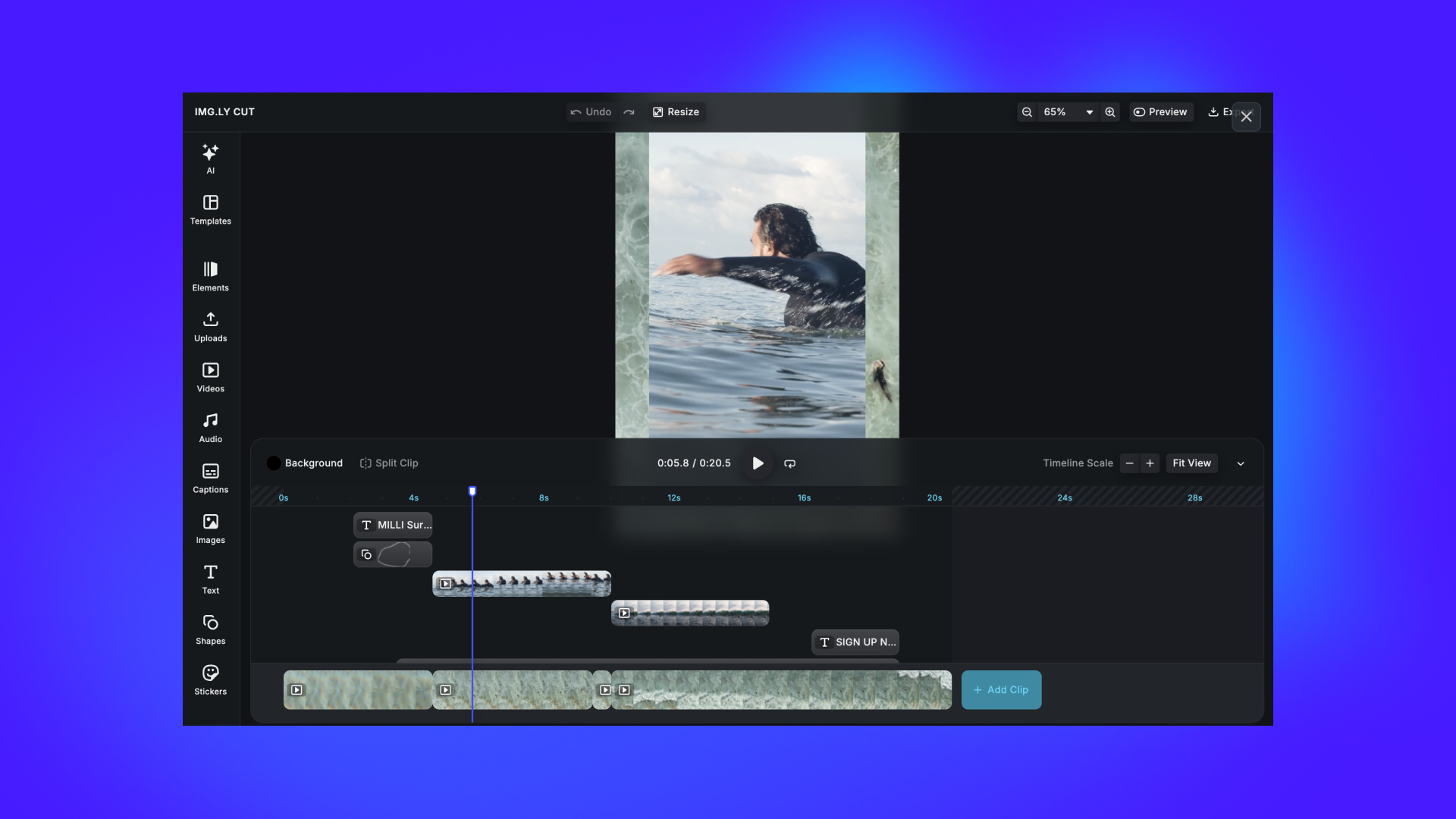
IMG.LY delivers a complete video editing platform with timeline-based editing, design tools, and AI features:
Timeline-Based Editing:
- Arrange videos on multi-track timelines
- Trim, crop, and adjust duration
- Merge videos and create collages
- Audio overlay and mixing
- Layer management and compositing
Creative Tools:
- 60+ filters and effects
- Adjustments (brightness, contrast, saturation, exposure)
- Text design with custom fonts and styles
- Dynamic stickers and overlays
- Frames with multiple blend modes
Template System:
- Design templates with text variables and placeholders
- Lockable elements for brand consistency
- Automated variation generation
- Server-side rendering for mass personalization
AI & Automation:
- Native AI features: video generation, captions, voiceovers, thumbnails
- Model-agnostic plugin system (integrate any AI model or API)
- Background removal and style transfer
- Smart filters and enhancements
Customization Framework:
- Headless API for completely custom interfaces
- Theming to match your brand
- Toolbar configuration and element positioning
- Multi-language localization
- External asset library integration (Getty Images, Soundstripe)
Platform Support
- Web: JavaScript, React, Angular, Vue.js, Svelte, Next.js
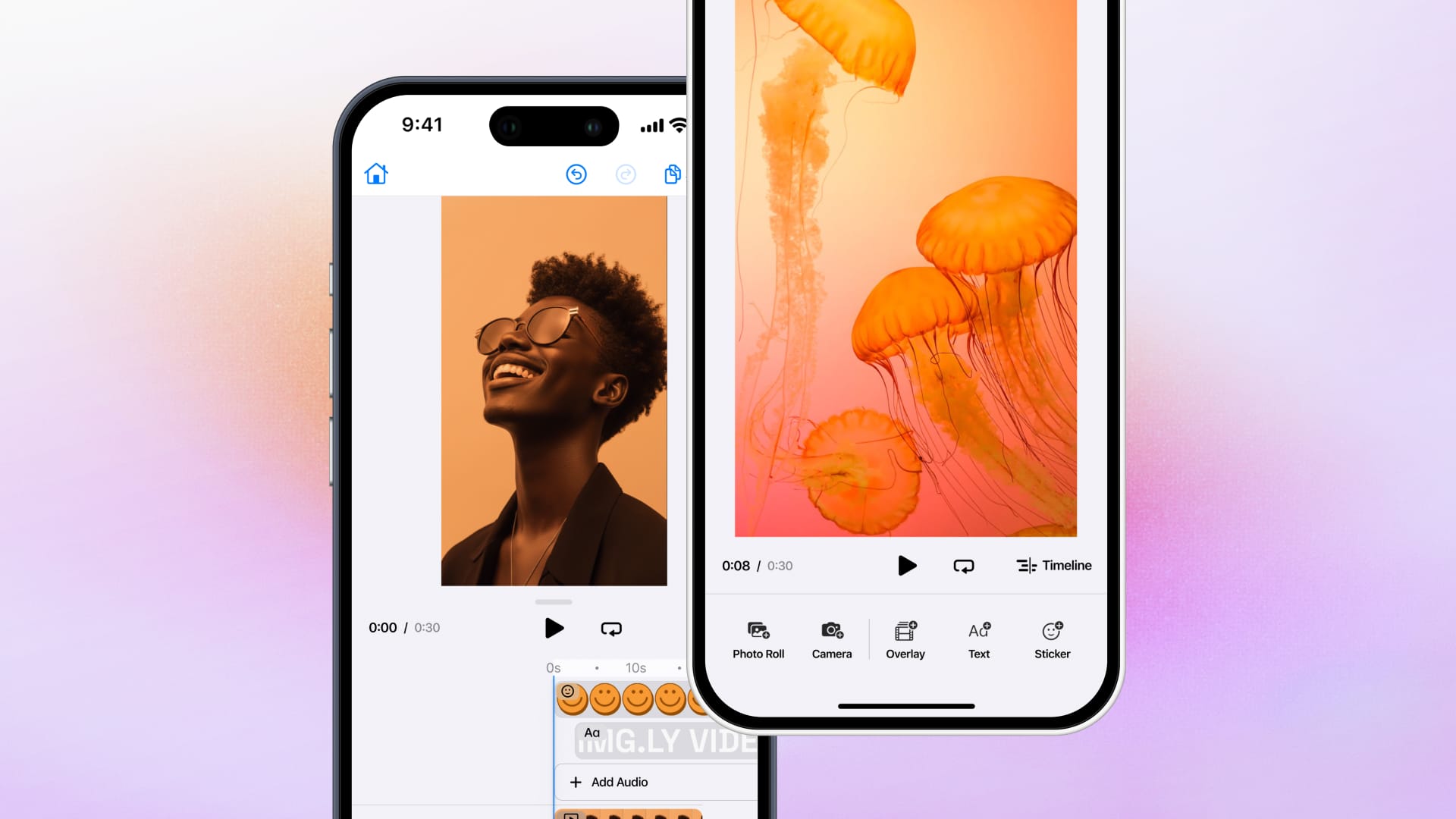
- Mobile: Android (Kotlin/Java), iOS (Swift), React Native, Flutter
- Desktop: macOS, Mac Catalyst, Electron
- Server: Node.js for backend automation
Technical Architecture
Client-side encoding means fast editing operations run directly on devices without requiring backend infrastructure. This cuts bandwidth, reduces upload times for users, and eliminates server costs for standard editing.
Server-side rendering enables creative automation at scale — design templates once, generate thousands of variations programmatically from any data source with 100% consistent rendering.
Ideal Use Cases
- Social media creation: In-app video recording with dual-camera support, advanced audio overlays, and real-time effects
- Template-based workflows: Automate video creation for marketing materials, product videos, social media ads
- Enterprise automation: Server-side rendering for high-volume ad generation, creative pipelines, mass personalization
- E-commerce: Product video creation, user-generated content, personalized demos
- SaaS platforms: In-app video editing for user-generated content, brand-controlled templates
Real Customer Examples
Social Media & Content Creation:
- Mobile apps use IMG.LY SDK for in-app video recording with dual-camera support, allowing creators to capture picture-in-picture content directly
- Advanced audio overlay features enable users to mix music tracks, voiceovers, and original audio in real-time
- Real-time effects and filters provide instant creative feedback during recording and editing
Template-Based Video Production:
- Marketing teams design video templates once and generate thousands of personalized variations programmatically using server-side rendering
- E-commerce platforms automate product video creation by mapping product data to video templates, producing consistent branded content at scale
- Brand teams create locked templates with variable elements, ensuring on-brand output while allowing distributed teams to customize messaging
Enterprise Creative Automation:
- Ad platforms use CE.SDK's Node.js capabilities for high-volume programmatic video generation, creating thousands of ad variations from single templates
- DAM systems integrate IMG.LY for in-workflow video editing, allowing teams to make quick adjustments without leaving their asset management platform
- Publishing platforms automate social media content by rendering video templates with dynamic data feeds, producing daily content without manual editing
500+ million creations per month powered by IMG.LY's video editing and automation infrastructure across 600+ customers
Limitations
Paid solution. Unlike open-source frameworks, CE.SDK requires an enterprise license. This makes it less accessible for hobby projects or very early-stage prototypes, but the investment pays off in reduced development time, ongoing support, and scalability.
Enterprise-focused. The SDK is built for teams that need reliability, support, and scale. If you're building a quick prototype or low-traffic app, open-source tools might be more cost-effective initially (though you'll pay in engineering time).
Pricing / Licensing
- Custom enterprise licensing based on platform, features, and usage
- Dedicated support included: onboarding, SLAs, regular updates
- Integration time: Most teams have a working editor in hours, not weeks
Who It's For
Businesses that need a complete, production-ready video editing solution with cross-platform support, automation capabilities, enterprise scalability, and ongoing support. Teams that want to ship faster and focus on their unique product features rather than rebuilding video editing infrastructure.
Why IMG.LY SDK Stands Out
While other SDKs focus on either interactive editing (Banuba, BytePlus) or backend processing (FFmpeg, GStreamer), IMG.LY is the only solution that combines:
- Cross-platform video editing (Web, iOS, Android, React Native, Flutter, Node.js)
- Polished editor UI with complete customization options
- Template system with server-side automation
- AI-powered creative features
- Dual-purpose architecture (client-side editing + server-side rendering)
- Enterprise-grade scalability and dedicated support
If you're evaluating other SDKs, ask yourself: how much engineering time will you spend building, maintaining, and scaling a custom solution? Our SDK eliminates that overhead so your team can focus on what makes your product unique.
2. Meishe SDK
Meishe is a Chinese video editing SDK provider with a comprehensive suite covering video editing, beauty filters, short video creation, and audio processing. They're particularly strong in the Asian market and have been adopted by major platforms like Bilibili, OPPO, Xiaomi, and Himalaya.
Core Capabilities
Meishe offers film and television-level processing capabilities with a focus on high-quality output:
Video Editing Features:
- Real-time preview through LiveWindow (preview effects during editing without pre-processing)
- Support for multiple file formats with input up to 4K
- Video output up to 1080P with configurable quality levels (1080P, 720P, 480P)
- Unlimited audio track editing with multi-segment support
- Transition effects between clips with customization options
Creative Tools:
- Real-time skin beautification with adjustable parameters
- Animation stickers with customizable properties
- Special effects filters
- Full-link HDR support
- Professional video/audio editing with free function combination
Technical Details:
- 4K shooting capability
- Real-time special effects processing
- Full-link HDR processing
- Professional-grade video and audio editing
Platform Support
- Native: iOS, Android
- Cross-Platform: Flutter (with unified display across platforms)
Ideal Use Cases
- Enterprise applications requiring 4K video support
- Professional video editing apps
- Social media platforms (especially in Asian markets)
- Streaming and content creation apps
- Apps requiring HDR video processing
Limitations
Documentation primarily in Chinese. While Meishe has English documentation, many resources and examples are primarily available in Chinese, which can create barriers for Western development teams.
Less Western market presence. Most case studies and customer examples are from Chinese companies, which can make it harder to assess fit for Western markets.
Customization complexity. Getting deep customization may require more direct engagement with Meishe's team compared to more self-service SDKs.
Pricing / Licensing
Pricing information is not publicly available — you'll need to contact Meishe directly for quotes. This is common for enterprise-focused SDKs but can slow down evaluation.
Who It's For
Development teams (especially in Asian markets) building professional-grade video editing apps that need 4K support, HDR processing, and advanced real-time capabilities.
How it compares to IMG.LY
Meishe offers strong professional-grade video processing with 4K and HDR support, particularly well-suited for Asian markets. IMG.LY provides similar 4K capabilities but adds cross-platform consistency (including web and server), template-driven automation, and a more developer-friendly integration experience for global teams. Meishe's documentation is primarily in Chinese, while IMG.LY offers comprehensive English documentation and Western market support. If you're building for Asian markets with HDR requirements, Meishe is a strong choice. For global deployment with automation needs, IMG.LY's unified platform across client and server offers broader flexibility.
3. BytePlus Video Editor SDK
BytePlus Video Editor SDK comes from ByteDance (the company behind TikTok and CapCut). It's designed to replicate the short-form, social-first editing experience that made those platforms successful, giving app developers similar workflows and effects libraries.
Core Capabilities
BytePlus provides three main feature sets built around social media video creation:
Camera Feature:
- Real-time video capture and recording
- 4K video recording on any mobile device
- Live filters and live beauty filters during capture
Preview Editor Feature:
- Video editing and composition tools
- More than 80,000 effects and filters
- AR stickers and visual enhancements
Track Editor Feature:
- Advanced multi-track timeline editing
- Speed change effects
- Transitions and audio features
- Multi-layer composition
Export Options:
- Support for 540p, 720p, 1080p, 4K resolutions
- Frame rates: 25fps, 30fps, 50fps, 60fps
Platform Support
- Native: iOS (Cocoapods, SPM, Objective-C, SwiftUI), Android (Gradle, Java, Jetpack Compose)
- Cross-Platform: React Native, Flutter
- Magic Template SDK: Available for both platforms
Ideal Use Cases
- Social media apps focused on user-generated content
- Short-form video platforms
- Apps that want TikTok-like editing workflows
- Content creation tools with extensive effects libraries
- Apps requiring machine learning-powered visual enhancements
Limitations
Effects and beauty features are separate. The standard and lite versions of the SDK don't include Camera props, filters, and beauty effects — you need to purchase those separately, which can complicate pricing and integration.
Customization beyond theming is limited. While you can match the SDK to your brand through theming, deeper UI customization requires more effort compared to headless SDKs.
Annual licensing only. The SDK operates on an annual subscription basis, which may not work for all business models or early-stage products.
Pricing / Licensing
- Annual subscription: License valid for 1 year covering both iOS and Android
- Contact sales for pricing details
- Integration time: Estimated 2 weeks per platform (iOS & Android) for one developer
- Customization may extend integration timeline
Who It's For
Teams building social media-style video apps that want to replicate TikTok's editing experience, especially if you need access to a massive effects library and ByteDance's proven video editing architecture.
How it compares to IMG.LY
BytePlus brings TikTok's proven social video editing architecture with 80,000+ effects and filters, making it ideal for replicating short-form social experiences. IMG.LY takes a different approach: instead of a massive pre-built effects library, it focuses on customization, templates, and automation. BytePlus excels at client-side social video creation with extensive effects; IMG.LY excels at template-driven workflows, server-side automation, and cross-platform consistency (including web and Node.js). If you want TikTok-like effects out of the box, BytePlus delivers. If you need creative automation, programmatic content generation, or want to build custom workflows with full control over the editing experience, IMG.LY offers more flexibility and a dual-purpose architecture.
4. Banuba Video Editor SDK
Banuba is a commercial video editing SDK focused on social media apps, with a strong emphasis on AR effects and beauty filters. It's designed for teams building TikTok-like experiences or apps where user-generated video content is central to the product.
Core Capabilities
Banuba provides a full-featured video editor with AI-powered tools and creative effects:
Video Editing Features:
- Picture-in-picture for multi-video layouts
- AI-powered clipping that detects important segments
- Customizable templates with replaceable elements
- Trimming, merging, and timeline-based editing
- AI-generated captions (English, Mandarin, Spanish, Portuguese)
Creative Tools:
- Face AR masks with morphing effects and animated backgrounds
- Video and transition effects (including "Rave" and "Cathode Flash")
- Audio editing with recording and mixing
- Text and GIF overlays
- Beauty effects (skin smoothing, teeth whitening)
- Voice-change effects (Elf, Robot, Squirrel, Giant, Echo, Baritone)
Technical Details:
- AI algorithms work offline — all processing happens on the device
- No user content transmitted to servers
- Requires OpenGL ES 3.0 minimum (3.1 for GPU-accelerated neural networks)
Platform Support
- Native: iOS 15.0+, Android 6.0+
- Cross-Platform: React Native, Flutter, NativeScript
Ideal Use Cases
- Social media applications with AR filters
- Photo/video editing apps for content creators
- E-commerce platforms with video demos
- Lifestyle and educational apps
- Short-form video content creation
Limitations
Pricing complexity. Banuba's pricing is custom and depends on platform, features, custom development, and payment terms. You'll need to contact sales for accurate quotes, which can slow down evaluation.
AR licensing. Face AR features are optional and may require separate licensing, adding complexity to your commercial agreement.
Heavy focus on AR. If you don't need beauty filters or AR masks, you're paying for features you won't use.
Pricing / Licensing
- Free trial: 14 days with all features
- Commercial: Custom pricing based on platform, features, and usage
- Priced per platform per month
Who It's For
Teams building social media apps or content creation tools that need AR effects, beauty filters, and TikTok-like creative features out of the box.
How it compares to IMG.LY
Banuba excels at AR effects and beauty filters for social media apps, while IMG.LY focuses on template-based workflows and cross-platform automation. If you need face masks and beauty effects, Banuba is purpose-built for that. But if you need server-side rendering, creative automation, or want the same editing engine across web, mobile, and backend, IMG.LY provides broader platform coverage and a dual-purpose architecture. Banuba is optimized for client-side social video creation; IMG.LY handles both interactive editing and programmatic content generation at scale.
5. FFmpeg (via FFmpegKit)
FFmpeg is the industry-standard open-source tool for video processing. It's not a video SDK in the traditional sense — it's a command-line tool and set of libraries that handle encoding, decoding, transcoding, filtering, and nearly every video operation imaginable.
FFmpegKit is a wrapper that makes FFmpeg accessible on mobile platforms (Android, iOS, React Native, Flutter) through platform-specific APIs. It's the primary way developers integrate FFmpeg into mobile apps.
Core Capabilities
FFmpeg handles the entire video processing pipeline:
Video Operations:
- Encoding and decoding (every codec imaginable)
- Format conversion (MP4, MOV, AVI, MKV, WebM, etc.)
- Trimming, cutting, merging, splitting
- Filtering and effects
- Subtitle burning
- Video stabilization
- Audio extraction and mixing
Technical Features:
- Command-line interface (via wrapper APIs)
- Support for hardware acceleration
- Concurrent command execution
- Extensive codec library
- Professional-grade output quality
Platform Support
- Native: Android (Java API), iOS (Objective-C API), Linux (C++ API), macOS, tvOS
- Cross-Platform: Flutter (Dart API), React Native (JavaScript API with TypeScript definitions)
- Eight prebuilt packages: Distributed via Maven Central, CocoaPods, pub, npm
Ideal Use Cases
- Backend video processing and transcoding
- Format conversion at scale
- Apps that need specific codec support
- Video compression and optimization
- Building custom video processing pipelines
- Server-side automation
Limitations
No UI whatsoever. FFmpeg is a processing engine. If you want users to interact with video — timelines, filters, previews — you'll need to build the entire interface yourself from scratch.
Steep learning curve. FFmpeg's command-line syntax is powerful but complex. Even simple tasks require understanding flags, options, and codec parameters.
GPL licensing complexity. While FFmpegKit itself is LGPL v3.0, including GPL-licensed libraries makes the entire bundle GPL v3.0, which has implications for commercial apps.
FFmpegKit has been officially retired. As of June 2025, FFmpegKit is no longer maintained. Community-maintained forks exist, but official support is ending.
Pricing / Licensing
- Free and open-source: LGPL v3.0 for FFmpegKit library
- GPL v3.0 when GPL-licensed libraries are included
- Licensing depends on which codecs and libraries you bundle
Who It's For
Developers who need powerful backend video processing, format conversion, or transcoding — and are willing to build all user-facing features themselves. Not suitable for teams that need a ready-to-use editor.
How it compares to IMG.LY
FFmpeg is a processing engine, not an editing SDK. It handles transcoding, format conversion, and video manipulation via command-line operations — but provides no UI, no templates, and no interactive editing components. IMG.LY includes a production-ready editor, template system, and user-facing tools out of the box, while also supporting server-side automation through Node.js. If you only need backend processing and are building all UI yourself, FFmpeg (via community forks) can work. If you need both interactive editing and automation, IMG.LY eliminates months of development by providing both in one platform. IMG.LY also avoids GPL licensing complications and the uncertainty of using a retired library with community forks.
6. GStreamer (with GStreamer Editing Services)
GStreamer is a mature open-source multimedia framework used across Linux, Android, iOS, Windows, and macOS. It's designed for building media applications — streaming, playback, recording, and non-linear editing — with a plugin-based architecture that makes it extremely flexible.
GStreamer Editing Services (GES) is a higher-level library built on top of GStreamer to simplify video editing application development. It was originally funded by Nokia for mobile video editing ("video editing in your pocket").
Core Capabilities
GStreamer provides the foundation for building multimedia applications:
Core Features:
- Audio and video playback, recording, streaming
- Non-linear editing capabilities via GES
- Extensive plugin library (encoders, decoders, filters)
- Hardware acceleration support
- Low-latency streaming (RTSP, WebRTC)
- Support for diverse codecs and formats
GStreamer Editing Services:
- High-level API for creating editing applications
- Timeline-based editing
- Transition effects
- Audio mixing
- Asset management
Performance Optimizations:
- Offloading work to specialized hardware (DSPs, GPUs)
- Low power consumption for embedded processors
- Support for ARM, MIPS, SPARC architectures
Platform Support
- Cross-Platform: Linux, Android, iOS, Windows, macOS
- Language Bindings: C++ (primary), Python, Java, JavaScript
- Mobile: Official SDK binaries for Android and iOS
Ideal Use Cases
- Custom video editing apps requiring deep control
- Streaming applications (RTSP, WebRTC)
- Media players and recording apps
- Research and academic projects
- Embedded systems and IoT devices
- Apps requiring specialized codec support
Limitations
Steep learning curve. GStreamer's plugin-based architecture is powerful but complex. Understanding pipelines, bins, and element linking takes time even for experienced developers.
No pre-built UI. GES provides editing APIs, but you'll need to build the entire interface yourself. This means designing timelines, playback controls, effect panels, export dialogs — everything.
Limited mobile-specific examples. While GStreamer officially supports iOS and Android, production-ready mobile editing examples are scarce. You'll be pioneering integration patterns yourself.
Integration complexity. Getting GStreamer running on mobile requires compiling binaries, managing dependencies, and debugging platform-specific issues. This isn't a "drop in and go" integration.
Pricing / Licensing
- Free and open-source: LGPL license
- GStreamer Editing Services included in main distribution
- No commercial support by default, but third-party companies (like Fluendo) offer commercial support and custom development
Who It's For
Teams with strong multimedia engineering expertise who need deep control over video processing and are willing to build everything from the ground up. Not suitable for teams that need fast time-to-market or lack video processing experience.
How it compares to IMG.LY
GStreamer provides powerful low-level control over multimedia processing through its plugin-based architecture, making it ideal for specialized use cases like streaming, embedded systems, or custom pipelines. IMG.LY provides a higher-level, production-ready solution with UI components, templates, and automation built in. GStreamer requires significant expertise and months of development to build user-facing features; IMG.LY offers a working editor in hours with customization options that don't require multimedia engineering expertise. If you need deep control over codecs, streaming protocols, or embedded deployment, GStreamer's flexibility is unmatched. If you need to ship a production-ready video editor quickly with cross-platform support and automation capabilities, IMG.LY eliminates the complexity and provides enterprise support.
Comparison Table: Video SDKs for Mobile Applications
| Feature / SDK | Banuba | Meishe | BytePlus | FFmpeg | GStreamer | IMG.LY SDK |
|---|---|---|---|---|---|---|
| Platform Support | iOS 15+, Android 6+, React Native, Flutter, NativeScript | iOS, Android, Flutter | iOS, Android, React Native, Flutter | Android, iOS, React Native, Flutter, Linux, macOS | Linux, Android, iOS, Windows, macOS | Web, iOS, Android, React Native, Flutter, Desktop, Node.js |
| UI Included | ✅ Pre-built editor | ✅ Pre-built editor | ✅ Pre-built editor | ❌ Processing only | ❌ GES provides APIs only | ✅ Production-ready editor + Headless API |
| Timeline Editing | ✅ Yes | ✅ Yes | ✅ Multi-track | ❌ Command-line only | ✅ Via GES | ✅ Advanced multi-track |
| AR / Beauty Filters | ✅ Strong focus | ✅ Real-time beauty | ✅ 80,000+ effects | ❌ None | ❌ None | ✅ Filters + extensible AI plugins |
| Templates | ✅ Customizable | ⚠️ Limited info | ✅ Magic Templates | ❌ None | ❌ None | ✅ Advanced template system with variables |
| Server-Side Automation | ❌ No | ❌ No | ❌ No | ✅ CLI-based | ✅ Possible but complex | ✅ Native support (same engine) |
| AI Features | ✅ AI clipping, captions | ⚠️ Limited info | ✅ ML-powered effects | ❌ None | ❌ None | ✅ Native AI + model-agnostic plugins |
| 4K Support | ✅ Yes | ✅ Up to 4K input | ✅ 4K recording | ✅ Yes | ✅ Yes | ✅ Yes |
| Customization Level | ⚠️ UI/UX + optional API | ⚠️ Requires team engagement | ⚠️ Theming primarily | ✅ Complete control | ✅ Complete control | ✅ Headless API + theming + UI config |
| Integration Complexity | ⚠️ Moderate (GitHub samples) | ⚠️ Moderate | ⚠️ Moderate (~2 weeks) | ⚠️ Complex (retired library) | ⚠️ Very complex | ✅ Simple (hours to integrate) |
| Documentation | ✅ English, developer portal | ⚠️ Primarily Chinese | ✅ English, comprehensive | ✅ Extensive community docs | ✅ Extensive but complex | ✅ Comprehensive with samples |
| Licensing / Pricing | Custom (free 14-day trial) | Contact for quote | Annual subscription | Free, LGPL/GPL | Free, LGPL | Enterprise license |
| Enterprise Support | ⚠️ Custom agreements | ⚠️ Direct engagement | ⚠️ ByteDance support | ❌ Community only | ⚠️ Third-party (Fluendo) | ✅ Dedicated support + SLAs |
| Best For | Social media apps with AR focus | Professional apps in Asian markets | TikTok-like social video apps | Backend processing / transcoding | Custom multimedia apps | Cross-platform editing + automation at scale |
Making Your Decision: Which Video SDK Is Right for You?
Here's the honest breakdown based on your use case:
Choose Banuba if:
- You're building a social media app and AR effects are central to your product
- You need beauty filters, face masks, and creative effects out of the box
- Your primary audience expects TikTok-style creative tools
- You're comfortable with custom pricing and optional feature licensing
Choose Meishe if:
- You're targeting Asian markets where Meishe has strong adoption
- You need professional-grade 4K and HDR video processing
- Real-time preview and film-quality output are critical
- You have access to Chinese documentation resources or engineering support
Choose BytePlus if:
- You want to replicate TikTok/CapCut's editing experience
- You need access to 80,000+ effects and filters
- Machine learning-powered visual enhancements are important
- You're comfortable with annual licensing and want ByteDance's proven architecture
Choose FFmpeg if:
- You need backend video processing, transcoding, or format conversion
- You're building automation pipelines, not user-facing editors
- You have strong video engineering expertise
- You're okay with command-line complexity and building all UI yourself
- Be aware: FFmpegKit is officially retired; plan for community forks
Choose GStreamer if:
- You need deep control over multimedia processing
- You're building custom streaming, playback, or editing applications
- You have strong multimedia engineering expertise
- You're willing to invest significant time in integration and UI development
- You need specialized codec support or embedded system deployment
Choose IMG.LY CE.SDK if:
- You need both interactive editing and server-side automation
- Cross-platform consistency is critical (Web, iOS, Android, React Native, Flutter)
- You want a production-ready editor that integrates in hours, not months
- Template-based workflows and creative automation are important
- You need enterprise support, SLAs, and ongoing updates
- Your team wants to focus on product features, not rebuilding video editing infrastructure
Build vs Buy: What's the Real Cost?
Let's be honest about the engineering investment required:
Building on FFmpeg or GStreamer:
- Months to build a basic timeline editor with preview
- Ongoing maintenance for device compatibility, codec updates, performance optimization
- No UI components — you're building everything from scratch
- Scaling challenges when you need templates, automation, or new features
Commercial SDKs (Banuba, Meishe, BytePlus):
- Days to weeks for basic integration
- Pre-built UI and effects libraries
- Dedicated support for troubleshooting
- Licensing costs vary; evaluate based on your revenue model
IMG.LY SDK:
- Hours to integrate a working editor
- Production-ready UI with full customization
- Dual-purpose: client-side editing + server-side automation
- Template system and AI features included
- Enterprise support and regular updates
Ask yourself:
- What's your timeline? If you need to ship in weeks, open-source frameworks won't get you there.
- What's your team's expertise? Video processing is complex; building from scratch requires specialized knowledge.
- What happens when you scale? Adding templates, automation, or AI features to a custom-built solution takes months of additional work.
Commercial SDKs cost money upfront but save significant engineering time. Open-source tools are "free" but expensive in development hours and opportunity cost.
Conclusion: The Right SDK Depends on Your Goals
There's no one-size-fits-all answer, but here's the summary:
FFmpeg and GStreamer are powerful processing engines for developers who need backend automation or custom pipelines. They give you complete control but require significant expertise and offer no user-facing components. Great for transcoding, format conversion, and specialized workflows — not for building interactive editors.
Banuba, Meishe, and BytePlus are excellent for social media apps that need AR effects, beauty filters, and TikTok-style editing. They provide pre-built editors with extensive effects libraries, but customization beyond theming can be limited, and they're focused primarily on client-side editing (no server automation).
IMG.LY CE.SDK is the only solution that combines production-ready interactive editing with server-side creative automation. We provide cross-platform consistency, a complete template system, AI features, and enterprise support — all in one platform. Where other SDKs require you to choose between editing and automation, we give you both.
If you're building an app where video editing is a core feature (not a side project), and you need to ship fast without compromising on quality or scalability, our SDK eliminates months of development work and ongoing maintenance headaches.
The real question isn't "which SDK is cheapest?" It's "how much engineering time will we spend building, maintaining, and scaling a custom solution — and what could we build instead if we had that time back?"
Ready to see what IMG.LY SDK can do? Explore our demos or get in touch to discuss your project.