

TL;DR: Using ONNX Runtime with WebGPU and WebAssembly leads to 20x speedup over multi-threaded and 550x speedup over single-threaded CPU performance. Thus achieving interactive speeds for state-of-the-art background removal directly in the browser.
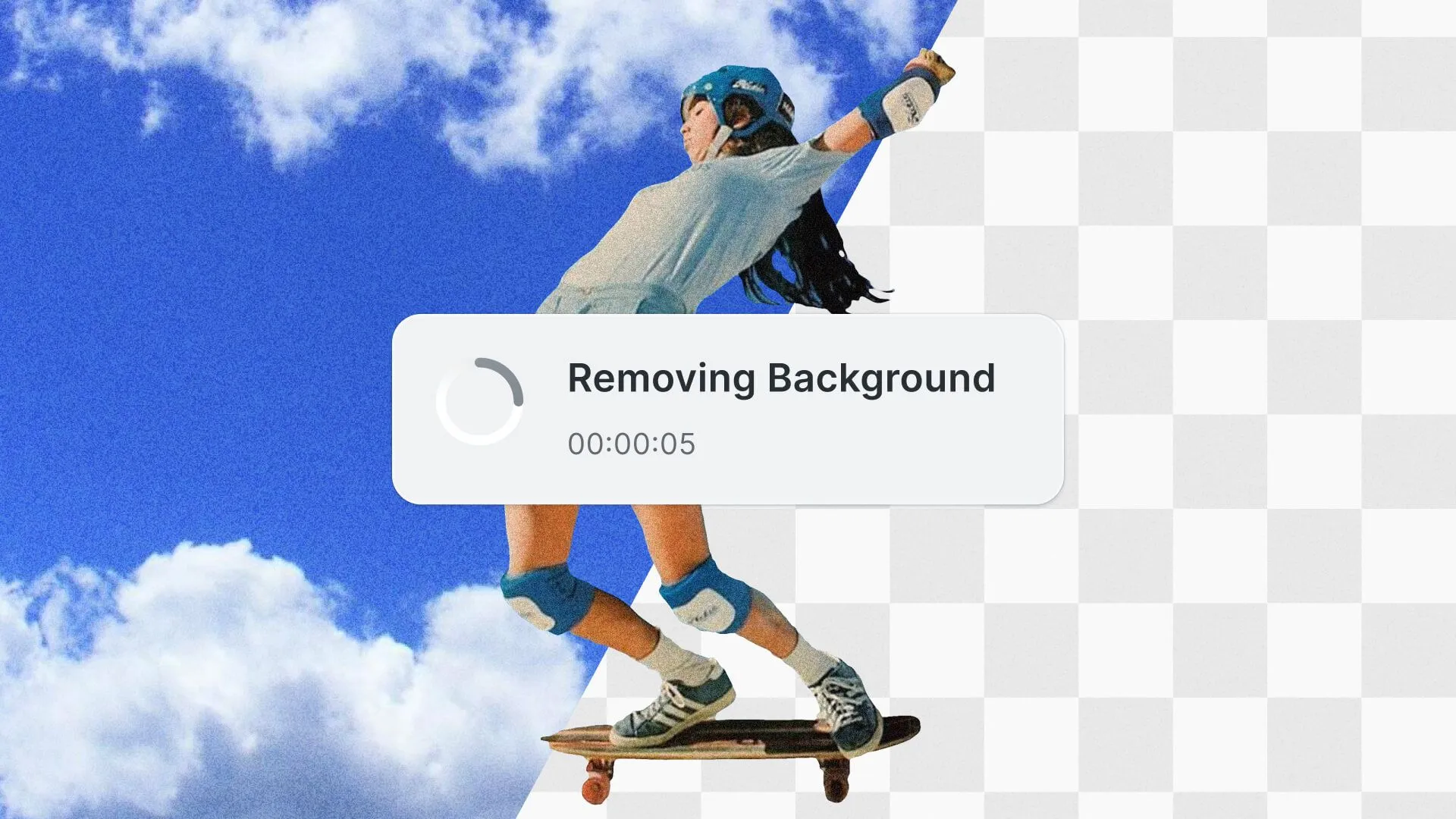
Removing background from an image is a typical job to be done in creative editing. We have come a long way from manually knocking out the background from an image to full automation with Neural Networks.
Most state-of-the-art background removal solutions work by offloading the task to the server with a GPU as it was simply infeasible to run the NN on the client.
However, running background removal directly in the browser offers several advantages over server-side processing:
- Reduced server load and infrastructure costs by offloading heavy lifting to the client.
- Enhanced scalability by distributing the workload across client devices.
- Easier compliance with data protection and security policies by not transferring data across a network to a server.
- Offline processing without needing a reliable internet connection.
It caters to a wide range of use cases, including but not limited to:
- E-commerce applications that need to remove backgrounds from product images in real time.
- Image editing applications that require background removal capabilities for enhancing user experience.
- Web-based graphic design tools that aim to simplify the creative process with in-browser background removal.
In general, two factors influence the feasibility of running background removal directly on the client.
- The execution performance, and
- the download size of the Neural Network.
The performance or overall runtime is the major factor to be useful in interactive applications, if a user has to wait several minutes or hours for a neural network to execute, this is in many cases far too long in terms of good user experience. From experience, there are three factors to consider.
- The initial first-time execution. The major factor is that neural networks come with the drawback of generally being several MB to GB in size, thus the time to download the neural network into the browser cache is considerable. In subsequent browser page reloads this has no impact anymore.
- The neural network or session initialization time, cannot be cached and has to run with every reload of the page in the browser.
- The neural network or session inference time, largely depends on the longest path inside the neural network and most importantly the execution time of each operator in the neural network.
Updated September 2026.
Towards Real-time Background Removal in the Browser
Neural networks are commonly trained in frameworks like PyTorch, which is a neural network library for Python, as such not usable directly in the browser. The best option to run neural networks directly in the browser is converting the neural network into the Open Neural Network Exchange (ONNX) format, which is a widely supported standardized format governed by the LF AI & Data Foundation used extensively in the industry.
These ONNX-formatted neural networks can then be reconverted into a platform-specific format or directly executed by a supported runtime.
The ONNX Runtime by Microsoft is a high-performance inference engine designed to run ONNX models across various platforms and languages. One notable feature is ONNX Runtime Web, which allows JavaScript developers to execute ONNX models directly in the browser. ONNX Runtime Web offers several execution providers for hardware acceleration. For instance, its WebAssembly execution provider enhances CPU execution performance using multiple Web Workers and SIMD instructions.
More importantly, since version 1.17.0, ONNX Runtime Web has shipped the WebGPU execution provider out of experimental. That original JavaScript implementation, JSEP, is now deprecated in favor of a native WebGPU execution provider, and since the default onnxruntime-web import still selects JSEP, import onnxruntime-web/webgpu to get the current path. WebGPU is a modern web API that enables developers to utilize GPU power for high-performance computations, offering a significant performance boost over CPU-based in-browser machine learning. WebGPU has been on by default since Chrome 113 and Edge 113 on Windows, macOS and ChromeOS, since Chrome 144 and Edge 144 on Linux with Intel Gen12 and newer GPUs, since Chrome for Android 121, in Safari 26, and in Firefox since 141 on Windows, 145 on Apple silicon Macs running macOS Tahoe, and 147 on those Macs running older macOS releases. For the latest browser support updates, you can track them here.
Implementation Details
For the implementation of the open-source package @imgly/background-removal, we started the journey with a neural network implementation in PyTorch written in Python. The network was then converted to ONNX. You can see our live showcase here.
The original model was using 32-bit floating point (fp32) precision, which is fine, but results in a file size of 168 MB after converting it to ONNX. As mentioned earlier, the size of the network has a large impact on perceived first-time execution performance as the download time tends to be longer than the execution time, but more to that later.
To reduce the size of the model, we converted the model to use fp16 (16-bit floating point) and QUINT8 (Quantized 8-bit) datatypes. Thus, effectively reducing the size to half (84MB) and a fourth (42MB) of the original size. Additionally to the download size, the operators used will be converted corresponding to the datatype and different data types and depending on the hardware may lead to speed improvements or even deteriorating due to specialized hardware being used or not being present.
Note, that while that sounds great, the conversion has a potential negative impact on the quality of the output as we are removing information in the neural networks and since we are working with images, artifacts might become visible and the quality of the resulting background mask is reduced.
Evaluation
When dealing with neural networks in the browser we can identify three different scenarios
- First Use
- First Run
- Consecutive Runs
The first-use scenario occurs when the web application is started the first time. The neural network has to be downloaded from the server into the browser sandbox, as neural networks are several 10-1000 MB in size this is not neglectable.
The first run assumes that the neural network is already present in the browser cache, however, when the neural network ought to be used, the network has to initialize before execution.
In consecutive runs, the neural network is already in memory and the execution time is largely determined by the neural network depth and operators only.
First Use: Neural Network Download
While download or time is a large factor in the first-time execution time, this is largely dependent on the available network bandwidth, as such it is not part of the evaluation but in order to get an idea here are the expected download times for the fp32 (168MB) and fp16 (84MB) neural network subject to various common network bandwidth:
| Network Bandwidth | Filesize | Download Time |
|---|---|---|
| 10 Mbps | 84 MB | 67 s |
| 100 Mbps | 84 MB | 6.7 s |
| 1 Gbps | 84 MB | 0.67 s |
| 10 Gbps | 84 MB | 0.067 s |
| Network Bandwidth | Filesize | Download Time |
|---|---|---|
| 10 Mbps | 168 MB | 134.4 s |
| 100 Mbps | 168 MB | 13.4 s |
| 1 Gbps | 168 MB | 1.34 s |
| 10 Gbps | 168 MB | 0.13 s |
Based on the assumption that the median download bandwidth is ~100 Mbps, we see that it’s in the 5-15 second range.
First Run: Neural Network Initialization and Compilation
Before the neural network can be executed it has to be initialized. Initialization includes several execution provider-specific steps. Most prominent are the time to upload or convert the data to the execution provider and execution provider-specific ONNX graph optimization passes. This all adds to the first run experience. We have evaluated the average session initialization time for the CPU (WASM) and WebGPU provider on a MacBook Pro from 2023 with an Apple M3 Max, 16 cores to get an idea of the general impact on first run execution time:
| Device | Datatype | Session Initialization Time |
|---|---|---|
| CPU (WASM) | fp32 | ~320ms |
| CPU (WASM) | fp16 | ~320ms |
| WebGPU | fp32 | ~400ms |
| WebGPU | fp16 | ~200ms |
Note, that session initialization is not negligible and adds significant runtime overhead and might be subject to additional optimization possibilities like caching the optimized model.
Consecutive Runs: Neural Network Execution
Independent of the download and initialization time, we evaluated different execution providers on a MacBook Pro from 2023 with an Apple M3 Max, 16 cores. This was top-end consumer hardware when we ran these benchmarks in 2024, and the general trends will probably apply to various hardware configurations. As a reference, we choose the single thread performance with the neural network running on the CPU with 1 worker thread and SIMD disabled.
| Device | SIMD | Threads | Datatype | Session Runtime | Speedup |
|---|---|---|---|---|---|
| CPU (WASM) | No | 1 | fp32 | ~53000 ms | 1.0 x |
| CPU (WASM) | No | 16 | fp32 | ~6300 ms | 8.4 x |
| CPU (WASM) | Yes | 1 | fp32 | ~15000 ms | 3.5 x |
| CPU (WASM) | Yes | 16 | fp32 | ~2000 ms | 26.5 x |
The data above reveals that running the neural network without any acceleration such as SIMD and threading in the browser results in almost 53s runtime, and as such is for most interactive use cases too slow to use. Due to the optimizations of the ONNX Runtime that uses SIMD and threads, we can achieve an overall speedup of roughly ~26 times compared to the baseline performance. Thus decreasing the session runtime to around 2s and making it usable for interactive applications.
As mentioned before, we neglected the download time and size of the network. Leveraging the fp16 model compression, we re-ran the benchmarks and got similar results as before, but with half the bandwidth required to download the network for the first time application. The general visual performance of the fp16 and fp32 is similar or visually not perceivable. The quint8 model led to artifacts and as such unusable for visual processing, thus we excluded from the following benchmark.
| Device | SIMD | Threads | Datatype | Session Runtime | Speedup |
|---|---|---|---|---|---|
| CPU (WASM) | No | 1 | fp16 | ~55000 ms | 1.0 x |
| CPU (WASM) | No | 16 | fp16 | ~7300 ms | 7.5 x |
| CPU (WASM) | Yes | 16 | fp16 | ~2300 ms | 23.9 x |
The results are a little worse than the fp32 version, because WebAssembly has no fp16 instructions yet (the FP16 proposal is still in progress), so additional fp16 to fp32 conversion operations have to be performed even though a CPU like the M3 Max has half-precision hardware of its own.
Our final benchmark measures the WebGPU performance, which led to the following impressive results. To have a fair comparison and understanding of the impact of the WebGPU technology, we compare it with the best CPU version with 16 threads and SIMD enabled with the fp32 model, which was around ~2 s.
| Device | SIMD | Threads | Datatype | Session Runtime | Speedup |
|---|---|---|---|---|---|
| WebGPU | Not applicable | Not applicable | fp32 | ~120ms | 16.6 x |
| WebGPU | Not applicable | Not applicable | fp16 | ~100ms | 20.0 x |
The WebGPU performance varies around 16 to 20 x improvements over the best CPU execution time. The GPU has specialized hardware for fp16 instructions, as such the model performs better than the fp32 model. Also, note that the session initialization time is also reduced due to half the required bandwidth to upload the network data to the GPU.
Therefore, the first run of the network will take ~300 ms and consecutive runs will be ~100 ms, leading to near real-time performance in the browser.
Note, that the WebGPU performance is an astonishing 550 times faster than the single thread, with no SIMD performance.
Try the live implementation in our background removal showcase.
Conclusion
WebGPU is a major leap in establishing the browser as a factor to be reckoned with as a true Application platform. With IMG.LY, we are striving to leverage modern technology to make design tools accessible, this includes on-device execution, on-premise, but also on-cloud execution of design tools leveraging neural networks.
Background removal is documented on fifteen CE.SDK platform targets, among them iOS, Android, Flutter, React Native, Node and the web frameworks. ONNX Runtime is available for all of them, which is what made the port practical.
Furthermore, we are evaluating the feasibility of in-browser background removal for videos to be included with our video-editing suites.
Background removal ships as a feature of our Photo SDK, built on the work described above, and there is a browser demo that runs the same client-side pipeline if you want to see the output first. Or contact us to discuss your project.
FAQ
Can you run background removal in the browser without a server? Yes. The model runs client-side through ONNX Runtime Web, so images never leave the device. That is the main reason to do it this way rather than posting uploads to an API, and it is also why the first-use download matters so much.
Is WebGPU required, or will WebGL do? WebGPU is the faster path and the one worth targeting, and it has been on by default since Chrome 113 and Edge 113 on Windows, macOS and ChromeOS, since Chrome 144 and Edge 144 on Linux with Intel Gen12 and newer GPUs, since Chrome for Android 121, in Safari 26, and in Firefox since 141 on Windows, 145 on Apple silicon Macs running macOS Tahoe, and 147 on those Macs running older macOS releases. ONNX Runtime Web still ships a WebGL backend, but it is deprecated and scheduled for removal, and it runs only when you request it explicitly, so the fallback this post relies on is the WebAssembly execution provider. Check current browser support before assuming it, since the picture changes release to release.
Why is the first run so much slower than later ones? Three different things are happening. First use downloads the network, which at 84MB for fp16 and 168MB for fp32 is bandwidth-bound. First run initializes and compiles it. Only consecutive runs measure what people usually mean by inference speed, because by then the network is already in memory.
Should you use the fp16 or fp32 model? fp16 halves the download, 84MB against 168MB, which is the dominant cost on first use. Weigh that against the accuracy your output needs; for a background cutout previewed at screen size the difference is usually not what your users notice.
Is this worth building yourself? It is achievable, and this article is the evidence. What follows is the part to price in: model updates, browser differences, memory pressure on lower-end devices, and the fallbacks for when WebGPU is not there. Background removal also ships as a feature of our Photo SDK if that maintenance is not where you want your engineering time.