You've automated image generation—your marketing team can produce thousands of product banners, social posts, and email headers without touching Photoshop. But when someone asks, "Can we do this for video?" the conversation gets complicated fast.
Video automation isn't just "image automation with a timeline." It's fundamentally different. A static banner renders in 100 milliseconds. A 30-second video takes 10-30 seconds to render. Your 10MB image template becomes a 50MB video file. And that's before you factor in audio tracks, transitions, platform-specific encoding requirements, and the reality that "vertical for TikTok" means different specs than "vertical for Instagram Stories."
Most teams discover these challenges the hard way—after they've already committed to video automation and hit unexpected walls. The template that looked perfect in the editor breaks when the headline is 30% longer in German. The rendering pipeline that handled images fine collapses under video workloads. The licensing you thought you had doesn't cover H.264 distribution.
Video automation is solvable. But it requires understanding what makes video different, designing templates that can handle variability, and building infrastructure that respects the complexity.
In this article we will cover:
- Why video automation is different
- Designing templates that scale
- Architecture patterns for generation
- Platform constraints & encoding
- Production pitfalls & monitoring
- When automation does (and doesn't) make sense
Why Video Automation Is Fundamentally Different
If you've built image automation pipelines, video introduces layers of complexity that change how you think about templates, rendering, and infrastructure. The core differences:
- Timeline complexity: Video adds time as a dimension—every element has duration, entry/exit timing, and potential animation
- Multi-asset coordination: Dozens of assets (video clips, audio, overlays) must stay synchronized across time
- Rendering performance: 100x slower than images (30-second video = 900 frames at 30fps)
- File size: 10MB PNG becomes 50MB MP4, impacting storage and distribution
- Platform requirements: Stricter, more varied specs (aspect ratios, duration limits, codec preferences)
Timeline Complexity vs. Static Composition
Images are spatial—elements positioned on a 2D canvas with fixed relationships. Video adds time. Every element now has duration, timing, and animation across the timeline.
When you generate 10,000 image variants with different text lengths, the layout adjusts spatially. With video, text length affects duration—do you extend the scene to accommodate longer copy, or speed up the animation? Neither is automatic.
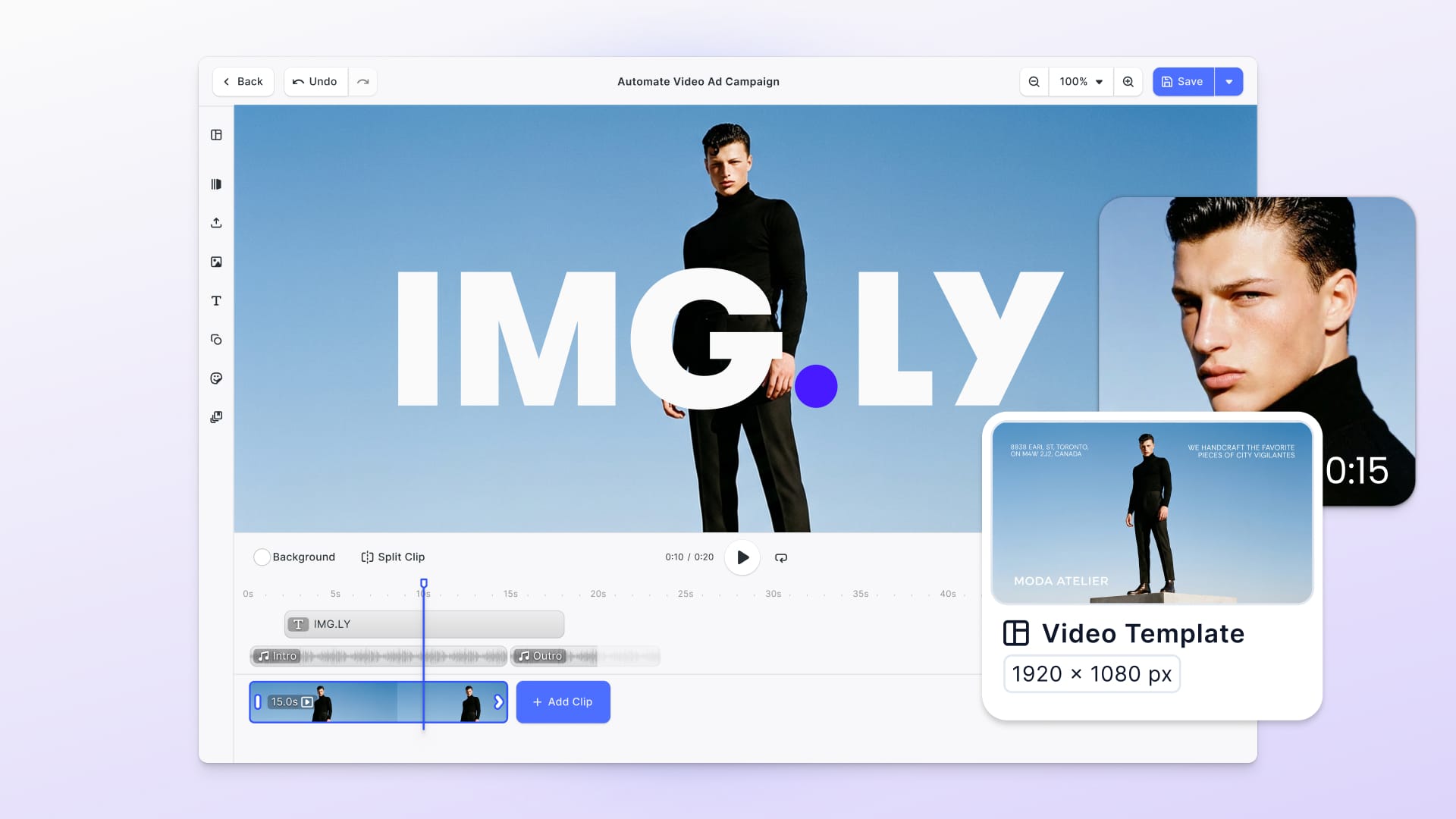
A timeline-based engine like CE.SDK's video editor handles this through track systems similar to TikTok or Instagram: foreground tracks for video clips and audio, background tracks that define overall video length. Video clips can be trimmed, repositioned, and arranged. Audio strips sync with video timing but remain independent—you can adjust one without breaking the other.
The automation challenge: when you inject variable data (product names, customer messages, CTAs), how does that affect the timeline? Template design needs to account for temporal variability, not just spatial.
Multi-Asset Coordination and Audio Sync
A single image template might reference 5-10 assets. A video template coordinates dozens: multiple video clips, background music, sound effects, overlay images, animated text, transitions. Each has its own timing, and they must stay synchronized when you generate variations.
Audio is particularly tricky:
- Background music needs to match video duration (fade cleanly, not cut mid-phrase)
- Voiceovers sync with specific visual moments
- Sound effects trigger at precise timestamps
- When automation extends duration (German translation longer), does audio stretch or stay fixed?
Timeline-based engines support audio playback with independent positioning controls. Audio strips appear in the timeline (not on canvas), and you can trim, reposition, and adjust timing independently of video tracks.
Key takeaway: Video templates aren't just asset collections—they're choreographed sequences where timing relationships matter as much as visual composition.
Rendering Performance and Infrastructure Implications
Static image rendering is near-instantaneous. Video rendering is fundamentally slower—every frame is a separate render. A 30-second video at 30fps is 900 frames.
Infrastructure implications:
- GPU acceleration isn't optional (CPU-only rendering is prohibitively slow)
- Batch processing requires queuing systems (can't render 1,000 videos synchronously)
- Progress monitoring becomes essential (users need status, not guessing)
- Export failures are costlier (failed image = 100ms wasted; failed video = 30 seconds)
Most video export APIs provide progress callbacks for real-time status:
const videoBlob = await engine.block.exportVideo(page, {
  mimeType: 'video/mp4',
  onProgress: (rendered, encoded, total) => {
    console.log(`Progress: ${Math.round((encoded / total) * 100)}%`);
  }
});
Designing Templates That Scale
Once you understand why video is different, the next challenge is designing templates that handle variability without manual intervention. Template design determines whether automation breaks or scales.
Scene-Based Modular Structure
Instead of a single 30-second video, think in scenes: 5-second intro, 15-second product showcase, 5-second CTA, 5-second outro. Each scene is self-contained.
Benefits:
- Variable duration: Extend the product scene by 3 seconds for longer German translations without affecting intro/outro
- Scene reordering: A/B test different sequences (CTA-first vs. product-first)
- Conditional scenes: Include/exclude based on data (show "Limited Time Offer" scene only for promotions)
- Reusable components: Same intro across multiple video types, swap middle scenes
The template creator defines scene boundaries, timing, and which elements automation can modify. Automation code loads the template and injects data without worrying about timeline complexity.
Text Duration and Audio Sync Strategies
Text management approaches:
- Extend scene duration: Add seconds based on character count (
Math.ceil(text.length / 40)seconds) - Reduce text: Pass pre-truncated strings that fit fixed timeline
- Multi-line display: Let text wrap across frames (works for some designs, breaks others)
Audio sync strategies:
- Fixed-duration music: Choose tracks matching video length exactly (less flexible)
- Loopable music: Tracks designed to loop seamlessly—calculate loops needed, fade out at end (most reliable)
- Adaptive music: Music that adapts to duration changes (complex but professional)
For automation, loopable music with fade-out is safest. Calculate final video duration after data injection, loop the audio track to cover that duration, apply 1-2 second fade at end.
Video Clip Placeholders and Safe Zones
Video placeholder logic:
Your template might designate a 5-second product demo slot, but actual product videos are 3, 7, or 12 seconds. Options:
- Trim to fit: Longer clips trimmed to match; shorter clips looped (keeps consistent duration, may cut content)
- Extend the scene: Adjust placeholder to match clip length (preserves content, variable duration)
- Speed adjustment: Speed up/slow down clip to fit (works 0.75x-1.5x, extreme adjustments look awkward)
Safe zones for multi-format export:
- Text safe zone: Keep all text 10% from edges (device overscan, UI overlays)
- Critical content zone: Logos, faces, key products within central 70% (survives aspect ratio cropping)
- Action-safe zone: Don't place CTAs in corners where platform UI might cover them
When designing templates that export to multiple aspect ratios (16:9, 9:16, 1:1), test how cropping affects composition.
Architecture Patterns for Video Generation Pipelines
Once your templates can handle variability, the next challenge is scale: how do you actually generate thousands of videos reliably? Three proven patterns:
Pattern 1: Template-Based Batch Rendering
Use case: Marketing team uploads CSV with 500 products. Overnight, system generates 500 personalized video ads.
High-level workflow:
- Frontend upload interface (CSV, database query, API)
- Job queue (Redis, RabbitMQ, AWS SQS) holds generation requests
- Worker nodes pull jobs, generate videos, upload to storage
- Notification system alerts when batch completes
Why it works: Batch jobs don't need real-time feedback. Optimize for throughput over latency—process 100 videos in parallel across 10 worker nodes.
Implementation pattern (simplified):
// Worker node processing one batch item
const engine = await CreativeEditorSDK.create('#cesdk_container', {
  license: process.env.CESDK_LICENSE
});

const scene = await engine.scene.loadFromURL('templates/product-ad-video.scene');

// Inject product data via Variables API
engine.variable.setString('productName', product.name);
engine.variable.setString('productPrice', product.price);

const videoBlob = await engine.block.exportVideo(scene, {
  mimeType: 'video/mp4',
  h264Profile: 77,
  framerate: 30,
  onProgress: (rendered, encoded, total) => {
    updateJobProgress(jobId, encoded / total);
  }
});

await uploadToS3(videoBlob, `output/${product.id}.mp4`);
Scaling: Add more worker nodes horizontally. With GPU-enabled instances, one node can process 10-20 videos per minute depending on complexity.
For large batches (10,000+ videos), use server-side rendering via Docker for maximum throughput. The CE.SDK Renderer handles GPU acceleration automatically and exports to your specified output directory.
Licensing note: For production deployments, use licensed Renderer variants (not open-source) to ensure proper H.264/H.265 codec coverage.
Pattern 2: Real-Time Personalization
Use case: User signs up for service. Within 30 seconds, they receive personalized welcome video with their name and company logo.
High-level workflow:
- User action (signup, purchase, milestone) fires event
- Serverless function receives event data
- Engine generates video in real-time (typically 10-30 seconds)
- Video URL returned or sent via email/notification
- Cache generated videos if multiple users might trigger identical content
Why it works: Real-time generation provides immediate personalization. Latency (10-30 seconds for a 30-second video) is acceptable when delivered asynchronously.
When to use:
- Video duration is short (under 60 seconds)
- User data is simple (text substitution, not complex asset swapping)
- Delivery is asynchronous (email, notification—not immediate playback)
- Volume is moderate (hundreds per hour, not thousands per minute)
For higher volumes, shift to Pattern 1 (batching) or Pattern 3 (hybrid).
Pattern 3: Hybrid UI + Automation
Use case: Marketing manager designs campaign video template in visual editor. System then automatically generates 50 variants for different audience segments, products, or A/B testing.
High-level workflow:
- Designer uses visual editor to create master template with variables
- Saved template becomes reusable asset
- Marketing team specifies which data to inject (audience segments, products)
- Backend loads template, injects data, generates variants
- Generated videos go through approval workflow before deployment
Why it works: Separates creative work (design) from scale (automation). Designers don't write code. Automation doesn't require developer involvement for template updates.
Timeline-based engines like CE.SDK are explicitly designed for this pattern—unified workflow between editor and automation. The same template works in both contexts. What the designer sees in the visual editor is exactly what automation generates. No conversion, no drift, perfect consistency.
This pattern is covered in detail in our creative automation infrastructure guide, which explains why teams need both editor and API capabilities within unified workflows.
Platform Constraints and Encoding Optimization
Generating videos is only half the problem—distribution platforms impose constraints that directly affect how you export.
H.264 Profiles, Levels, and Trade-offs
Video export engines support H.264 encoding with configurable parameters affecting quality, compatibility, and file size:
H.264 Profile:
- Baseline (66): Broadest device support, lower compression efficiency
- Main (77): Good balance (default), works on most modern devices
- High (100): Best quality and compression, requires recent devices
H.264 Level (multiply by 10):
- Level 3.1 (31) = Up to 720p at 30fps
- Level 4.1 (41) = Up to 1080p at 30fps
- Level 5.2 (52) = Up to 4K at 60fps
Recommended settings by distribution channel:
- Social media ads (Instagram, TikTok, Facebook): Main profile (77), Level 4.1 (41), 5-8 Mbps bitrate
- YouTube videos: High profile (100), Level 5.2 (52), 8-12 Mbps bitrate
- Maximum compatibility (email, older devices): Baseline profile (66), Level 3.1 (31), 2-4 Mbps bitrate
Critical constraint: H.264 doesn't support transparency. Transparent areas render with black backgrounds. Handle this at the template level (solid backgrounds or pre-composited elements), not during export.
Multi-Format Export for Social Platforms
Social platforms prefer specific aspect ratios:
- 9:16 (Vertical): TikTok, Instagram Reels, YouTube Shorts, Stories
- 1:1 (Square): Instagram Feed, Facebook Feed, LinkedIn Feed
- 16:9 (Landscape): YouTube, Facebook Watch, LinkedIn Video
- 4:5 (Portrait): Instagram Feed alternative, Pinterest
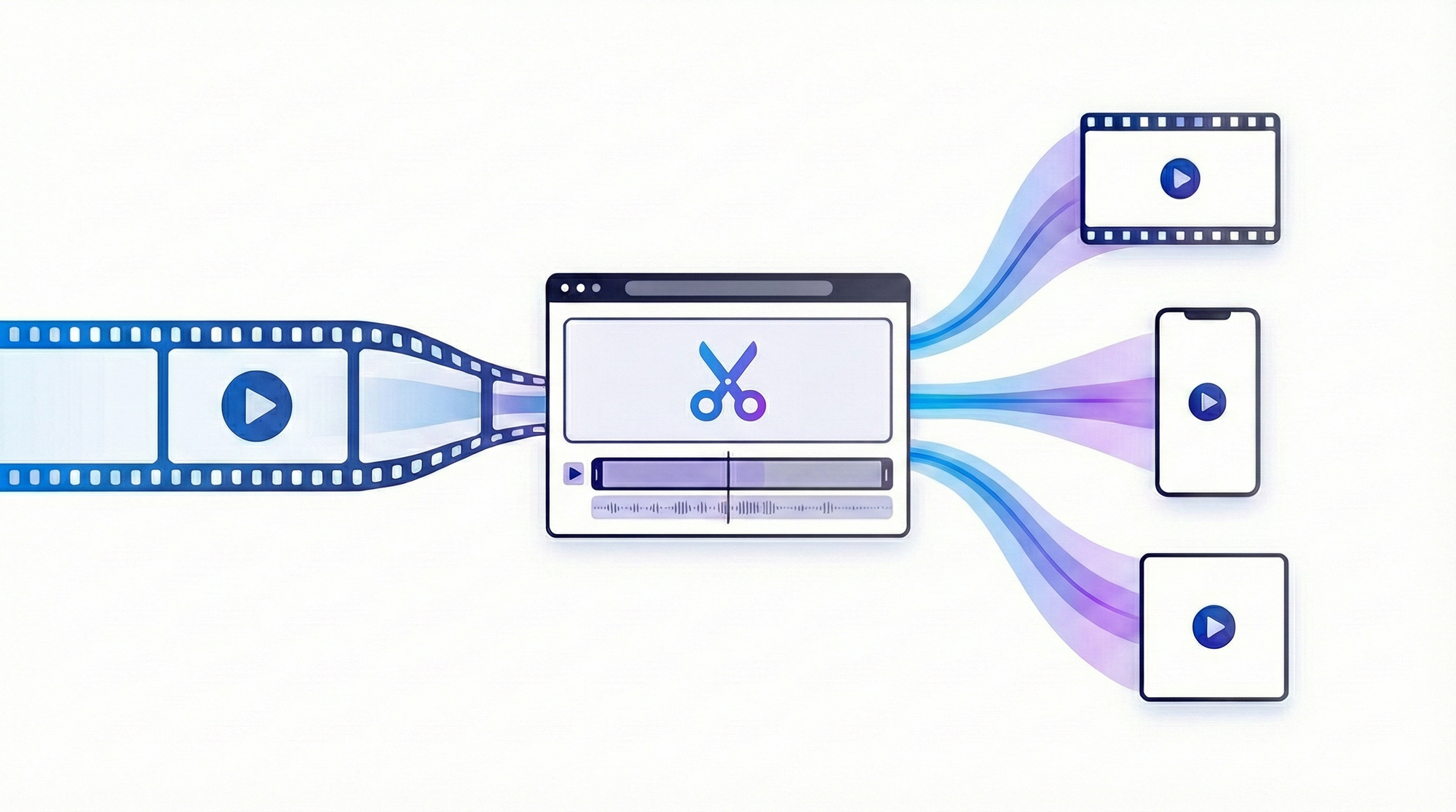
Your automation pipeline needs to export multiple formats from a single template:
const formats = [
  { name: 'tiktok', width: 1080, height: 1920 },    // 9:16
  { name: 'instagram', width: 1080, height: 1080 }, // 1:1
  { name: 'youtube', width: 1920, height: 1080 }    // 16:9
];

for (const format of formats) {
  const videoBlob = await engine.block.exportVideo(page, {
    mimeType: 'video/mp4',
    targetWidth: format.width,
    targetHeight: format.height,
    framerate: 30
  });

  await saveToStorage(videoBlob, `${product.id}-${format.name}.mp4`);
}
Template design consideration: Design for the narrowest format (9:16 vertical) as your base. Ensure critical content stays within the central "safe zone" that remains visible when cropped to 1:1 or extended to 16:9.
Browser vs. Server-Side Rendering Trade-offs
Timeline-based video engines support two rendering environments:
Browser rendering (client-side):
- Pros: No server infrastructure, renders on user's device, immediate preview
- Cons: Limited by device performance, requires modern web codecs, mobile web not supported
- Best for: Interactive editing, single video exports, preview generation
Server-side rendering (Docker):
- Pros: GPU acceleration, consistent performance, handles high volumes, licensed codecs
- Cons: Requires infrastructure setup, Docker deployment, GPU-enabled instances
- Best for: Batch processing, automation pipelines, production deployments
When to use which:
- Client-side: User-initiated exports, preview generation, low volumes (< 10 videos/hour)
- Server-side: Automated generation, batch jobs, high volumes (100+ videos/hour), production reliability
For hybrid workflows, use client-side rendering for template creation and preview, then switch to server-side for automation and scale.
Production Pitfalls and Monitoring
You've built a prototype that generates a few test videos. Moving to production requires thinking through edge cases, failure modes, and operational concerns that don't surface during development.
Error Handling and Recovery
Video rendering can fail: corrupted assets, invalid template structure, insufficient memory, encoding errors, network timeouts. Your automation needs to handle these gracefully.
Common failure modes:
- Asset loading failure: Verify asset URLs before generation, use fallback assets
- Memory exhaustion: Reduce batch size, add memory monitoring, restart workers periodically
- Template validation: Check template structure before generation, catch invalid variable names early
- Encoding errors: Log exact error messages, validate H.264 profile compatibility, check for transparency issues
Failure recovery pattern (simplified):
async function generateVideoWithRetry(job, maxRetries = 3) {
  for (let attempt = 1; attempt <= maxRetries; attempt++) {
    try {
      const videoBlob = await engine.block.exportVideo(scene, {
        mimeType: 'video/mp4',
        framerate: 30
      });
      return { success: true, blob: videoBlob };
    } catch (error) {
      if (attempt === maxRetries) {
        await logFailedJob(job, error);
        return { success: false, error: error.message };
      }
      await sleep(Math.pow(2, attempt) * 1000); // Exponential backoff
    }
  }
}
Monitoring and Observability
Production video automation needs visibility:
Key metrics to track:
- Generation rate (videos per minute/hour)
- Success rate (percentage completing successfully)
- Average render time (detect performance degradation)
- Queue depth (identify backlogs early)
- Storage usage (monitor file growth and costs)
- Error types (group by category: asset loading, encoding, timeout)
Alert thresholds:
- Success rate drops below 95%
- Average render time increases by 50%
- Queue depth exceeds 1,000 pending jobs
- Error rate for specific template exceeds threshold
Scaling and Cost Optimization
Horizontal scaling (more worker nodes):
- Queue depth consistently high
- Generation rate needs to double or more
- Batch job completion times exceed acceptable limits
Vertical scaling (bigger instances):
- Individual video rendering is slow
- Memory constraints causing failures
- GPU utilization low (CPU bottleneck)
Cost optimization:
- Use spot instances for batch processing (significant savings, acceptable interruption risk)
- Pre-warm worker nodes during off-peak hours for predictable demand spikes
- Archive old generated videos to cold storage after 90 days (S3 Glacier)
- Cache frequently used templates and assets in memory
Why Most Teams Don't Build Video Automation In-House
Before committing to custom development, understand what you're actually building:
Timeline engines are hard to maintain:
- Frame-accurate editing across web, mobile, desktop platforms
- Synchronization between video tracks, audio, overlays, effects
- Undo/redo systems that work across temporal changes
- Template systems with variable timing and duration
Codec licensing is non-trivial:
- H.264/H.265 require patent licenses for distribution
- Open-source codecs lack broad device compatibility
- Licensing costs and compliance complexity
GPU rendering infrastructure requires expertise:
- Docker orchestration with GPU passthrough
- NVIDIA Container Toolkit configuration
- Performance optimization for parallel rendering
- Cross-platform consistency (web, server, mobile)
Editor + automation parity is rare:
- What you design in the editor must match what automation generates
- Same rendering engine, same output quality, no conversion drift
- Template sharing between interactive and headless contexts
Timeline-based engines like CE.SDK already solved these problems and expose them via both UI and API. Most teams building video automation use existing engines rather than building from scratch.
Real-World Use Cases
Personalized Video Campaigns at Scale
Scenario: Financial services company sends 10,000 customers personalized year-end investment summary videos.
Template design:
- 40-second video: 5s intro → 20s portfolio visualization → 10s personalized message → 5s CTA
- Variables:
customerName,portfolioReturn,topHolding1/2/3,advisorName,advisorMessage
Results:
- 10,000 videos generated overnight across 50 worker nodes
- Average generation time: 15 seconds per video
- Total processing time: ~3 hours with parallelization
- Delivery: Videos embedded in personalized emails
This mirrors the use case in our CE.SDK Renderer article, where a customer generated "up to 100,000 unique versions" of personalized videos from demographic targeting data.
Social Media Content Automation
Scenario: E-commerce brand launches 200 new products. Marketing needs video ads for each product across TikTok (9:16), Instagram Feed (1:1), and YouTube Shorts (9:16) with different CTA variations for A/B testing.
Math: 200 products × 3 formats × 2 CTA variants = 1,200 videos
Distribution: Videos automatically upload to Facebook Marketing API and Google Ads API with campaign tags, ready for activation.
When Video Automation Makes Sense (and When It Doesn't)
Video automation isn't right for every situation.
Good Fit: High-Volume, Template-Driven Use Cases
Video automation works well when:
- High volume: Dozens, hundreds, or thousands of videos regularly
- Repetitive structure: Videos follow consistent patterns with variable content
- Data-driven: Content from databases, APIs, or structured data sources
- Time-sensitive: Manual production can't meet speed requirements
- Cost-prohibitive: Hiring video editors or agencies for this volume isn't viable
Examples: Product videos for e-commerce catalogs, personalized marketing campaigns, social media ads with A/B testing, localized versions (same video in 10+ languages)
Poor Fit: Creative-Intensive, One-Off Productions
Video automation struggles when:
- Low volume: 1-5 videos per month (manual production is faster)
- High creative variation: Each video needs unique storytelling or cinematography
- Complex motion graphics: Advanced animation that templates can't capture
- Live-action footage: Real people, locations, scenarios that vary significantly
- Artistic direction: Videos requiring subjective creative decisions
Examples: Brand commercials with custom concepts, documentary-style content, event recap videos, testimonial videos
The Middle Ground: Hybrid Approaches
Automated foundation + manual refinement:
- Generate base videos automatically
- Creative team polishes specific versions for key campaigns
- Use automation for scale, manual work for flagship content
Manual template creation + automated generation:
- Designer creates polished templates once
- Automation generates thousands of variants
- No manual work after template is finalized
What to Do Next
Before committing to video automation infrastructure:
- Evaluate if your use case is template-driven (repetitive structure with variable data)
- Identify which parts must be automated vs. manual (scale vs. creative direction)
- Test one template end-to-end with real data (uncover edge cases early)
- Measure render time, cost, and failure rates (validate assumptions with real numbers)
Video Automation: Solvable, But Not Simple
Video automation is harder than image automation. The timeline adds complexity. Rendering takes 100x longer. File sizes are larger. Platform requirements are stricter. Audio coordination matters. There's no magic solution that makes these challenges disappear.
But video automation is solvable when you respect the complexity and build accordingly:
- Design templates that handle variability (text length changes, scene duration flexibility, multi-asset coordination)
- Choose the right architecture (batch processing for volume, real-time for immediacy, hybrid for collaboration)
- Optimize infrastructure (GPU acceleration, server-side rendering, proper codec licensing)
- Plan for production (error handling, monitoring, template versioning, cost management)
The teams that succeed with video automation don't try to make it simple. They acknowledge it's complex, design systems that handle that complexity, and automate what can be automated while keeping humans involved where judgment matters.
Automation doesn't eliminate work; it shifts work from repetitive execution to thoughtful system design.
For more context on building creative automation systems that combine human creativity with programmatic scale, see our article on creative automation infrastructure. And if you're ready to explore how timeline-based engines handle video automation specifically, check out the automated video generation documentation and video timeline editor guide.
Video automation at scale is possible. It just requires understanding what makes video different and building systems that respect those differences.
Ready to test it? Start a free trial or speak with our sales team.