


Render videos at scale on the server without licensing or codec headaches
The IMG.LY Server-Side Video SDK lets you render, transcode, and automate video production securely without FFmpeg dependencies or After Effects farms.
Trusted by 100+ industry leaders















Integrating IMG.LY’s editor meant we didn’t have to build or maintain a complex editing layer ourselves. That kept our team focused on our core AI ad engine and saved us countless development hours — while still giving our customers the ability to polish and customize creatives at scale.
Hikari Senju
CEO, Omneky

With IMG.LY we built a central creative portal that now powers over 140 dealer campaigns across multiple automotive brands. Before this, asset creation was slow and inconsistent.
Martin Röhr
Product Owner, Digitas

By embedding IMG.LY’s editor we were able to hit key RFP requirements and deliver a template-based creative experience that now serves 1,000+ customers. It helped us win more deals and exceed enterprise expectations without needing to hire dedicated design teams.
Rob Driscoll
Director of PM, Optimizely

Since integrating IMG.LY’s editor, we now deliver 30,000+ ad creatives per month, dramatically shorten time-to-launch, and help our clients cut design spend by up to $10,000 per month.
Logan Welbaum
Founder, Plai

Our customers create over a million personalized postcards each year choosing from over hundreds of templates with IMG.LY’s SDK. It’s the only solution that allows us to build our own specialized, on-brand UI that integrates seamlessly with our platform.
Jeanine Zaalberg
Product Manager, SwissPost

From a developer’s perspective, the most powerful feature of the photo editor is the integration process. It was completely flawless, quick, and easy to integrate.
Stefano Fornari
CTO, Funambol

We compared IMG.LY SDK with other solutions and found that it would be the best fit for us since it provides all the features that are crucial for our use case.
Carem Pereira
SCRUM Manager, HP

Built for engineering teams that need video generation without the infrastructure overhead
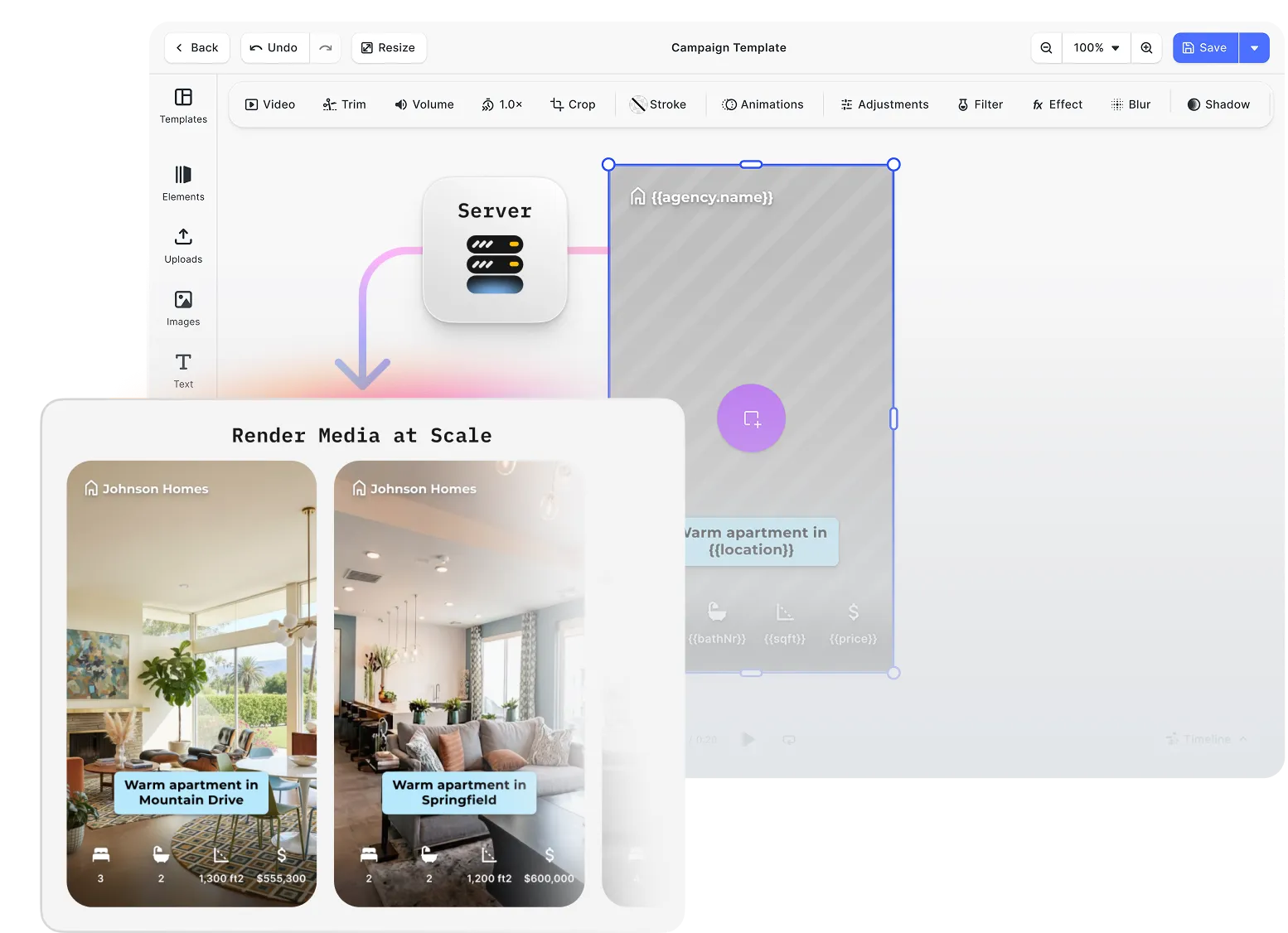
Design in the UI, render at scale on the server
Templates approved in CE.SDK render server-side on the same engine. Trim, merge, caption, and composite programmatically, no browser or manual session per output.
Legally licensed encoding, no hidden exposure
H.264 and H.265 encoding with full patent coverage via Fluendo. Commercial video publishing at volume without the legal risk that comes with open-source or unlicensed encoders.
GPU-accelerated rendering that fits your existing infrastructure
Runs as a Docker container with NVIDIA GPU acceleration. Trigger renders via CLI from any language or job runner, and scale inside infrastructure you already operate.
Key capabilities
For your pipeline
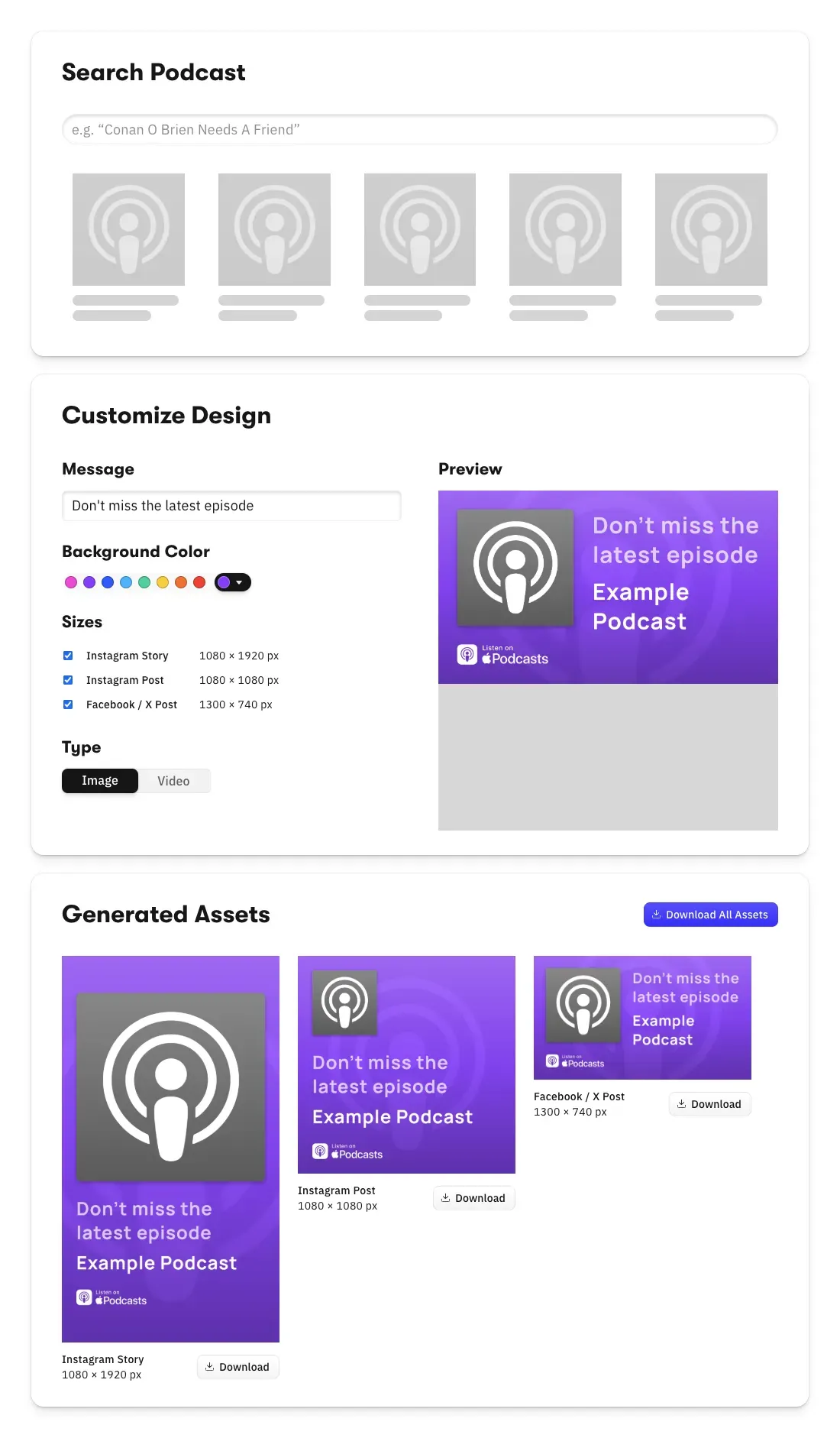
Bind data to templates for automated batch output.
Pass CSV, JSON, or API data to CE.SDK templates. Each data row becomes a unique scene, rendered to a separate output file. Ad personalisation, localised campaigns, and dynamic video generation handled in one pipeline.
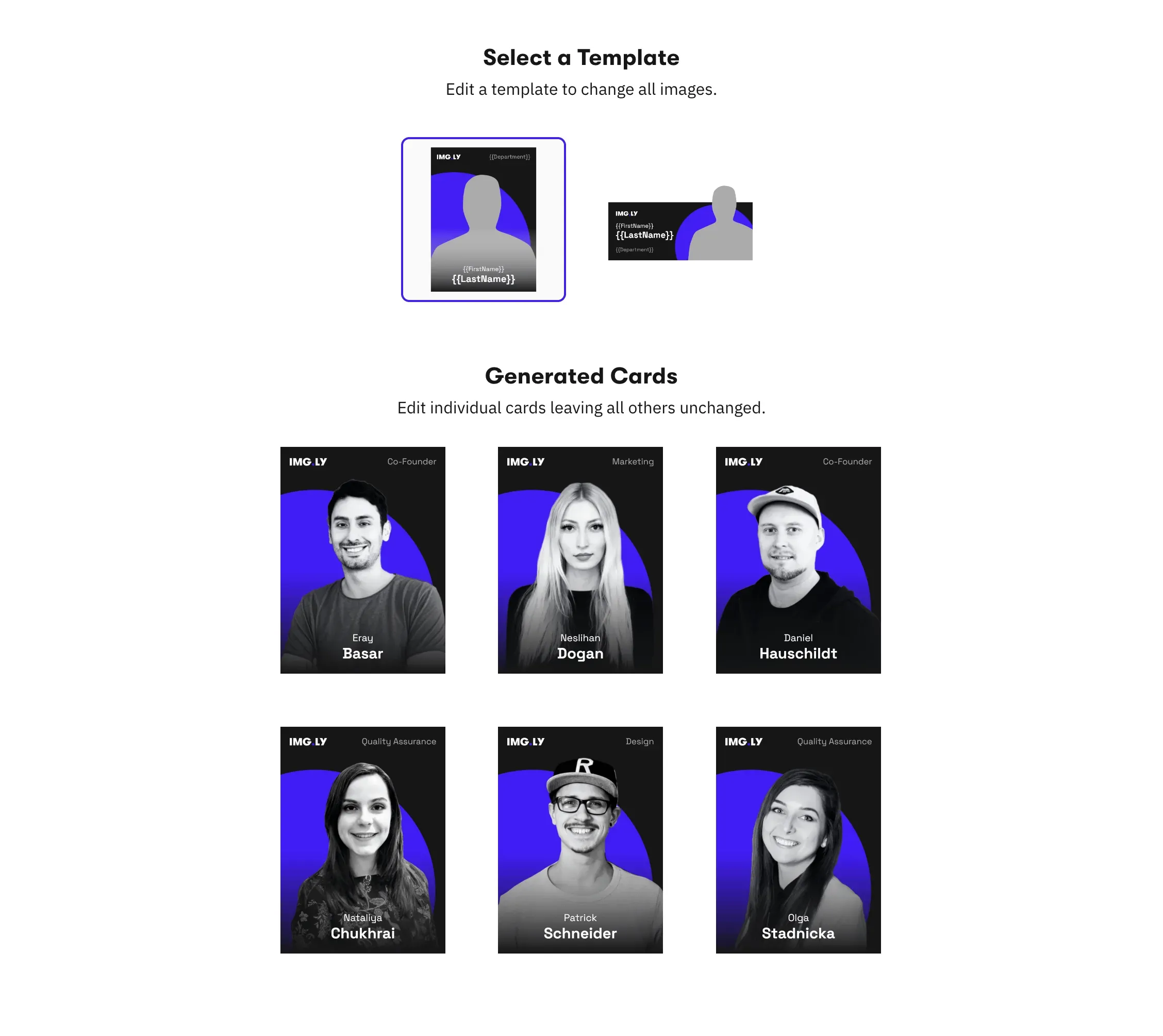
Reuse CE.SDK templates without migration.
Existing templates, scenes, and asset references work with the Renderer without modification. The same engine powers both the client editor and server rendering, frame-accurate output guaranteed.
For your infrastructure
GPU acceleration with NVIDIA support out of the box.
Parallel GPU-enabled container instances handle high-throughput rendering workloads. Scale across nodes or integrate with Kubernetes, ECS, or Nomad for automated job management.
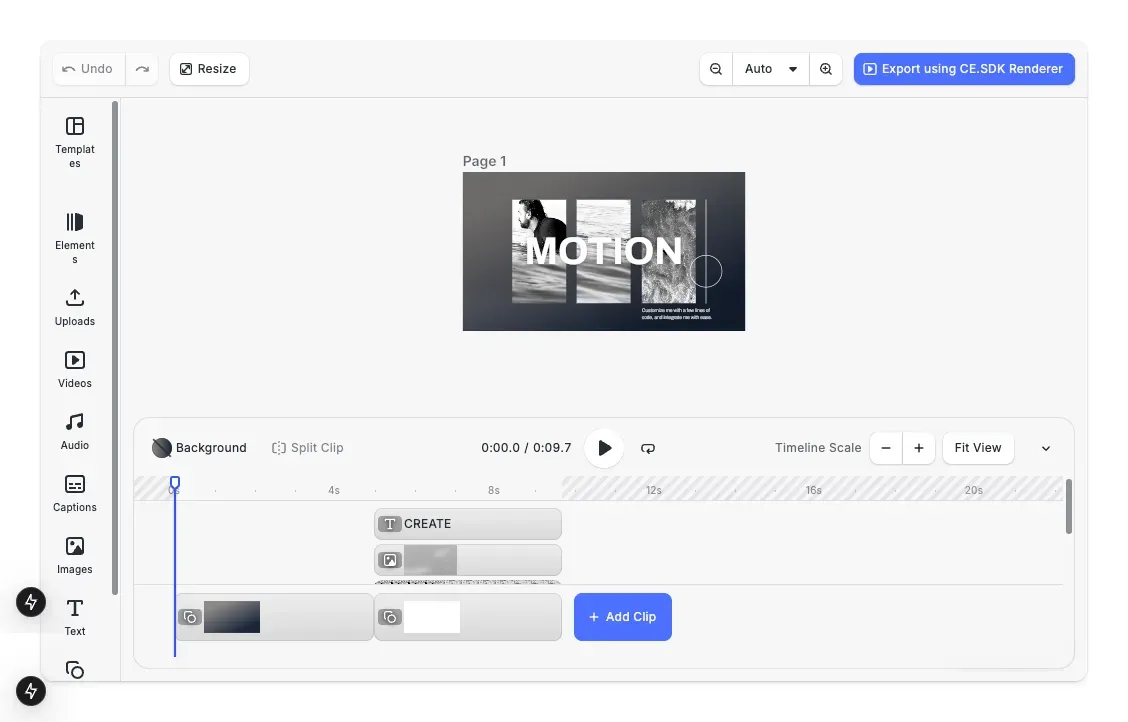
On-premise and air-gapped deployment.
Self-host the Renderer in your own infrastructure, on-premise, VPC, or air-gapped environments, with no dependency on external IMG.LY services. Enterprise SLAs available.
Legally licensed codecs for commercial publishing.
H.264 and H.265 encoding with full patent coverage. Suitable for high-volume commercial video publishing without the legal risk of open-source or unlicensed encoder dependencies.

Output to MP4, PNG, JPEG, and PDF.
Video output as MP4 in H.264 or H.265. Design scene export as PNG, JPEG, or PDF. Additional format support available depending on licensing tier.





One engine across the client editor and the server renderer
The most common source of video production errors in automated pipelines is a mismatch between what was approved in the editor and what the renderer produces. CE.SDK Renderer uses the same engine as the browser editor. Templates, typography, animations, effects, and layer compositing produce frame-accurate output on the server, matching what was designed and approved in the UI.
Frame-accurate output matches the editor preview
Text rendering, typography, animations, effects, and layer order produce identical results in the Renderer and the browser editor. What gets approved is what gets rendered.
Reuse existing CE.SDK templates without modification
Templates, scenes, assets, and automation logic built for the CE.SDK editor work directly with the Renderer. No migration, no reformatting, no parallel template system to maintain.
Self-hosted, on any infrastructure you control
Run the Renderer on-premise, in a VPC, or in air-gapped environments. No dependency on IMG.LY infrastructure. Enterprise SLAs and support available.
How Digitas Germany Powers 140+ Dealer Campaigns Across 10 Automotive Brands

140+
campaigns live across 10 brands
600+
dealers creating assets self-serve
6+ mo
of build time avoided
Digitas Germany is a leading digital agency that helps brands build unified, high-impact customer experiences to accelerate business growth.
I showed the project internally to hundreds of colleagues. Everyone wants to use it for other clients. It’s a no-brainer once you see what’s possible.
Digitas Germany

Challenge
Manual, agency-driven campaign production across 9–10 automotive brands, 600+ dealers, and three languages — slow, costly, and dependent on outside teams.
Solution
A self-service campaign portal built on CE.SDK’s template engine, variable system, and server-side rendering. Dealers localize on-brand social, print, and video assets in seconds.
- 6+ months of estimated build time avoided.
- 3× more videos created per active user.
- 85% of videos now created fully in-app.
From first render to production pipeline in days
Most teams move through four steps: container setup, template connection, data source integration, and scaling configuration.
Set up the Renderer container
Pull the Docker image, configure GPU acceleration, and run a test render to confirm frame-accurate output against your existing CE.SDK templates.
Connect your templates and scenes
Pass existing CE.SDK templates and scene files to the Renderer. Confirm that output matches editor previews across text, typography, effects, and layer compositing.
Integrate with your data source and pipeline
Bind CSV, JSON, or API data sources to template variables. Wire the Renderer into your CMS, DAM, AI pipeline, or job runner via CLI commands from your backend.
Configure scaling and output settings
Set up parallel container instances for high-throughput workloads. Configure output formats, MP4 H.264/H.265, PNG, JPEG, and integrate with your orchestration layer, Kubernetes, ECS, Nomad, or equivalent.
The building blocks for server-side video rendering
CE.SDK Renderer
A Dockerized, GPU-accelerated rendering engine that runs inside your own infrastructure. Accepts CE.SDK templates and scene files, renders video and image output via CLI, no browser, no FFmpeg, no After Effects dependency.
Licensed H.264/H.265 Encoding
Patent-covered video encoding via Fluendo for H.264 and H.265. Eliminates the legal exposure of open-source encoders in commercial, high-volume video publishing workflows.
Template-to-Batch Video Generation
Bind external data sources to CE.SDK templates and generate unique video outputs per data record, ad personalisation, localised campaigns, dynamic product video, each scene passed individually to the Renderer for export.
Infrastructure-Agnostic Deployment
Runs on any NVIDIA GPU-equipped infrastructure, on-premise, AWS, Azure, VPC, or air-gapped environments. Integrates with any orchestrator. CPU-only mode available for testing and low-volume use cases.
Why engineering teams building video pipelines trust IMG.LY
No FFmpeg scripting, no After Effects farms
Encoding, compositing, transitions, and timeline logic run natively inside the Renderer. Teams that previously maintained FFmpeg configurations or After Effects render farms replace that complexity with a single Docker container.
The editor and renderer are the same system
Frame accuracy between what designers approve in the browser editor and what the Renderer produces is guaranteed by architecture, not by manual QA. The same engine runs in both contexts.
Codec licensing handled, not delegated
H.264/H.265 patent coverage is included in the enterprise edition. Legal exposure from unlicensed video encoding in commercial workflows is eliminated at the infrastructure level, not managed as an ongoing risk.
Runs inside infrastructure you already control
No dependency on external rendering services or cloud infrastructure managed by IMG.LY. The Renderer deploys in your environment, under your security and compliance policies.
More from IMG.LY
Creative Automation
Scale ad and content production with template-driven creative pipelines.
Server-side video production breaks when the rendering infrastructure sits outside the team’s control
FFmpeg dependencies, codec licensing gaps, and After Effects farms are infrastructure problems that compound as output volume grows. CE.SDK Renderer runs inside your own infrastructure, uses the same engine as the client editor, and handles licensed encoding natively, so automated video production scales without the overhead that comes with every alternative.
Server-side video rendering FAQs
Yes. The SDK supports NVIDIA GPU acceleration out of the box. You can run multiple GPU-enabled containers in parallel, scale across nodes, or integrate with any orchestrator (Kubernetes, ECS, Nomad) for high-throughput workloads.
It's seamless. You can reuse your existing CE.SDK templates, scenes, assets, and automation logic without modification. The Renderer uses the same engine as the UI editor, ensuring pixel-perfect output and eliminating inconsistencies between client and server.
Yes. You can fully self-host the video rendering engine in your own infrastructure—on-premise, VPC, or air-gapped environments. Enterprise SLAs and support are available.
No. The Renderer eliminates the need for FFmpeg scripting, browser-based rendering, or queue-heavy After Effects farms. Encoding, compositing, transitions, and timeline logic all run natively inside the Renderer.
Yes. The AV-licensed version includes fully compliant H.264/H.265 encoding powered by Fluendo, covering all relevant patents. This significantly reduces the legal risks associated with open-source or unlicensed encoders—especially for high-volume or commercial video publishing.
The Renderer outputs MP4 (H.264 / H.265) for video and supports PNG, JPEG, and PDF for design scenes. Support for additional formats is available depending on licensing tier.
Yes. Rendering uses the same CE.SDK engine as the browser editor. You get frame-perfect accuracy for text, typography, animations, effects, layers, and templates—critical for automated creative production.
You can bind external data sources to CE.SDK templates in Node.js or your backend workflow. Each data row becomes a new scene, which is passed to the Renderer for automated batch export—ideal for ads, localized campaigns, catalogs, and personalization.
Not out of the box. The Renderer currently performs one-time, synchronous operations - scene in, export out. If you need async job handling, queueing, or distributed processing, you can layer your own orchestration around the CLI (e.g., using a job runner or message queue).
Yes, as long as your system can trigger CLI commands in a Docker environment. The Renderer runs purely as a CLI inside a Docker container - no REST API or Node.js SDK at the moment. Teams typically integrate it by calling the container with parameters from their CMS, DAM, or AI pipeline.
You'll need an NVIDIA GPU for full hardware-accelerated rendering. The Renderer runs as a Docker container with no additional OS or codec setup required, and can run on CPU-only machines - but performance will be significantly slower without an NVIDIA GPU.
Yes. The open-source edition includes unlicensed codecs for testing, prototyping, and internal workflows. For production-grade video, H.264/H.265 patent-licensed encoding is available through the Fluendo-powered enterprise edition.