Organizations can now create workflows where presentations stay editable inside their own platforms: content management systems, collaboration tools, educational platforms, and SaaS applications, without switching to external editing software each time.
Updated September 2026.
PowerPoint Import Capabilities
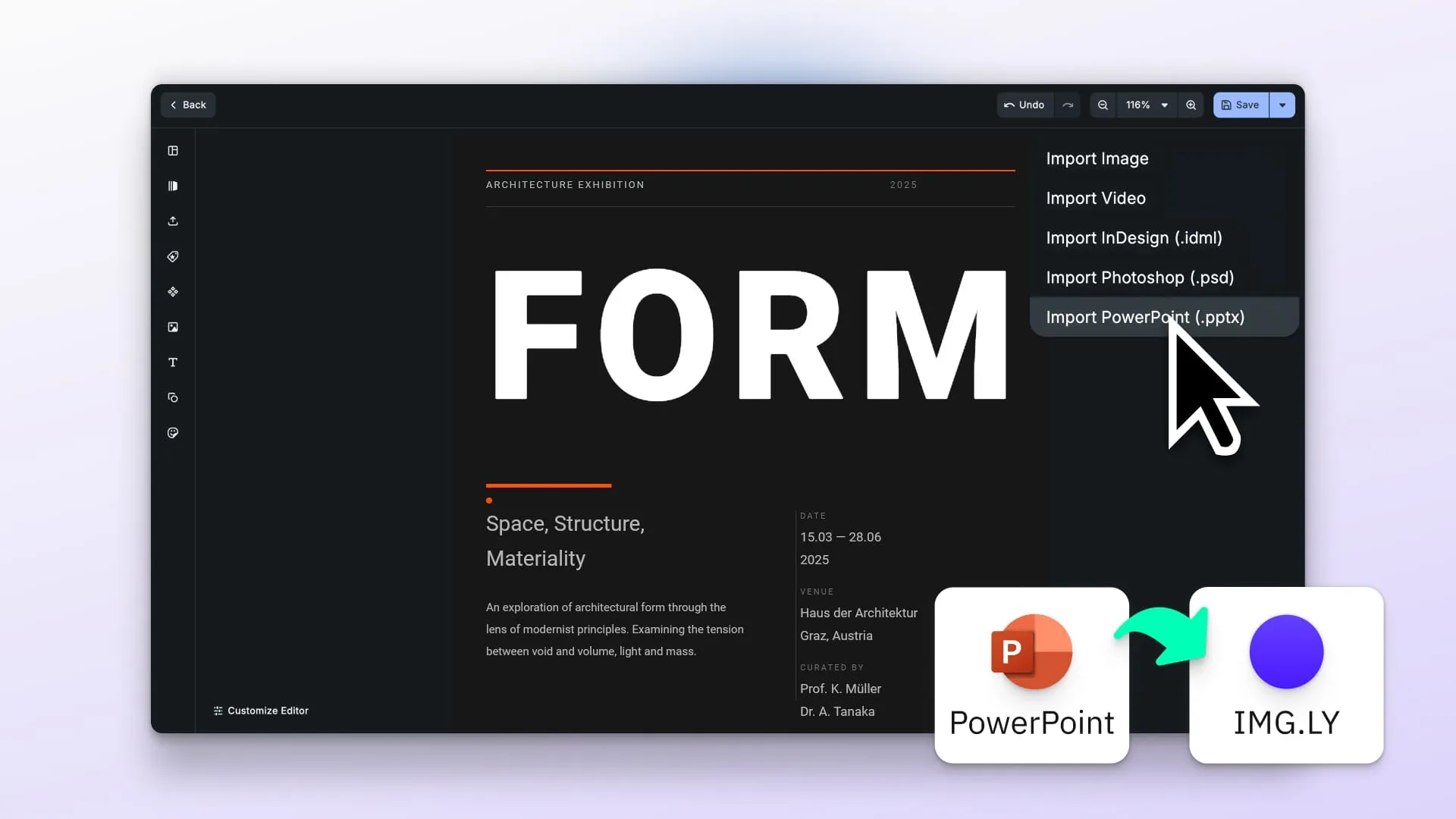
IMG.LY SDK enables importing PPTX files directly into browser-based workflows.
Import functionality
Existing PowerPoint files can be loaded directly into CE.SDK. The importer interprets the PPTX structure (text, images, shapes, and formatting), and converts each slide into an editable CE.SDK scene. Files can come from uploads or your own storage systems.
Editing interface
Once imported, slides become CE.SDK design scenes. Users can change content freely using CE.SDK’s editor, which keeps the structure intact, including text hierarchies and slide ordering.
What gets preserved: Text formatting (font families, sizes, colors, bold, italic), shapes (rectangles, ellipses, custom vector shapes), images, linear and radial gradient fills, outer drop shadows, gradient backgrounds, groups, z-order, and theme colors are all carried over from the original PowerPoint file.
A note on fonts. The importer resolves typefaces through Google Fonts, and substitutes common proprietary fonts with visually similar equivalents: Helvetica becomes Roboto, Arial becomes Arimo, and so on. Layout and formatting survive, but a brand-critical deck will not come back in its original typeface unless that font is available to the editor. Worth checking on the first import rather than after a client sees it.
Editing Capabilities for Presentation Workflows
The browser-based editor includes the essential features needed for everyday presentation updates:
- Text editing: Change text and adjust typography: fonts, colors, alignment, sizes, etc.
- Visual element manipulation: Move, resize, rotate, and reorder shapes, images, and text boxes
- Layer management: Adjust stacking order to control which content appears on top
- Slide navigation: Rearrange slide order and quickly move between slides
- Content addition: Add new images, shapes, or text elements when needed
- Styling options: Edit fills, borders, and other visual properties
This helps teams refresh outdated content, localize presentations, update brand assets, or adapt a single deck to many different use cases, all without leaving the platform.
What’s Not Supported
The importer focuses on the most common presentation elements. Some PowerPoint features don’t carry over:
- Tables: table content is skipped on import. The workaround is to ungroup tables in PowerPoint before importing
- Charts: chart visualizations are not imported
- SmartArt: diagram graphics are not imported
- Animations and transitions
- Slide masters and layouts
- Audio and video
- Comments and notes
- Background images: solid colors and gradients are supported, image backgrounds are not
For presentations that rely heavily on these elements, it’s worth reviewing the output after import and making adjustments in CE.SDK.
Workflow Improvements with PowerPoint on the Web
Why this matters for real workflows:
Less switching between tools: Users can make changes right inside the system where the presentation is stored. It’s faster and reduces confusing file versions.
Accessible anywhere: Works on any modern browser, making editing possible on devices without native PowerPoint support.
Lower dependency on desktop software: Teams don’t always need Microsoft PowerPoint licenses just to update a slide or fix small mistakes.
Faster corrections: Updates become quick tasks. Improving slides doesn’t need to slow things down, especially for marketing or sales content.
Aligned with existing processes: Versioning, commenting, and permissions stay right where the content lives, which really simplifies collaboration.
Browser-Based Editing vs. Desktop PowerPoint
The browser-based editor covers the most common editing needs. PowerPoint on desktop still handles specialized features the importer doesn’t cover. Microsoft also ships PowerPoint for the web, PowerPoint for Android and PowerPoint for iOS; the table below compares against the desktop application.
| Capability | Browser-Based Editor | Desktop PowerPoint |
|---|---|---|
| Installation requirement | None, opens in the browser | Requires installation |
| Platform compatibility | Works on any device with a modern browser | Windows, macOS |
| Core content editing | Yes, for supported elements | Fully supported |
| Advanced features | Tables, charts, SmartArt, animations not supported | Complex animations, transitions, macros, advanced design |
| Integration | Easy embedding into web apps | Requires file transfer flow |
| Access speed | Instant, no launch time | Depends on local system |
| File compatibility | Imports PPTX; outputs CE.SDK scenes | Native PPTX with extended features |
| Collaboration | Connects with existing web-based systems | Microsoft ecosystem required |
| Network requirement | Needs network on first load, including for font resolution | Offline once installed |
For straightforward content updates (text changes, image swaps, visual tweaks), the browser-based workflow handles most everyday needs. For presentations that rely on tables, charts, animations, or other advanced PowerPoint features, desktop PowerPoint remains the right tool.
Technical Implementation for Developers
The SDK handles PPTX parsing and slide rendering in the browser as CE.SDK scenes.
Fast integration: Setup usually takes hours or days, not months, since all the hard parts are already covered by the SDK.
Customizable interface: Developers can enable or disable features, apply brand styling, and connect to authentication and storage systems already in use.
Platform-agnostic: The package works in both browser and Node.js environments with no file system dependencies, using pure ArrayBuffer handling.
Controlled infrastructure: Everything runs where your platform runs, and you keep full control of data processing and access.
Use Cases Across Industries
EdTech: Students edit presentations directly in learning platforms without software installation.
CMS platforms: Teams update brand assets and sales decks in the same place they manage all other content.
Collaboration tools: Everyone works on the same version of a file without downloading and re-uploading.
SaaS products: Presentations become part of the workflow, not a separate step.
Creative agencies: Client slides can be adjusted quickly without leaving project management systems.
FAQ
Can you edit PowerPoint files in the browser? Yes. CE.SDK’s PPTX importer converts each slide into an editable scene, so text, shapes, images and formatting can be changed in a browser without PowerPoint installed. The importer runs in both browser and Node.js environments, with no file system dependency, so the same code works client side or on a server.
What PowerPoint features are preserved on import? Text formatting including font families, sizes, colors, bold and italic; shapes such as rectangles, ellipses and custom vector shapes; images; linear and radial gradient fills; outer drop shadows; gradient backgrounds; groups; z-order; and theme colors.
What PowerPoint features are not supported? Tables, charts, SmartArt, animations and transitions, slide masters and layouts, audio and video, comments and notes, and image backgrounds. Solid color and gradient backgrounds are supported. For tables, ungrouping them in PowerPoint before import is the usual workaround.
Do fonts survive a PPTX import? Formatting does, the exact typeface may not. The importer resolves fonts through Google Fonts and substitutes common proprietary fonts with visually similar equivalents, so Helvetica arrives as Roboto and Arial as Arimo unless the original font is available to the editor. Check this on your first import if brand typography matters.
Does this replace PowerPoint? No, and it is not meant to. It covers the everyday edits: changing text, swapping images, adjusting layout, reordering slides. Decks built around charts, SmartArt or animation still belong in PowerPoint. The value is removing the round trip for the simple changes, which are most of them.
Where does the PPTX conversion run? Wherever you run it. The importer is platform-agnostic, using ArrayBuffer handling rather than file system access, so it works in the browser or in Node.js. Files never have to leave your infrastructure.
Getting Started
Try PowerPoint editing in the browser using our demo, or get started with CreativeEditor SDK to explore the full feature set.