---
title: "Unleash Creativity with CE.SDK’s New Plugin System"
description: "Teaser: Our new Plugin System empowers customization and creativity with one-click features, smart design tools, and generative AI."
url: "https://img.ly/blog/img-ly-sdk-plugin-system/"
type: "blog"
date: "2024-06-03"
author: "Daniel, Eray"
tags: ["Plugin","App Development","Design Editor","Company"]
---
> This is the markdown version of [Unleash Creativity with CE.SDK’s New Plugin System](https://img.ly/blog/img-ly-sdk-plugin-system/). For all pages in one file, see [llms-full.txt](https://img.ly/llms-full.txt). For an index of all available pages, see [llms.txt](https://img.ly/llms.txt).
---
At IMG.LY, we have always believed that a superb design editor should be effortlessly customizable and extensible. We are thrilled to roll out a brand-new Plugin system for CE.SDK in the upcoming months, to take creative editing and feature development to the next level.
Starting with one-click features like background removal or vectorizers, smart design tools like QR codes or subtitle generators, and deeply interactive features like generative AI for text and images; all these tools can be used or built by customers soon.
Additionally, our upcoming Plugin system will bring you unparalleled autonomy by making feature development for our SDK accessible and offering extensive options to reconfigure our editor's UI.
Start exploring our Plugin System rollout now to immediately benefit from upcoming features.
## Built for Modification
Let’s dive deep into some of the opportunities CE.SDK plugins help unlock.
### Unlocking the AI Revolution
While the AI transformation is already fully underway, much of the tech is still not very accessible to product builders, often requiring deep technical knowledge to get started. At the same time, AI features become significantly more valuable when integrated with other editing functionalities in workflows or automation. With our plugins, we aim to make it effortless to leverage innovation and put it to use.
### Boosting Customer Autonomy
Key to our success is providing maximum flexibility and autonomy to our customers about product decisions. Ultimately, you shouldn’t depend on our product roadmap; rather, you should be able to add features when you like. While our SDKs are already highly configurable, plugins allow tailoring the whole user experience not only on a look & feel level but through custom functionalities and editing experiences.
### Accelerate Product Expansion
Many ecosystems witnessed explosive growth in added value to the user after releasing plugin mechanisms. Currently, only IMG.LY core developers can contribute to the SDK. We have started to extend this to solution engineers and even designers on our team who don’t have much knowledge of the inner workings of the SDK. Ultimately, we will push this more and more into a community of contributors, making the community's innovation accessible to everyone.
## Key Concepts
Three important concepts have driven the development of our Plugins:
**Customizable Menu Bars**
We are extending our API so that it allows easy hooking into various parts of the UI. Our editor has key components like the inspector, toolbar, and on-canvas menu. These are now all accessible through an API, so you can hook your feature anywhere in the editor.
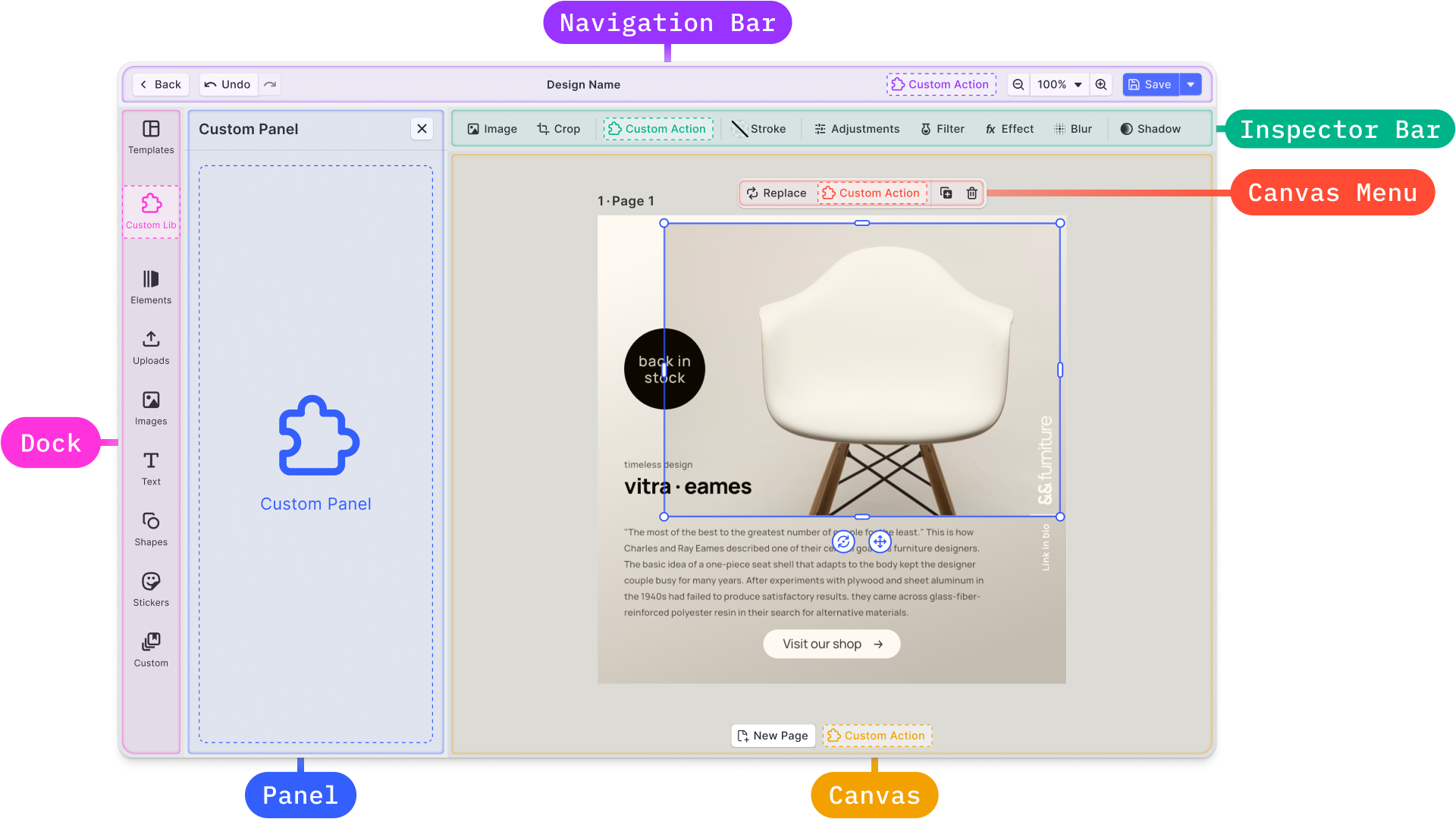
**UI Building Blocks to Provide Consistency**
To reach a high level of consistency and speed up time for development, we will be providing out-of-the-box UI components such as buttons, sliders, text inputs, etc.
**Escape Hatches**
From experience, we know that sometimes unique functionality needs unique solutions, so we have added escape hatches to add custom elements via HTML whenever needed.
## What Can You Build with our Plugin System?
Let’s explore some potential use cases of the plugin system.
### Custom Actions
Adding custom actions is a great option to make simple third-party APIs accessible within the editor. This can be **one-click edits** such as background removal, vectorizers, or auto-enhancement for images. You can also add custom actions for text in combination with Large Language Models (LLM) to provide features like autocorrection and improved writing, etc.
### Custom Tools
Some custom functionality will require more than just a single button, e.g., to **generate AI images**, background patterns, QR codes, or maps. In these cases, you’ll require sliders, text input, drop-downs, and many other UI elements. With plugins, you can easily create panels with your own UI to bring any custom tool to life.
### Custom Assets & Presets
Apart from building custom tools, you can also bundle and group effects into presets and make them accessible in a custom panel. This is especially useful to simplify the design process or create standard design components: for example, providing beautiful text presets will enable your users to create instantly great text designs without any design knowledge.
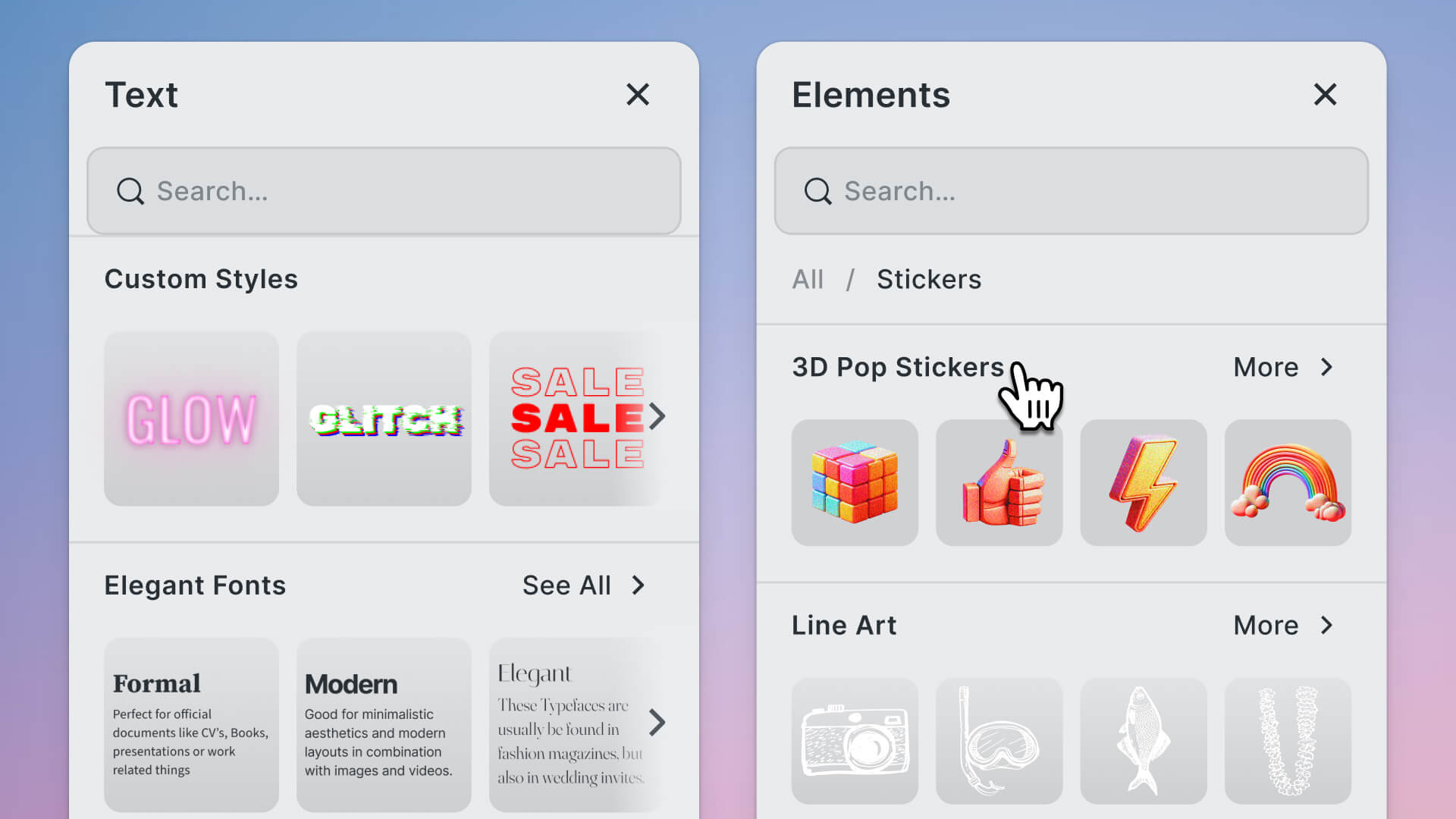
### **Custom Libraries**
Integrate third-party libraries, such as Unsplash, Getty Images, Pexels, or your own.
### Custom Editor Behavior
Some of our customers asked us how they could move a functionality from one place in the editor to another. Let’s say you wish to move the function ‘move to front’ from the inspector to the canvas menu. This is not a problem! You can do this by using the internal API endpoints of our editor.
As for custom editor behavior, you can do far more than just move functionality. Here is a demo of layer lists we built as a plugin.
### Custom User Feedback
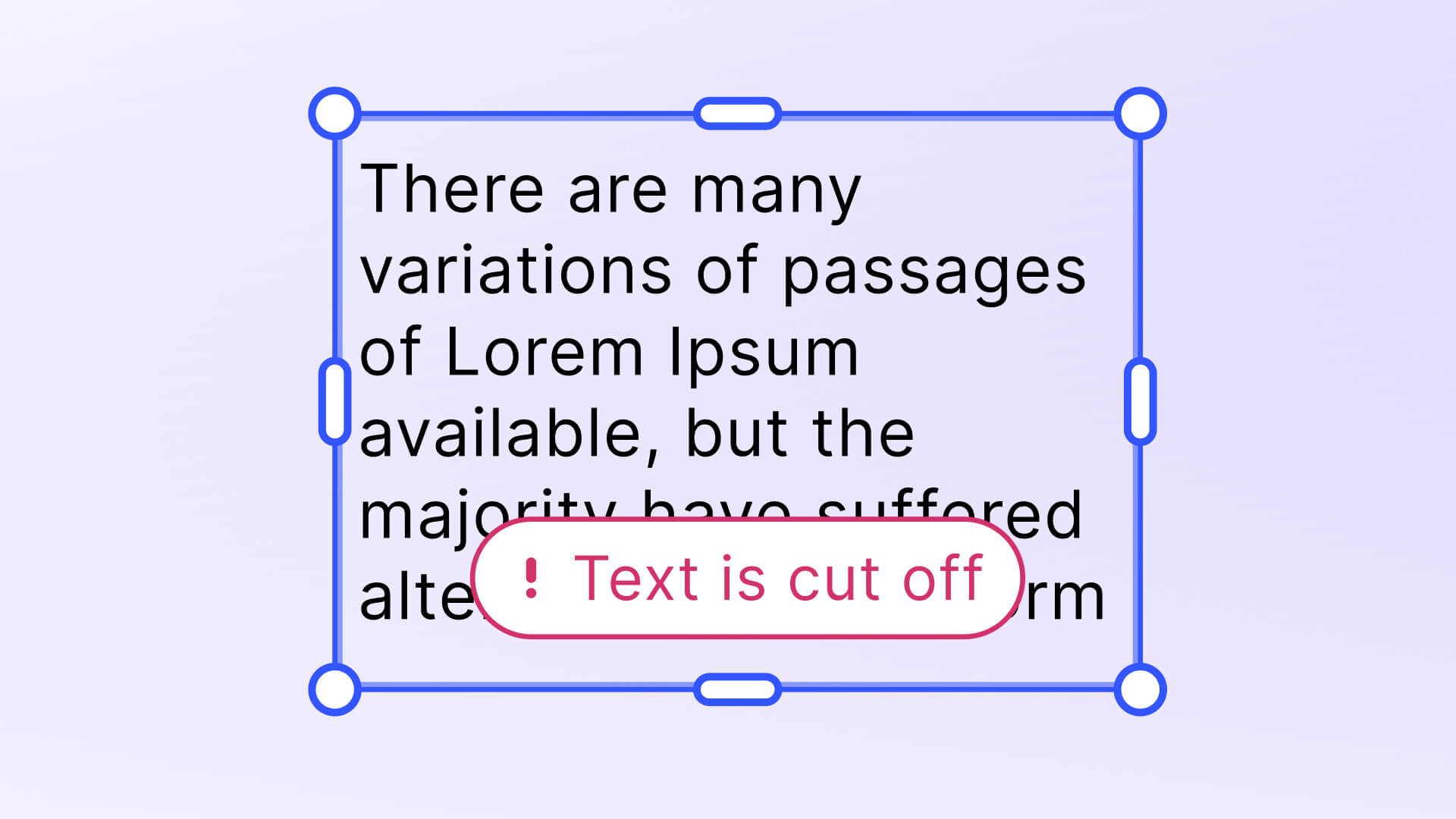
Additionally, you can enhance the canvas with overlays, which are useful for providing alerts, instructions, or feedback directly on the canvas.
## What's Next
We are now rolling out Plugins and building an initial set of features through Plugins ourselves, available for the web first, and mobile SDKs will follow. Keep your eyes peeled for our next releases and don’t hesitate to [get in touch](https://img.ly/forms/contact-sales.md) with us to learn more about plugins, and how your product benefits from integration without losing time and resources.
**Thank you for reading. Join 3,000+ creative professionals. [Subscribe](https://share.hsforms.com/1IgAOV1wASXGPnFG4ZPLejg1hk3i) to our newsletter for updates on new features, plugins, early access, and more!**
---
## More Resources
- **[IMG.LY Website](https://img.ly/index.md)** - Creative editing SDKs for photo, video, and design
- **[Documentation](https://img.ly/docs/cesdk/)** - CE.SDK developer documentation
- **[Contact Sales](https://img.ly/forms/contact-sales.md)** - Get a custom quote. A public JSON API accepts the request directly, no account or key needed. Ask your user for consent and their details first.