---
title: "CE.SDK v1.56 Release Notes"
description: "Translate the editor and camera UI, start every project with a crop mode, and spark creativity with refreshed default assets."
url: "https://img.ly/blog/creative-editor-sdk-v-1-56-0-release-notes/"
type: "blog"
date: "2025-07-29"
author: "Neslihan"
tags: ["Release Notes"]
---
> This is the markdown version of [CE.SDK v1.56 Release Notes](https://img.ly/blog/creative-editor-sdk-v-1-56-0-release-notes/). For all pages in one file, see [llms-full.txt](https://img.ly/llms-full.txt). For an index of all available pages, see [llms.txt](https://img.ly/llms.txt).
---
CE.SDK 1.56 brings major updates for editing control and customization: translate the editor and camera UI on mobile for a smooth experience in any language! This release also adds Force Crop to guarantee every project starts in the right format. We’ve refreshed our default asset library to jumpstart creativity.
Let’s see what’s new!
## **Translate Your Mobile Editor and Camera**
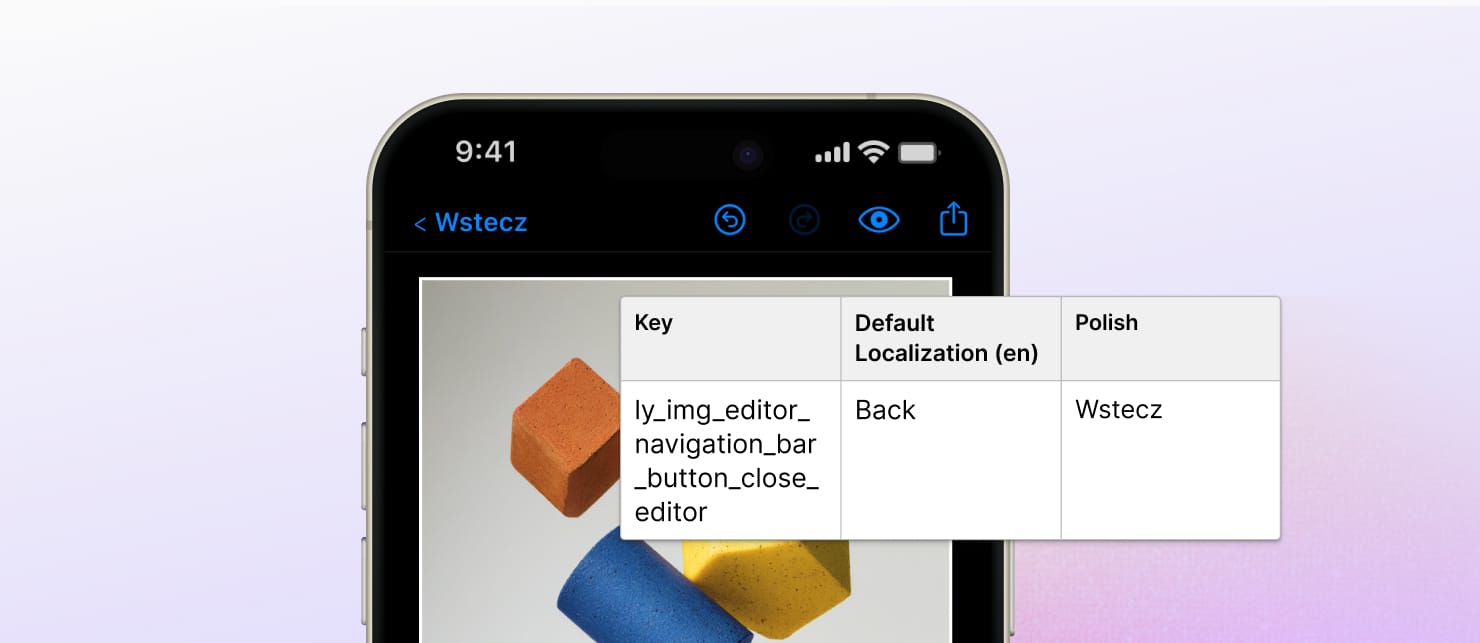
You can now localize CE.SDK on **iOS** and **Android**, making it easy to translate the editor and camera UI for a great experience in any language.
**Translate Your Editor**
Reach global audiences and meet local expectations with minimal effort! All visible UI elements in the editor can now be localized.
**Simplified Text Customization**
Easily override our default labels and messages by using a clear, structured system.
**Camera SDK Localization**
Not only our editors: CE.SDK Camera supports localization, too. Configure it separately using the [iOS Camera](https://ubique.img.ly/develop/documentation/ios/import-media/capture-from-camera/camera-configuration-46afd0/#localization) and [Android Camera documentation](https://ubique.img.ly/develop/documentation/android/import-media/capture-from-camera/camera-configuration-46afd0/).
Explore the documentation to [localize on iOS](https://img.ly/docs/cesdk/ios/user-interface/localization-508e20.md) and [Android](https://ubique.img.ly/develop/documentation/android/user-interface/localization-508e20/).
## Start Every Edit with a Crop
> Try Force Crop in our new demo.
Configure whether images must be cropped before editing. With **Force Crop**, you set the aspect ratio or format for your users’ project.
Three modes give you full control:
- **Always** – The editor opens in crop mode, and users crop before they can edit.
- **If Needed** – Users see crop mode only if the image doesn’t fit the required format.
- **Silent** – The preset format is applied automatically, without showing the crop step.
This ensures every project starts in the right format (whether it’s for Instagram Stories, avatars, YouTube Shorts, or product images) without leaving room for user error.
Force Crop is supported for Web and our Engine.
Get started with the Force Crop [documentation](https://img.ly/docs/cesdk/js/user-interface/customization/force-crop-c2854e.md) and [demo](https://img.ly/demos/force-crop.md).
## Improvements
**Richer Built‑In Asset Library**
We’ve overhauled the default assets in CE.SDK to make it easier for your users to start creating with quality content right away.
- **Shapes** now include gradient and image fills, plus outline options for more design flexibility.
- **Text** comes with curated _font combinations_ for quick, polished typography.
- **Stickers** have been refreshed to provide a more meaningful starter set.
This update means you can ship your app with ready‑to‑use creative assets.
Thanks for reading! Explore the complete [v1.56 Changelog](https://img.ly/docs/cesdk/changelog/v1-56-0/).
---
**3,000+ creative professionals get early access to new features and updates. Don't miss out, and** [**subscribe**](https://share.hsforms.com/1IgAOV1wASXGPnFG4ZPLejg1hk3i?ref=img.ly) **to our newsletter.**
---
## More Resources
- **[IMG.LY Website](https://img.ly/index.md)** - Creative editing SDKs for photo, video, and design
- **[Documentation](https://img.ly/docs/cesdk/)** - CE.SDK developer documentation
- **[Contact Sales](https://img.ly/forms/contact-sales.md)** - Get a custom quote. A public JSON API accepts the request directly, no account or key needed. Ask your user for consent and their details first.