---
title: "CE.SDK v1.39 Release Notes"
description: "Capture high-quality videos using our Android Camera UI and add polished text designs with customizable backgrounds!"
url: "https://img.ly/blog/creative-editor-sdk-v-1-39-0-release-notes/"
type: "blog"
date: "2024-12-10"
author: "Neslihan"
tags: ["Release Notes","CE.SDK","Android App Development"]
---
> This is the markdown version of [CE.SDK v1.39 Release Notes](https://img.ly/blog/creative-editor-sdk-v-1-39-0-release-notes/). For all pages in one file, see [llms-full.txt](https://img.ly/llms-full.txt). For an index of all available pages, see [llms.txt](https://img.ly/llms.txt).
---
This release introduces powerful new features to take your app’s content creation capabilities to the next level. With the new **Camera UI for Android**, users can now capture high-quality videos directly within your app, making content creation smoother than ever.
This update also brings enhancements like color backgrounds for text, helping users add a professional touch to their designs.
## Capture Videos on Android
Easily integrate video recording capabilities into your Android app: our new Camera UI for Android empowers users to capture high-quality videos directly within your app, streamlining the content creation process. With intuitive controls and customizable settings, it’s designed to fit seamlessly into your app’s workflow.
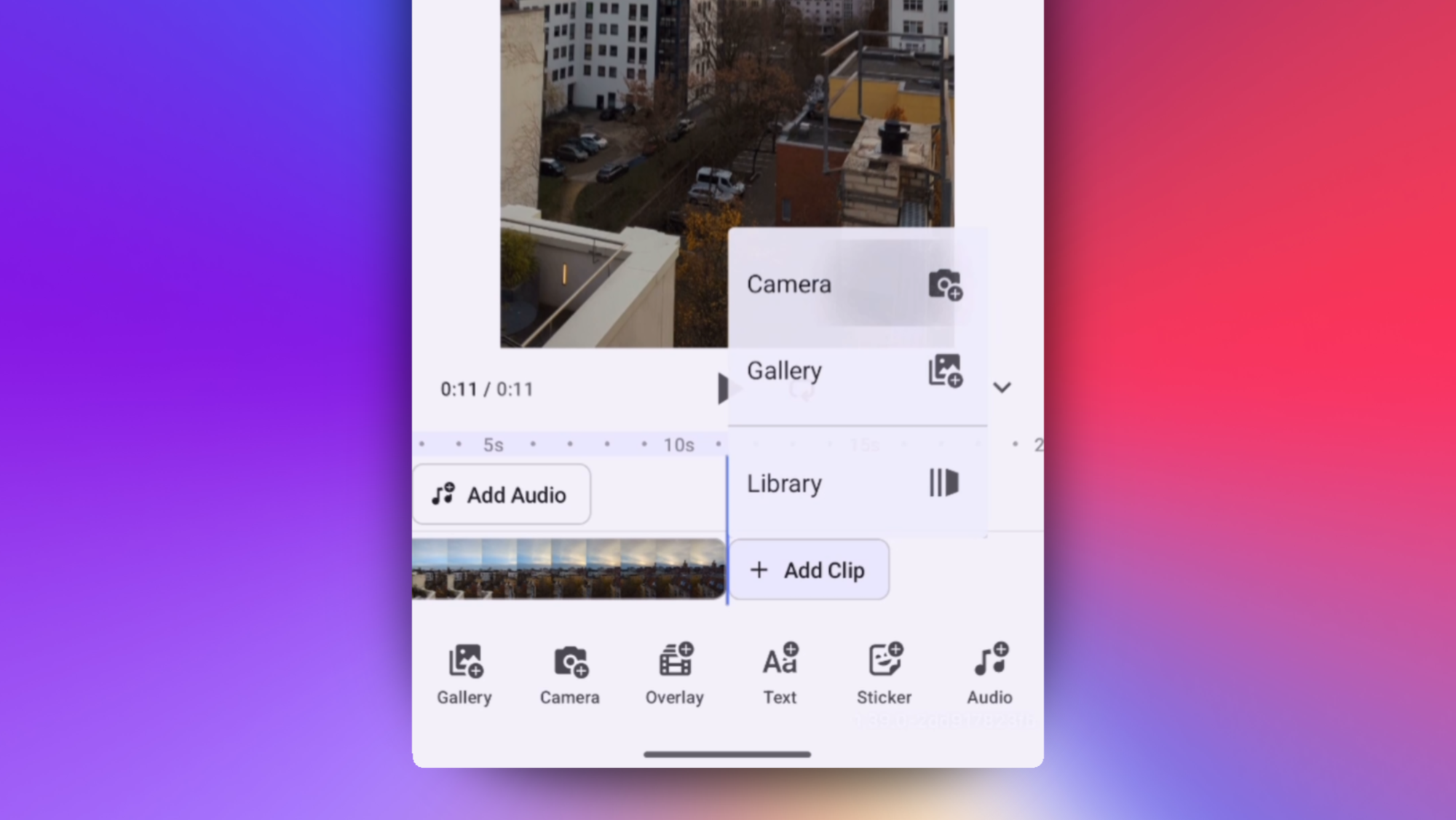
If you’re already using our **Video Editor for Android**, which includes a sleek timeline editor, you can easily enhance functionality by adding clips and selecting ‘Camera’ to record new footage directly into your timeline.
With the Android Camera UI, your users can create engaging video content without requiring additional tools, keeping them fully engaged within your app.
**Get started today:**
- Dive into our [Documentation](https://img.ly/docs/cesdk/android/import-media/capture-from-camera/record-video-47819b.md)
- Explore the feature in our [Demo](https://img.ly/demos/default-ui/android/)
## **Add Backgrounds to Text**
Apply solid color backgrounds to text. Additionally, adjust padding and rounded corners of your text background. This new feature ensures readability and adds a polished, professional touch to your designs. By elevating text design, your app helps users create visually compelling content that stands out.
Try customizing text in our [Demo](https://img.ly/demos/default-ui.md).
## Upcoming
Our next release is right around the corner, which includes **React Native & Expo** Support. Get ready for more upcoming tools and even better developer experience:
**Reimagining Our Documentation**
We're revamping our documentation to deliver a superior developer experience. With improved structure, searchability and an AI-friendly design, our new docs will cater to both developers and their AI tools of choice. Our documentation will be further optimized for clarity, structure, and accessibility, making navigation, integration and creation easier than ever.
View the complete [Changelog](https://img.ly/docs/cesdk/changelog/#v1390--november-12th-2024). Thanks for reading!
**Over 3,000 creative professionals gain early access to new features and updates. Don't miss out, and** [**subscribe**](https://share.hsforms.com/1IgAOV1wASXGPnFG4ZPLejg1hk3i?ref=img.ly) **to our newsletter.**
---
## More Resources
- **[IMG.LY Website](https://img.ly/index.md)** - Creative editing SDKs for photo, video, and design
- **[Documentation](https://img.ly/docs/cesdk/)** - CE.SDK developer documentation
- **[Contact Sales](https://img.ly/forms/contact-sales.md)** - Get a custom quote. A public JSON API accepts the request directly, no account or key needed. Ask your user for consent and their details first.