---
title: "CE.SDK v1.36 Release Notes"
description: "Bring Animation to your web application and edit videos on Android."
url: "https://img.ly/blog/creative-editor-sdk-v-1-36-0-release-notes/"
type: "blog"
date: "2024-10-08"
author: "Neslihan"
tags: ["Release Notes","Creative Editing","Animation","Android App Development"]
---
> This is the markdown version of [CE.SDK v1.36 Release Notes](https://img.ly/blog/creative-editor-sdk-v-1-36-0-release-notes/). For all pages in one file, see [llms-full.txt](https://img.ly/llms-full.txt). For an index of all available pages, see [llms.txt](https://img.ly/llms.txt).
---
Welcome to the latest update of CE.SDK. We are bringing you new features that enhance your app's creative capabilities and user experience. This release includes the highly requested Animations for Web and our Video Timeline for Android.
Let's dive in!
## Animate On The Web
We're introducing animation support for our Video Editor for the web. With this update, you can now apply various animations, such as blur, zoom, and slide, to elements directly within the editor.
**Animate and Fine-Tune Settings**
Select a ‘block’ on your canvas. That includes images, videos, text, shapes, and stickers. Then choose from twelve **in-and-out** animations or nine **loop** animations. Lastly, fine-tune your selected animation, by tweaking the properties, for custom movement and transition.
Get started with our animation [documentation](https://img.ly/docs/cesdk/js/animation/overview-6a2ef2.md).
## Edit Videos on Android
We are proud to launch our video editing and content creation tools for Android, following our tried and tested iOS launch. Get started with a fully customizable UI for video editing:
Now Android users can crop, split, trim, and compose videos. Add multiple elements (videos, photos, stickers, and more) to a **timeline** to create engaging content. Editing options like filters, effects, and audio tracks turn it into a one-stop solution for video creation.
Integrate your custom asset library for stock photos, videos, stickers, and music.
With customizable video formats, users can create content for specific platforms like Instagram and TikTok. Whether it’s stories or Ultra HD, the canvas auto-adjusts, making it easy to tailor videos for any need.
Explore our [Android Showcase](https://img.ly/demos/video-ui/android/).
## Explore New Showcases
Explore our latest solutions.
[**Photo Editor UI (Web)**](https://img.ly/demos/photo-editor-ui.md)
Integrate and customize a powerful photo editor for your web apps. With background removal, cropping, adjustments, and filters, users can enhance their photos easily.
[**Photoshop Template Importer**](https://img.ly/demos/psd-template-import.md)
Import Photoshop templates into CE.SDK while preserving key design elements like positioning, rotation, images, and text. Bulk importing is also supported for larger projects.
## Upcoming
**Camera UI for Android**
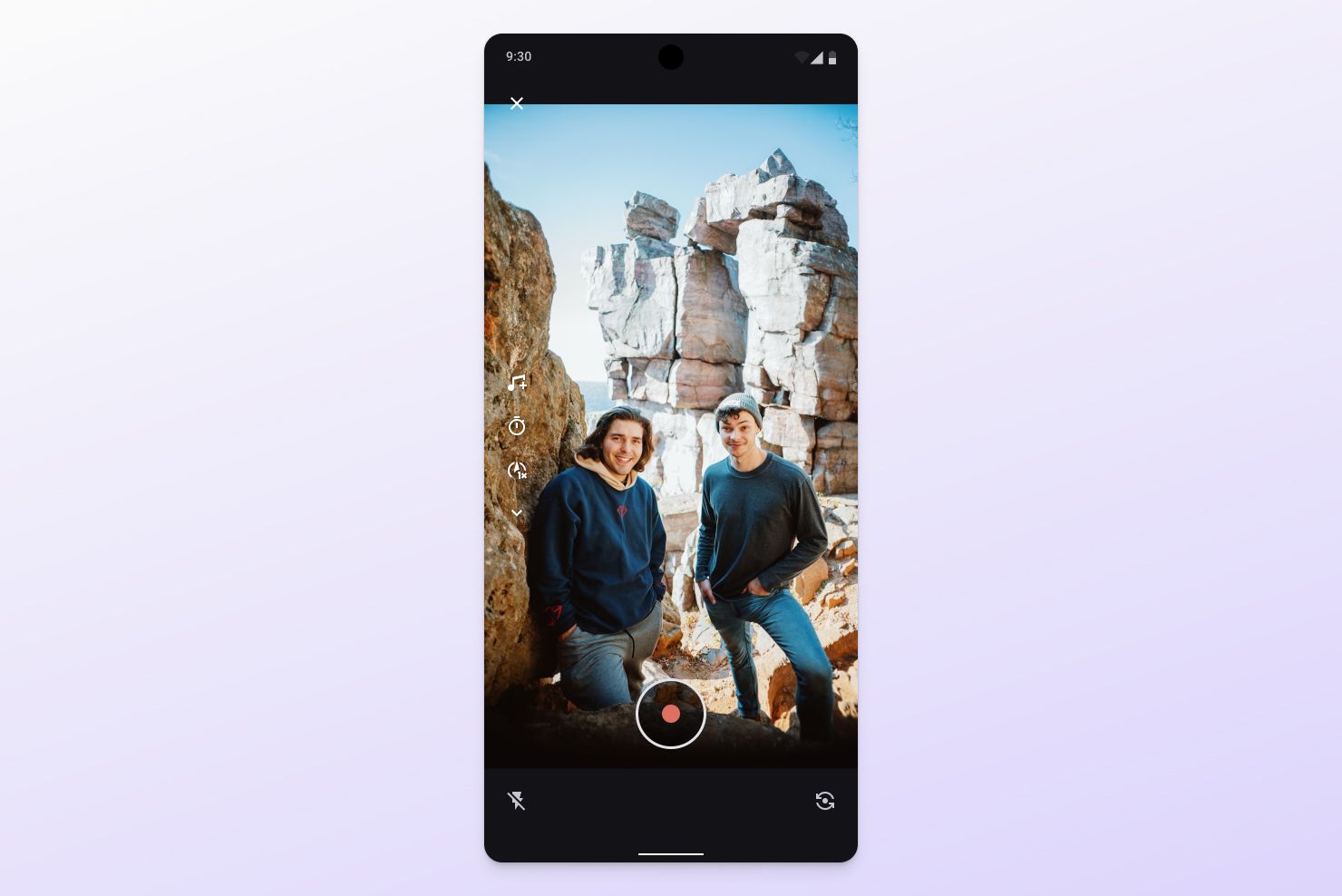
We’re committed to expanding our out-of-the-box solutions for Android, including our upcoming Camera UI. Check out our [iOS demo](https://img.ly/demos/video-ui/ios/) to see it already in action. These enhancements will further enrich the content creation experience for your Android users. Stay tuned for more updates.
**React Native Support**
We're excited to announce that CE.SDK React Native support is on the way for both iOS and Android. Developers will be able to get started with React Native by integrating our fully customizable editor UIs for video, photo, and design editing, just like in [Flutter](https://img.ly/blog/creativeeditor-sdk-now-supports-flutter-mobile.md?utm_source=imgly&utm_medium=releasenotes).
**Animate Text**
With the CE.SDK v1.36 animation release, you can already animate entire text blocks. For instance, you can slide in or fade out text. However, to create more intricate animations of letters, we are excited to announce a dedicated text animation release for web soon.
View the full CE.SDK v1.36 [Changelog](https://img.ly/docs/cesdk/changelog/#v1360--september-30th-2024). Thanks for reading! We are happy to [support you](https://img.ly/forms/contact-sales.md) with any questions you have.
**Over 3,000 creative professionals gain early access to new features and updates. Don't miss out, and** [**subscribe**](https://share.hsforms.com/1IgAOV1wASXGPnFG4ZPLejg1hk3i) **to our newsletter.**
---
## More Resources
- **[IMG.LY Website](https://img.ly/index.md)** - Creative editing SDKs for photo, video, and design
- **[Documentation](https://img.ly/docs/cesdk/)** - CE.SDK developer documentation
- **[Contact Sales](https://img.ly/forms/contact-sales.md)** - Get a custom quote. A public JSON API accepts the request directly, no account or key needed. Ask your user for consent and their details first.